
If you sell handmade goods, personalised gifts or market-stall products, the decoration step is usually the bottleneck. You either pay a print shop per item or own the equipment that does it on your bench. A UV printer cures liquid ink on contact with ultraviolet light, so there is no transfer film, no laminator run and no overnight drying. That is why the best UV printers for small crafts have moved out of commercial print shops and onto home studio desks in the last few years.
We spent weeks reading owner reviews, spec sheets and maintenance threads on this class of machine to build a shortlist of eight. The honest headline is that none of these is a one-button appliance. White ink settles, printheads need attention daily, and surface prep decides whether a print lasts a week or a decade. The machines below are simply the ones with the most defensible combination of print area, ink system and owner feedback for a small craft workload.
Our verdict up front: the DXZ A4 L805 is the best UV printer for small crafts overall, because it packs a six-colour head with white and varnish ink, a vacuum platform and a rotary bottle holder into a footprint you can carry with two hands. The RAINBOWDGT A3 wins on resolution and on arriving with a laptop that already has the drivers installed. The DXZ A3 UV3250 is the one to buy if you intend to print every single day.
Two things to know before you read on. First, this is a direct-to-object machine category, not a paper printer: you will be printing onto acrylic, wood, glass, metal, leather and tumblers rather than paper or fabric rolls. Second, most of the failures people report in owner forums trace back to white ink circulation and skipped cleaning cycles, not to the hardware itself. We cover that in detail further down.
Table of Contents
Top 3 UV Printers for Small Crafts in 2026

DXZ A4 L805 UV Flatbed
- CMYK plus white plus varnish head at 2880 x 1400 dpi
- Built-in vacuum platform
- Rotary bottle holder included

SYLCYS DX7 A3+ UV DTF
- Print and laminate in one machine
- Eight-colour head with white and varnish
- Software-driven auto cleaning cycle

PEIXU A4 XP600 Flatbed
- Compact A4 footprint with vacuum table
- 5760 x 1440 dpi XP600 head
- Rotary bottle holder included
All 8 Picks at a Glance in 2026
Every machine below prints white ink and cures on contact. The differences that matter to a craft seller are the print area, whether the platform holds a curved item, and how much daily upkeep the ink system demands.
| Product | Specs | Action |
|---|---|---|
| DXZ A4 L805 UV Flatbed Printer |
|
Check Latest Price |
 RAINBOWDGT A3 UV Printer RAINBOWDGT A3 UV Printer |
|
Check Latest Price |
| SYLCYS DX7 A3+ UV DTF Printer |
|
Check Latest Price |
 DXZ A3 UV3250 UV Printer DXZ A3 UV3250 UV Printer |
|
Check Latest Price |
| PEIXU A4 XP600 UV Flatbed Printer |
|
Check Latest Price |
 PLK A3 UV DTF Printer PLK A3 UV DTF Printer |
|
Check Latest Price |
 FAFAIR A3 UV DTF Printer FAFAIR A3 UV DTF Printer |
|
Check Latest Price |
 OMTech Spectra Pro A3+ UV Printer OMTech Spectra Pro A3+ UV Printer |
|
Check Latest Price |
How a UV Printer Actually Works
A UV printer is a digital inkjet machine that deposits UV-curable ink droplets straight onto an object and cures each layer with UV-LED lamps as the head passes over it. Because the ink is cured by light rather than heat or air, the item is finished and touchable the moment the carriage lifts.
That single fact explains why this technology suits small crafts. There is no film to peel, no powder to shake off, no curing oven to run. White ink and clear varnish ink are laid down as separate layers, which is how you get opaque colour on dark acrylic, a gloss contrast on a matte print, or a raised texture effect on a coaster.
The trade-off is that UV ink is not forgiving. It has to be kept circulating, and the printhead has to be cleaned on a schedule, or nozzles block and you will notice it in your colours.
1. DXZ A4 L805 UV Flatbed Printer – Editor’s Choice for First-Time Craft Sellers
DXZ A4 L805 UV Flatbed Printer – Varnish with Rotary UV Ink for Acrylic, Metal, Leather, Golf, Bottle, Phone Case and More,2-Year Ink Included (Printer + Bottle Holder + Software)
A4 print area
CMYK plus white plus varnish at 2880 x 1400 dpi
Vacuum platform and rotary bottle holder
Pros
- Largest owner base in this group at 22 reviews
- Broad substrate range across acrylic metal leather wood and plastic
- Two-year ink supply plus bottle holder and software in the box
- Six-colour head includes varnish for gloss and raised texture
Cons
- 4.1 average with roughly a fifth of reviews at one star
- Steep learning curve on ink setup and nozzle maintenance
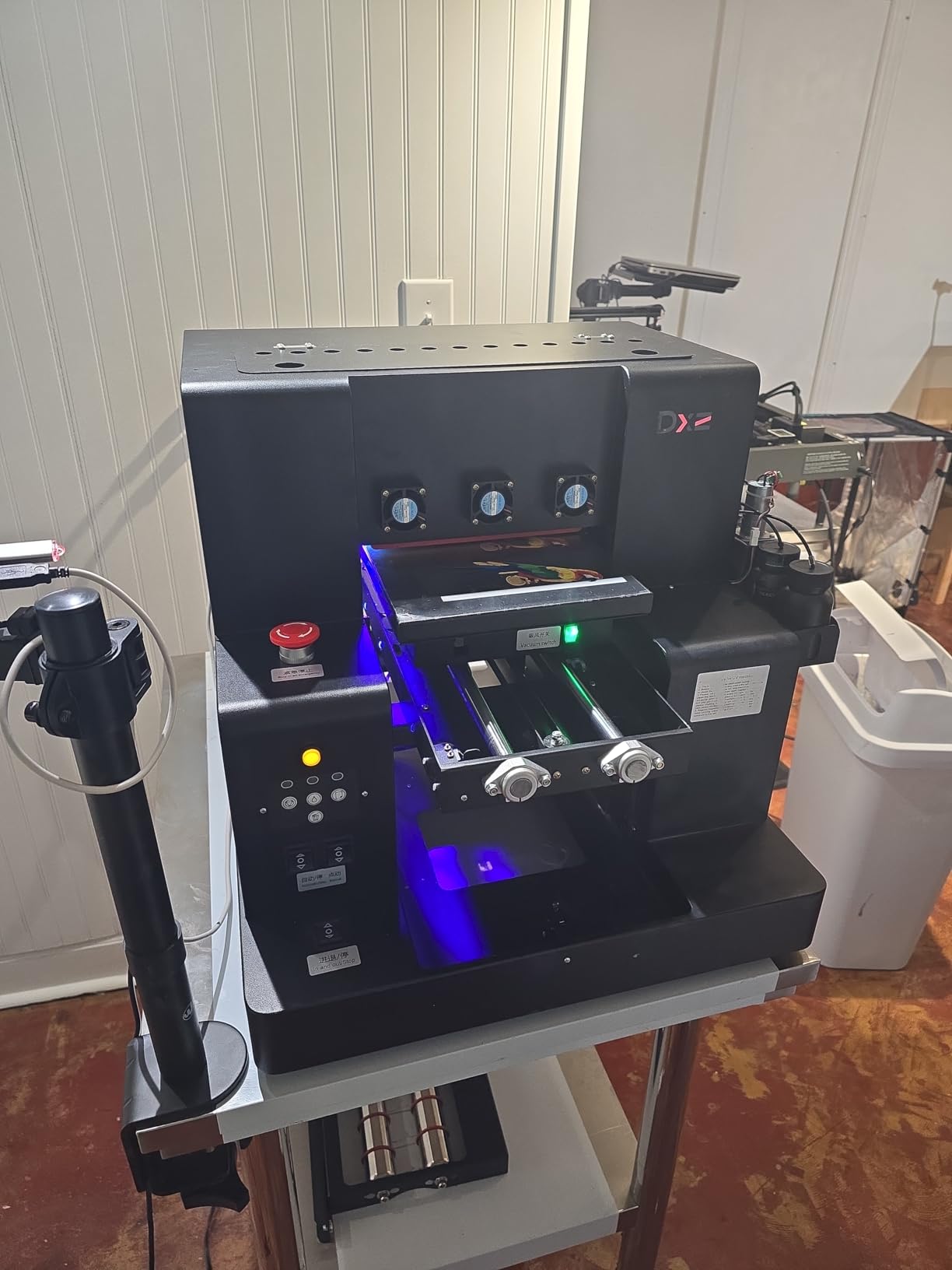
The DXZ A4 L805 is the machine I would hand to someone opening their first craft business, and the reason is not the specification sheet so much as the box contents. You get the printer, six 500ml bottles of UV ink covering black, cyan, magenta, yellow, white and varnish, a rotary bottle holder, the control software and cleaning accessories in one package. There is no second order to place before you can print a keychain.
The head is a six-colour L805 rated at 2880 x 1400 dpi, and the machine runs direct-to-object printing on a built-in vacuum platform. That platform matters more than buyers expect: acrylic sheets and MDF coasters that shift by even a couple of millimetres mid-pass produce a smeared or banded print. Reviewers consistently report that the hold-down keeps flat materials aligned.
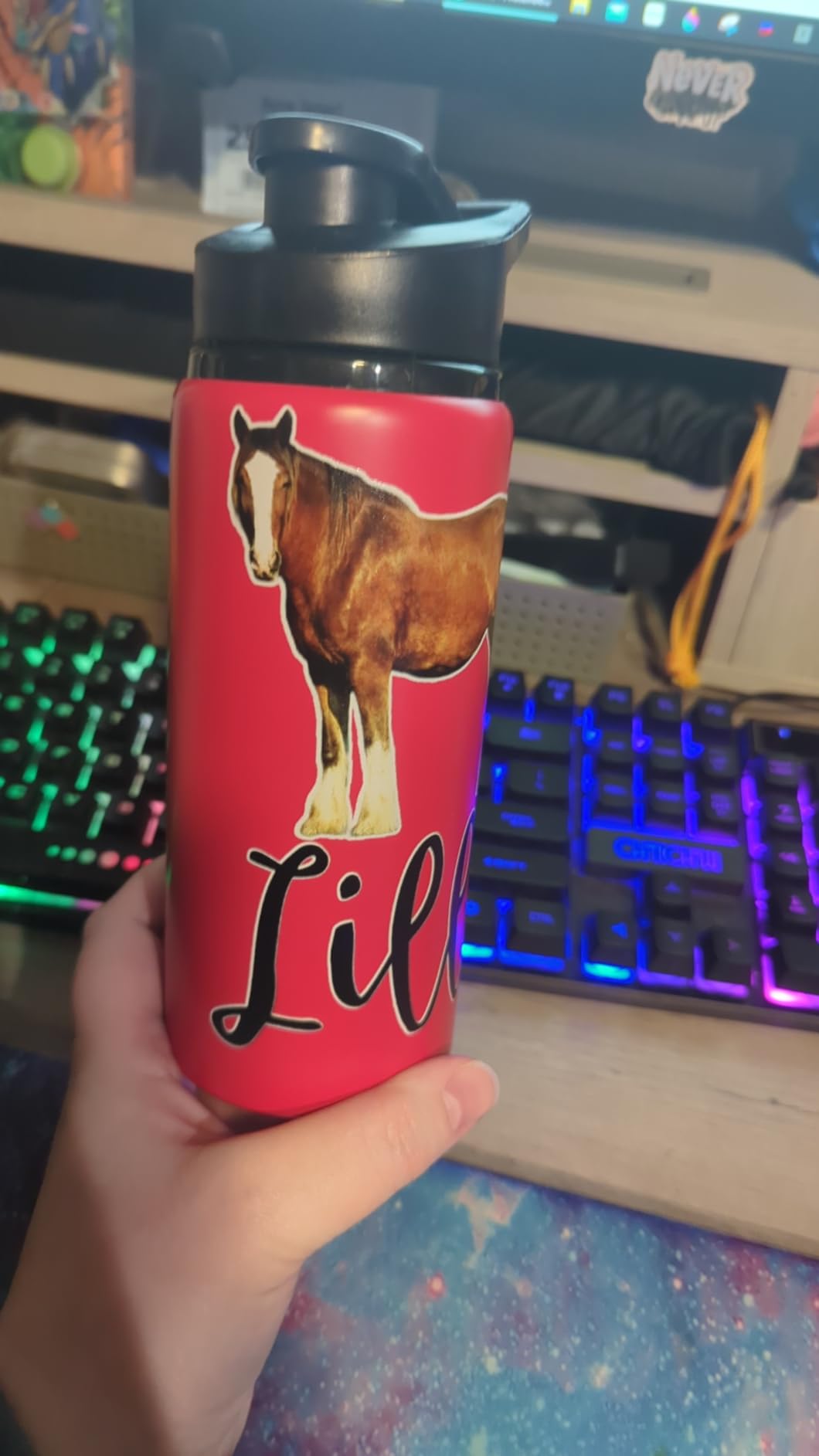
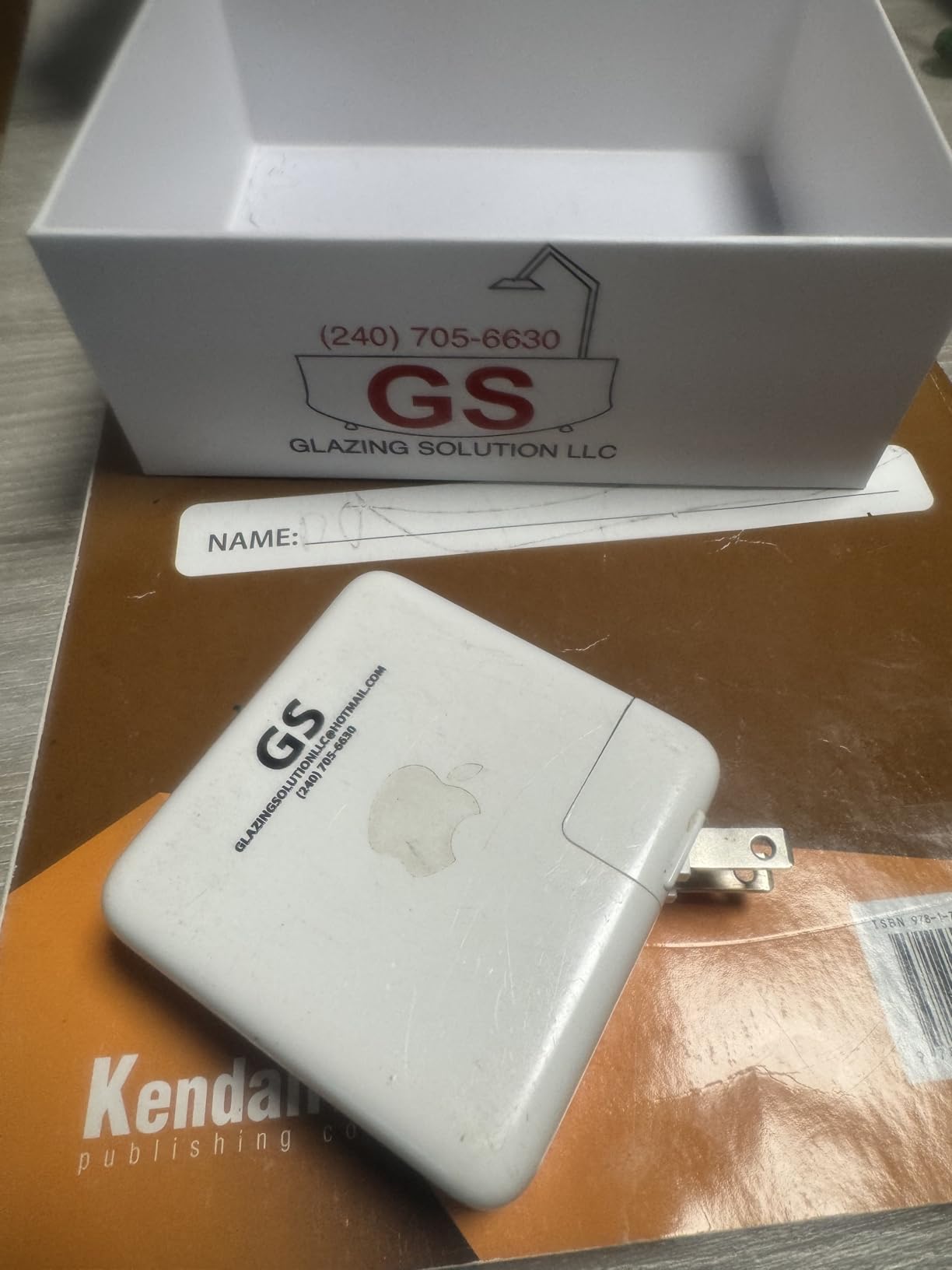
Substrate range is the other strength. Owners put this machine onto acrylic, metal, leather, wood, plastic, stone and golf items without changing hardware, and the varnish channel adds a gloss or embossed texture pass on top of the colour. For a seller who wants to offer a premium tier rather than a flat print, that second ink is the difference between a commodity item and a gift.
The rotary bottle holder is included, which covers tumblers and bottles without a separate purchase. It is the most direct route in this roundup to cylindrical printing, and it is one of the reasons this machine edges ahead for a first buy.
Physically it is a compact unit at 24.06 inches deep by 21.54 wide by 19.3 high, and reviewers describe moving it as a two-person job rather than a gym session. That footprint is the reason a home studio or a converted garage works at all.
What to check before you order
Ask the seller which white ink system is fitted and how the automatic cleaning cycle is scheduled. The white ink blending function is the difference between a machine that runs weekly and one that clogs after a long weekend.
Then ask what the warranty actually covers. This listing carries a limited warranty, and the useful question is whether the printhead is inside it, because a printhead is the single most expensive part in the machine.
Who should skip it
Skip this one if your product line needs panels larger than A4, or if you are not prepared to run a cleaning cycle daily. The 4.1 average with a meaningful share of one-star reviews traces back to setup and reliability friction rather than print quality, and that friction is exactly what disappears once the routine is habitual.
It is also not the right machine if your entire product range is fabric. The listing is filed under fabric printing media, but white ink and vacuum hold-down are built for rigid stock, not textiles.
2. RAINBOWDGT A3 UV Printer – Best Resolution and Best Onboarding
RAINBOWDGT A3 UV Printer Machine,5760×2880 DPI,Bottle Holder & Stickers
19.7 x 12.6 inch print area
5760 x 2880 dpi
White ink circulation and agitation
Bundled Windows laptop
Pros
- Highest resolution in the group at 5760 x 2880 dpi
- Infrared auto-height detection and self-cleaning printhead
- Reviewers report responsive WhatsApp technical support
- Bundle laptop arrives with drivers already installed
Cons
- Bundled laptop has security software that flags it
- RIP settings need tuning before output is reliable
- 121 pound unit with a large bench footprint
The RAINBOWDGT A3 is the pick if fine detail is your differentiator. At 5760 x 2880 dpi it is the highest-resolution machine in this group, and that figure shows up in real work: fine line art, small text on keychains and thin white strokes on a dark phone case all print cleaner here than on the 1440 dpi entries.
The 19.7 x 12.6 inch working area is a step up from an A4 bed, which means fewer tiled prints when you move from a single keychain to a gift sign. The vacuum adhesion platform holds larger work, and infrared auto-height detection handles the head-to-substrate gap without you guessing at a manual setting.
For a first-time buyer, the onboarding story is the real headline. This bundle arrives with a Windows laptop that has the drivers and RIP software pre-installed, so you are not hunting for a control board driver at 11pm on day one. Buyers call the technical support responsive over WhatsApp, which matters a great deal when you are two thousand miles from the factory.
Reviewers also report good output on canvas, wood and A/B film, with ink lasting longer than they expected. Print modes cover flat, cylindrical, gloss, sticker and 3D embossing work from the same machine.
White ink circulation and agitation are handled by a dedicated system, and the self-cleaning printhead routine is one of the reasons this machine holds a 4.4 average across its reviews rather than slipping the way most desktop UV units do.
What to check before you order
Ask whether the bundled laptop is included as a fixed bundle or can be removed. Some sellers will split the package, and if you already have a machine you may prefer the printer alone with more ink.
Then plan for the size. At 121 pounds and 32 by 24.8 by 20 inches, this is a two-person lift and it needs a dedicated bench, not a shelf. Measure the route from your door to the workbench before it arrives.
Who should skip it
Skip the bundle if you already own a capable laptop. Owners warn that the included machine arrives with security software that flags it, and the RIP software can trigger antivirus warnings, so expect to spend an afternoon sorting firewall and driver settings rather than printing.
They are not plug and play in the true sense. Reviewers report that RIP settings need adjustment before output is reliable, which is a small tax to pay for a bigger bed and finer resolution, but a tax nonetheless.
3. SYLCYS DX7 A3+ UV DTF Printer – Best Value Print-and-Laminate Workflow
SYLCYS A3+ DX7 UV DTF Sticker Printer Come with Software A/B Film and Inks
13 inch media width
Eight-colour head with white and varnish
Automatic print and laminate
1440 dpi
Pros
- Prints and laminates in one machine with no separate laminator
- Eight ink channels including two whites and two varnish channels
- Software-driven automatic cleaning cycle
- Starter kit includes A/B film plus six 500ml inks and RIIN software
Cons
- 4.1 average with about a fifth of reviews at two stars
- 1440 dpi is below the 2880 dpi class of competing machines
The SYLCYS DX7 is a UV-DTF machine, which is a different workflow from everything else in this roundup, and understanding the difference is how you decide whether it belongs in your studio. Instead of jetting ink straight onto the item, the DX7 prints onto a special film and laminates that film onto the object in the same pass. The result is a crystal-effect transfer that will stick to materials where direct-to-object ink struggles.
That is the practical argument for it. If your range is glass, ceramic, coated metal, leather or even fabric, a UV-DTF transfer is far more forgiving than trying to bond direct ink to a low-surface-energy surface. If your range is thick rigid acrylic blocks, the direct printers below will serve you better.
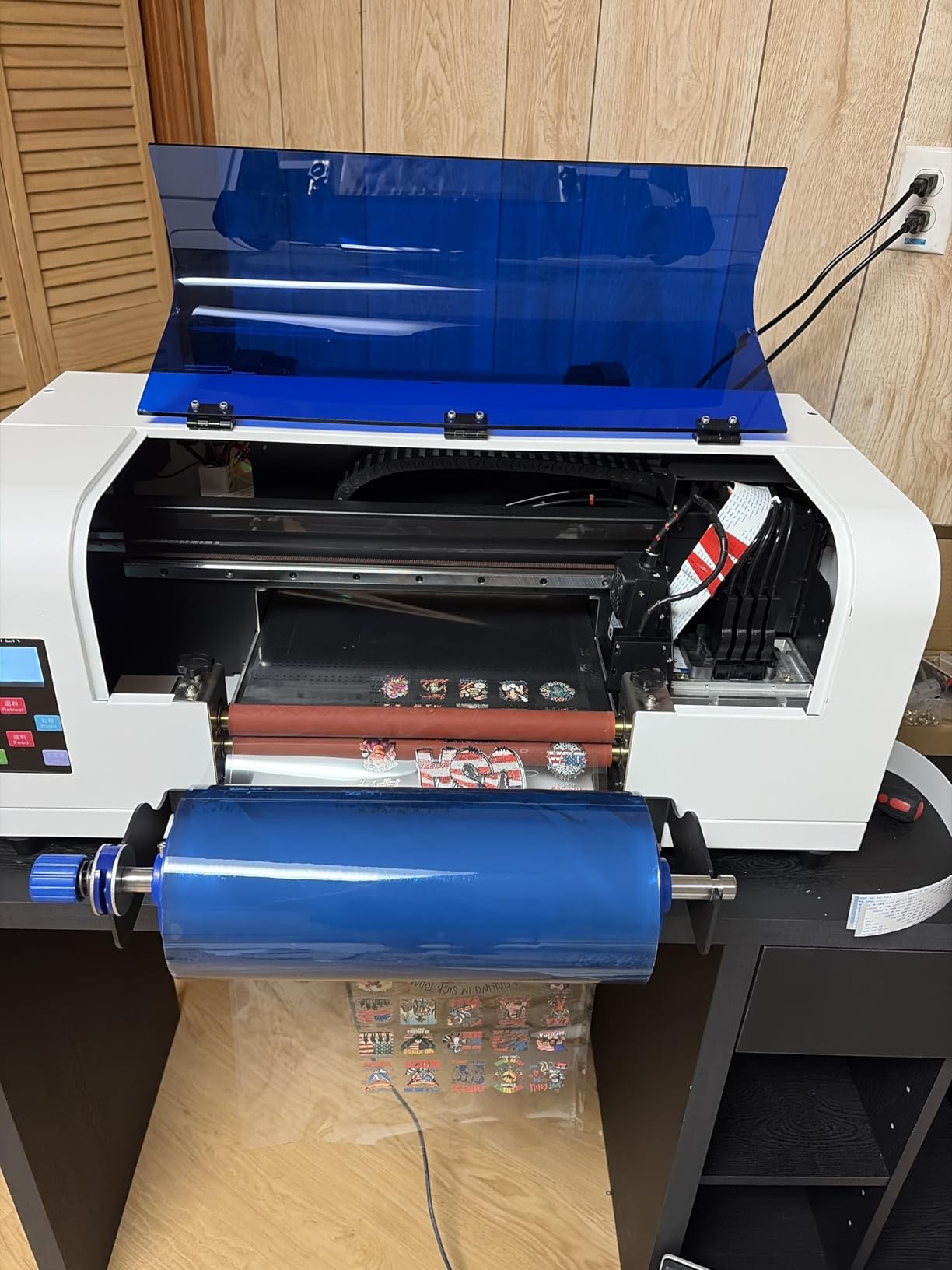
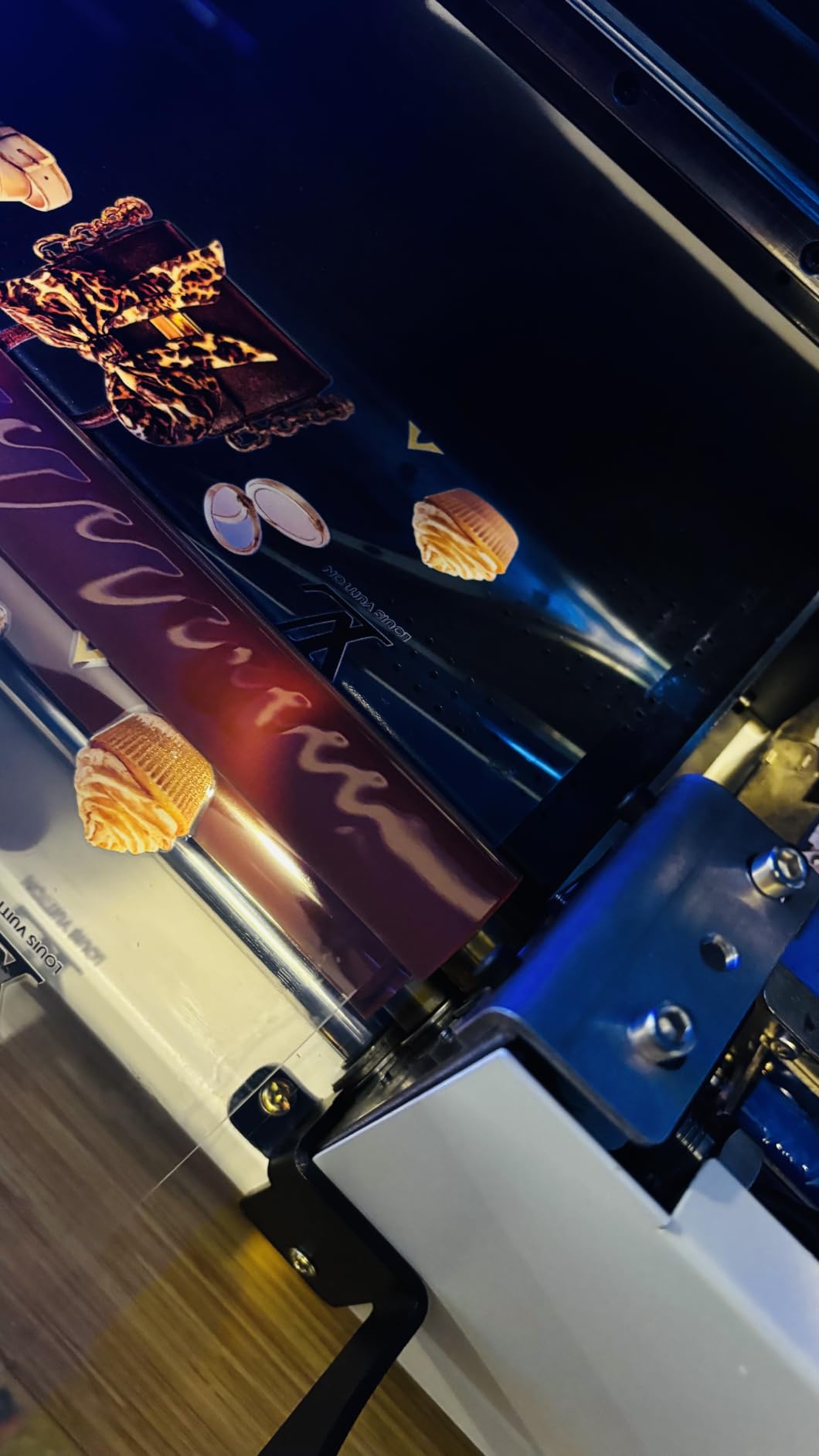
The hardware is an eight-colour DX7 printhead covering black, cyan, magenta, yellow, two whites and two varnish channels, running at 1440 dpi with throughput listed at 1.5 to 2 square metres per hour. The automatic laminating happens at the front and back of the print pass, which removes the powder-shaking and oven steps that make traditional DTF exhausting in a small workspace.
Maintenance is the friendliest part of the spec. A software-driven automatic cleaning cycle handles the daily flush, which is why reviewers describe the upkeep as simpler than a direct-to-object unit with a manual white ink routine.
It runs on 110V North American power, is packed in a wooden crate, and weighs 38 kilograms at 15 inches deep by 35 wide by 15 high, which suits a long desk better than a deep alcove.
What to check before you order
Ask how much A/B film the machine ships with and what the running film consumption is per square metre. Film is the consumable that quietly dominates cost in a UV-DTF workflow, and the answer tells you more about your real per-item cost than the ink volume does.
Also confirm the laminate temperature and dwell settings, because some plastics and coated papers will distort under a hot laminate.
Who should skip it
Skip it if your designs need very fine small text. At 1440 dpi this sits below the 2880 dpi class, and reviewers who upgraded from a higher-resolution unit notice the difference on line art.
It is also a transfer workflow, not a raised-texture workflow. If the tactile varnish and embossed finish are the point of your product, a direct flatbed with a varnish channel will give you more control than a laminated film.
4. DXZ A3 UV3250 UV Printer – Most Versatile for Daily Craft Production
DXZ A3 UV Printer,Automatic L805 UV Flatbed Cylinder Printer with Varnish 100% Transfer Rate for Phone Case,Acrylic,Metal,Leather,Golf,Bottle,2-Year Ink Included
A3 flatbed with rotary capability
Six-colour head with white and varnish
Two-year ink supply
Pros
- Most generous warranty split here at 2 years parts and 6 months printhead
- Strong output on wood plus canvas coasters mugs and glasses
- Remote support resolves parts issues including UV lamp replacement
- Varnish and emboss effects give a premium finish
Cons
- 151 pound unit that needs two people to place
- Daily nozzle cleaning and waste ink jar emptying on frequent use
- Initial setup involves manual connector and priming checks
- Support runs on a 12-hour time difference from US buyers
The DXZ A3 UV3250 is the one we would put on a bench that runs every day. It is a direct-to-object A3 flatbed with rotary cylinder capability, so it covers both flat signage and tumblers from the same machine, and it carries the same six-colour L805 architecture as our editor’s choice with a larger bed.
What separates it is the depth of owner reporting. Several reviewers here write long-form accounts spanning a year or more of daily use, describing consistent colour, prints that survive handling without smudging, and varnish and emboss effects that lift the finished piece above a flat print. That is exactly the evidence a small business owner needs and exactly what the newer listings in this roundup cannot offer.
Support is another strength worth naming. Owners report the team resolving parts problems remotely, including a UV lamp replacement, and a two-year ink supply plus remote setup support is included, and the warranty is two years on non-consumable parts with six months on the printhead.
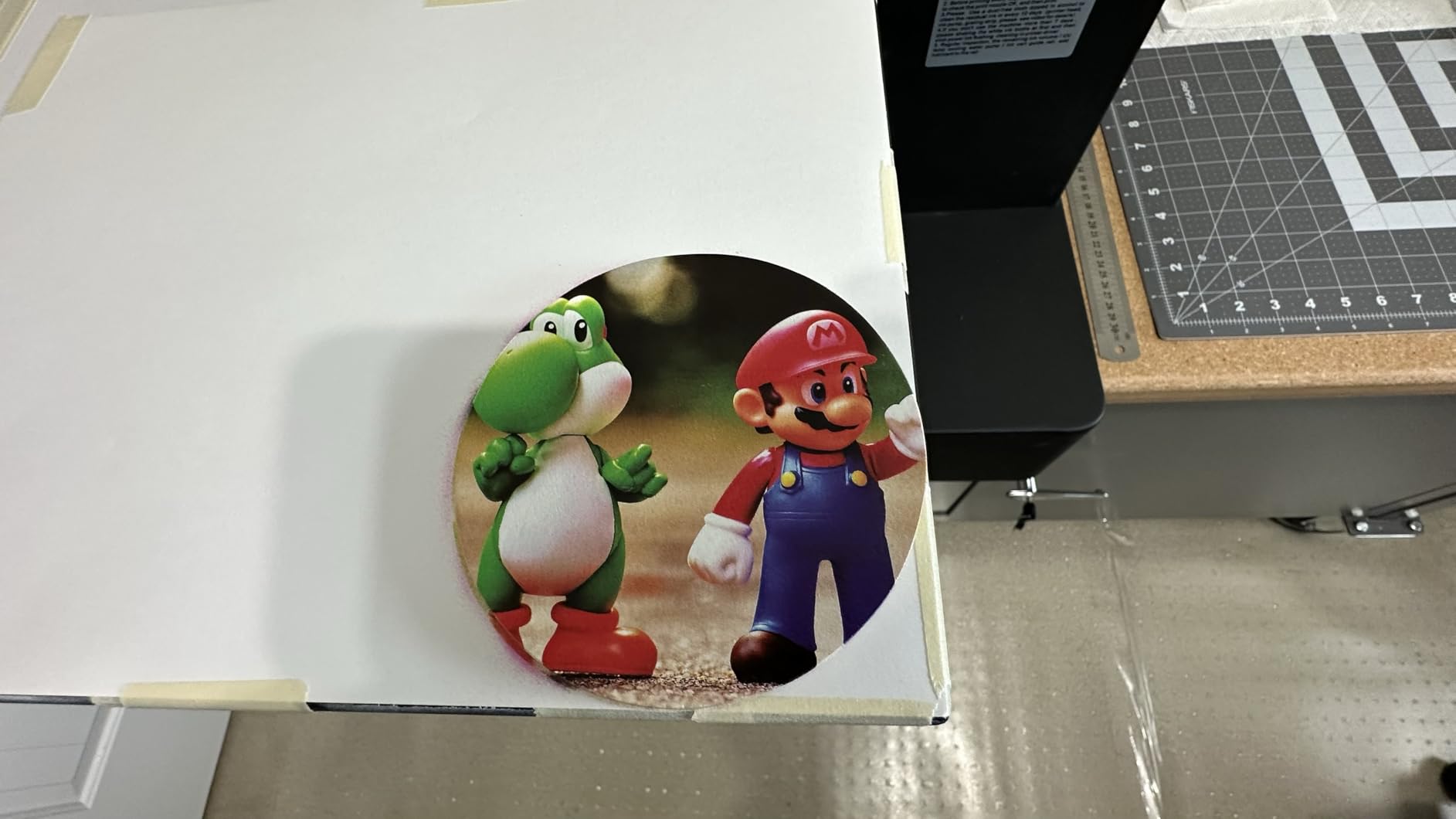
Reported output quality is strong on wood, canvas, coasters, mugs and glasses, which is a broad substrate list for a machine this size. The built-in vacuum platform handles the hold-down, and white ink mixing plus an automatic cleaning function cover the daily routine.
It is also by far the largest footprint in the roundup at 83 by 63 by 52 inches and 151 pounds, so plan a floor-standing position rather than a desk position, and check the power circuit for it.
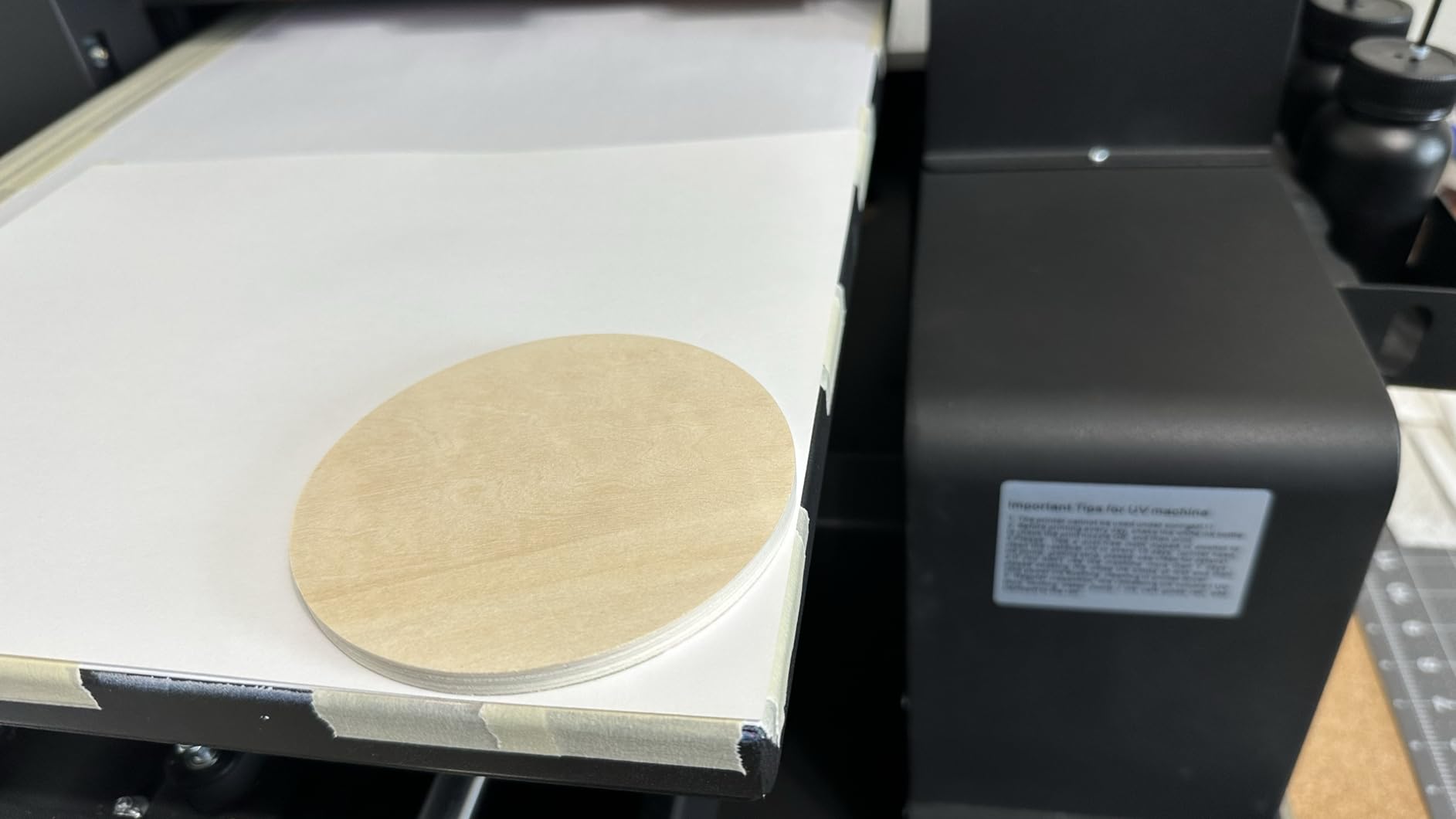
What to check before you order
Ask for the printhead warranty terms in writing and confirm the replacement process for a blocked head. Six months is short relative to how long you should expect to run the machine daily.
Then ask about spare parts availability in your region, and about the waste ink jar. On daily use, this machine needs the jar emptied regularly, and shipping a 151 pound machine for a routine service visit is not a plan.
Who should skip it
Skip it if you print a few pieces a week. The daily cleaning and waste-ink routine is designed for a busy operator, and for a casual maker it is unnecessary ceremony. It is also a two-person placement, so a solo seller working alone needs help on delivery day.
Be aware that support operates on a 12-hour time difference from US buyers, which matters most when something fails mid-order and you need a same-day answer.
5. PEIXU A4 XP600 UV Flatbed Printer – Budget Pick for a Hobby Bench
A4 XP600 UV DTG Printer Machine, 5760 * 1440dpi Precision UV Flatbed Printer with 22x33x15cm Vacuum Platform & Bottle Holder, Perfect for Phone Cases Acrylic Metal Leather Golf Balls Bottles (A4)
22 x 33 cm vacuum table
XP600 head at 5760 x 1440 dpi
15 cm object height
Rotary holder included
Pros
- Compact footprint that suits a hobby bench
- 5760 x 1440 dpi resolution from an XP600 head
- Emergency stop button for daily operation
- AcroRIP White software pre-installed for Windows
Cons
- UV ink is not included and has to be ordered separately
- 22 x 33 cm vacuum area is the smallest here and limits larger pieces
- Only two reviews
- so long-term reliability is unproven
The PEIXU A4 is the smallest machine here and the one most honestly framed as a hobby starting point. The XP600 printhead delivers CMYK plus white plus varnish at 5760 x 1440 dpi, and at 23.62 by 17.72 by 21.65 inches it will sit on a normal desk rather than a dedicated bench. If your studio is a corner of a spare room, that is a genuine advantage rather than a compromise.
The vacuum working table is 22 by 33 centimetres with a maximum object height of 15 centimetres, which covers phone cases, small acrylic keychains, coasters, and a standard tumbler on the included rotary bottle holder. Anything larger means tiling the print or moving up a size.
Two practical details stand out. The emergency stop button is a sensible inclusion on a machine you run inches from your hands, and AcroRIP White v10.3 comes pre-installed for Windows, so at least the software side of setup is handled.
White ink circulation runs with automatic cleaning, which is the minimum sensible standard for a machine with a white channel. The system also includes protective circulation so the ink does not simply sit between jobs.
We want to be straight with you about the evidence. This listing has two reviews, both five-star, and they contain no substantive detail about durability or print consistency. The rating looks perfect and tells you almost nothing, so treat the specification as unvalidated until you have run it yourself.
That caveat applies most sharply to the ink situation. UV ink is not included, which means your real entry cost is the machine plus a full ink set before the first print, and a first-time buyer who forgets that arrives to a printer that cannot print.
What to check before you order
Ask which white ink is compatible and how much ink a full set requires, then price that before you commit. Also confirm the warranty length, which is listed as a limited manufacturer warranty of one year.
Ask for a sample print on the substrate you actually sell. At this size, the vacuum table and head height are tight, and a 15 centimetre object limit excludes a lot of tumblers without a jig.
Who should skip it
Skip it if you sell anything larger than a phone case. The 22 by 33 centimetre area is the smallest in the roundup, and tiling a design across the bed introduces visible seams on a finished product.
Also skip it if you want the lowest total cost. The missing ink set moves the real cost of entry above what the machine line alone suggests, and two reviews is thin evidence for a machine you will depend on for income.
6. PLK A3 UV DTF Printer – Best All-in-One for Sticker Decals
PLK A3 UV DTF Printer All-in-One,No Laminator Needed,Dual XP600 Print Heads, Auto Cleaning System&White Ink Stirring,High-Speed UV DTF Printer for Glass,Metal,Wood,Tumblers,Leather,Sticker
Dual XP600 heads, 2880 x 1440 dpi
Integrated print and laminate
A3 vacuum bed
Pros
- Integrated laminating removes powder and oven stages plus film handling
- Dual XP600 heads deliver 2880 x 1440 dpi
- Automatic white ink stirring and circulation reduce manual maintenance
- A3 vacuum platform suits stickers decals and small batches
Cons
- Newest listing in the group with only four reviews behind it
- Controls are listed as hand control rather than a documented panel interface
The PLK A3 solves a specific problem well: it is a true all-in-one UV-DTF machine that prints and laminates in a single unit. If you make stickers, decals or labels for glass, metal, wood, tumblers or leather, that integration removes the powder station, the curing oven and the manual film handling from your workflow entirely.
Resolution is a strength here. The dual XP600 heads run at 2880 x 1440 dpi, double the horizontal resolution of the single-head DTF design, which shows up as cleaner edges around small text and logos.
Maintenance is handled by automatic white ink stirring and circulation plus an auto cleaning system, and the 11.8 inch (300mm) A3 area sits on a built-in vacuum suction platform to keep the film stable through the pass. Film stability is the failure point in DTF, so a suction platform is not a luxury.
The complete package includes A/B film, six ink bottles, software and maintenance tools, so unlike the entry A4 unit you are not ordering a bare machine. Support is listed as 24/7 with a one-year parts warranty and a six-month printhead warranty.
At 151 pounds and 34 inches deep by 17 wide by 19 high, it is narrower than the other A3 units here, which helps if your bench runs along a wall.
The honest limitation is evidence. Four reviews, all five-star, with limited written detail, is a thin base for a machine of this size. The specification is credible; the long-term record does not exist yet.
What to check before you order
Ask for the film consumption figure per pass and how much A/B film is included. In a DTF workflow, film is the cost line that decides whether your per-item margin works.
Also confirm how the automatic laminating handles the film waste, and ask what the print speed is on a real sticker job rather than a manufacturer square-metre figure.
Who should skip it
Skip it if you want raised texture and tactile varnish. A laminated transfer sits flat by design, so the dimensional finishes that direct-to-object printers can build are not available here.
Skip it if you cannot commit to the film consumable. Unlike a direct printer, where ink is the main running cost, a DTF machine ties a meaningful part of your ongoing spend to film roll replacements.
7. FAFAIR A3 UV DTF Printer – Best for Single-Pass Varnish Finishes
FAFAIR A3 UV DTF Printer with Dual XP600 Printheads for 300+ Materials
Dual XP600 heads, 12-colour gamut
1440 dpi single-pass varnish
Auto laminating
6 month warranty
Pros
- Single-pass varnish gives glossy finishes without a second pass
- Automatic laminating and film collection reduce hand-application defects
- Hoson industrial board with scheduled auto cleaning and white ink mixing
- Claimed compatibility with 300 plus materials
Cons
- Only two reviews on a machine of this class
- 6 month warranty is the shortest in the roundup
- Throughput and resolution figures in the listing are internally inconsistent
The FAFAIR A3 is the pick if gloss matters more to your product than raw resolution. Its dual XP600 heads drive a 12-colour CMYKWV system and lay varnish down in a single pass, so you get a glossy coated finish without running the head over the same area twice. On a printed product that is going in a gift box, the finish is the thing a customer notices first.
It also automates the parts of DTF that usually go wrong by hand. One-pass automatic laminating with automatic film collection means you are not peeling and smoothing every transfer yourself, which is where hand-applied defects usually creep in on a small batch.
The control electronics run on a Hoson industrial-grade motherboard with auto cleaning and white ink mixing scheduled in, and film sits on a built-in suction platform. The listing claims compatibility with more than 300 materials, which is consistent with how transfers behave across different surfaces.
Now the caveats, and there are a few. This is a tall object: 143.3 pounds at 30.3 inches deep by 36.6 wide by 46.1 high, and the height is worth checking against your ceiling clearance for loading film.
The warranty is six months, the shortest in this roundup, and there are two reviews on a machine at this level. Buyers should treat the single-pass varnish claim as promising but unverified in the field.
One more detail worth knowing before you ask questions: the listing’s throughput and resolution figures are internally inconsistent, so get a written throughput number for a real job of your size rather than relying on the headline number.
What to check before you order
Ask for a written warranty statement covering the printhead specifically, and confirm who handles service in your country. A six-month warranty is short enough that the service relationship matters more than the machine’s brand.
Ask for a sample on your hardest substrate. Twelve-colour systems and single-pass varnish sound similar on paper, but adhesion behaviour differs a lot between glass and untreated wood.
Who should skip it
Skip it if you are buying on reputation alone. With two reviews and a six-month warranty, you are taking on a support risk that the A3 direct printers in this roundup do not ask you to take.
It is also not the right choice for raised or embossed texture, since varnish applied in a single pass through a film transfer is a surface finish rather than a dimensional one.
8. OMTech Spectra Pro A3+ UV Printer – Best Open-Ink Platform and Throughput
OMTech Spectra Pro A3+ UV Printer with Dual F1080 Printheads, CMYK + White + Varnish, 2.4 m²/h High Speed, 13.8″x17.7″ Desktop Flatbed, Auto Cleaning, 3D Textures, Open Ink Platform
13.8 x 17.7 inch print area
2.4 square metres per hour
Open ink platform with bulk ink
Pros
- 2.4 square metres per hour stated throughput
- 13.8 x 17.7 inch area with 5.5 inch print height for thick objects
- Open ink platform avoids proprietary cartridges and lowers running cost
- GREENGUARD Gold certified low-VOC inks suit indoor studio use
Cons
- Only one review so there is effectively no customer validation
- Newest listing here and first available February 2026
- Automatic cleaning and white ink circulation still need daily attention
The OMTech Spectra Pro A3+ is the machine to look at if you are planning to grow past a hobby. It runs dual F1080 printheads across CMYK, white and gloss varnish, with a listed throughput of 2.4 square metres per hour, a printhead speed of 400 mm/s and 1770 mm/s squared of acceleration. That is production-class motion for a machine that still fits on a desk.
Its 13.8 by 17.7 inch print area with 5.5 inch of print height gives you room for signage-sized work and for objects with real depth, which is where the compact A4 units run out of space.
The open ink platform is the part that matters most for a small business. Proprietary cartridge systems look cheaper per bottle and cost more per printed item over a year, because you are locked into one supplier’s chemistry. An open platform with a bulk ink system lets you buy third-party UV ink and control your running cost directly.
For a home studio, the ink certification is worth noticing. The listed GREENGUARD Gold certified low-VOC inks are specified for indoor commercial use, and paired with the white ink circulation and automatic printhead cleaning, that addresses the two objections craft sellers raise most often: what it smells like in a domestic space, and how much daily attention it needs.
The software side is unusually modern for this category. AI HD image optimisation, automatic background removal and one-click white and gloss functions cut the manual preparation time on a photo-to-product workflow, which is where a lot of small sellers actually spend their hours.
The evidence base is the problem. This is the newest listing in the roundup, first available in February 2026, with a single five-star review. Everything above rests on manufacturer specification, and we would want to see it running a full month of orders before recommending it over the better-documented A3 units.
What to check before you order
Ask which third-party inks are certified as compatible, and get that list in writing. Open ink platforms are only an advantage if suppliers actually exist near you.
Ask what the real throughput is on a full-bleed CMYK plus white plus varnish job at production quality, since the headline figure comes from light coverage. Then confirm local service coverage and printhead warranty terms.
Who should skip it
Skip it if you want a proven ownership record. One review tells you nothing about print consistency over months, and it sits at the upper end of this roundup’s price band.
Skip it if you only print a few items a week. The throughput and open-ink economics are designed for volume, and a casual maker will not recover the difference through cheaper ink.
Which Type of UV Printer Do Small Craft Sellers Need?
There are three workflows in this roundup and they suit different products. A direct-to-object flatbed prints ink straight onto the item and is the right answer for acrylic, wood, glass, metal and leather pieces where you want a raised or glossy finish. A UV-DTF machine prints to a film and transfers it onto the object, which is more forgiving on glass, coated plastics, ceramic and fabric. A roll-to-roll or industrial flatbed belongs to a different buyer entirely and is the wrong purchase for a craft seller.
For beginners, the direct desktop flatbed is the safer first machine. It has fewer consumables, no film to manage and no laminating step, so the number of things that can go wrong in week one is smaller. A UV-DTF machine is the better first buy if your product list is mostly fabric, canvas, coated surfaces or anything you have previously struggled to adhere to.
One category to rule out early. Industrial flatbeds from the major print manufacturers such as Mimaki, Roland and Mutoh, and entry-level models from Epson and similar, are built for signage and short-run production with a trained operator. Their published specifications assume a dedicated facility, a chiller and a service contract. For a maker producing pieces on a kitchen-adjacent bench, that is the wrong class of machine and the wrong ownership model.
Match the type to your niche and it becomes simple. Tumblers and bottles need rotary or cylinder support. Phone cases need a small platform and precise height detection. Signs and plaques need a bed at least as large as your product, plus a print height that clears the thickness of the board.
What to Check Before You Commit to a UV Printer?
Print area and object height come first, and they are not the same number. The quoted print area is the flat bed, but what limits you is often the height of the object that will fit under the head, especially for boxes, plaques and thick acrylic. Check both, and check whether the height figure is measured with the platform in the position you will actually use.
White ink is the biggest reliability factor in the whole category, because white pigment is dense and settles. A machine with a circulation and agitation system, or an automatic cleaning cycle, will out-perform a higher-resolution machine without one. Ask specifically which mechanism is doing the work, then ask owners rather than the sales page.
Rotary support decides whether tumblers are on your product list at all. A bottle holder is inexpensive to add but has to be supported by the machine’s firmware to print a proper wrap, so confirm it is a supported mode and not just a physical accessory.
Run a short list of practical questions at a demo. Ask to see a white underprint on a dark substrate, a clear acrylic block, a curved item on the rotary, fine text, a solid white area, and reversed type. Those six samples expose nearly every weakness a UV printer has. If a seller refuses any of them, you have learned something too.
Finally, sort out warranty and support before payment rather than after. What you want in writing is the return window, whether the printhead is covered, and who services the machine in your country. Printheads are the most expensive single part, and a head warranty shorter than a year is a meaningful signal about expected life.
White Ink, Maintenance and the Real Running Cost
Owners in the desktop UV communities describe white ink as the single biggest reliability problem in this category, with settling and blocked nozzles being the recurring complaint. A machine that sits unused for a week with white ink in the lines needs a nozzle check and a manual clean cycle before the next job, and that is not a defect, it is the physics of dense pigment.
Build the routine into your day. Run the automatic cleaning cycle at the end of every session, keep the waste ink jar from filling, and check nozzle health before a customer order rather than during it. The machines in this roundup with automatic cleaning systems are the ones we would choose for exactly this reason.
On running cost, three lines matter more than the machine itself: ink volume per item, waste ink, and printhead amortisation. Work out how much ink a typical phone case or keychain actually consumes by printing a known design on a scrap substrate and weighing the waste purge at the start and end. Most sellers underestimate purge volume badly, and that number is the one that determines your real per-item cost.
Do not forget consumables. Primer and adhesion promoter for glass and plastics, varnish ink for a premium finish, and A/B film if you run a DTF machine all sit outside the ink estimate. A seller who quotes only ink cost per item is quoting you an incomplete number.
Setting Up a UV Printer in a Home Craft Studio
Ventilation is the first thing to plan and the thing most first-time buyers skip. UV-curable ink has an odour that is noticeable in an enclosed room, and a closed machine enclosure is a real advantage for a domestic studio because it contains fumes. Position the machine in a room you can ventilate rather than a sealed cupboard office, and keep the extraction path clear.
Give it a dedicated power circuit. UV printers with chiller units and vacuum pumps draw real current, and sharing a circuit with a kettle or a heater is a good way to trip something mid-print. A dedicated outlet also protects the machine when the rest of the house loads.
On UV exposure, the curing lamps run shielded and enclosed, and the machine is designed so that light does not escape at eye level while printing. Keep the enclosure closed during a pass, and do not reach in to check a print mid-cure.
Waste ink needs a plan too. The waste jar contents should not go down a domestic drain, so keep containers sealed and check what your local disposal guidance requires for UV ink. A small dedicated area for the printer, a primer station and a curing or finishing spot will save you rework later.
Finally, work out your idle protocol before you take the first order. If you will go two weeks without printing, you need a known procedure for flushing white ink and sealing the lines. Owners who skip this are the ones who come back to a clogged head and a service visit.
What Can You Print, and on Which Materials?
Acrylic is the most popular craft substrate and the easiest place to start. It takes white ink and colour cleanly, and a varnish pass gives a glass-like finish. Clean the sheet with isopropyl alcohol and print away from the edge, since the printed border is sometimes visible on cast acrylic.
Wood and MDF are common and require more care. They are porous and absorb ink unevenly, and grain and surface roughness interfere with adhesion, so sealing the surface first gives a far better result. Expect a primer or a base coat on raw MDF.
Glass and ceramic have low surface energy, which is exactly why adhesion fails on them. Clean thoroughly, use a primer designed for glass, and if you are still fighting adhesion, a UV-DTF transfer is the more reliable route. That trade-off is the single strongest reason to own one of the DTF machines alongside, or instead of, a flatbed.
Metal, including anodised aluminium and coated tins, behaves somewhere between plastic and glass and usually takes a primer well. Leather needs a cleaning wipe and light scuffing of the surface before printing, and it rewards a varnish layer for rub resistance.
Tumblers and bottles only work with rotary or cylinder support, which is available on the DXZ A4, the RAINBOWDGT A3, the DXZ A3 and the PEIXU A4. Phone cases are a direct print on any flatbed with precise height detection, which is why the A3 models with infrared auto-height are popular for that niche. Stickers and labels are the natural territory of the UV-DTF machines.
One durability note to set expectations honestly. A properly cured UV print with a varnish layer handles everyday handling and washing well, but a thin direct print with no varnish on a soft-surface item such as fabric or unpainted leather will scuff. Test a finished item the way a customer will treat it before you promise it.
Frequently Asked Questions
What is the best UV printer for beginners?
For a first UV printer, the DXZ A4 L805 is the safest choice because it arrives with a full set of six 500ml inks, varnish, software and a rotary bottle holder, so there is no second order before you can print. Its A4 vacuum platform and automatic cleaning cycle keep the learning curve short. If your products are fabric or coated surfaces rather than rigid stock, choose a UV-DTF machine such as the SYLCYS DX7 instead, because transfers adhere where direct ink struggles.
What is the best UV printer for a small business?
For a small craft business printing daily, the DXZ A3 UV3250 is the strongest fit: an A3 flatbed with rotary cylinder printing, a six-colour head with white and varnish, a two-year ink supply, a two-year parts warranty and the longest-term owner reporting in this group. The RAINBOWDGT A3 is the alternative if resolution and faster onboarding matter more than warranty length.
Is a UV printer a good investment?
A UV printer is a good investment when you already have demand for personalised products and you currently pay a print shop per item, because it removes per-item decoration cost and shortens turnaround. It is a poor investment as a way to discover a product, since the machine will not create a market. Check the running cost per item first, including ink, waste purge, primer and printhead amortisation, and compare that against the outsourced rate you pay today.
Can you make money with a UV printer?
Profit depends on your per-item ink and consumable cost, which you should measure on your own designs before you scale, and on having a product line that direct printing handles better than cheaper decoration methods. Tumblers, phone cases, acrylic signs, keychains and personalised gifts are the most commonly profitable niches for small sellers. Decoration alone is rarely the business, so treat the printer as a tool for an existing product rather than the product itself.
What are the downsides of UV printing?
The main downsides are daily maintenance and odour. White pigment settles and blocks nozzles, so you need automatic cleaning cycles, waste ink jar changes and regular nozzle checks. Ink has a noticeable odour in an enclosed room, so ventilation matters, and adhesion failures on glass, plastics and raw wood require primer and surface preparation. Printhead replacement is also the largest single repair risk, so check the printhead warranty before you buy.
What UV printer is best for printing on acrylic?
For acrylic, a direct flatbed with a white ink channel and a vacuum platform is the right tool, and the DXZ A4 L805 or the DXZ A3 UV3250 both fit that description. Clean cast acrylic with isopropyl alcohol first, print slightly inside the sheet edge to hide the white underprint border, and add a varnish pass for a glass-like finish. A UV-DTF machine works too, but it is overkill when acrylic takes direct ink without primer.
What is the best adhesion promoter for UV printing?
Use a primer formulated for the specific substrate rather than a general one: a glass and ceramic primer for glass and ceramic, a plastic primer for plastics, and a sealing or base coat for raw wood and MDF. Always clean the surface first with isopropyl alcohol and allow it to dry fully, since primer applied over an oily or dusty surface will fail. If you regularly fight adhesion across many surfaces, a UV-DTF transfer machine is the more reliable workflow.
Which UV Printer Should You Buy in 2026?
The DXZ A4 L805 is our pick as the best UV printer for small crafts, because the complete package, the A4 vacuum platform and the included rotary holder give a first-time seller everything needed on day one. If you print daily and want a larger bed with a stronger warranty, move up to the DXZ A3 UV3250, which has the deepest owner documentation here.
For fine detail and the smoothest setup, the RAINBOWDGT A3 wins on resolution. For a desk-sized starter machine, the PEIXU A4 is the compact option, provided you budget for its separate ink purchase. If your products are fabric, glass or coated surfaces, take one of the UV-DTF machines instead and stop fighting adhesion.
Whichever you choose, measure your real cost per finished item before you scale, and set up the cleaning routine in week one rather than after the first clogs. That habit is what separates a machine that pays for itself from one that sits on a bench.