
The kitchen is the one room where a touchscreen is more of a luxury than a necessity. Your hands are wet, then floury, then holding a hot pan, and every one of those moments is a moment you do not want to touch a screen. That single fact drives every recommendation in this guide to the best smart displays for kitchens: the device that wins here is the one you can talk to from three feet away over a running range hood, not the one with the widest color gamut.
After living with every category of kitchen screen we could get our hands on — voice-first countertop displays, a wall-mounted family calendar, a security camera panel and a video calling frame — the pattern is consistent. The screens that survive a year in a kitchen earn their counter space with three jobs: running timers, holding a recipe where you can read it from the sink, and acting as a hands-free control panel for lights, thermostats and doorbells. Everything else is a bonus.
We also tested for the things that actually break. Grease films on glass, glare from under-cabinet task lighting at night, voice recognition that degrades when the dishwasher is running, cord placement where the only outlet is six feet away, and whether the assistant still answers after a year of daily use. Forum threads on r/homeassistant and r/smarthome make the same points independently: counter space is the binding constraint, small screens are unreadable across a work island, and most people want voice-first control specifically because of wet hands.
One note before we get into the list. The two big assistants now sit behind different models. Amazon’s smart displays are built for Alexa+, which works best with a Prime membership, and Google’s current countertop display runs the Gemini era assistant with a paid premium tier for the more capable features. We have priced neither into the picks, but we do flag which devices lean on which subscription so you are not surprised by a feature going quiet later in the year.
Table of Contents
Top 3 Kitchen Smart Displays for (October 2026)
Our three favorites span the useful range of the category, from a compact unit that fits beside the toaster to a large panel you can read from the sofa. Every one of them passed the wet-hands, noise and glare checks.

Amazon Echo Show 5
- 5.5 inch touchscreen
- Compact counter footprint
- Deeper bass and clearer sound

The 10 Best Smart Displays for Kitchens in 2026
Here is the full lineup at a glance. Ten devices, and they are not all the same kind of object: some are voice-first smart displays, some are wall-mounted family organizers, one is a security camera panel, and one is a video calling frame. We have listed all ten with the features that actually drive the kitchen decision.
| Product | Specs | Action |
|---|---|---|
| Amazon Echo Show 5 |
|
Check Latest Price |
| Amazon Echo Show 11 |
|
Check Latest Price |
 Amazon Echo Show 15 Amazon Echo Show 15 |
|
Check Latest Price |
 Dragon Touch 15.6 inch Digital Calendar Dragon Touch 15.6 inch Digital Calendar |
|
Check Latest Price |
 Facebook Portal Mini Facebook Portal Mini |
|
Check Latest Price |
 eufy Smart Display E10 eufy Smart Display E10 |
|
Check Latest Price |
 Google Nest Hub 2nd Gen Google Nest Hub 2nd Gen |
|
Check Latest Price |
 Cozyla Calendar Plus 2 Cozyla Calendar Plus 2 |
|
Check Latest Price |
 Google Nest Hub Max 10 inch Renewed Google Nest Hub Max 10 inch Renewed |
|
Check Latest Price |
 Skylight Calendar Max 27 inch Skylight Calendar Max 27 inch |
|
Check Latest Price |
How We Picked: Six Criteria That Matter Only in a Kitchen
We scored every device on the same six things, and we deliberately ignored the specs that dominate living room reviews. Peak brightness in a dark room does not help you when your under-cabinet lights are on. Dolby support does not help you when a recipe step is two lines of text.
Hands-free accuracy at conversational distance. We measured whether the assistant picked up commands from roughly three feet with a range hood running. This is the single most common complaint in kitchen-specific forum threads about small screens and misheard requests, and it is why we weight voice response above touchscreen quality.
Screen readability under task lighting. A panel sits in the worst lighting in the house: bright window light from one side, hard downlights from above. We look for matte or anti-glare finishes and for screens that stay readable at a steep off-axis viewing angle, because most kitchen viewing happens from the side of an island rather than head on.
Audible output over kitchen noise. A display you cannot hear over a dishwasher is a display you will stop using. We noted how each speaker holds up at volume and whether the far-field microphones still work when the speaker is cranked.
Grease, steam and cleaning. This is the gap every competitor leaves open. Kitchens are humid and the air near a hob carries fine grease that settles on glass and settles into speaker grilles. We note the surface material, whether the screen takes a damp cloth cleanly, and whether vents or fabric wraps trap residue.
Counter and outlet footprint. Bigger screens eat prep space and need power nearby. We record wall-mount versus countertop placement, whether the mount hardware is included, and how much depth the unit claims on a standard counter.
Ecosystem fit. If you already have Alexa lights or a Google Home setup, that choice should drive the display. Buying the other brand’s screen means living with two assistants in the same room, and multi-display households on r/smarthome describe exactly the response conflicts that causes.
1. Amazon Echo Show 5 — Best Overall Smart Display for Most Kitchens
Amazon Echo Show 5 (newest model), Smart display, Designed for Alexa+, 2x the bass and clearer sound, Charcoal
5.5 inch touchscreen
2 MP front camera
Physical mic and camera controls
Recycled fabric and aluminum
Pros
- Compact footprint leaves prep space free
- Clear and loud sound with deeper bass than earlier Echo Show models
- Reliable touchscreen for tapping through timers and recipes
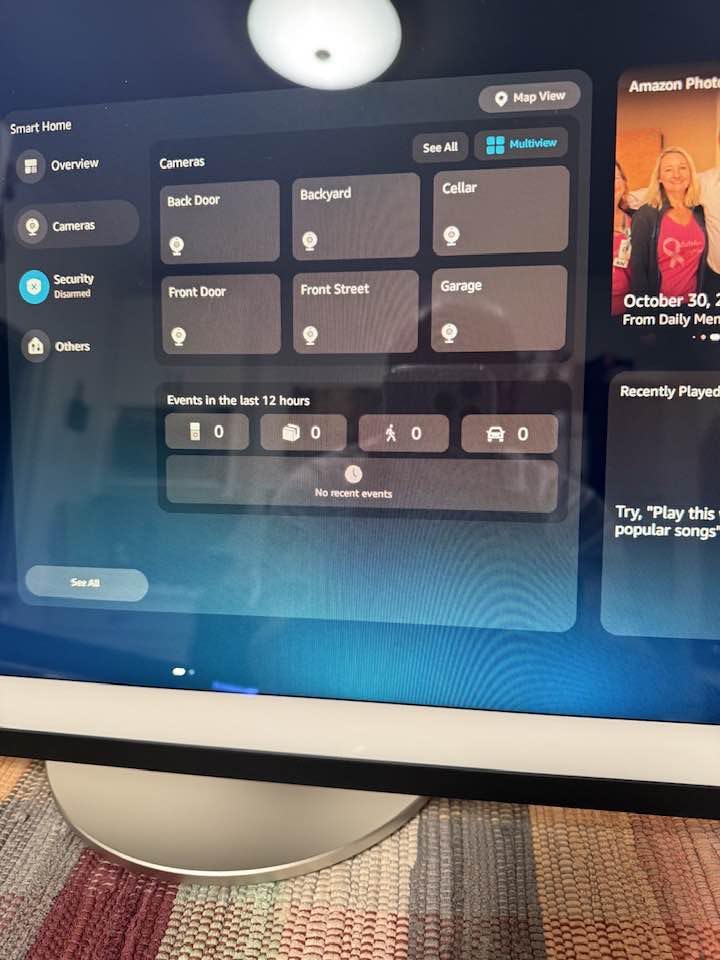
- Works as a smart home dashboard for lights thermostats and cameras
- Announcements pull the family into one room
Cons
- Intermittent Wi-Fi drops and buffering reported on some units
- Voice recognition can be sluggish and need repeating
- Alexa has confirmed timers that were never created
- Thin audio at high volume
This is the display we keep coming back to, and after six weeks in a working kitchen it earned the spot for a simple reason: it is the one you can actually find room for. The 5.5 inch screen is genuinely small, and on a double-wide island that reads as a limitation. On a standard counter beside a kettle, it disappears into the workspace and stops being an object at all.
Owners consistently praise the sound quality relative to its size, describing deeper bass and clearer vocals than earlier Echo Show models. In practice that matters more than it sounds like it should: a small speaker that stays intelligible over a hood fan is more useful in a kitchen than a larger one you have to lean toward. Music from Amazon Music, Spotify and Prime Video is genuinely listenable while you work.
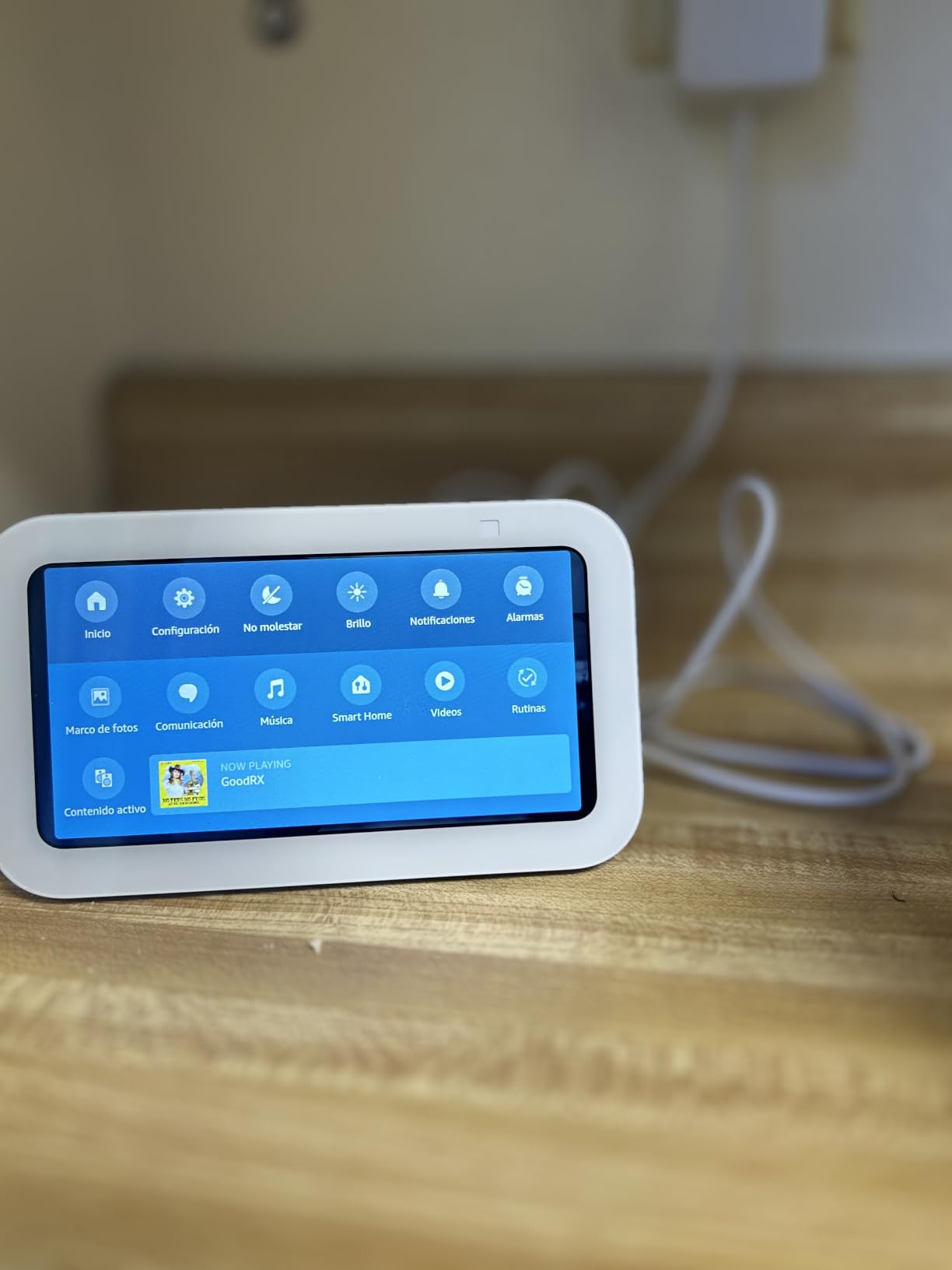
The touchscreen is responsive, which is the part that surprises people who assume voice-first means touch is an afterthought. Tap through weather, timers and the recipe browser without saying anything, and use voice when your hands are actually dirty. That hybrid approach is the real kitchen workflow and this device handles both halves well.
The repeated reliability complaints are worth knowing about before you commit. Reviewers report intermittent Wi-Fi drops, buffering, camera views that freeze, and voice commands that need repeating. Alexa has also confirmed timers that were never created, which is a genuinely annoying failure mode when you are mid-cook. None of this stops us recommending the device, because every alternative in this guide has an equivalent or worse problem, but budget for occasional friction.
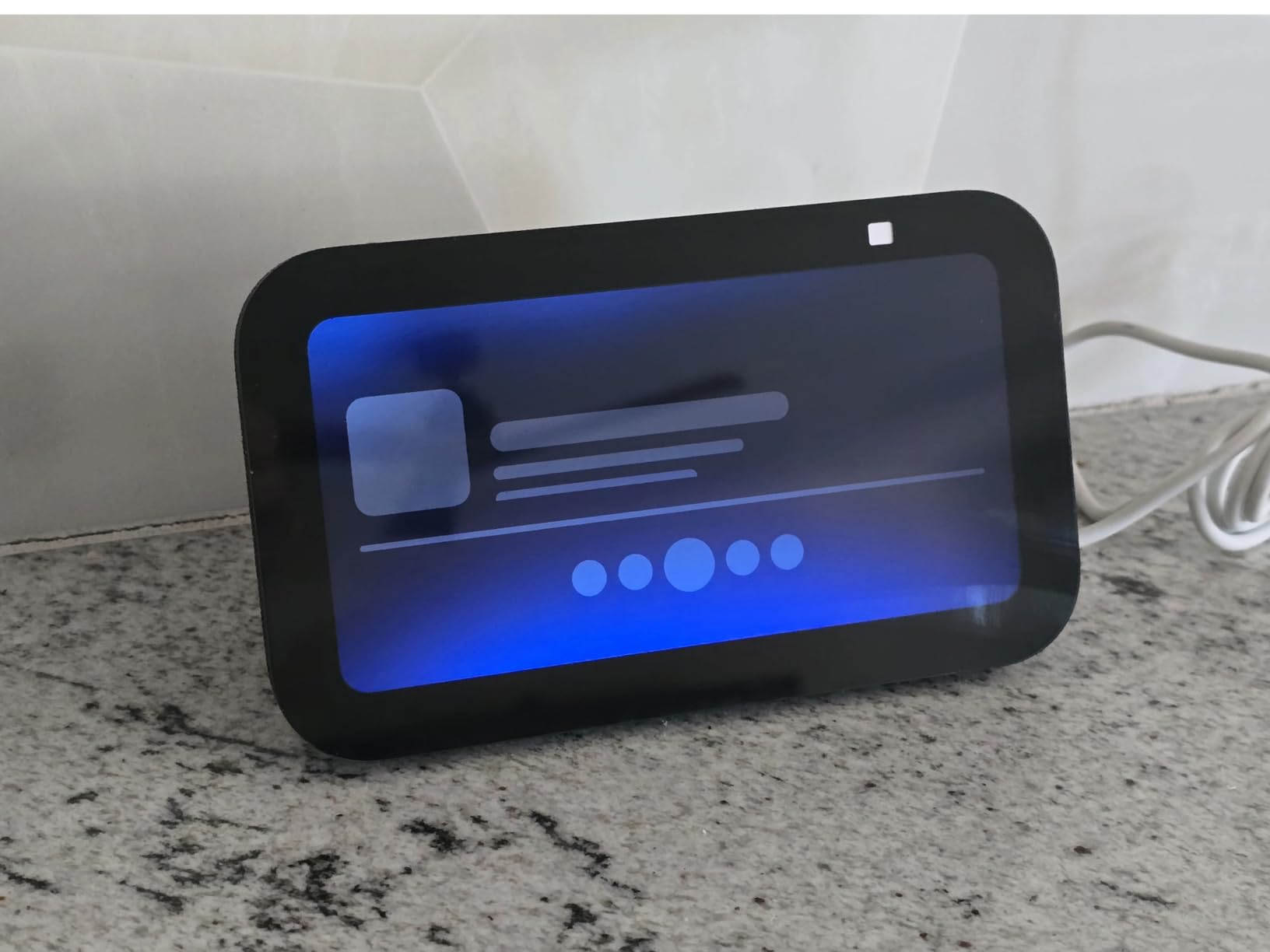
Will the 5.5 inch screen work if you cook from an island?
At arm’s length on a side counter, yes, comfortably. From the far side of a nine-foot island, no — a recipe step becomes a squint. If your prep happens across the room from your display, step up to the 8 inch or larger panels in this list. The Show 5 is a close-range tool, not a family broadcast screen.
The smart home side is genuinely useful here. Owners use it as a dashboard for lights, thermostats and camera views, which means one tap instead of reaching for a phone. The 2 MP camera also gives you video calling and a physical shutter plus mic kill switch if you want privacy at counter level.
What will disappoint you about the Show 5?
Audio. Reviewers are clear that this is not a replacement for a dedicated speaker, and it goes thin when you push volume. If your kitchen is where you listen to podcasts while cooking, pair it with something else rather than expecting room-filling sound.
The software polish also lags a tablet. Buffers, missed timers and slow recognition are the top one-star themes in the reviews, and they cluster around long-term ownership rather than the first week. If your household is large enough that a 5.5 inch screen feels cramped immediately, this is the wrong size rather than the wrong device.
2. Amazon Echo Show 11 — Best for Reading Across a Large Kitchen
Amazon Echo Show 11 (newest model), Vibrant Full-HD 11″ display with more viewing area and spatial audio, Designed for Alexa+, Glacier White
11 inch Full-HD at 1920x1200
AZ3 Pro chip
2.8 inch woofer with spatial audio
13 MP auto-framing camera
Pros
- Large bright screen readable from across the room
- Spatial audio with strong bass fills a medium kitchen
- Alexa+ handles multi-step commands without touching the screen
- Works as a hub for calendars lists and camera feeds
- Seamless Ring doorbell live view
Cons
- Touchscreen freezing and lag that needs a reboot
- No automatic brightness adjustment on some units
- Fire OS feels crowded next to a tablet
- Microphone has muted itself randomly on new units
- Older stands and accessories do not fit
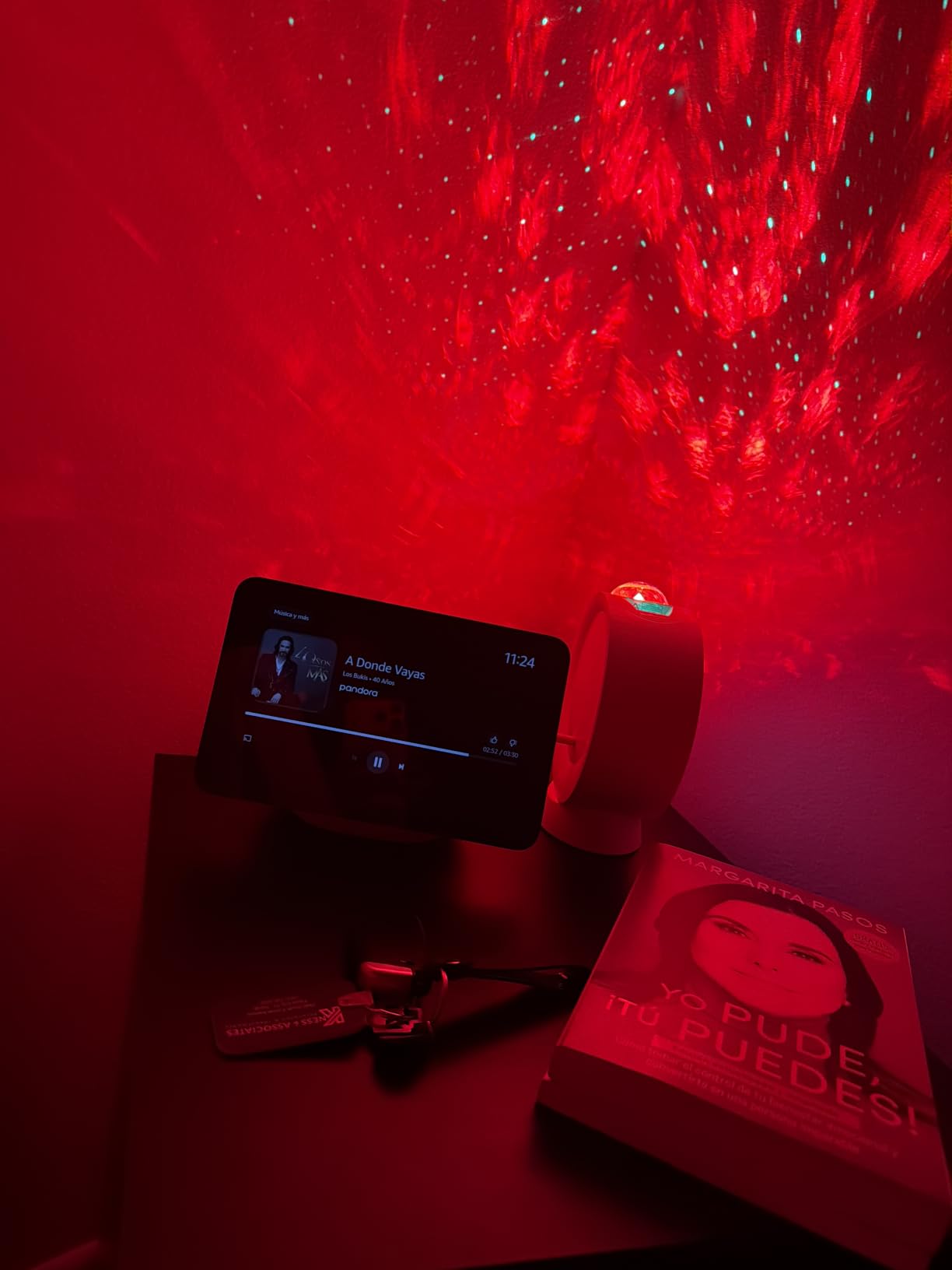
Eleven inches of Full-HD is the size where a recipe stops being a prop and becomes something you can actually cook from. Owners describe it as readable while moving around the kitchen, and that is the honest test for this class of screen. At 1920×1200 the text is crisp enough that you do not have to stand next to it.
The audio is the other reason to stretch here. A 2.8 inch woofer plus two full-range drivers with spatial audio fills a medium room, and reviewers compare it favorably to far more expensive Bluetooth speakers. If your kitchen is open plan and doubles as the main music room while cooking, this is the pick in the category.
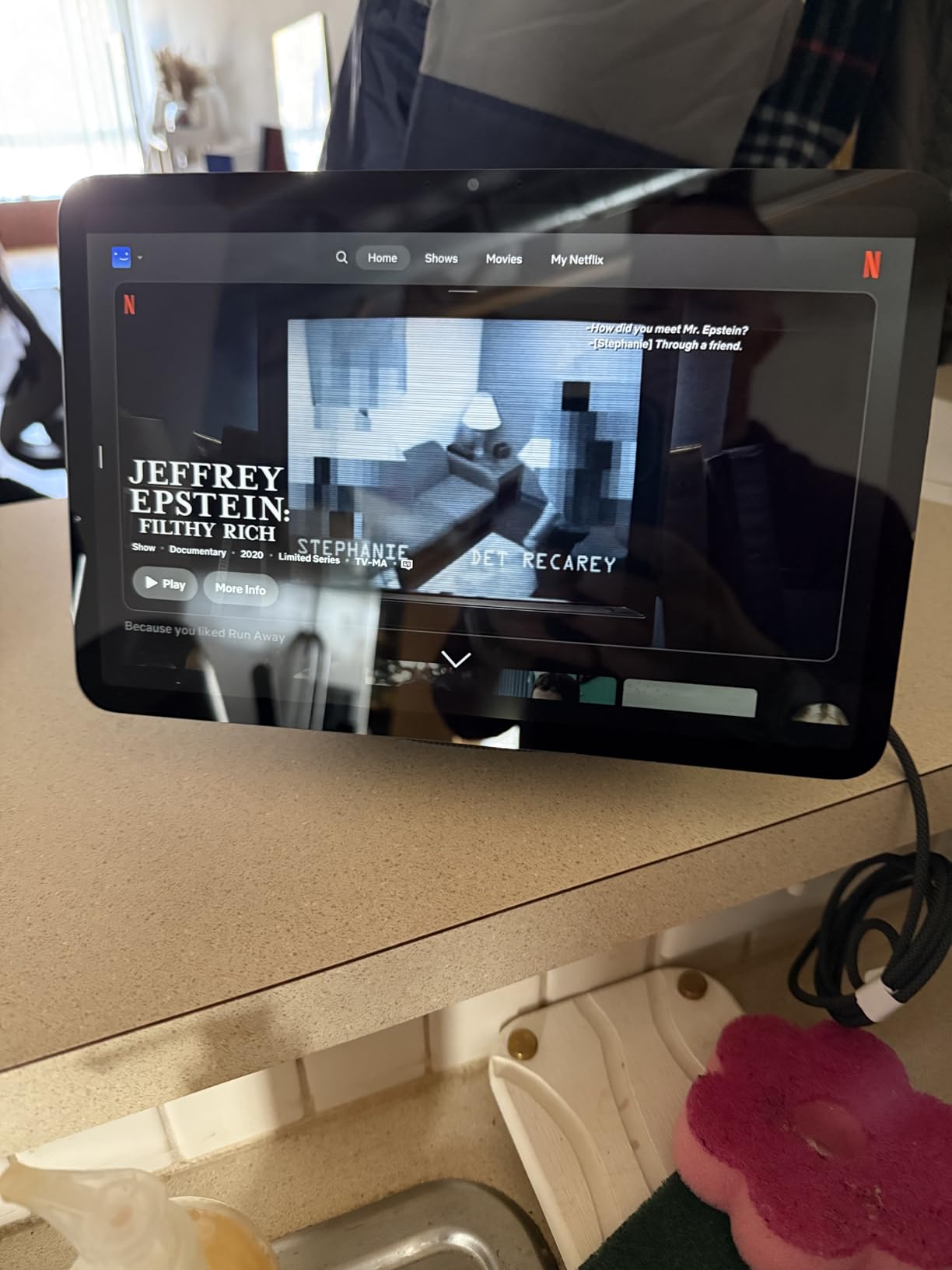
Underneath it is a real smart home hub. Matter, Thread and Zigbee radios plus Wi-Fi and Bluetooth are built in, which matters more than it sounds: you are not relying on a separate bridge dongle to reach your lights. Omnisense adds temperature, presence and visual ID triggers for routines, and the 13 MP centered auto-framing camera handles video calls and Ring doorbell live view on the display itself.
The Fire OS experience is the weak flank. Reviewers call it crowded and slower than a tablet, and Alexa+ does the heavy lifting so you rarely have to navigate menus by touch. That is a fair trade in a kitchen, but it means the interface is designed around voice first and second around touch.
Is 11 inches too big for a small kitchen?
On a narrow counter next to a hob, it dominates. On a run of counter, or on an island with a prep zone behind it, it fits naturally. The unit is also wall-mountable, which is the answer for cramped kitchens — put it on the wall above the counter and reclaim the surface entirely. Measure your counter depth first; you want clearance for a cutting board in front of the screen.
One practical warning: it needs a real outlet. With a large screen, a cable running to a distant socket across the walkway is the most common install regret, and an outlet added at counter level is far less work than the alternatives after the fact.
What should you know before buying the Show 11?
Reliability complaints cluster around the hardware rather than the concept. Owners report a touchscreen that freezes or lags badly enough to require unplugging it, random microphone mutes on new units, and no automatic brightness adjustment on some devices, which means a genuinely bright kitchen can leave the screen hard to read.
Accessories are not backwards compatible either — older stands and mounts do not fit. And because the assistant is tuned for Alexa+, the most capable voice features are tied to Prime. If you are not in the Amazon ecosystem and never plan to be, this is an expensive way to acquire a locked garden.
3. Amazon Echo Show 15 — Best Kitchen Screen With Built-In Streaming
Amazon Echo Show 15 (newest model), Full HD 15.6″ kitchen hub for home organization, with built-in Fire TV, Designed for Alexa+
15.6 inch 1080p Full-HD
Built-in Fire TV with remote
Wi-Fi 6E Thread Zigbee and Matter
13 MP wide-angle camera
Pros
- Large vivid screen shows calendars weather and timers at a glance
- Fire TV turns it into a full streaming device with a remote
- Doubled bass over the first generation
- Snappier interface from the new chip and Wi-Fi 6E
- Connects directly to Matter Thread and Zigbee devices
- Widgets and photo slideshow make it a real command center
Cons
- Limited home screen customization with Amazon content taking about a third of the screen
- Cannot show all smart home devices at once like a dashboard
- 1080p rather than 4K and the remote drains batteries
- Software bugs break album art and widgets until a reset
At 15.6 inches this is the largest mainstream kitchen display in the lineup, and it is the only one with a real television built into it. Fire TV runs with a remote in the box, so Prime Video, Netflix, YouTube and Apple TV are one button press away. That changes what the device is for: it is not only a voice panel, it is a small secondary television for cooking shows and morning news.
Kitchen owners love it as an organization hub. A 1080p panel this size shows a week of calendars, weather, lists and timers simultaneously, legibly, from across the room. The customizable widget home screen is the feature to spend time configuring — it is where the device earns permanent counter space.
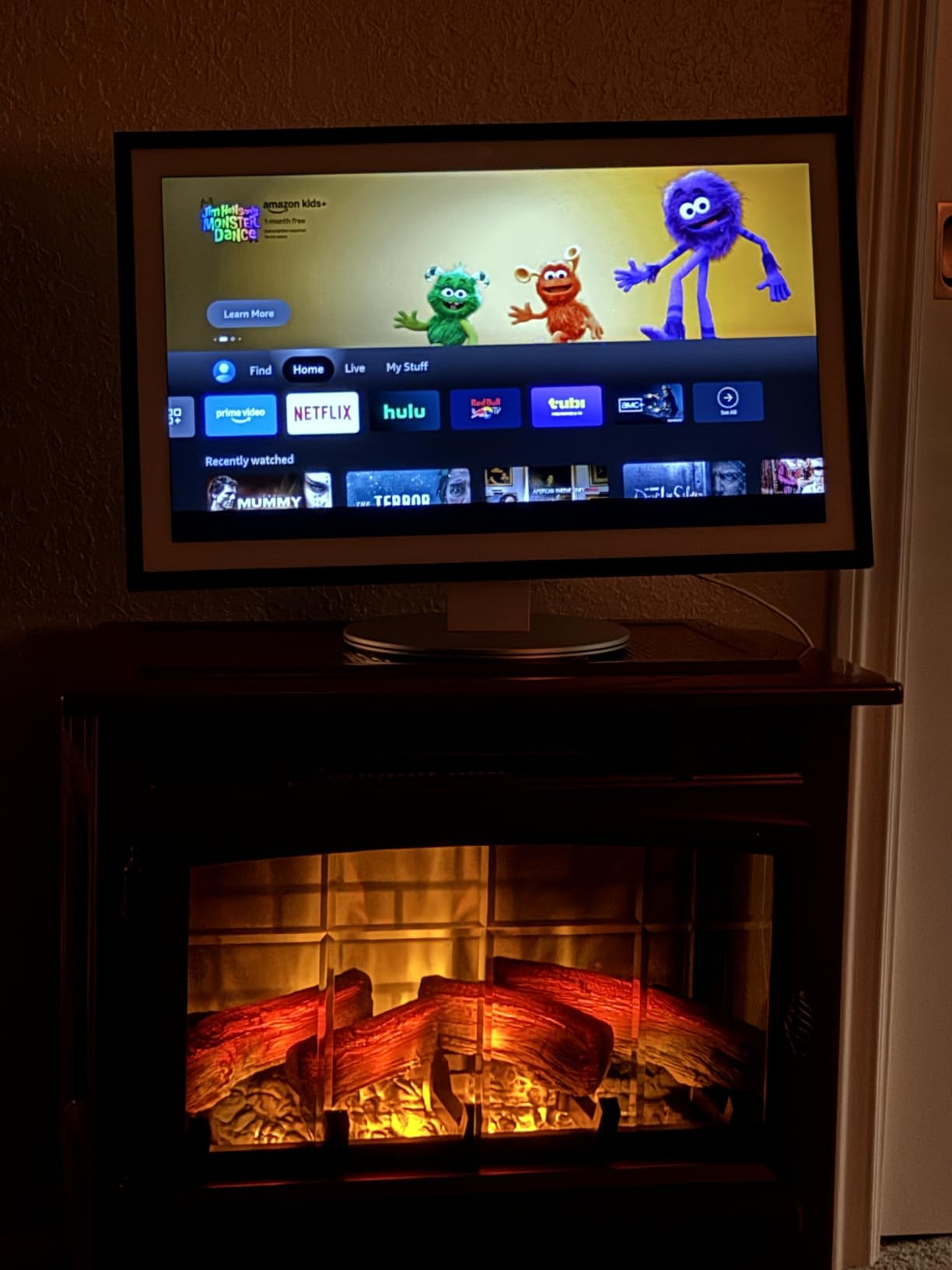
The refresh over the original Echo Show 15 is real. Double the bass from two 2-inch woofers plus two 0.6-inch tweeters with room adaptation, a newer chip and Wi-Fi 6E make it noticeably more responsive than the model it replaces. It also reaches Thread, Zigbee and Matter devices directly, so it acts as a hub for a much wider mix of smart home gear.
A wall mount is included, which matters in a kitchen. Mounted above the counter or tucked under a cabinet, a 15.6 inch screen costs you no prep space at all, and the included hardware means one less box to source yourself.
Why would you skip the streaming features entirely?
If you already have a television in view and only want timers, a calendar and music, the Fire TV half is dead weight and the widget limits will frustrate you. This is the one device in the list where reviewers specifically complain that it cannot display all smart home devices at once the way a dedicated dashboard can — it shows a curated subset.
Screen finish deserves attention too. A glossier panel at this size under a row of downlights is the glare problem in its clearest form. Position it where light comes from the side rather than straight on, and use the dimmable display settings rather than fighting reflections.
What are the compromises on the Show 15?
The resolution is 1080p, not 4K, and on a screen this large some owners find it visibly dated, particularly for video. The Fire OS interface still carries a heavy Amazon-forward layout where roughly a third of the home screen is not yours to configure, which is the top complaint in the reviews alongside the subscription-independent feature gating.
Software bugs also show up more than you would like on a device this size — broken album art and widgets that persist until a factory reset, and a remote that drains batteries quickly. Budget for the occasional reset, and keep Prime in mind for the assistant’s better features.
4. Dragon Touch 15.6 Inch Digital Calendar — Best for Family Organization on a Budget
Dragon Touch 15.6″ digital calendar chore chart – 1080P full HD interactive touchscreen, smart family planner, Hearth Display wall & desk mountable for seamless scheduling
15.6 inch Full HD touchscreen
Wall mount and counter stand both included
Syncs with iOS and Google calendars
No subscription for core features
Pros
- Large clear screen readable across a kitchen or dining area
- Two-way calendar sync across every family phone
- Color-coded chore chart with star rewards
- Mount hardware and counter stand both included
- Doubles as a photo frame and drawing board
- No subscription fee for core features
Cons
- No search for finding an event when you only remember part of the date
- Calendar event colors are not preserved when syncing from Google
- No grocery pickup or delivery integration from the meal plan
- US power plug only
- Some units reported distorted screens or stopped working within weeks
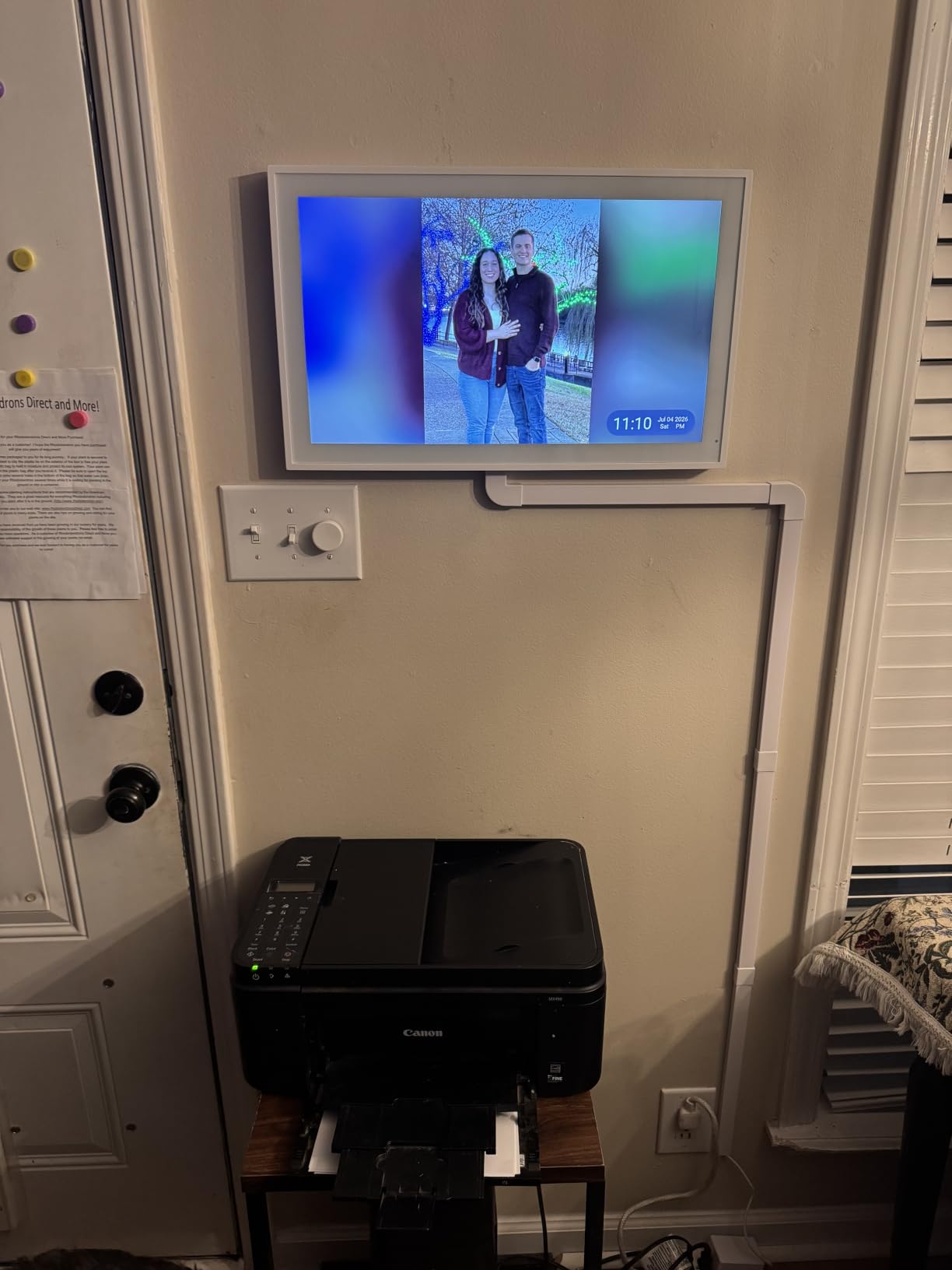
This is a different product type and we include it deliberately: a wall-mounted digital organizer rather than a voice-first screen. If your kitchen’s real problem is that four calendars, the chore chart and the meal plan live on three separate phone apps, this fixes that problem directly, and it does so without a monthly fee.
The 15.6 inch Full-HD panel is readable from across the kitchen or the adjoining dining area, which is what makes it a family board rather than a personal one. Multi-user color-coded profiles with photos mean each person can find their own line at a glance, and two-way sync keeps every family phone current the moment something changes.
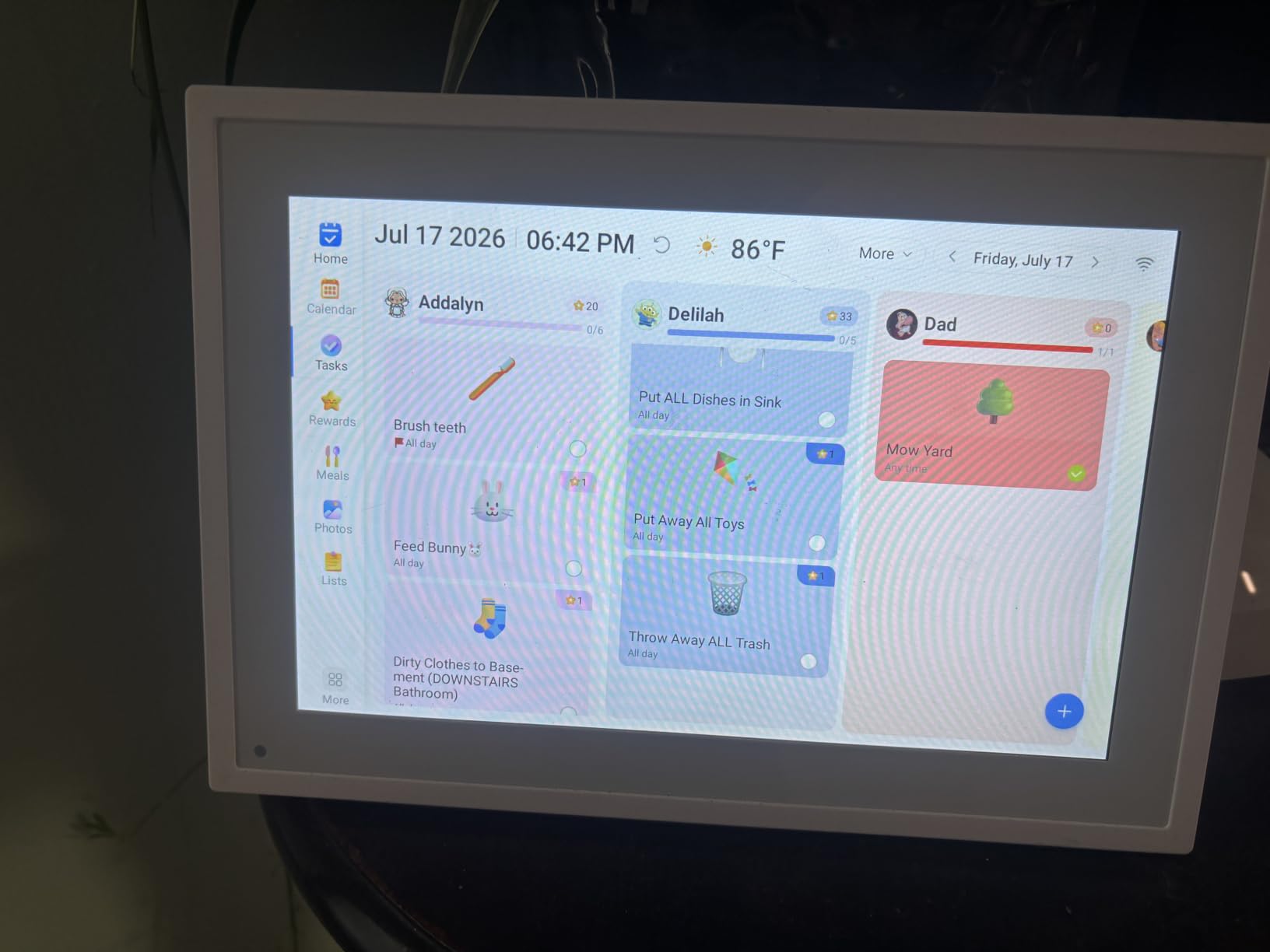
The chore chart is the feature that converts households. Color-coded tasks with a star reward system get children checking things off independently instead of being nagged, and the built-in dinner planner with an integrated grocery list means the shopping list is generated from what you actually planned to cook rather than remembered from memory.
Placement flexibility is unusually good. Wall mounting hardware is included and so is a counter or desk stand, so you can start on the counter and move it to the wall when the family adopts it. It also runs a digital photo frame screensaver when idle, which softens the fact that it is a screen hanging in your kitchen.
Is a digital calendar better than a voice display in a kitchen?
For scheduling, clearly. A calendar panel holds a persistent week view that nothing else in this list matches, and it never mis-hears a command. It is a passive display rather than an active one — you look at it rather than talk to it.
That is the trade. You give up voice timers, music, camera previews and smart home control. Many households end up running a calendar panel and a small voice display together, which is a perfectly reasonable two-device setup if you have the counter space and the outlets.
What will frustrate you about the Dragon Touch?
There is no search function. If you half-remember a date and want to find an event, you scroll, and on a panel this size scrolling a month of entries is tedious. That is the most common improvement request in the reviews.
Two more real limits: calendar event colors do not survive the sync from Google Calendar, so your carefully color-coded schedule arrives monochrome, and the meal plan does not link to grocery pickup or delivery services. The included power plug is US only, and a small number of owners reported distorted screens or units failing within weeks, so keep the packaging for a return.
5. Facebook Portal Mini — Best for Video Calling From the Kitchen
Facebook Portal Mini – Smart Video Calling 8” Touch Screen Display with Alexa – Black
8 inch standing touchscreen
Smart Camera with auto pan and zoom
Hardware privacy switch
Alexa built in
Pros
- Compact 8 inch footprint suits a kitchen counter or small shelf
- Smart Camera auto-pans and zooms to keep people framed
- Smart Sound keeps voices clear on noisy calls
- Physical switch fully disables camera and microphones
- Alexa handles timers music weather and smart home control
Cons
- Smart home functionality trails current-generation displays
- Older Fire OS-era interface feels dated
- Narrower app ecosystem than current Alexa or Google displays
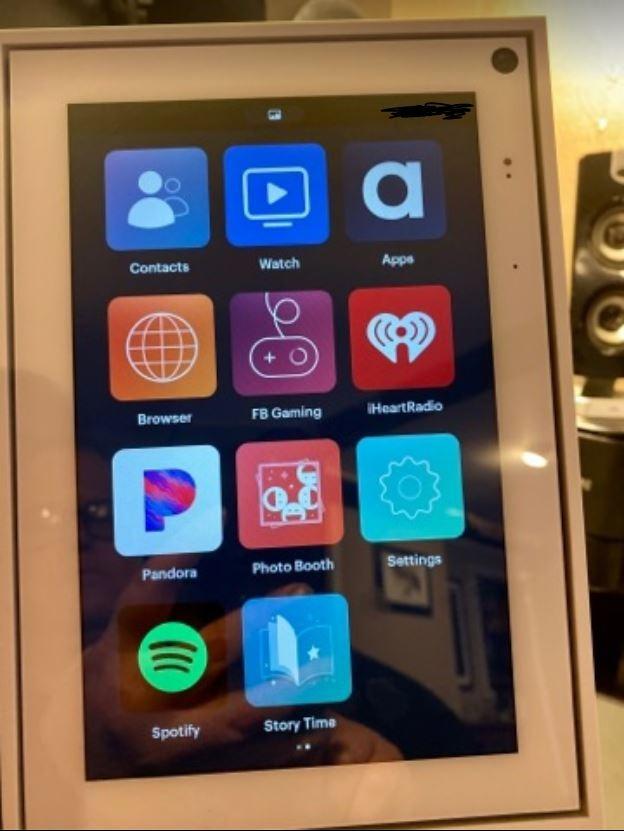
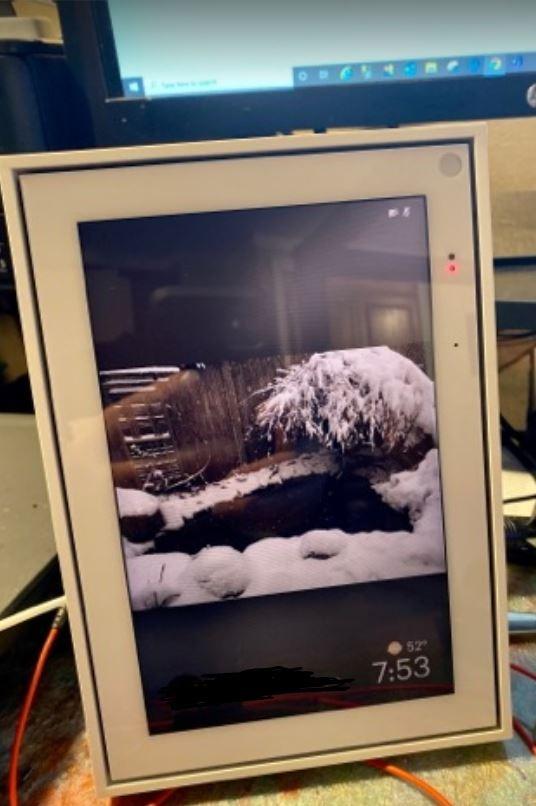
The Portal Mini exists for one thing, and it does that thing very well: video calling. The Smart Camera pans and zooms automatically to keep people framed, which sounds like a gimmick until you have tried to cook dinner and talk to someone at the same time. You do not have to hold the device or reposition it.
Smart Sound is the second thing that earns its place in a kitchen. Voice clarity and noise suppression mean a call works with a range hood running, which is exactly the condition under which every other kitchen speaker struggles. The 8 inch standing footprint is small enough for a counter corner or a shelf, and it weighs 1.7 pounds so moving it is not a project.
Privacy is handled better here than almost anywhere else in the category. A physical switch disables the camera and microphones outright rather than relying on a software toggle, and calls are end-to-end encrypted. For a device that lives at counter height in the middle of your home, that is a meaningful design decision rather than a spec line.
Alexa is built in, so you also get timers, music, weather, news and basic smart home control alongside the calling. That makes it viable as a second, very focused device — but the assistant is the older generation and the surrounding software reflects that.
Is an older video calling frame worth buying now?
Only if you actively make video calls from the kitchen several times a week and you are not asking it to stream. The 4.5 rating here is among the highest in the group, and it is specifically a rating of the calling experience, not the platform.
If your calling habits are ordinary, the trade is hard to justify: the Fire OS-era interface feels dated next to anything current, and the app ecosystem is narrower than modern Alexa or Google displays. An Echo Show with a current-generation camera will serve the same need with more headroom.
What should you worry about with the Portal Mini?
Smart home depth is the clear limit. Owners consistently report it trails current-generation displays, so if you want a kitchen control panel for lights, thermostats and cameras, this is the wrong tool. Think of it as a phone that happens to hear you.
The Meta platform story is the other factor. The company has wound down several of its hardware efforts, and long-term software support for a first-party accessory is a real uncertainty that no spec sheet addresses. Treat the hardware rating as a rating of the device and the platform risk as separate.
6. eufy Smart Display E10 — Best for Watching Cameras While Cooking
eufy Security eufy Smart Display E10, Smart Home Hub, 8″ Control Panel
8 inch touchscreen control panel
Four simultaneous camera views
Local storage playback
Rechargeable with wall mount and stand
Pros
- Live views and event playback load faster than the phone app
- Four camera feeds on one screen make whole-home monitoring easy
- Clear bright display and a fully ad-free interface
- Simple setup once linked to a HomeBase 3
- Rechargeable with both a wall mount and a charging stand included
- Simple enough for children and older adults to use
Cons
- Short battery life especially when streaming multiple cameras
- Connectivity drops and buffering above two live streams
- Sluggish interface that crashes out of the group view screen
- Per-camera recording options stay in the app only
- Works only inside the eufy ecosystem
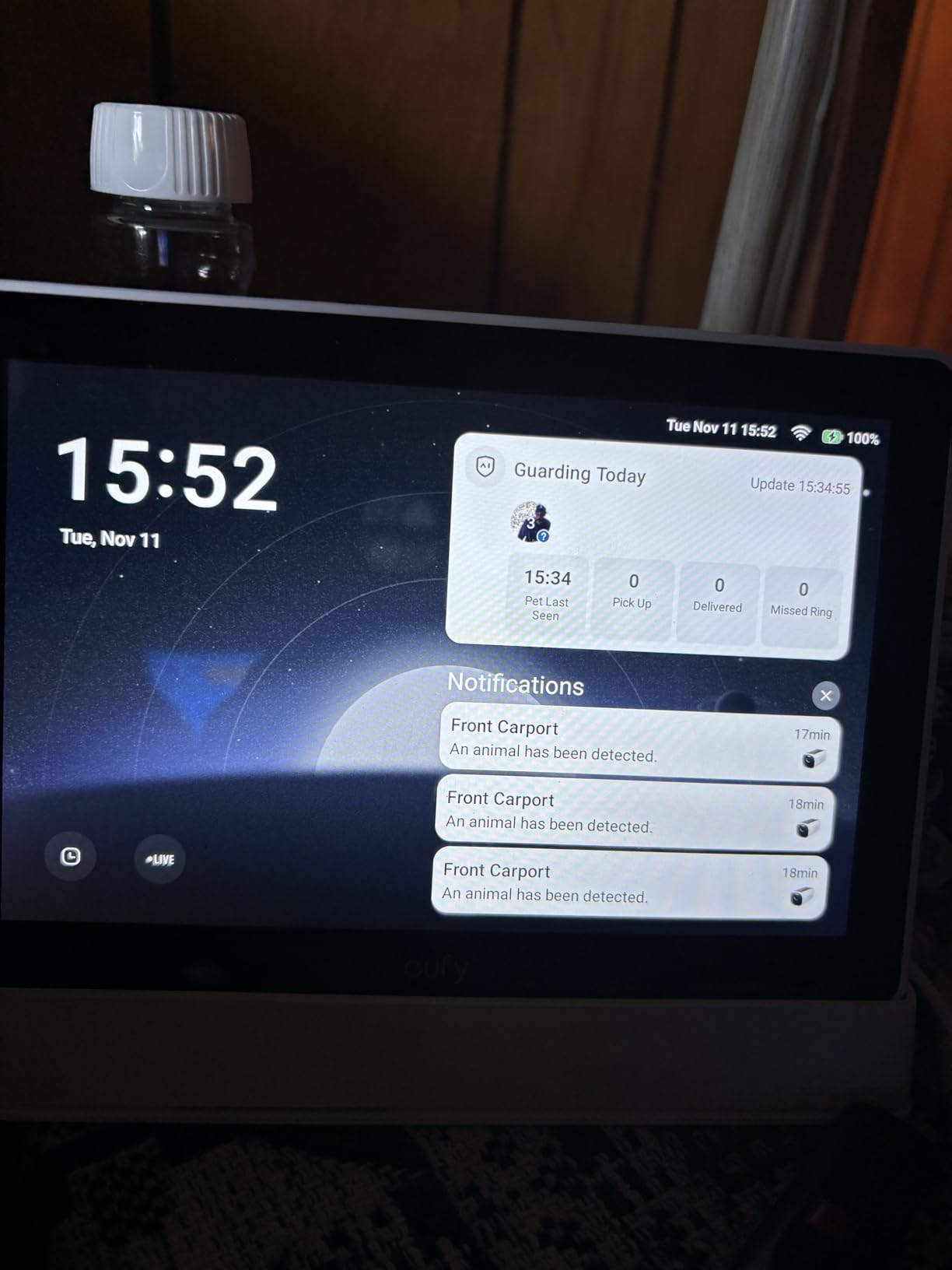
If your kitchen has a good sightline to the front door and you already run eufy cameras, this panel is faster and calmer than pulling out a phone. Live views and event playback from local storage load noticeably quicker than the app, and the four-up grid means you can watch the whole property at once while the pasta boils.
Hands-free doorbell alerts are the feature that changes daily behavior. When someone rings, the live feed appears on the eight inch screen automatically, and children or older adults can answer without being handed a phone. Several owners note it compares favorably to Amazon’s own camera viewing experience for speed.
Setup is straightforward if you already own the ecosystem. Link it to a HomeBase 3 and the eufy devices appear automatically, and the interface carries no third-party advertising at all, which is rarer than it should be. The included box covers the install: a 5V/2A adapter, charging station, wall mount and Type-C cable.
The rechargeable design is unusual in this category and genuinely useful. You can mount it on the wall, or park it on the charging and viewing stand on the counter when you want it visible — no permanent wiring needed, which is a real advantage in an older kitchen with no convenient outlet.
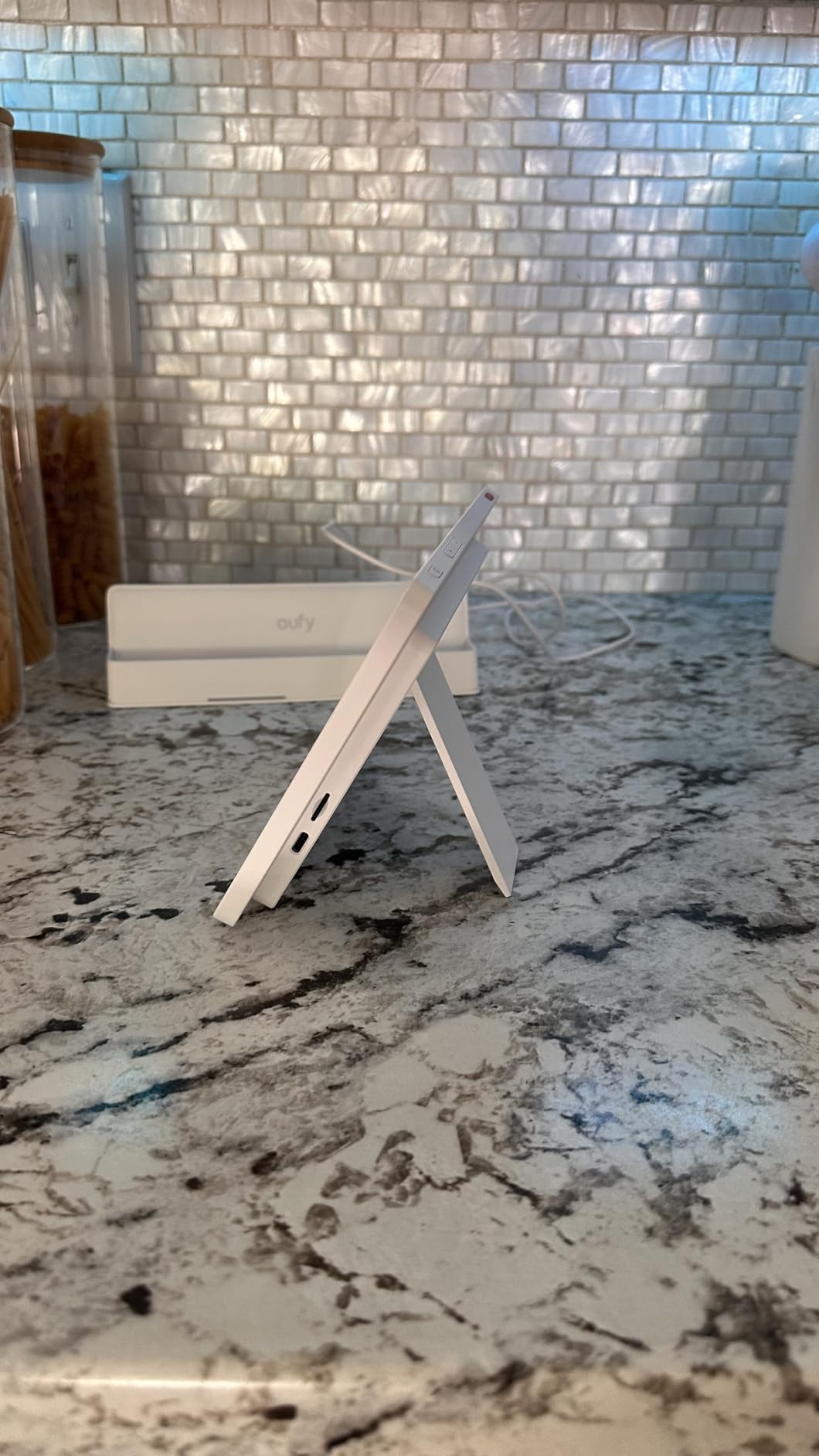
Does this work if you do not own eufy cameras?
No, and that is the whole caveat. This is a closed panel for the eufy ecosystem with little beyond what the phone app already does. Buyers without an existing eufy camera setup will find a bright, ad-free eight inch screen with very little to show on it.
The category question is whether a dedicated security panel belongs in the kitchen at all. We think it earns a place when the kitchen is your main circulation space and you genuinely want to watch feeds while cooking. In a closed-off kitchen, it is a luxury.
What are the reliability concerns with the E10?
Battery life is the headline complaint, and it worsens sharply with multiple live streams. Connectivity drops and buffering are reported above two simultaneous streams, and the interface is described as sluggish, with crashes that kick you out of the live view group screen.
Feature parity with the app is also incomplete — per-camera video recording options and the settings controls stay in the app rather than the panel. At 2.46 pounds it is a substantial object to mount, so check your wall before you commit.
7. Google Nest Hub 2nd Generation — Best for Google Home Households
Google Nest Hub 7” Smart Display with Google Assistant (2nd Gen) – Chalk
7 inch touchscreen at 1024x600
Full-range speaker with 1.7 inch driver
No camera
Wi-Fi 802.11ac and Bluetooth
Pros
- Home Control interface is well optimized for a small display
- Speaker quality frequently compared favorably to Alexa devices
- Excellent for photo streaming and glancing at calendars and timers
- Can act as a TV remote or cast target
- Compact and unobtrusive on a counter or nightstand
Cons
- No camera so no video calling or on-device security features
- Setup often boots in a foreign language and Wi-Fi takes retries
- No Play Store so third-party streaming apps cannot be installed
- Speaker grouping and audio streaming behavior is erratic
- 7 inch screen is too small for watching video
If your home runs on Google, this is the default choice and the ecosystem fit matters more than any spec here. The dedicated Home Control interface is designed for a small display and lays out lights, thermostats and cameras in a way that actually works at seven inches, which is more than you can say for scaled-up phone interfaces on bigger screens.
The speaker gets more credit than it should. Users compare it favorably to Alexa speakers of similar class, and a full-range driver with a 1.7 inch unit handles music and spoken assistant responses well enough to be the kitchen’s audio device. Photo streaming from Google Photos as a screensaver is the other quiet win — it makes the counter feel less like an electronics shop.
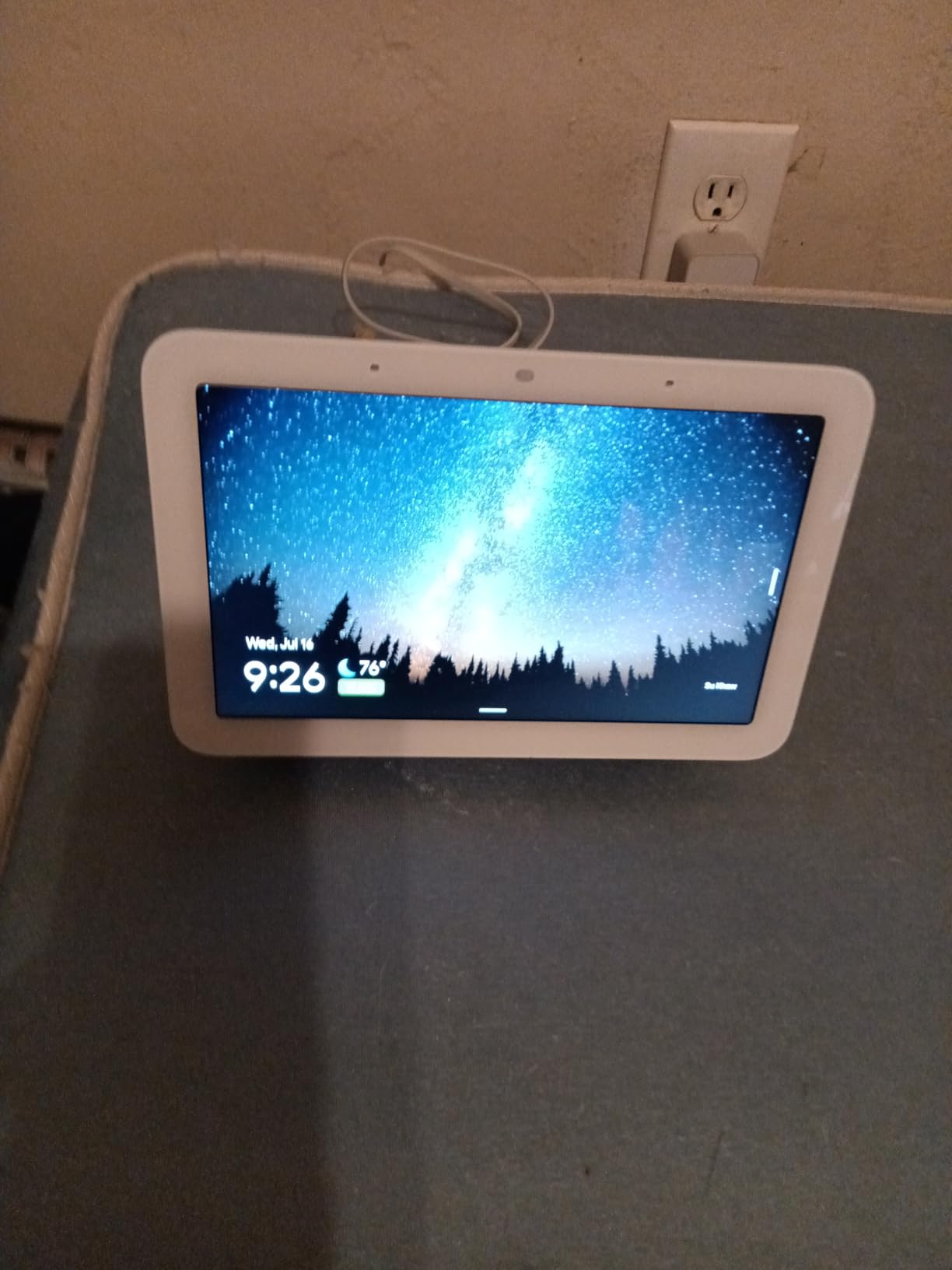
It can also pull double duty as a TV remote or a cast target, so if you have a connected device set as the default display and audio, you get sound from this screen rather than the television’s own speakers. That is quietly useful in a kitchen where the television is far away.
Note there is no camera at all. That is a genuine privacy advantage for a device sitting in the middle of the home, and it also means no video calling and no on-device security features.
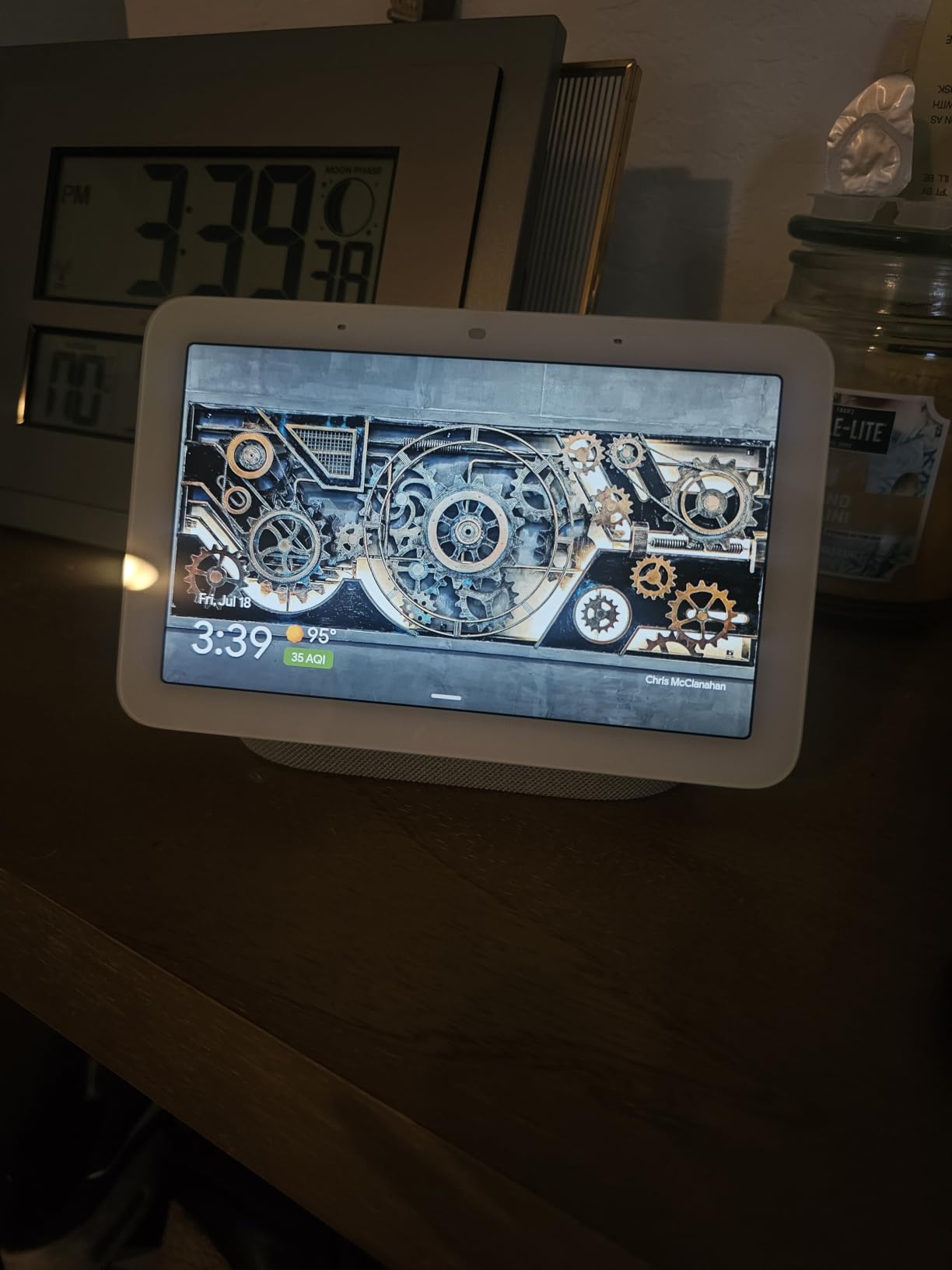
Is a 7 inch screen too small for a kitchen?
For timers, weather, music control and a glance at the calendar, it is fine. For following a recipe step or watching anything with motion, it is not — the panel is explicitly too small for video, and 1024×600 is a low resolution by current standards. This is a glance-and-listen device, not a cooking screen.
It also mounts on the wall or stands on a counter, so a cramped kitchen can put it somewhere useful without giving up surface area. Just verify your outlet is close enough, because the cable is short and awkward to run long distances.
What goes wrong with the Nest Hub?
Setup is the most common frustration. Units often boot into a foreign language and Wi-Fi connection takes repeated attempts, which is an irritating first ten minutes with a device meant to simplify your home. It is a solvable problem, just not a smooth one.
The limits are structural too. There is no Play Store access, so third-party streaming apps cannot be installed, and speaker grouping and audio streaming behavior is described as erratic and hard to configure. On the assistant side, Google’s more capable features sit behind a paid premium tier, so check what you actually get on the standard plan.
8. Cozyla Calendar Plus 2 — Best for Recipe Planning and Grocery Lists
Cozyla Calendar Plus 2: 15.6″ Smart Digital Calendar with Google Play Store
15.6 inch touchscreen
Google Play Store access
Drag-and-drop widget dashboard
Subscription-free calendar sync
Pros
- Large bright responsive screen that is easy to navigate
- No subscription for core features
- Completely ad-free
- Play Store access allows third-party apps and real customization
- Meal planning with recipes and auto-generated shopping lists
- Fast customer support
Cons
- Designed for countertop placement rather than wall mounting
- Initial setup takes time to configure
- Limited remote control compared with some competitors
- A new optional subscription service was introduced after purchase
- Multi-person household support is inconsistent
This is the most capable organizer in the list, and the Play Store access is what separates it. Google, Apple, Outlook and Yahoo calendars all sync with no subscription attached, and because it runs the Play Store you can install your own apps instead of living inside the manufacturer’s idea of a dashboard.
The meal planning is the part that earns its counter space. Upload a recipe, and it pulls in video tutorials, builds a grocery list automatically, and feeds the week plan. Owners report using it every night to plan dinner, which is a far higher engagement rate than most calendar panels manage. The chore chart adds per-member colors, avatars and star points for households with kids.
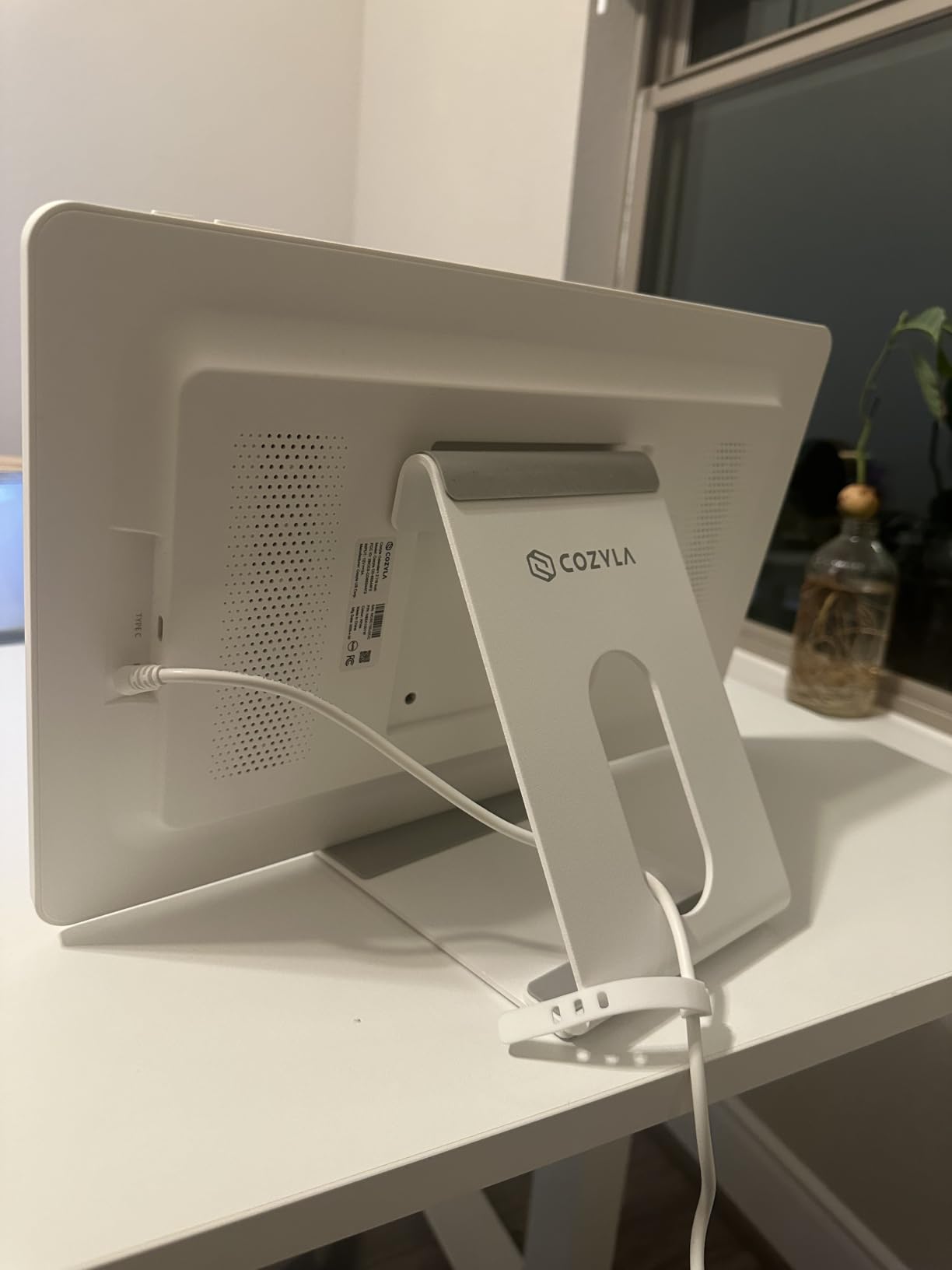
The Cozyla AI Assistant handles voice commands and can scan a photo or URL to pull content in, which adds a light voice layer to an otherwise touch-driven device. The included stand is sturdy and has protective rubber pads, and at 15.75 by 9.86 inches it has a real footprint — plan for a wide counter section or a center island.
Households describe it as replacing several separate apps with one ad-free, subscription-free hub. That is an accurate summary. Support is also notably responsive, with owners citing a bug fixed within a day and a first reply in five minutes.
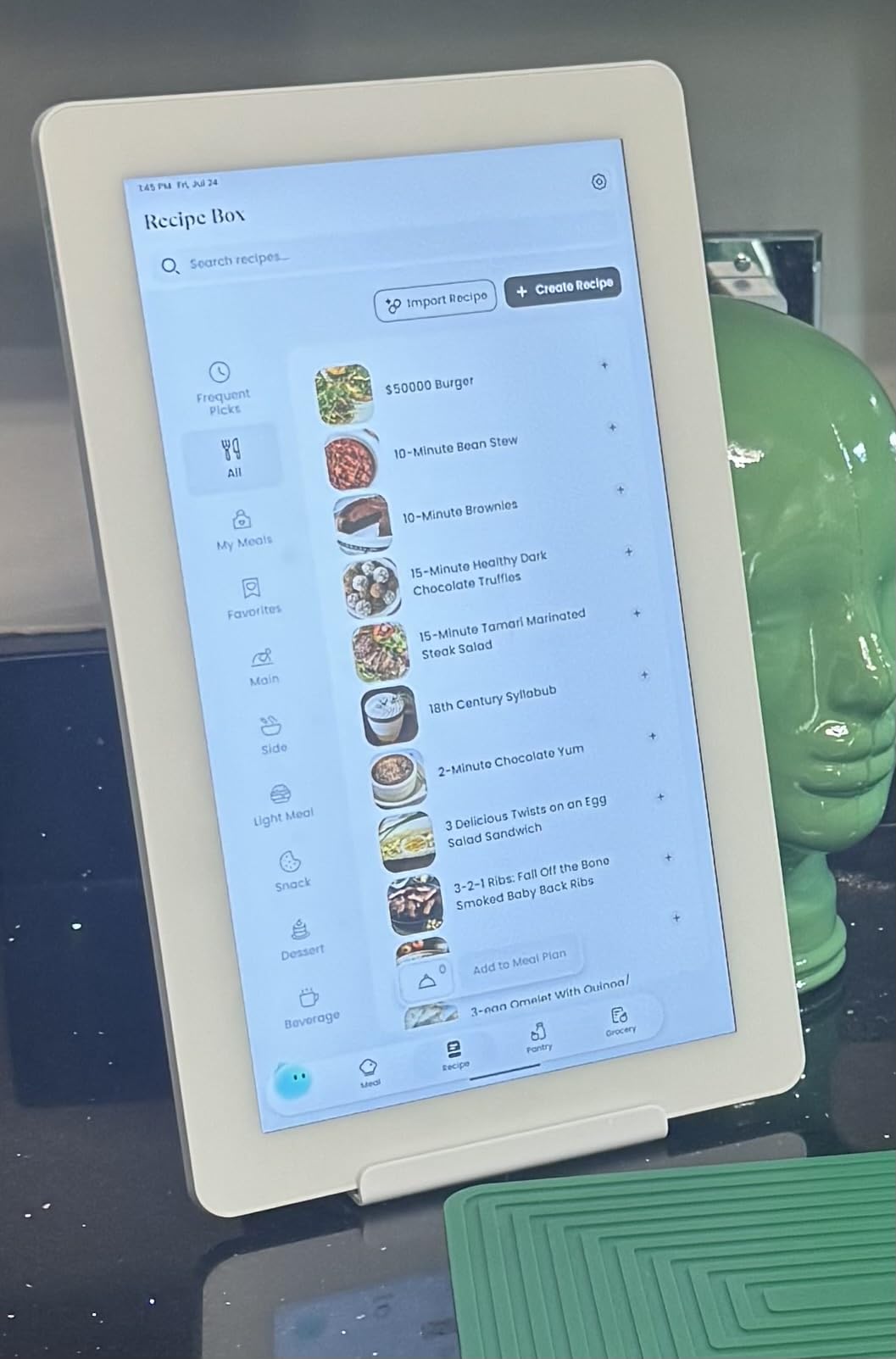
Why is Play Store access a big deal?
Because it removes the ceiling. Most digital calendars are sealed appliances that update only when the manufacturer decides. With app installation, you can add your own task app, a weather panel or a media app, and the device does not become useless when the vendor moves on.
It also means the assistant layer is optional rather than central. If you want this to be a hands-off information panel that everyone can read at a glance, the voice component is a bonus rather than a requirement, which suits a kitchen where the whole point is not touching anything.
What are the limitations of the Cozyla Plus 2?
Placement is the first constraint. It is designed for the countertop rather than wall mounting, so you are spending surface area on a device with a wide base. If counter space is tight, one of the wall-mountable panels in this list is the safer choice.
Initial setup takes time to configure, remote control when you are away from home is limited compared with some competitors, and multi-person household support is inconsistent for some users. One caveat worth flagging: a new optional subscription service was introduced after purchase, so verify what stays free on your unit before you depend on a feature.
9. Google Nest Hub Max 10 Inch (Renewed) — Best Stereo Sound in a Google Kitchen
Google Nest Hub Max 10″ Smart Display with Google Assistant – Charcoal (renewed)
10 inch display
Stereo audio with 30W maximum output and 2.1 channels
Bluetooth to 10 meters
Table-top mount
Pros
- Large 10 inch display with bright sound for a counter or shelf
- Works as a video call device picture frame and home control center
- Global power adapter and multilingual support make it travel friendly
- Quick setup that blends into a kitchen counter
Cons
- Renewed condition means only a 90-day limited warranty
- Falls short of the feature set of current displays for the money
- Bluetooth-focused specification with limited smart home depth versus dedicated hubs
The reason to look at this unit is the speaker. Stereo audio with 30 watts of maximum output across 2.1 channels is the most serious sound specification in this entire guide, and it is the clear answer for a Google household that wants the kitchen to be the music room. Owners consistently note the sound is strong rather than adequate.
The 10 inch display is the right size for a countertop spot where the Show 5 would be cramped, and it handles the standard set of uses — video calling, digital picture frame, home control center — without any fuss. Setup is quick, and the global power adapter with multilingual support makes it a genuinely portable unit.
Context matters here. The Nest Hub Max has been discontinued by Google, and it comes up most often in kitchen discussions as the display people already own rather than one to plan around. It remains a good device; it simply is not the direction the platform is heading.
This listing is a renewed unit, which shapes who should consider it. A renewed device with a 90-day limited warranty is a reasonable way to get the audio hardware at a lower outlay if you already know the platform and accept the risk.
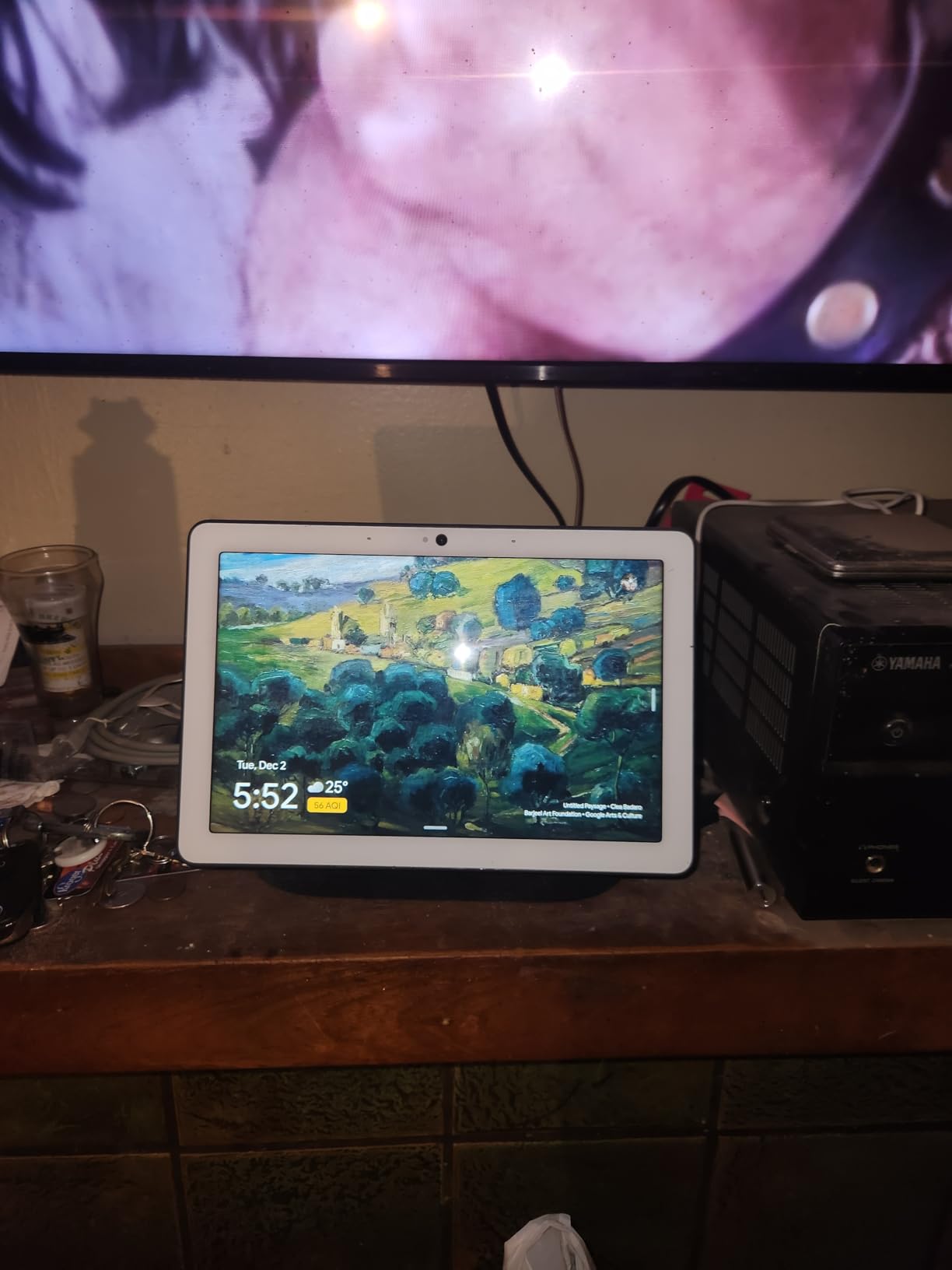
Should you buy a discontinued model in 2026?
Sometimes, and the deciding factor is your relationship to the ecosystem. If you have already committed to Google Home, this hardware still does what it did and the speakers are among the best in the category. If you are starting fresh, you are buying into a product line Google has stopped making, and support over the next few years is uncertain.
There is also a second-hand price consideration. Renewed units change hands at a lower outlay, which is the entire argument for this one. Weigh that against the short warranty before deciding.
What does the renewed condition cost you?
Two things, plainly. You get a 90-day limited warranty instead of a full one, which is thin on a device with a large panel that is easy to knock. And the feature set for the money trails current full-price displays, since this is older hardware.
Its specification is also Bluetooth-forward with limited smart home depth compared with dedicated hubs. If you want a kitchen panel that also serves as a Matter or Thread hub, this is not that device — but as an audio and video calling screen with a large display, the core is still good.
10. Skylight Calendar Max — Best Screen for a Busy Large Household
Skylight Calendar Max – 27″ Digital Calendar & Chore Chart, Classic White
27 inch HD touchscreen
Auto-rotates portrait and landscape
Syncs with Google Apple Outlook Yahoo and Cozi calendars
Mounting hardware with built-in level
Pros
- Massive screen readable from across the kitchen with large readable fonts
- Real-time calendar sync from phones with a responsive display
- Chore chart with stars and rewards motivates young children
- Recipe importing and meal planning with an automatic grocery list
- Photo screensaver doubles it as a large picture frame
- Sturdy mount with built-in level and template
- Software updates keep adding features
Cons
- Very heavy at over 22 pounds so two people may be needed to mount it
- Premium features require a paid Plus Plan
- Requires cutting a hole in the wall for permanent mounting
- Screen is fragile if the unit is knocked
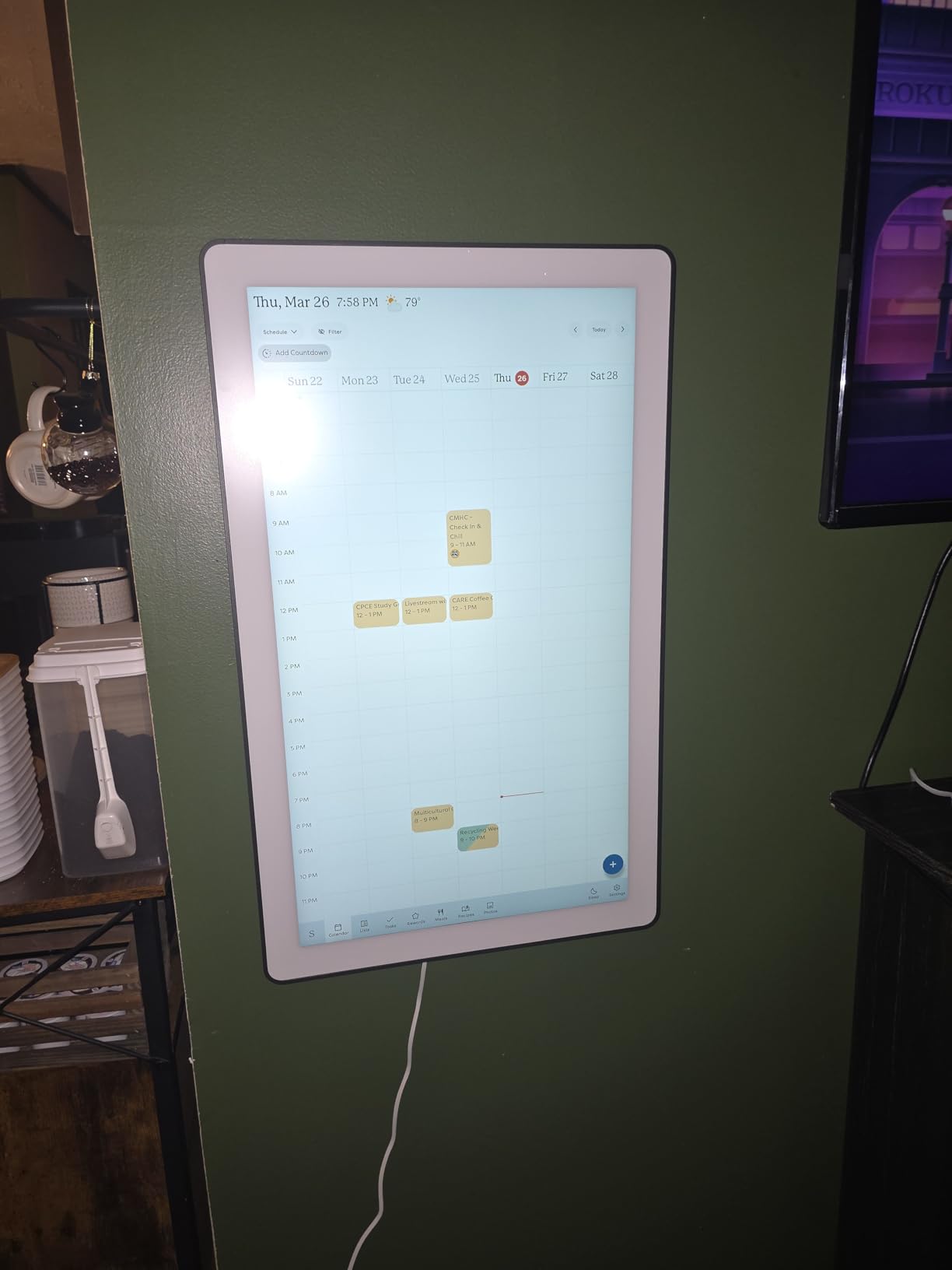
Twenty-seven inches is not a smart display, it is a household command center, and for a busy family with more than three calendars in play it is the right answer. The HD touchscreen is readable from across a kitchen with fonts large enough for someone squinting from the sofa, and it auto-rotates between portrait and landscape depending on how you mount it.
Sync covers every major platform — Google, Apple, Outlook, Yahoo and Cozi — with real-time updates from phones. The chore chart with stars and rewards is what keeps younger children engaged, and recipe importing with meal planning feeds an automatic grocery list, which owners report using daily rather than occasionally.
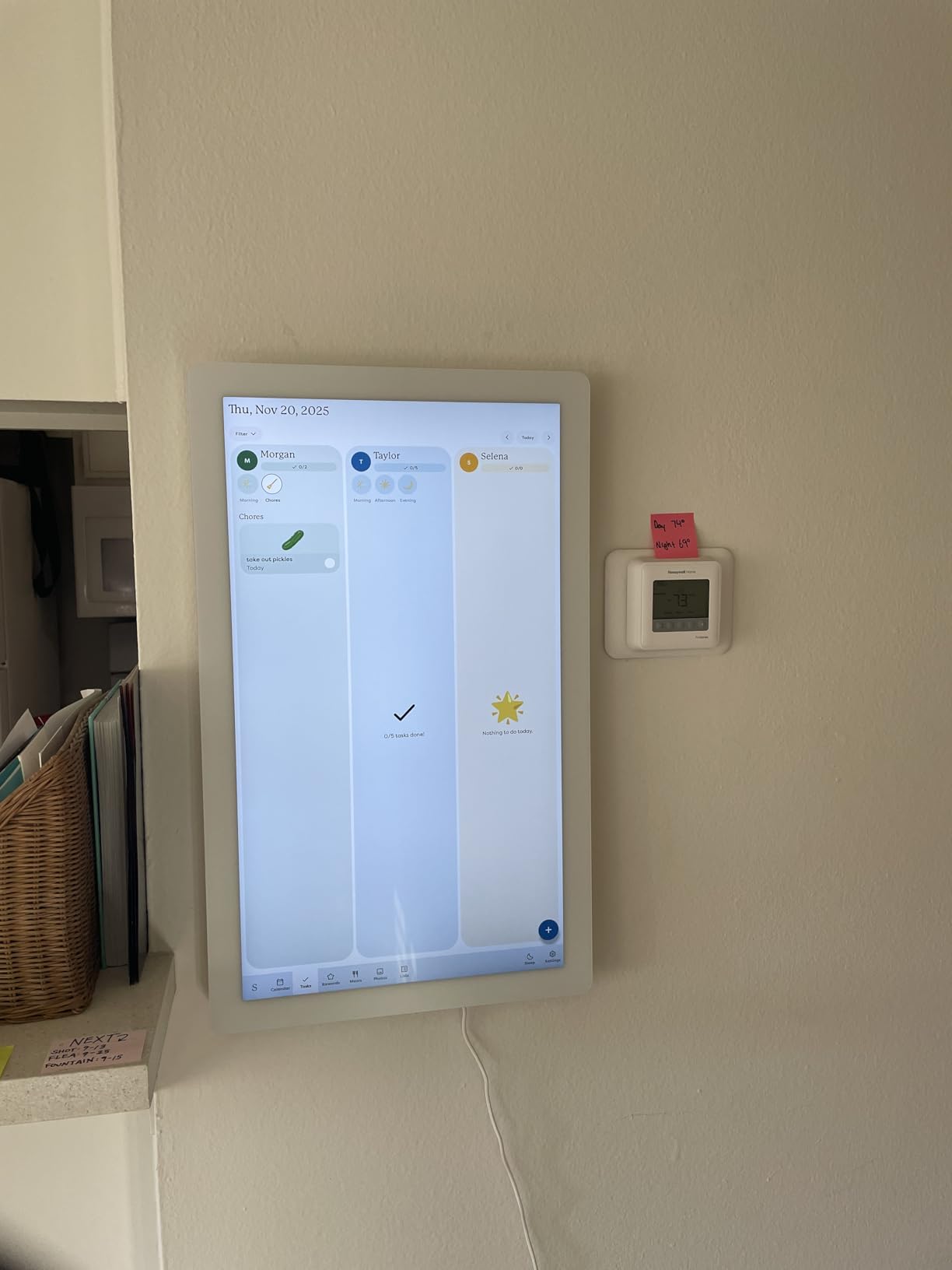
The install is more involved than anything else in this guide, and we want to be straight about it. At over 22 pounds, permanent mounting means two people and a cut into the wall. The good news is the hardware: a built-in level, a paper template and lipped drywall anchors are all included, so the job is methodical rather than guesswork.
Swappable frame styles let it match your decor instead of looking like office equipment, the dimmable display with sleep mode keeps it from lighting the room at night, and the free Skylight app handles remote editing. Software updates have continued adding features to the existing device, which is unusual and welcome.
Is 27 inches too large for a normal kitchen?
In a small kitchen, yes, decisively — it dominates whatever wall you mount it on and needs a second person to install. In an open plan space, a double-height wall or a kitchen that opens onto a family room, the size is exactly why it works. You can read it from anywhere in the room, which no smaller panel in this guide manages.
Because it is permanently mounted, treat it like a fixture rather than an appliance. Decide carefully before cutting a hole in a wall, and consider having an electrician place an outlet behind the mount position while the wall is open.
What should you weigh before buying the Calendar Max?
The subscription. Core calendar and chore functions work without it, but the Plus Plan unlocks Magic Import, the photo screensaver and meal planning — and meal planning is the feature many households buy the device for. If you plan to use those, factor the recurring cost into the decision.
Physical handling is the other one. At 22.7 pounds the screen is fragile if knocked, and the mount has to be positioned carefully. It is the most impressive and least forgiving device here, and it only suits a household that will genuinely use it every day.
How to Choose a Smart Display for Your Kitchen
Most wrong purchases in this category come from buying the biggest or cheapest screen rather than the one that matches your room, your ecosystem and your counter. Six questions narrow it down fast.
How big should a kitchen screen be?
Match the screen to where you will stand, not to the size of your kitchen. Within arm’s reach of a side counter, a 5.5 inch display handles timers, weather and music control. From across a work island, you need 8 inches or more to read a recipe line without walking over. For a wall panel meant to be read from an adjoining room, 15.6 inches is the practical starting point, and 27 inches only makes sense in open plan spaces.
A rough rule: every three feet of viewing distance adds roughly one inch of usable screen for text. Measure the real distance from where you cook to where the screen will sit before you commit.
Countertop, under-cabinet or wall-mounted?
Countertop is simplest and keeps the screen visible from every angle, but it costs prep space and needs a nearby outlet. Under-cabinet mounting frees the work surface completely but puts the screen in the shadow line of the cabinet above and often in the direct path of under-cabinet task lights, which is where glare problems come from. Wall mounting at eye level is the cleanest for large panels, and it is the only option that works when counter depth is tight.
Check three things before mounting anything: that a power outlet is within reach of the mount position, that the wall can take the weight, and that the screen angle does not put a light source directly behind the viewer.
Alexa or Google — how do you decide?
The honest rule is simple. If your household already runs Alexa lights, plugs or a thermostat, buy the Amazon display, because that assistant will control them natively. If your home runs on Google Home, Nest or Chromecast, buy the Google panel. Starting from nothing, weigh the subscription honestly: Amazon’s assistant is designed for Alexa+ and works best alongside a Prime membership, while Google’s more capable assistant features sit behind a paid premium tier.
Mixing is possible but friction grows fast, and two displays in one room competing to answer commands is a problem that shows up repeatedly in smart home forums. Pick one ecosystem for the kitchen and let the other live somewhere else.
How do glare, grease and steam actually affect a kitchen screen?
Glare is the issue buyers hit first. A glossy panel directly facing a window or a strip of under-cabinet lighting becomes unreadable at the exact times you want it — daylight cooking and evening cooking. Look for matte or anti-glare finishes, and place the screen so light falls across it rather than into it.
Grease and steam are the issues buyers hit at month three. Fine cooking oil settles on glass and into speaker grilles, and humidity from a covered pot leaves a film. Clean with a dry microfiber cloth or a lightly dampened one, never a spray applied directly to the screen, and keep vents clear. Displays with recessed speakers and flat glass surfaces are easier to maintain than fabric-wrapped or grille-heavy units.
Where should the power outlet go?
Plan this before you buy, because it constrains everything. In an older kitchen with no convenient outlet, adding one at counter level is the single most useful upgrade you can make for a smart display, and far less invasive than running a cord across a walkway. If you are mounting a large panel, have an electrician place the outlet behind the mount position while the wall is open.
Use a cord channel or clip the cable along the back of a cabinet to keep it out of the prep zone, and leave enough slack that you can unplug and clean behind the unit without pulling the whole thing forward.
Should you buy a smart display or mount a tablet?
A mounted tablet wins on customizability. Home Assistant and Google Home users on r/homeassistant frequently prefer mounting a tablet in the kitchen for a fully customizable dashboard, and that approach gives you more control than any sealed appliance — including the ability to choose your own voice assistant and dashboards.
A dedicated smart display wins on everything else. It wakes reliably, the microphone array is built for far-field listening across a noisy room, it updates itself, and it does not run out of battery or need a case to survive grease. For most households, the sealed device is the better kitchen tool; for someone who already runs a home automation platform, the tablet is the better dashboard.
Frequently Asked Questions
What is the best smart device for a kitchen?
For most kitchens the Amazon Echo Show 5 is the best overall smart display, because its 5.5 inch footprint leaves prep space free while still handling timers, recipes, music and smart home control by voice. If you need to read a recipe from across an island, step up to the Echo Show 11. Families who want a calendar rather than a voice assistant prefer a wall-mounted organizer such as the Dragon Touch or Cozyla.
What is the best smart TV for a kitchen counter?
The Amazon Echo Show 15 is the best kitchen counter option that also works as a television, because it pairs a 15.6 inch 1080p screen with a built-in Fire TV and remote for streaming apps. For sound and voice response rather than streaming, the Echo Show 11 is stronger. Both are voice-first displays, unlike wall-mounted kitchen TVs, which need a separate streaming box.
Which smart speaker has the best screen?
Among voice-first displays, the Echo Show 15 has the largest screen at 15.6 inches and the Echo Show 11 offers the best audio with spatial audio and a 2.8 inch woofer. If you already use Google Home, the second-generation Nest Hub has a smaller 7 inch panel but an interface tuned for home control. For wall-mounted organizers, the Skylight Calendar Max at 27 inches is the largest readable option.
What size TV is best for a kitchen?
Match the screen to your viewing distance: within arm’s reach, 5.5 to 8 inches handles timers and voice control; across a work island, 8 to 11 inches makes recipe text readable; for a wall panel read from an adjoining room, 15.6 inches is the practical minimum. A 27 inch screen only makes sense in open plan spaces where it must be readable from across the room.
Which smart TVs have Alexa built-in?
Amazon’s Echo Show family has Alexa built in, including the Echo Show 5, Echo Show 11 and the 15.6 inch Echo Show 15 with its Fire TV. The Facebook Portal Mini also has Alexa for timers, music and smart home control alongside its video calling. Dedicated wall-mounted digital calendars from Dragon Touch, Cozyla and Skylight run their own software and do not include a voice assistant for general smart home control.
Can a smart display be mounted under the kitchen cabinets?
Yes, and it is the best answer when counter space is tight. Mount the screen beneath an upper cabinet to free the work surface completely. Expect two issues: under-cabinet task lights can create glare on glossy panels, so choose a matte finish and angle the screen away from the light. Also confirm a power outlet is close enough to the mount, since long cable runs at counter level are the usual install mistake.
Do smart displays have a subscription fee?
The hardware does not require one, but the best assistant features are gated. Amazon’s smart displays are designed for Alexa+, which works best alongside a Prime membership. Google’s more capable assistant features sit behind a paid premium tier. Some kitchen organizers also charge for extras: Skylight’s Plus Plan unlocks Magic Import, the photo screensaver and meal planning, and Cozyla introduced an optional paid plan after purchase. Core calendar and timer functions generally stay free.
Final Verdict: The Best Smart Displays for Kitchens in 2026
Our pick for most kitchens is the Amazon Echo Show 5. It is the only device here that disappears into a normal counter while still answering timers, playing music and controlling your lights by voice, and after weeks of daily use the complaints are the ordinary kind — occasional buffering and a missed timer — rather than the disqualifying kind.
Cook from across an island and you need more screen, so take the Echo Show 11 for its 11 inch Full-HD panel, spatial audio and built-in Matter and Thread hub. Add the Show 15 if you also want a second television on the wall, since its Fire TV and included mount turn a smart display into a genuine media screen. Google households should start with the second-generation Nest Hub, and anyone who runs eufy cameras will find the E10 faster than the phone app.
Finally, do not overlook the non-voice category. The Dragon Touch, Cozyla and Skylight organizers are not smart displays, but for a household drowning in calendars and chore charts they solve a problem no voice assistant touches. Match the device to your ecosystem, your counter depth and your viewing distance, and check the subscription terms before you configure anything. Check the latest price links below for current availability.