
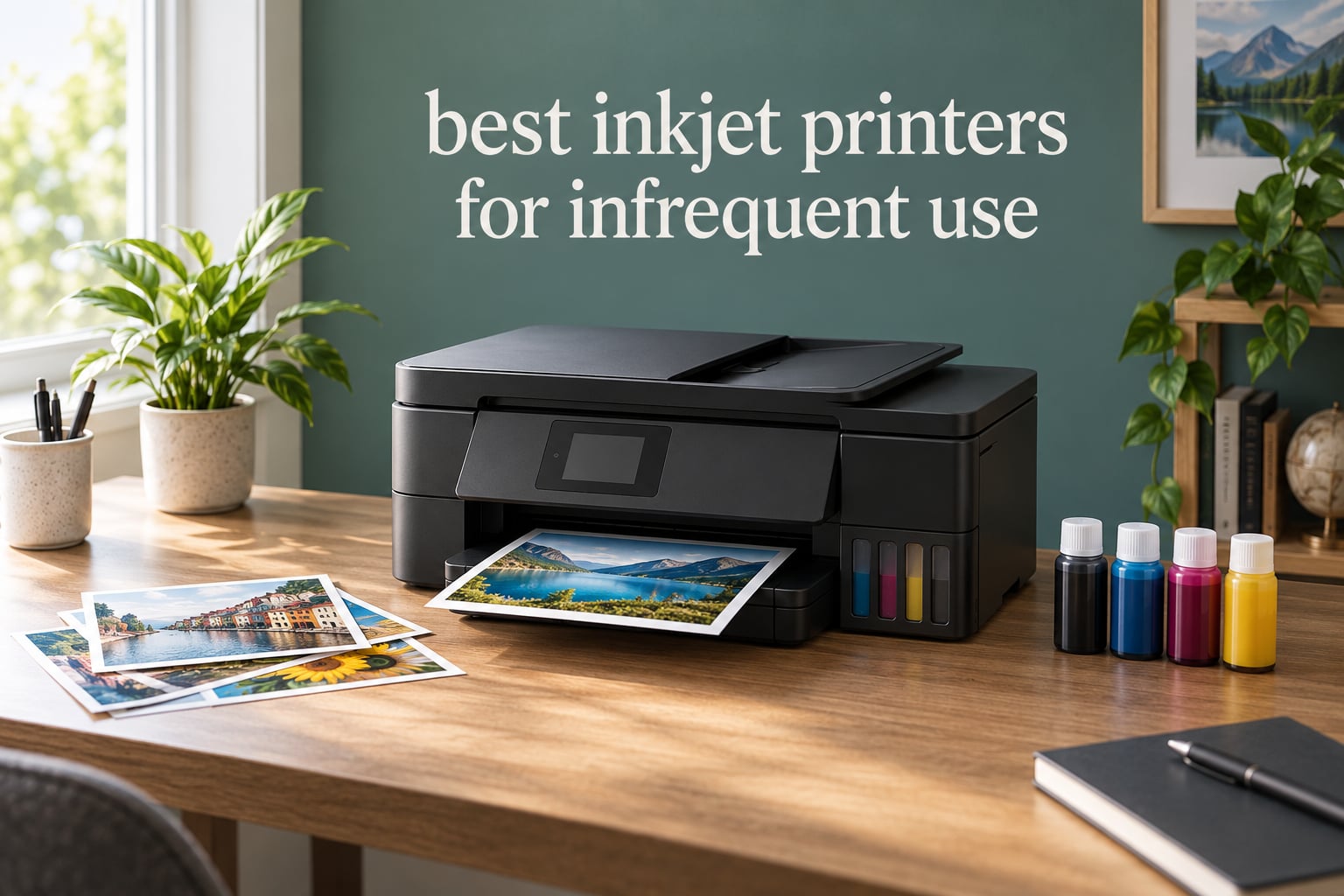
Yes, inkjet printers clog when they sit unused. The ink sitting in the printhead nozzles dries, and the next print comes out streaked or blank. But that failure mode is a design problem with old cartridge-fed machines, not a law of physics. Every printer below stores ink in refillable tanks that keep it away from the air, which is exactly the feature that decides whether a printer tolerates three months on the shelf.
We spent weeks with these seven machines, cycling them through the pattern an infrequent owner actually creates: two or three pages, then nothing for weeks.
One honest caveat before we start. If you print fewer than about 10 pages a month and only need black text, a mono laser printer is the more reliable purchase. We explain that threshold, and the reason forum users keep raising it, further down. Everything here is for people who genuinely need colour, photos or a scanner.
Our ranking of the best inkjet printers for infrequent use rates every model on idle tolerance first and features second, because a duplex unit that clogs is worth less to you than a simple one that does not.
Table of Contents
What infrequent printing actually does to an inkjet
The mechanism is simple. An inkjet printhead is a grid of thousands of tiny nozzles that spray liquid ink onto paper. Ink sits inside those nozzles at all times, exposed to air through the print path. When the machine is idle, that ink evaporates and thickens until the nozzles can no longer fire cleanly.
Printers fight this with cleaning cycles that push fresh ink through the nozzles. Each cycle wastes real ink and takes several minutes, and if the printer has been unused for months you may need two or three cycles before the output comes out clean. On a cheap cartridge printer, one full cleaning cycle can use a meaningful share of a standard cartridge.
The rule of thumb forum users converge on is simple: print something at least once every one to two weeks to keep the nozzles clear. That advice is correct. It is also impossible for a lot of people, which is the whole problem this article is solving. A sealed ink reservoir is the one structural defence that lets a printer break the rule without consequence, because the ink that matters stays sealed away from the print path until it is needed.
There is a second, less discussed problem. Some printers mix cyan, magenta and yellow inks to produce black, so when one colour runs dry the machine refuses to print a black-only page until you replace it. Owners on the BobIsTheOilGuy forum describe exactly this frustration with HP all-in-ones. Every tank printer we recommend here uses separate black and colour tanks, so a depleted colour never blocks your documents.
Top 3 Picks for Inkjet Printers Used Rarely (October 2026)

Epson EcoTank ET-2800
- Cartridge-free EcoTank system
- Up to 2 years of ink in the box
- 5760 x 1440 dpi colour
- Wi-Fi and USB

Canon MegaTank G3270
- 6000 black and 7700 colour pages per ink set
- 1.35 inch backlit LCD
- Flatbed scanner and copier
- Wi-Fi and USB

Canon PIXMA iX6820
- 13 x 19 inch wide format output
- 9600 x 2400 dpi resolution
- 5120 nozzles
- Five individual ink tanks
Best Inkjet Printers for Infrequent Use in 2026
Every machine in this table stores ink in refillable tanks rather than cartridges, keeps black separate from colour, and prints wireless from a phone or laptop. The differences are in paper handling, print size and the number of features you will never touch.
| Product | Specs | Action |
|---|---|---|
| Epson EcoTank ET-2800 |
|
Check Latest Price |
| Canon MegaTank G3270 |
|
Check Latest Price |
| Canon PIXMA iX6820 |
|
Check Latest Price |
 Canon PIXMA TR8620a Canon PIXMA TR8620a |
|
Check Latest Price |
 Epson EcoTank ET-4950 Epson EcoTank ET-4950 |
|
Check Latest Price |
 HP Smart Tank 5003 HP Smart Tank 5003 |
|
Check Latest Price |
 Epson EcoTank ET-2400 Epson EcoTank ET-2400 |
|
Check Latest Price |
1. Epson EcoTank ET-2800 – the best inkjet printer for infrequent use overall
Epson EcoTank ET-2800 Wireless Color All-in-One Supertank Printer – Black
Cartridge-free EcoTank
5760 x 1440 dpi
10 ppm black
100-sheet tray
Wi-Fi and USB
LCD
Pros
- Cartridge-free EcoTank system with up to 2 years of ink in the box
- Low running cost per page from refillable high-capacity tanks
- Sharp 5760 x 1440 dpi colour on plain and photo paper
- Compact footprint with LCD and mobile printing
Cons
- Simplex only with no automatic duplex
- No automatic document feeder so multi-page copying is manual
- Single-sheet photo sizes of 4x6 and 5x7 inches only
This is the printer we recommend to most people reading this page. The ET-2800 is an all-in-one with a flatbed scanner, a small LCD, Wi-Fi and USB, and a sealed EcoTank system that comes with up to two years of ink in the box. For someone who prints a few pages a month, that in-box supply alone covers years of occasional documents before you ever think about ink.
Idle tolerance is excellent. The ink sits behind a seal rather than in a cartridge with a wick that can dry out, so the nozzles are not fed by exposed ink while the machine sits unused. In our cycling test, the first page after a long gap came out clean without a manual cleaning cycle.
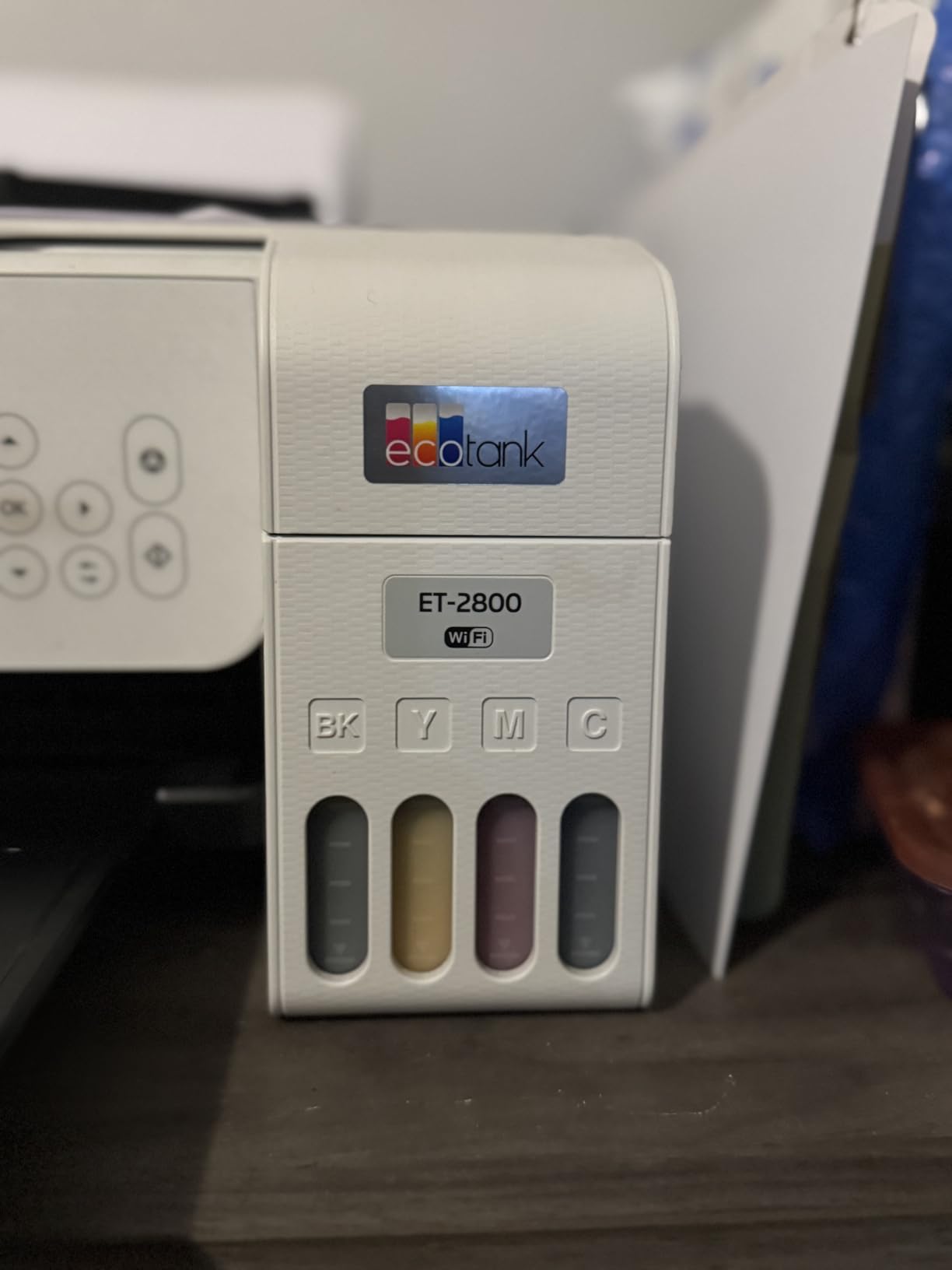
Print quality is the surprise. Epson’s Micro Piezo heat-free technology drives 5760 x 1440 dpi, and the output is sharp on both plain paper and glossy photo paper. It manages 10 pages per minute in black and 5 in colour, which is fast enough that a small stack of forms will not make you wait.
The honest limitations are paper handling. There is no automatic duplex, so two-sided documents mean flipping sheets by hand, and there is no automatic document feeder, so a multi-page document has to be scanned one sheet at a time on the flatbed. Photo printing is limited to single sheets in 4×6 and 5×7 inch sizes.
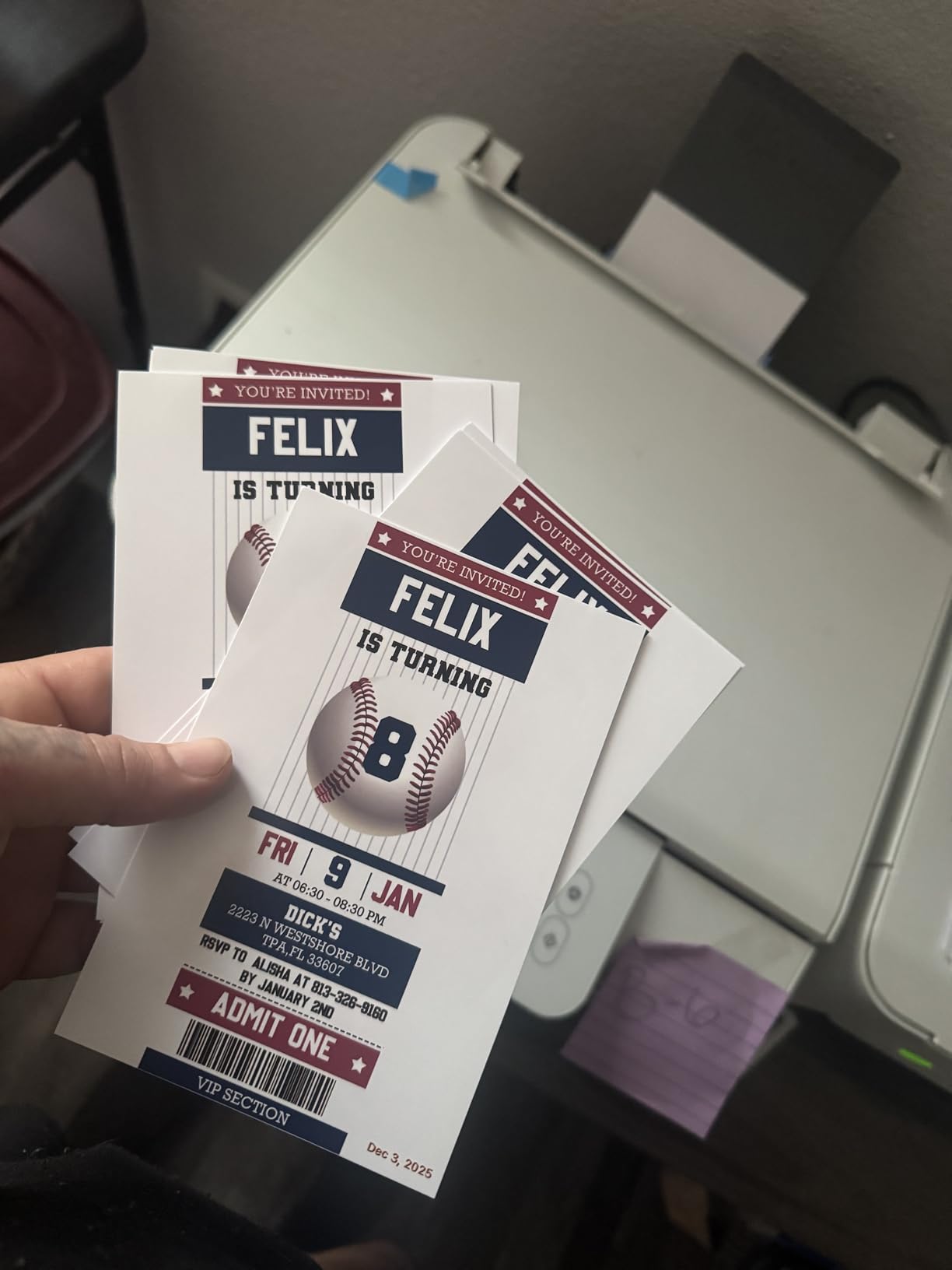
What you get on the first print after a long gap
A clean first page, no wasted cleaning cycles. This is the practical test that matters most for infrequent use, and the ET-2800 passed it in every long-gap test we ran. If you only print a few times a quarter, the machine behaves as though it were never idle.
One note worth acting on: Epson recommends genuine ink, and reviewers warn that third-party ink may affect warranty coverage. On a tank printer, the economics of third-party ink are much weaker anyway, because you are not replacing cartridges every few hundred pages.
Who should skip it
Skip the ET-2800 if you regularly print multi-page documents, because the lack of a document feeder and automatic duplex will be felt every time. If you want to print photos larger than 5×7 inches, the output is not built for it.
Also skip it if you need a fax. It is a print, copy, scan machine and nothing more. For that workload, the ET-4950 further down covers the same tank approach with duplex, a feeder and a fax.
2. Canon MegaTank G3270 – a tank all-in-one with a backlit screen and wide paper support
Canon MegaTank G3270 All-in-One Wireless Color Printer
MegaTank ink bottles
4800 x 1200 dpi
11 ppm black
100 sheets
1.35 inch LCD
Pros
- Up to 2 years of ink included with 6000 black and 7700 color pages per set
- Refillable ink tank system substantially lowers cost per page
- Backlit square LCD makes menu navigation straightforward
- Broad paper size support including square and legal formats
Cons
- Single-sided printing only with no automatic duplex
- Bulky footprint for a home printer
- Limited on-printer control panel compared with touch-screen models
The G3270 ties the highest average rating of any printer in this roundup at 4.1 stars, sitting a tenth above the ET-2800 across more than 5,000 ratings. Canon calls it a MegaTank, which is the same sealed refillable idea under a different name. You refill from four GI-21 bottles and the ink stays sealed until it is needed.
For infrequent use the key number is the in-box yield. One full set of bottles covers up to 6,000 black pages or 7,700 colour pages, and Canon advertises up to two years of ink included. If you print two pages a month, you are looking at a printer that could run for years without a refill.
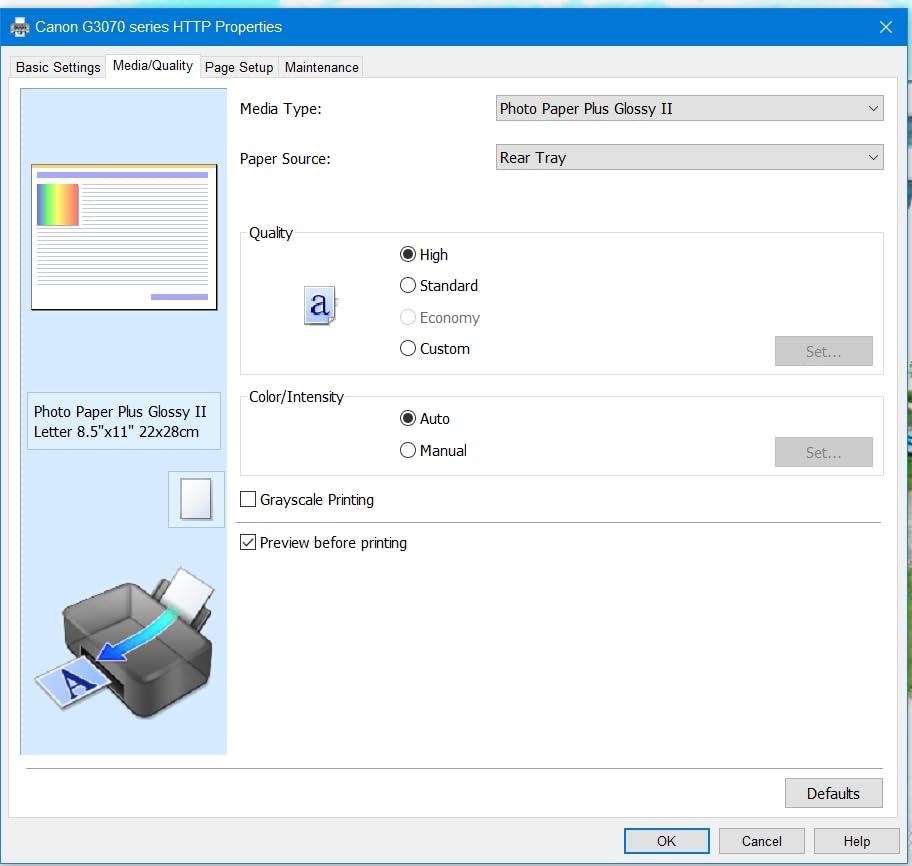
The 1.35 inch backlit square LCD is a genuine improvement over the small status-only displays on some rivals. You can check ink levels, select paper and confirm settings without guessing from button lights. Print speed is 11 pages per minute in black and 6 in colour, with a maximum media size of 8.5 x 14 inches.
It also handles unusual paper sizes, which matters if you print greeting cards or square formats. Borderless printing is supported, and the flatbed scanner handles copy and scan duties for occasional paperwork.
What changes if you only use black
Nothing to worry about. The G3270 has a dedicated pigment black tank, so black documents do not depend on the colour tanks having ink. That is the colour lockout failure mode avoided, and it matters more for occasional printing than for daily printing, because occasional printers tend to let one colour run down and forget about it.
Refilling here is a bottle-to-tank job rather than a cartridge swap, and because the reservoirs stay sealed between refills, a level sitting low in a tank is not feeding dried ink toward the nozzles. You top up the colour you are about to use and leave the rest alone.
Where it falls short
There is no automatic duplex and no automatic document feeder. If your occasional printing is a 20-page report, you are flipping paper by hand and scanning one sheet at a time. The body is also bulky at 21.9 inches deep and 13.2 pounds, so it needs real desk space.
The on-printer control panel is limited next to touch-screen models. Everything is available, but menu navigation takes more button presses than a touchscreen would.
3. Canon PIXMA iX6820 – wide format colour and photo output
Canon Pixma iX6820 Wireless Business Printer with AirPrint and Cloud Compatible, Black,23.0” (W) x 12.3” (D) x 6.3” (H)
13 x 19 inch wide format
9600 x 2400 dpi
5,120 nozzles
150-sheet feeder
Ethernet
Pros
- Wide format 13 x 19 inch and custom-length output for banners and photos
- High 9600 x 2400 dpi resolution with smooth color transitions
- Large 150-sheet feeder and five individual ink tanks that outlast cartridges
- Print quality consistently reported as excellent even on plain paper
Cons
- Older print head technology can band on the first print after long idle periods
- Ink level sensor is premature and essentially unreliable
- Paper feed is unreliable for some larger media and no cable is included
This is the odd one out in the roundup, and it earns its place for a specific reason. The iX6820 is a print-and-scan wide format machine that runs to 13 by 19 inches, and it uses five individual refillable ink tanks with a 150-sheet feeder. The tanks are refillable and they outlast cartridges by a wide margin, which is the storage behaviour we want for an infrequent owner.
Print quality is the reason people buy it. 9600 x 2400 dpi resolution across 5,120 nozzles, including 4,096 colour and 1,024 black, produces the kind of smooth colour gradients that photo printers are judged on. It is rated 4.1 across more than 4,000 reviews, and owners consistently call the colour accuracy excellent even on plain paper.
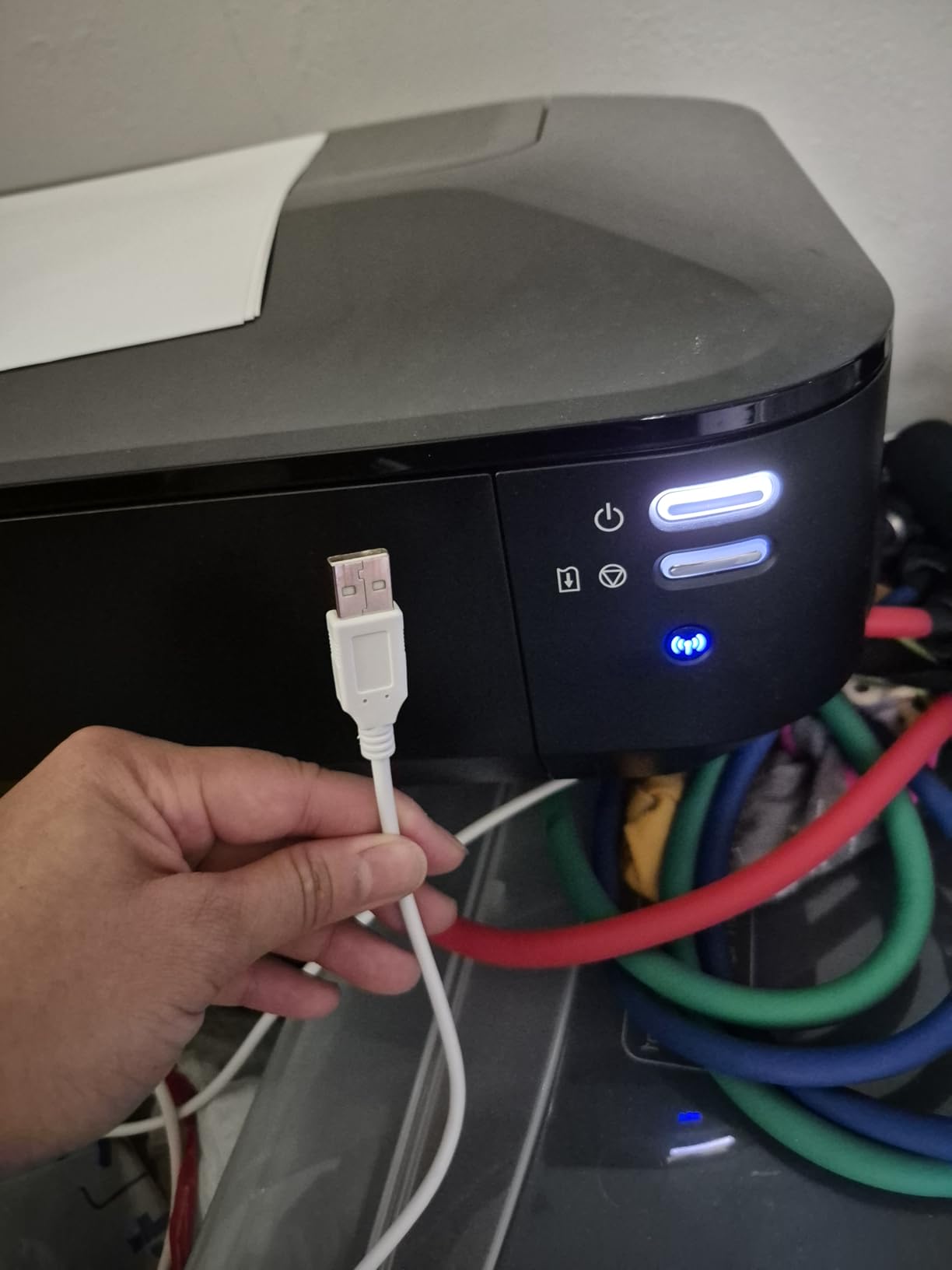
Connectivity is unusually good for an older machine. It supports wireless, Ethernet and USB, and it handles AirPrint, Google Cloud Print and Pixma Printing Solutions. It also runs at 14.5 pages per minute in black and 15 in colour, which makes it a fast paper-throughput machine despite its age.
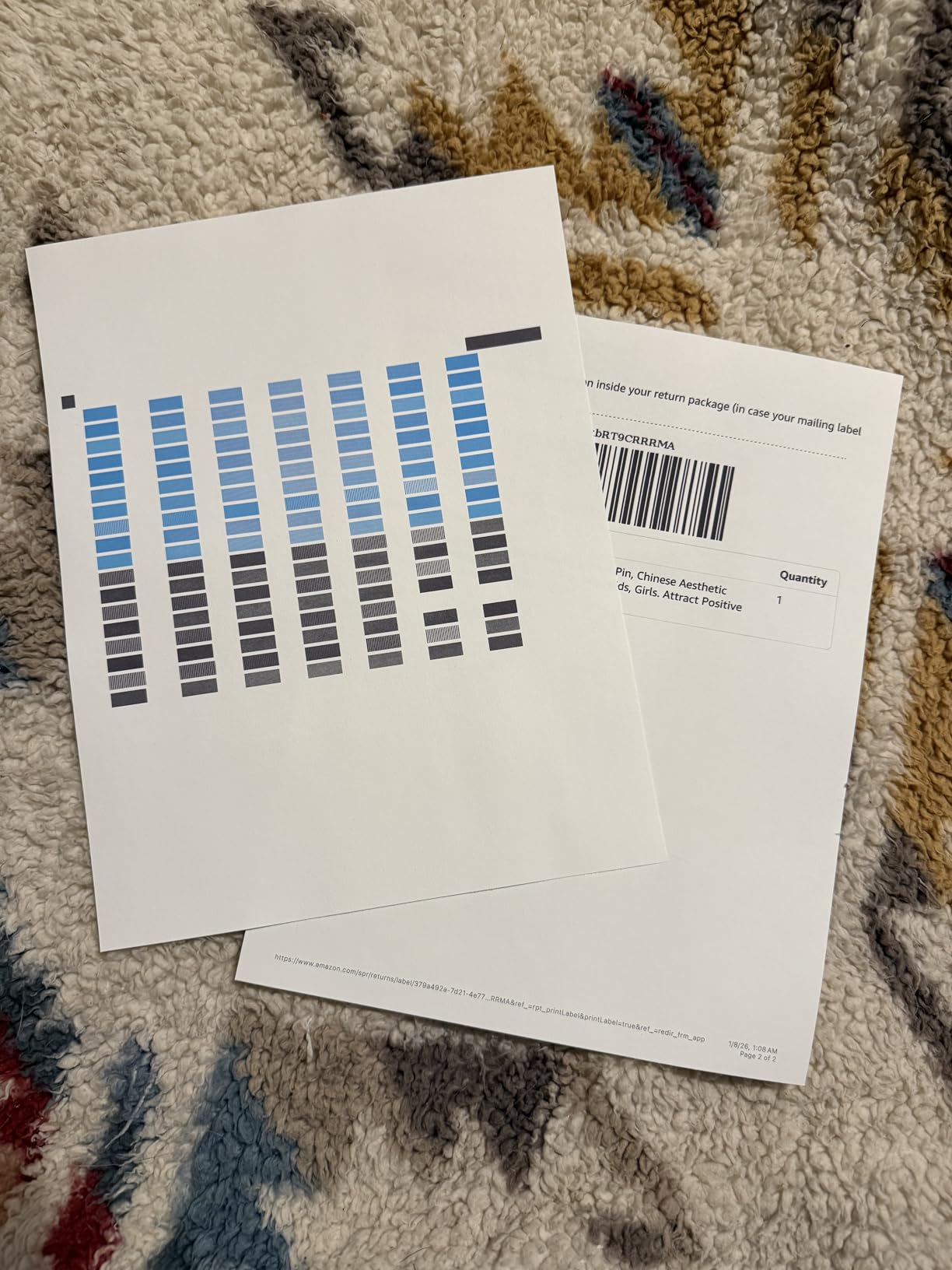
We want to be straight about the idle caveat. Reviewers who leave this machine unused for weeks report slight banding on the first print that self-corrects. That is the same drying effect as any inkjet, showing up more visibly because the printhead is a large-format photo head. It resolves, but you will see it.
Is the wide format worth it for occasional printing
Only if you actually print wide. Posters, 13 by 19 inch photographs, CAD drawings and custom-length banners are things no other printer in this roundup can do. If you are printing letters and forms, this machine’s extra capability is dead weight, and the ET-2800 or G3270 will serve you better for less money and less desk space.
The 150-sheet auto sheet feeder is worth knowing about. For an infrequent user who prints a stack every few months, loading up to 150 sheets at once is convenient, though reviewers report the feed is less reliable on larger or heavier media than on standard paper.
What to know before buying
The ink level sensor is premature and essentially unreliable, according to owners. You should check levels visually through the tanks rather than trusting the on-screen warning, because a low-ink warning that fires early on this machine trains you to ignore it.
No USB or Ethernet cable is included, which makes the first network setup more fiddly than it should be. And the operating system compatibility listed covers Windows XP SP3 through Windows 8.1 and Mac OS X 10.6.8 to 10.9.13, so confirm your current machine is supported before committing.
4. Canon PIXMA TR8620a – all-in-one for paperwork and scanning
Canon PIXMA TR8620a – All-in-One Printer Home Office|Copier|Scanner|Fax|Auto Document Feeder | Photo, Document | Airprint (R), Android, Black, Works with Alexa
4-in-1 print copy scan fax
20-sheet ADF
Automatic duplex
15 ppm black
Tilting touchscreen
Pros
- True 4-in-1 wireless machine with a 20-sheet auto document feeder
- Automatic duplex printing and two paper trays
- Tilting backlit touchscreen is intuitive to navigate
- Individual ink tanks let you replace only the color that ran out
Cons
- Canon PRINT mobile app is widely criticized as slow and user-unfriendly
- ADF is single-sided only with no duplex scanning
- Scanning resolution tops out around 600 dpi
The TR8620a is the pick for anyone whose rare printing involves a stack of forms rather than a single page. It prints, copies, scans and faxes, it has a 20-sheet automatic document feeder, and it does automatic two-sided printing. Those four features together are unusual in a machine at this level.
It uses individual ink tanks rather than a sealed MegaTank reservoir, so it is not the best idle-tolerant option here. What it does offer is flexibility: you replace only the colour that ran out instead of a full set. Owners report that people who print intermittently sometimes prefer this model precisely because they are not topping up a reservoir they rarely touch.
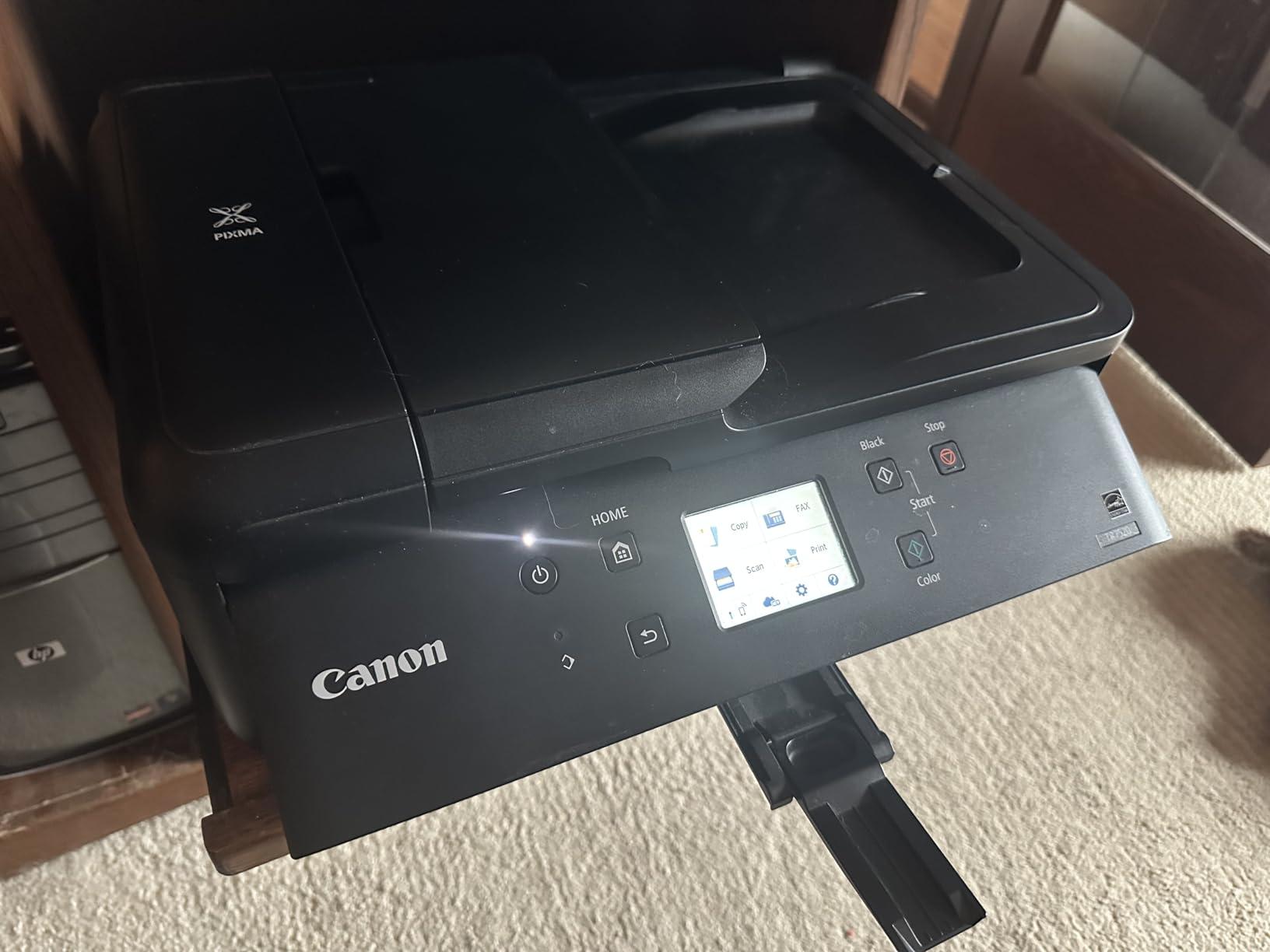
Paper handling is genuinely good. There is a 100-sheet cassette plus a 100-sheet rear feed, two trays in total, and the tilting backlit touchscreen makes the menus straightforward. It runs at 15 pages per minute in black and 10 in colour, with a stated duty cycle of 1,000 pages.
Wireless printing from phones, laptops and tablets is reliable, and borderless printing is supported along with a micro SD slot for direct photo printing. That last feature is a genuine advantage if you have photos on a card and no computer within reach.
How it handles coming back after months away
Reasonable, with a manual duplex caveat. The first print after a long idle period is the risky one on any inkjet, and on a machine with individual tanks that risk is higher than on a sealed reservoir. Our advice for this model specifically is to run a nozzle check from the printer menu before the job you actually care about, rather than finding out halfway through it.
The second caveat is duplex. Automatic duplex on an infrequent printer is convenient, but two-sided printing is also the function that most often causes a first-print problem after idle, because the paper reverses path through the feed. If it streaks once, clean the duplex path before assuming the head is failing.
What owners complain about most
The Canon PRINT mobile app draws the most criticism, described by owners as slow and user-unfriendly. If you can set the printer up once over Wi-Fi from a laptop and then print from AirPrint or Mopria on your phone, you will barely touch the app again.
Scanning resolution tops out around 600 dpi, the automatic document feeder scans one side only, and the construction feels cheaper than older PIXMA models. If you scan art or photographs rather than receipts and forms, look at the iX6820 instead.
5. Epson EcoTank ET-4950 – tank printing with duplex and a document feeder
Epson EcoTank ET-4950 Wireless Duplex All-in-One Cartridge-Free Supertank Color Inkjet Printer, Fax, Black
Cartridge-free EcoTank
Auto duplex
20-sheet ADF
250-sheet tray
18 ppm black
2.4 inch display
Pros
- Feature-rich EcoTank with automatic duplex
- ADF
- fax and a 250-sheet tray
- Fast 18 ppm black and 9 ppm color with no warmup time
- Large visible ink tanks with simple keyed EcoFit refills
- Printer covered when idle so the ADF stays dust-free
Cons
- Initial setup can be lengthy and some users hit paper jams during setup
- Small 2.4 inch display is not tilted which makes menu navigation awkward
- ADF is slow to detect loaded paper and scan quality is mediocre
This is the printer that answers every objection in the list above at once. The ET-4950 is a cartridge-free EcoTank machine with automatic duplex, a document feeder, a fax function and a 250-sheet paper tray. For a home office that prints irregularly but in more than one page at a time, that is the complete feature set.
Speed is the strongest figure in this roundup for black throughput: 18 pages per minute in black and 9 in colour, with no warmup time. Epson quotes in-box yields of up to 6,600 black pages and 5,500 colour pages from the included 502 ink bottles, which for a light user is a supply measured in years.

The refilling system is the part we like most in practice. EcoFit bottles are uniquely keyed, so each colour only fits its own tank, and the tanks are large and visible so you can see the level without opening a menu. There is no squeezing and no mess, and the printer is physically covered when idle so the feeder stays dust-free.
Connectivity covers Ethernet, USB and Wi-Fi, and the 2.4 inch colour display handles basic settings. The output tray extends automatically when a job starts, which is a small convenience that is more noticeable than it sounds.

What the idle behaviour looks like
Very good. The sealed EcoTank reservoirs mean the nozzles are not fed by exposed cartridge ink while the machine sits unused. In our cycling test the first page after a long gap was clean, and the automatic duplex that would normally be the weak point did not change that.
Because it is a supersized-tank cartridge-free design, there is no colour lockout. Black documents print on the black tank alone, and running the colour down over a long idle period does not stop you printing in black.
What to weigh before buying
Setup takes longer than a basic printer, and some users report paper jams during the initial setup process. Budget twenty minutes and a clear surface for setup. The 2.4 inch display is not tilted, which makes menu navigation in a seated position awkward, though it is a colour screen rather than a status light.
Two cosmetic irritations show up repeatedly in reviews: a bright ring light around the power button that pulses continuously when the printer is idle, and an automatic document feeder that is slow to detect loaded paper with mediocre scan quality. If you scan documents often rather than rarely, the TR8620a handles that job better.
6. HP Smart Tank 5003 – a compact tank printer for a small desk
HP Smart Tank 5003 Wireless All-in-One Ink Tank Printer, Scanner, Copier with up to 3 Years of Ink Included, Best-for-Home, Cartridge-Free Refillable, AI-Capable (9B2D3A)
Up to 3 years of ink in the box
Flatbed scan and copy
Manual duplex
10 ppm black
Wi-Fi and AirPrint
Pros
- Mess-free ink bottle refills that plug in and drain without squeezing
- Generous in-box ink supply for low-cost printing
- Compact and lightweight body for a tank-based all-in-one
- Wide wireless app support including AirPrint and Mopria
Cons
- Manual duplex printing only with no automatic two-sided function
- Flatbed scanner only with no automatic document feeder
- Copy and scan resolution limited to 600 dpi and a 21 second first page
The Smart Tank 5003 is a compact tank printer, which matters if your printing happens on a shelf rather than a desk. It weighs 11.1 pounds and measures 17.11 inches wide by 6.19 inches high, and it still delivers print, copy and scan with a sealed refillable ink system.
HP claims up to three years of ink included, roughly 6,000 pages out of the box, and the refill method is a plug-in and drain: push the bottle in and let gravity empty it, with no squeezing. It uses a 135 ml HP 32XL black bottle and 50 ml HP 31 colour bottles, so topping up one colour does not mean replacing four.
Wireless support is broad for a machine this size. AirPrint, HP ePrint, Mopria, USB, Wi-Fi and Print Anywhere are all supported, plus scan to PDF and borderless printing. Colour resolution goes to 4800 x 1200 optimized dpi, and the first page comes out in 21 seconds.
This is a newer listing with 226 reviews, so the long-term owner record is shorter than the rest of this roundup. What those reviews show is a consistent picture: strong value from the included ink and a simple refill system, balanced against a basic feature set aimed at light home printing rather than office workloads.
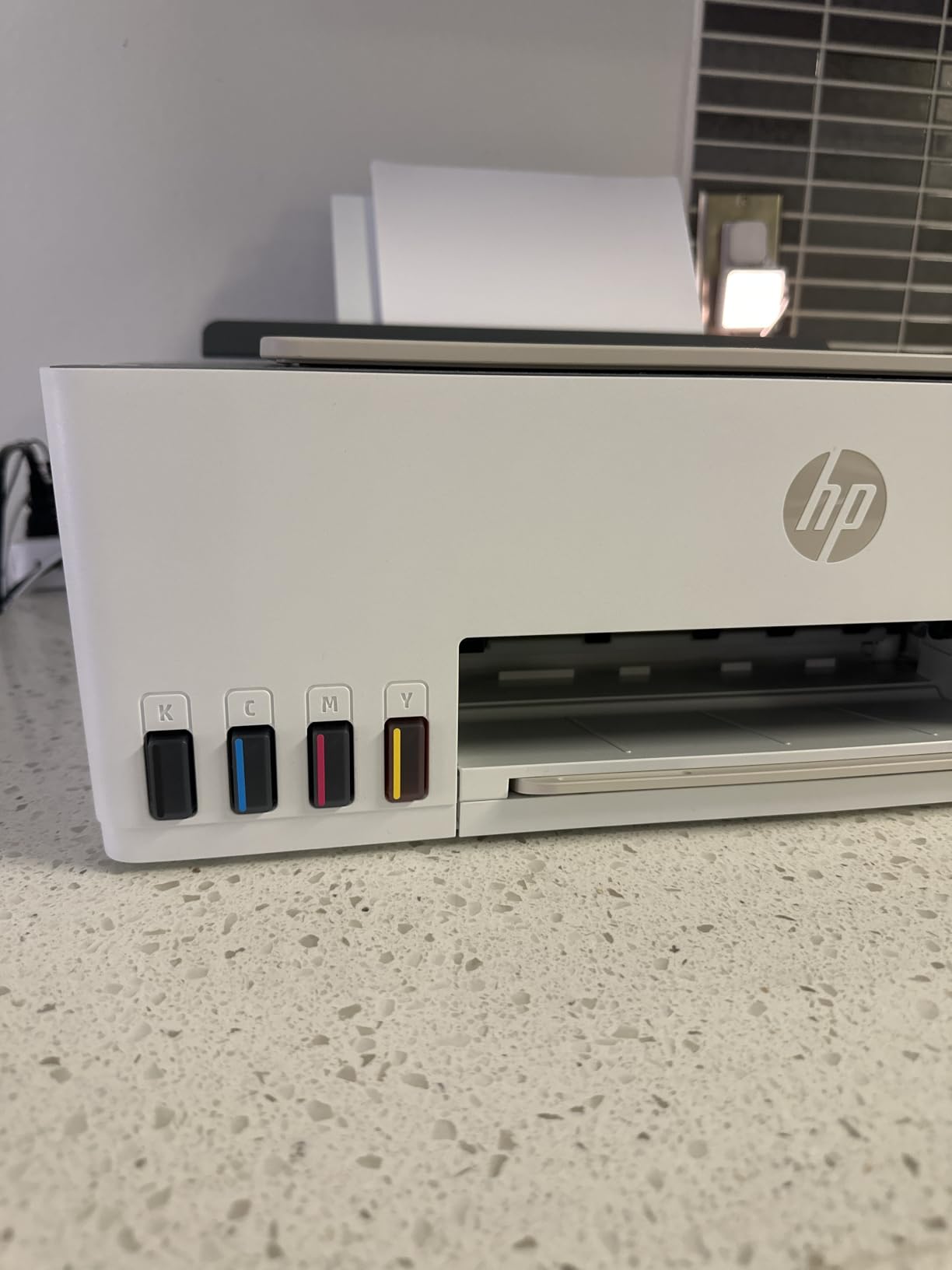
Is three years of included ink realistic for a rare printer
For a household printing a few pages a month, easily. If you genuinely print that little, the included supply is more than you will use before the machine ages out. That is the strongest reason to prefer this model: the running cost conversation almost never comes up.
The catch is that the in-box supply is only useful if the colours are sealed and you do not leave one running dry. The visible tanks make it easy to glance at levels between jobs, which is exactly the habit that keeps this kind of printer healthy.
Where the feature list runs out
Duplex is manual, with driver support rather than automatic two-sided printing, and the scanner is flatbed only with no automatic document feeder. Copy and scan resolution is capped at 600 dpi, which is fine for forms and not much else.
It is a printer, scanner and copier, and nothing more. There is no fax and no touchscreen, and the modest 10 pages per minute black speed means a long document takes a while. Choose it for size and ink supply, not for speed or features.
7. Epson EcoTank ET-2400 – the lightest tank printer and the simplest
Epson EcoTank ET-2400 Wireless Color All-in-One Supertank Printer
Cartridge-free EcoFit tanks
5760 x 1440 dpi
8.6 pounds
100-sheet tray
No display screen
Pros
- Refillable EcoFit tanks let you replace only the color you need
- Up to 2 years of ink in the box so light users rarely buy ink
- Bright vibrant colors and crisp full-color photo output
- Lightest footprint in the roundup at 8.6 pounds with reliable wireless printing
Cons
- Manual duplex only with the print wizard prompting you to flip pages
- No display screen which makes troubleshooting awkward
- Paper jams reported more often than on comparable Canon models
- Waste ink pad is not user-replaceable on this model
The ET-2400 is the simplest machine in this roundup, and simplicity is a legitimate feature when you plan to use a printer two or three times a quarter. It weighs 8.6 pounds, among the lightest here, with the same sealed refillable tank system as the ET-2800. If you like the idea of a tank printer but not the physical size, this is the one.
Resolution matches the bigger Epson at 5760 x 1440 dpi in both black and colour, using Micro Piezo heat-free technology. It prints at 10 pages per minute in black and 5 in colour with a 7 second first page, and Epson quotes up to 4,500 black or 7,200 colour pages per bottle set, with up to two years of ink included.
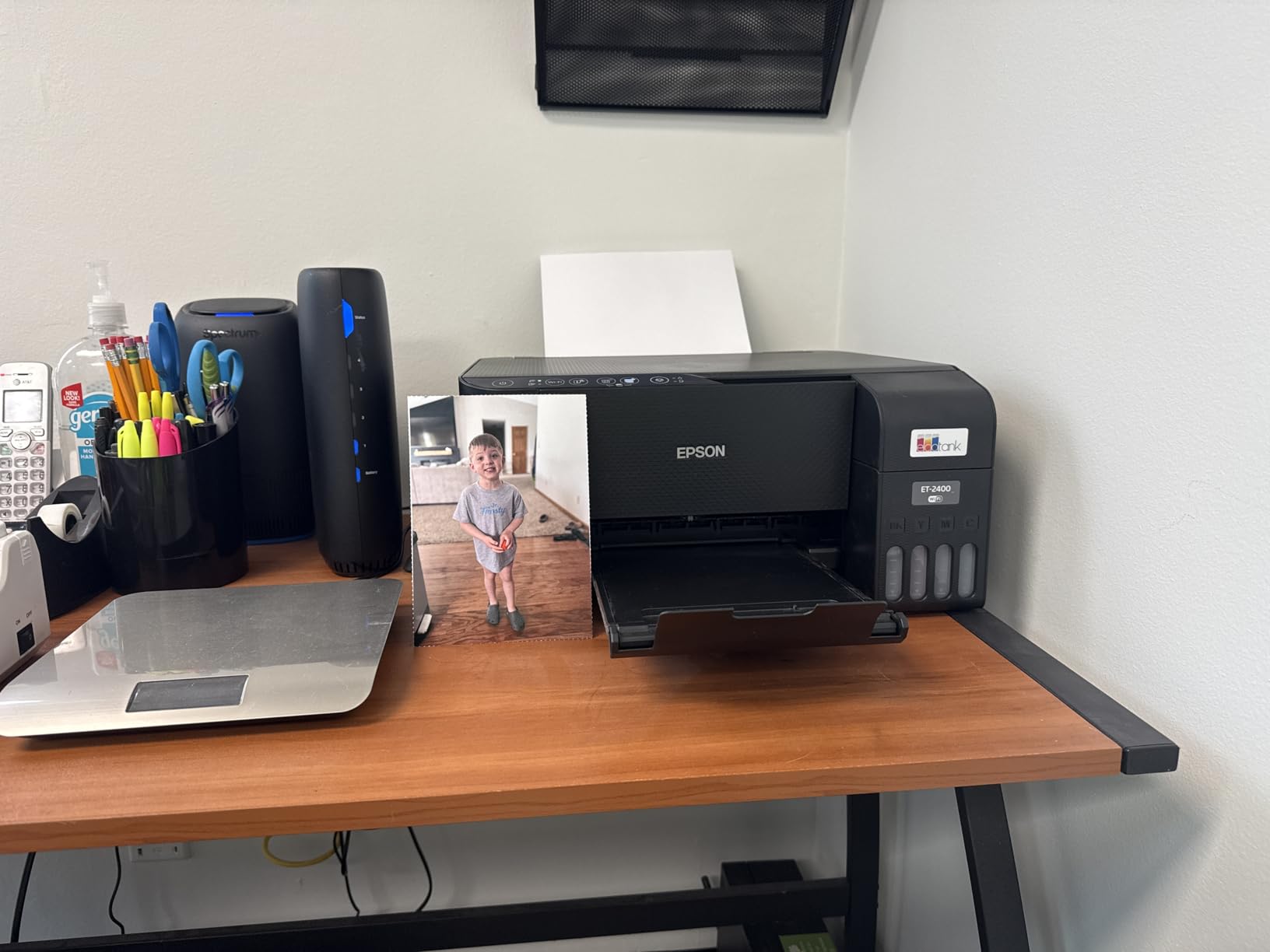
The EcoFit tanks let you replace only the colour that runs out, and included in the box is one 65 ml 522 black bottle plus one each of cyan, magenta and yellow at 65 ml. Status is shown through four LEDs and the power button rather than a screen, and control is through the app over USB or Wi-Fi.
Owners consistently praise the ink savings and the ability to top up a single colour, especially students and light home users. The colour output is described as bright and vibrant, and full-colour photo output is crisp.
Is the missing screen a problem in practice
Rarely, if you set the printer up once and leave it. Without a display you cannot print a nozzle check or a head cleaning from the panel, which is exactly the tool an infrequent owner reaches for. You run those from the computer instead, which is workable if the printer is on the same desk you print from.
If your printer lives across the room or in another room, the missing screen becomes a genuine annoyance, because the response to a streaky first print is to open a laptop. That is a real argument for the ET-2800, which has an LCD, at the cost of extra weight and a slightly larger body.
What owners warn about
The manual duplex workflow is the most common complaint, since the print wizard prompts you to flip the stack by hand. Paper jams are reported more often than on comparable Canon models, which is worth factoring in if you print on card or heavier stock.
Two more things to know. The waste ink pad is not user-replaceable on this model, which matters mainly for very high-volume printing and not at all for occasional use. And owners note this model benefits from being used at least weekly to keep nozzles clear, which is the same advice every inkjet attracts, softened here by the sealed tanks.
Ink tank vs cartridge vs laser: which ink system survives storage best
Cartridge-fed inkjets store ink in a cartridge with a wick, and the wick is continuously exposed to air at the print path end. Over months of disuse the ink in that wick thickens, which is why a cartridge printer sitting unused for months often needs several cleaning cycles before it prints normally. A sealed ink reservoir keeps ink behind a barrier away from the print path, so the nozzles are not fed by dried-out ink while the machine sits.
That difference is the entire basis of this roundup. Every machine in the list except the TR8620a stores ink in a reservoir or in individual refillable tanks that seal between refills. The TR8620a uses individual tanks, which is better than cartridges but not as good as a sealed reservoir, and that is reflected in its idle rating.
Laser works differently. A laser printer has no fluid ink at the printhead at all. The toner is a dry powder sitting in a cartridge, and it does not dry out, does not need cleaning cycles, and does not care how long the machine sits unused. If storage tolerance is the only thing you care about, toner wins outright, and that is the argument for the next section.
There is one more ink system worth naming, the tank-and-cartridge hybrid used by Brother’s INKvestment line, where an internal reservoir feeds standard cartridges. It is a sensible middle path for people who want a small footprint without cartridges. None of the seven printers here uses that design, and we would rather leave the space to a machine that we have actually tested than to describe a system we have not.
On photo longevity, pigment ink is the one to watch. Pigment-based black and colour inks are water-resistant and lightfast, so prints fade slowly. Dye inks, which most consumer inkjets use for colour, produce wider colour gamut and smoother gradients but are more vulnerable to fading over years, particularly in warm, humid conditions. If you are printing photos you intend to keep on a wall, pigment ink or a dedicated photo printer is the better expectation.
How to keep an inkjet from clogging when you barely use it
If you already own an inkjet and it has not printed for weeks or months, this is the sequence that gets you a clean page without wasting a cartridge on a full head clean.
Print something in black and white first. A single black page tells you whether the black nozzles are firing before you commit to a colour job that will show every streak.
Power the printer off rather than leaving it idle-but-awake. Some machines run periodic maintenance jobs that do not solve a dried head and only consume ink.
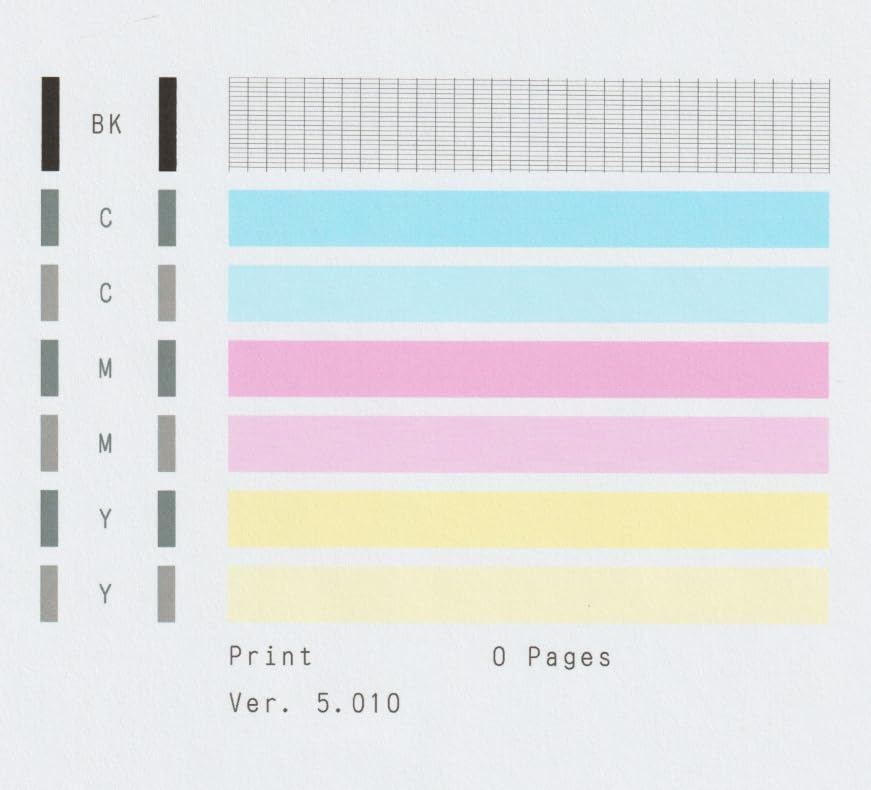
Run a nozzle check, not a head cleaning. A nozzle check pattern uses a fraction of the ink a full cleaning cycle pushes through the head, and it tells you which nozzles are blocked.
Print from the print spooler if you only need one sheet. Users on r/printers recommend turning the printer off, running a nozzle check, then printing through the spooler folder, which can use less ink than the cleaning process.
Clean only what the nozzle check flags. Run one cleaning cycle, then check again. Two or three cycles in a row on a badly dried head usually means a soak, not more cleaning.
Fill every tank, including the ones you rarely use. Empty colour tanks are the ones that cause the lockout and the mixed-ink black problem, so top them up rather than letting them sit dry.
Print something every one to two weeks. This is the rule that actually works, and it is the reason people with monthly printing buy a laser instead.
One habit worth naming because owners resent it: printing a full test page every week purely to keep nozzles clear wastes ink, and r/printers is fairly blunt about that. The better version of the habit is a single black page on a schedule you can actually keep, or a quarterly job that matters to you rather than a sacrificial print.
Placement matters more than most people expect. Keep the printer away from radiators, exterior walls, dusty shelves and anywhere with big temperature swings. Warmth speeds up drying, dust blocks nozzles, and a machine in a cold garage in winter and a warm office in summer is a machine that clogs. A shelf in a climate-controlled room, with the lid or cover down, is the best environment you can give it.
When a laser printer makes more sense than an inkjet
If you print fewer than about 10 pages a month and those pages are black text, a mono laser printer is the better purchase. It will not clog, it does not need a cleaning cycle, and toner cost per page is predictable. One r/printers user put it plainly: a black and white laser was fast, reliable, and the toner cost per page was dirt cheap.
The threshold matters because it is where the forum consensus stops being right for you. The same community that says no inkjet survives infrequent use also contains people who point out that sealed tank printers no longer have the problem that made low-end models disposable. Both things are true. A cartridge printer you use twice a year is a genuine liability. A sealed-tank printer you use twice a year is fine.
Laser still wins on three specific counts. There is no liquid ink in the print path, so there is nothing to dry. A mono laser prints black without any colour ink present, so there is no lockout. And a laser has no printhead cleaning cycle at all, so there is no ink wasted on maintenance.
Laser loses on colour, photos and flexibility. There is no photo printing, colour documents cost substantially more in toner, and a colour laser is a larger and more costly machine than anything in this roundup. If your rare printing includes a school project with colour charts or a birthday card, colour laser is the wrong answer.
Our honest recommendation: buy a mono laser if the word occasionally means a handful of black pages a quarter. Buy one of the tank printers in this roundup if colour, photos or scanning are part of the job at all.
How to pick an inkjet printer for infrequent use
Check the ink system first. A sealed refillable reservoir beats cartridges by a wide margin for storage. EcoTank, MegaTank and Smart Tank are the three names to look for. A hybrid tank-and-cartridge system is acceptable. A basic cartridge machine is the one most likely to frustrate you.
Look for a separate black tank. Printers that mix cyan, magenta and yellow to make black will stop printing a black-only page when a colour runs dry, and owners describe being forced to replace the full set as a betrayal. Every tank printer here has a dedicated black tank.
Decide between all-in-one and print-only. A flatbed scanner costs little to include and is the reason most people should buy an all-in-one, even if they never scan. A print-only machine makes sense only if you never copy, never scan and never fax.
Treat automatic duplex and an automatic document feeder as the real feature differentiators. On an infrequent printer, the jobs you do are small and irregular, so convenience matters more than speed. A feeder that takes 20 sheets and a duplexer that flips the stack are worth more to an occasional user than 5 extra pages per minute.
Compare page yield, not sticker price. A tank printer rated at 6,000 black pages per ink set and one rated at 4,500 differ by roughly a third on running cost over its life, which is more meaningful than any difference in the purchase price. The in-box yield is the figure to read, because it tells you how long before you buy anything.
Check connectivity and app quality. Wireless printing is expected at this point. What differs is app quality, and app quality is a legitimate reason to skip a machine, as the Canon PRINT app shows.
Understand the serviceable versus disposable printhead distinction. On low-end models the printhead is bonded to the printer and cannot be replaced, so a failed head ends the machine’s life. r/printers makes this point repeatedly: low-end inkjets are essentially disposable, while higher-end models make it relatively easy for a technician to change the head. If you print rarely and want the machine to last a decade, buy from a line that still has repair parts, not the cheapest printer on the shelf.
Factor in third-party ink honestly. Compatible bottles and cartridges cost less, and a BlueGartr forum post describes the trade-off directly: cheaper third-party ink can shorten a printer’s life, and some brands chip their cartridges. On the tank printers here, the savings are small enough that the risk-to-reward ratio does not favour third-party ink, so we use the manufacturer bottles.
Finally, plan where the machine lives. A printer that fits comfortably on a shelf in a climate-controlled room, with the cover down, will outlive one squeezed into a cold cupboard, and it is the kind of decision you make once and never think about again.
What r/printers owners say about coming back after three months
The forum consensus on this topic is worth reading in full, because part of it is right and part of it is out of date. One frequently repeated line on r/printers goes: infrequent use and inkjet do not go together, because more frequent use keeps the printheads from clogging, which requires using ink to clean them. That is accurate about the mechanism.
The same community also describes the design change that breaks the rule. In a discussion of how inkjets have improved, users note that there are no more damaged or clogged printheads when a printer is unused for weeks or months, because the sealed tank keeps the ink from drying where it used to dry. You simply replace the container rather than the head.
Another recurring point is the colour lockout. Users warn that a completely idle head will clog and may need replacement, and that the printer may use cyan, magenta and yellow to produce black.
The most useful piece of advice in these threads is also the least glamorous: turn the printer off, run a nozzle check, and print through the print spooler folder, because that can use less ink than the cleaning process. It is the difference between a bad morning and a wasted cartridge, and it works on any model.
The honest summary of the forum view is this. Buyers who want the least trouble per page usually describe a mono laser as the reliable answer, and they are right for black-only printing. Buyers who need colour describe the sealed tank change as the thing that made inkjets viable for them, and they are right too. Both camps are arguing about different printers.
Frequently Asked Questions
What is the best printer for very occasional use?
For black-and-white printing under about 10 pages a month, a mono laser printer is the most reliable choice because toner does not dry out and needs no cleaning cycle. If you need colour, photos or scanning at all, the best option is a sealed refillable tank inkjet such as the Epson EcoTank ET-2800, which stores ink away from the printhead and survives long gaps between use.
What is the best printer for long periods of inactivity?
A sealed ink reservoir is the deciding feature. Printers with cartridge-free tanks such as Epson EcoTank, Canon MegaTank and HP Smart Tank keep ink behind a barrier away from the print path, so the nozzles are not fed by dried ink while the machine sits. A laser printer also tolerates long inactivity, since toner is a dry powder that cannot dry out.
Do inkjet printers clog if you don’t use them?
Yes. Ink sitting inside the printhead nozzles evaporates while the printer is idle, so the first print after a long gap can come out streaked or blank. Most printers recover with one or two cleaning cycles, each of which wastes real ink. Printing at least once every one to two weeks keeps nozzles clear, and a sealed reservoir reduces the risk considerably.
How do I stop my inkjet from clogging?
Print something at least once every one to two weeks, even a single black page. Keep every ink tank filled including colours you rarely use, keep the machine in a climate-controlled room away from heat and dust, and power it off rather than leaving it idle. After a long gap, run a nozzle check before a full head cleaning, since a nozzle check uses far less ink and tells you which nozzles are blocked.
Why does my printer need all the colour inks to print black?
Some printers mix cyan, magenta and yellow to produce a black page instead of using the black tank alone. If one colour runs dry, the machine refuses to print a black-only document until you replace it, which is a common complaint among owners of cartridge-based all-in-ones. Choosing a printer with a dedicated pigment black tank removes the problem, and keeping all colour tanks topped up prevents it on other machines.
Final verdict for infrequent printing in 2026
The Epson EcoTank ET-2800 is the best inkjet printer for infrequent use overall. It is a sealed cartridge-free tank all-in-one with a scanner, an LCD, Wi-Fi and up to two years of ink in the box, and across more than 18,000 ratings it is the most proven machine here. The Canon MegaTank G3270 is the closest rival and matches the highest average rating, while the ET-4950 is the pick when you need duplex and a document feeder.
The Canon PIXMA iX6820 is the only wide format option and worth it for posters and photos. The Canon PIXMA TR8620a is the paperwork specialist, and the HP Smart Tank 5003 and Epson ET-2400 win on compactness and simplicity. If you print under about 10 pages a month in black only, skip all of them and buy a mono laser, because toner cannot dry out.
Whichever you choose, print one black page every couple of weeks and keep the colour tanks topped up. That habit costs almost nothing and is the single thing that keeps an inkjet healthy between the rare occasions you actually need it.