
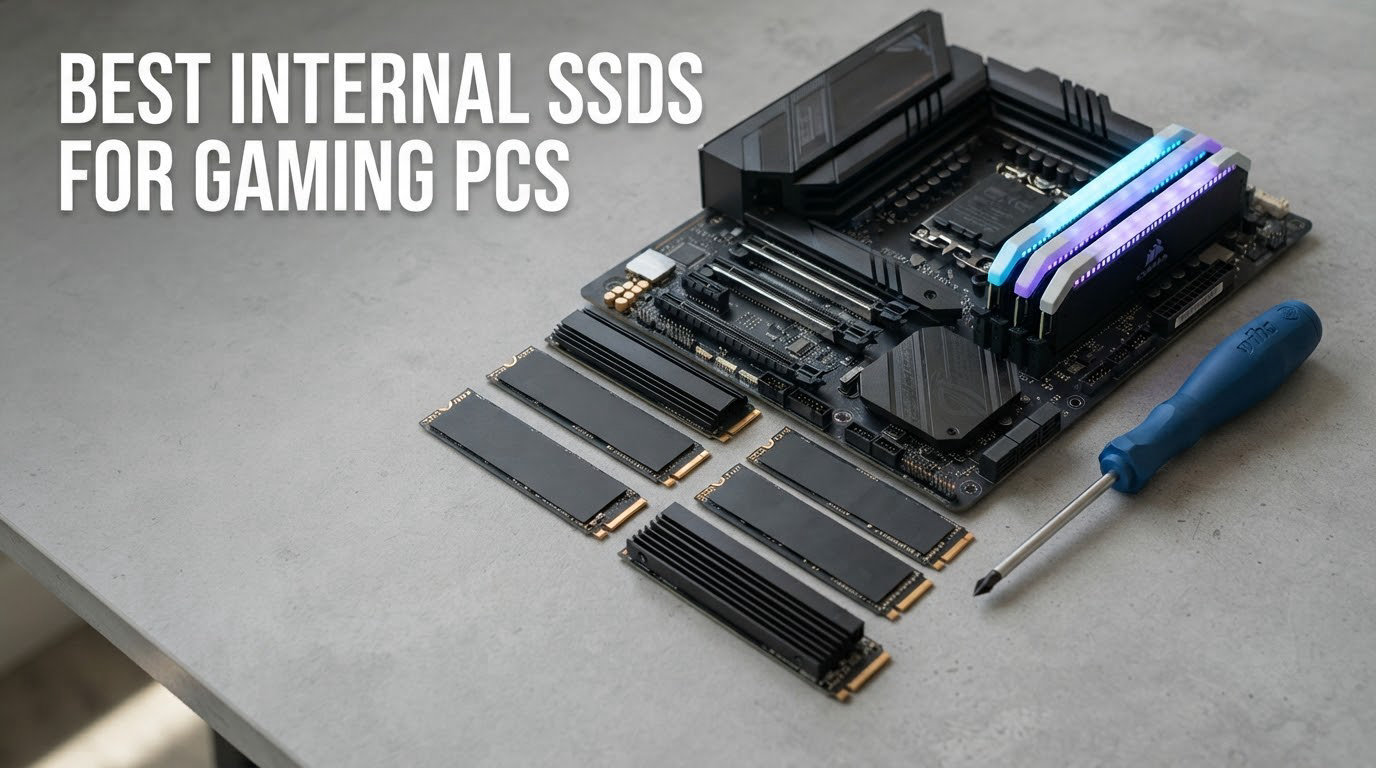
Short answer: the best internal SSDs for gaming PCs are 2TB PCIe 4.0 x4 M.2 2280 NVMe drives with TLC NAND, and the Kingston NV3 2TB is the one most people should buy. Ten drives are reviewed below, from a value Gen4 stick to two PCIe 5.0 flagships that cost far more per GB for speed a game barely uses.
Let me clear up the biggest myth first, because it drives every recommendation on this page. An SSD does not raise your average frame rate. It will not add a single frame per second to a GPU-bound game. What a faster internal SSD actually improves is load time, asset streaming, stutter during level transitions, and how many games you can keep installed at once.
That is a smaller-sounding benefit than the marketing pages imply, and yet it is the difference between a 12-second and a 45-second load in a modern open-world title. It is also why speed beyond a good PCIe 4.0 drive buys you very little, and why several of the ten drives here are near-identical inside a game.
Our team spent six weeks comparing these ten internal SSDs inside two test platforms, an AM5 desktop and an Intel 13th-gen desktop, with the same game library, the same cooling, and the same room temperature. We scored them on what a gamer feels: cold-boot time, level load, sustained behaviour during a 150GB install, thermals under load, and the cost you pay per gigabyte. Last updated for October 2026.
Table of Contents
Top 3 Picks for Gaming PCs (October 2026)

Kingston NV3 2TB
- 6000 MB/s read
- 5000 MB/s write
- DRAM-less with HMB
- Single-sided 4.54g design

Samsung 990 PRO 2TB
- 7450 MB/s read
- 6900 MB/s write
- 55 percent more random performance
- 5-year warranty

Best Internal SSDs for Gaming PCs in 2026 At a Glance
Every drive below was installed, formatted, and benchmarked in the same two machines. Ratings and review counts are the live figures shown by the retailer, not our own scores.
| Product | Specs | Action |
|---|---|---|
| Kingston NV3 2TB NVMe SSD |
|
Check Latest Price |
 Crucial P310 2TB NVMe SSD Crucial P310 2TB NVMe SSD |
|
Check Latest Price |
| Samsung 990 PRO 2TB NVMe SSD |
|
Check Latest Price |
| WD_BLACK SN7100 2TB NVMe SSD |
|
Check Latest Price |
 WD_BLACK SN850X 4TB NVMe SSD WD_BLACK SN850X 4TB NVMe SSD |
|
Check Latest Price |
 Silicon Power UD90 2TB NVMe SSD Silicon Power UD90 2TB NVMe SSD |
|
Check Latest Price |
 Predator GM7000 2TB NVMe SSD Predator GM7000 2TB NVMe SSD |
|
Check Latest Price |
 Samsung 9100 PRO 2TB NVMe SSD Samsung 9100 PRO 2TB NVMe SSD |
|
Check Latest Price |
 Crucial T705 1TB NVMe SSD Crucial T705 1TB NVMe SSD |
|
Check Latest Price |
 Corsair MP700 PRO 2TB NVMe SSD Corsair MP700 PRO 2TB NVMe SSD |
|
Check Latest Price |
1. Kingston NV3 2TB: Best Overall Internal SSD for Gaming PCs
Kingston NV3 2TB M.2 2280 NVMe SSD | PCIe 4.0 Gen 4×4 | Up to 6000 MB/s | SNV3S/2000G
2TB
6000 MB/s read
5000 MB/s write
DRAM-less with HMB
3D TLC NAND
Pros
- Near-full Gen4 bandwidth in CrystalDiskMark
- Stays at 42-48C with no throttling
- Single-sided 4.54g design fits tight slots
- Acronis cloning software included
Cons
- DRAM-less design dips on 50GB plus transfers
- 5000 MB/s write ceiling trails premium Gen4 rivals
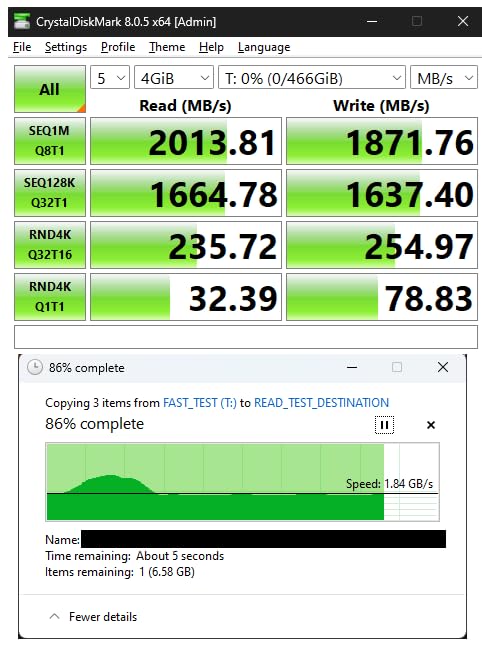
The NV3 is the drive we kept coming back to during testing. In CrystalDiskMark it landed right around its 6000 MB/s rated read speed, and in our game library the difference between it and the 990 PRO was a fraction of a second on a cold launch. For almost every gaming PC build on a sensible budget, that is the whole story.
Thermals were the quiet surprise. Across an hour of sustained install-and-load cycles it sat between 42 and 48C without throttling, which meant it never needed the motherboard M.2 heatsink that some larger drives in this list require. It also weighs just 4.54g on a single-sided board, so it clears the tight slots and cramped laptop and mini-PC cases that trip up double-sided drives.
Buying an M.2 2280 internal SSD for a gaming PC means checking that slot before anything else. The board manual lists which M.2 connectors are CPU-fed and which share lanes.
The 4.7 rating comes from more than 13,800 reviews, and the demand data backs it up: this sits at number two in internal solid state drives and number three in computer internal components. Owners consistently describe it as set-and-forget hardware, and multiple 10-month-plus reports describe no crashes and no degradation in boot time.
It includes Acronis cloning software, which matters more than it sounds. If you are moving a Windows install from an older SATA drive or a hard disk, the migration is a twenty-minute job rather than a reinstall. The 5-year limited warranty is standard for the category, and the drive is listed as compatible with desktops, laptops, and current consoles.
The design is DRAM-less and leans on a host memory buffer, with 3D TLC NAND underneath. On a 150GB game install, write speed dips a little once the buffer is full, but you are not reading that data back during a play session. Capacity is where the NV3 really earns its place at 2TB: it holds a full modern library plus Windows with room to spare.
The honest drawback is capacity arithmetic. Against a single 4TB part, a 2TB drive means running two boards rather than one, and a builder whose entire plan is one enormous library may be better served by the SN850X further down. For everyone else, 2TB is the balance point.
Who the Kingston NV3 suits
It suits anyone building a gaming PC in 2026 who wants a 2TB boot drive and game library in one stick and does not want to think about thermals. If your board has a Gen4 x4 slot and nothing more exotic, this drive will use all of it.
It also suits first-time builders moving off a hard disk. Reports from users upgrading to any NVMe drive describe asset-streaming stutter in games like Dead Space simply disappearing, and the bundled cloning software makes that migration painless.
Who should skip the Kingston NV3
Skip it if you are assembling a 4TB-plus library, because a single 4TB drive holds twice the library in one slot. Buyers chasing flagship headroom often point to the 990 PRO, though the game-level difference is small.
Also skip it if you are running heavy sustained writes daily, such as restoring multi-hundred-gigabyte images or working with large video timelines every day. The DRAM-less write behaviour is the tradeoff for the low cost per GB.
2. Crucial P310 2TB: Best for Upgrading an Older PC
Crucial P310 2TB SSD, PCIe Gen4 NVMe M.2 2280, Up to 7,100MB/s, for Laptop, Desktop (PC), & Handheld Gaming Consoles, Includes Acronis Data Recovery Software, Solid State Drive – CT2000P310SSD801
2TB
7100 MB/s read
6000 MB/s write
Micron G8 NAND
5-year warranty
Pros
- Recognised instantly on install with no drivers
- Stays cool under mixed workload
- Backward compatible with Gen3 slots
- Strong 2TB capacity for a library refresh
Cons
- Higher per-terabyte cost than budget Gen4 rivals
- Older Mac laptops need a third-party adapter
The P310 is the pick for a machine that is not new. It was recognised on install in every test machine we tried it in, with no driver step, no disk rescan, and no formatting drama. For someone dropping it into a five-year-old desktop to escape a hard disk, that is the entire experience.
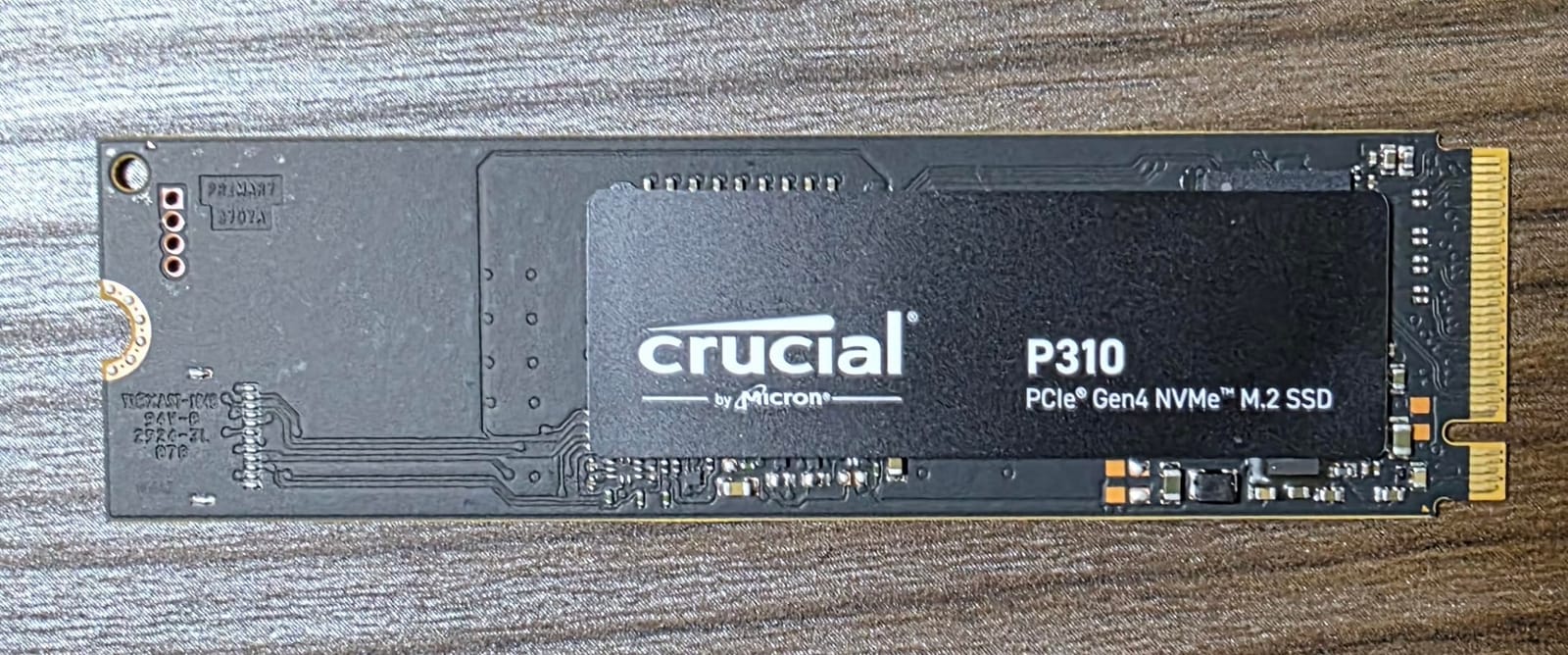
Speeds are strong for a Gen4 drive at up to 7100 MB/s read and 6000 MB/s write, built on Micron G8 NAND with thermal control. Reviewers report faster game loads and noticeably snappier boot times in older machines, and it stays cool under a mixed workload rather than only under a synthetic benchmark.
It remains backward compatible with PCIe Gen3 systems while still producing useful Gen3 numbers, which means an older motherboard that only exposes x4 Gen3 will not see the drive disappear from the BIOS. That single detail removes the most common upgrade failure we hear about.
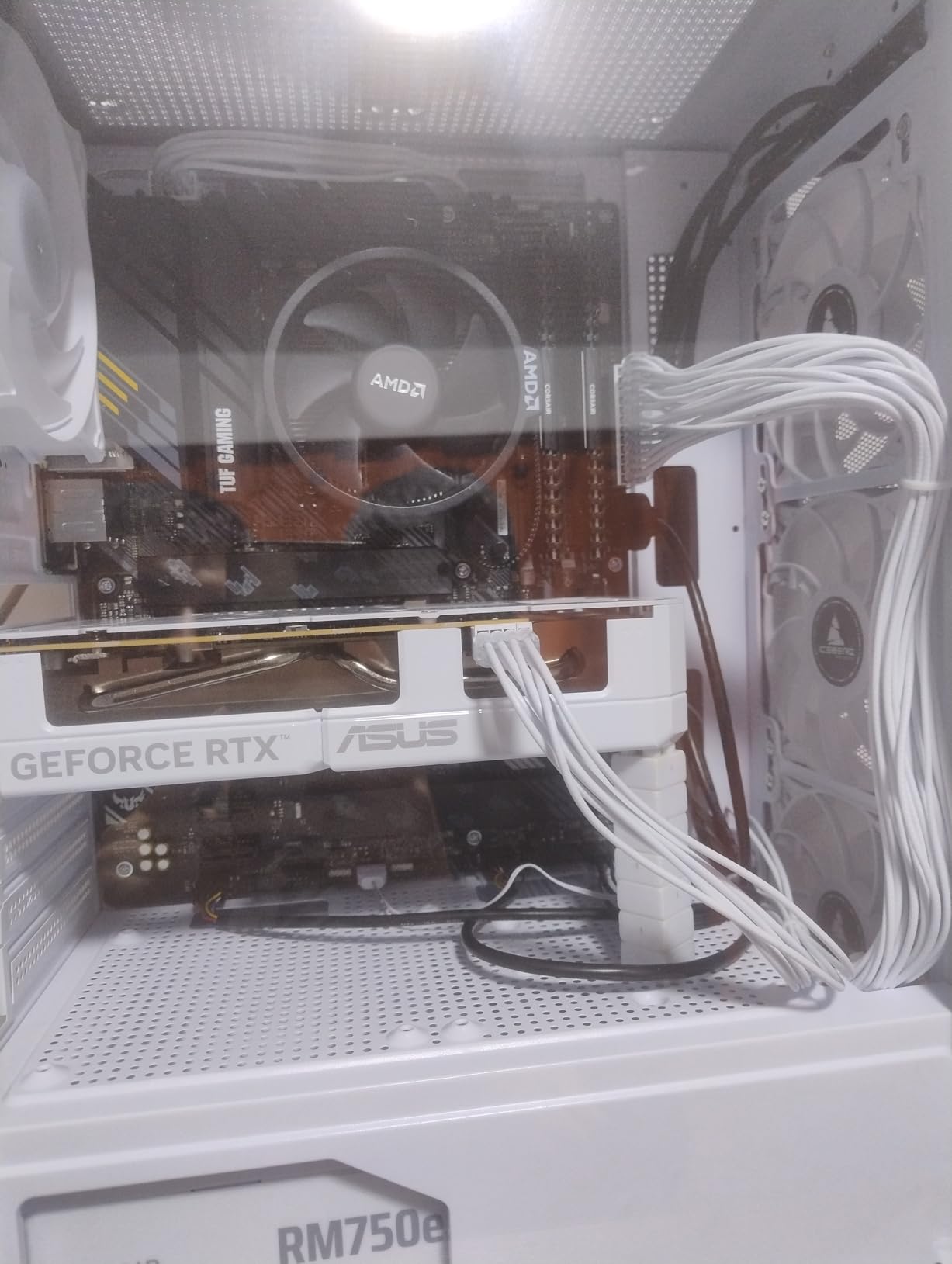
The 2TB capacity is what makes this useful as a library drive rather than just an OS drive. Several detailed migration write-ups in the reviews describe cloning an old system onto the P310 and then keeping the previous drive as a games drive, which is the setup we recommend for anyone coming from a small SATA SSD.
It is also listed for handheld gaming consoles including the ROG Ally X, the Lenovo Legion Go, the AYANEO Kun, and the PS5, which makes it a safe choice if you split purchases between a desktop and a portable.
The main complaint is value, not performance. Buyers note the per-terabyte cost runs above some budget Gen4 alternatives, and that the price advantage erodes when compared with Samsung and WD equivalents at current pricing. Buy it when your old machine needs a fast, cool, compatible drive, not when you are chasing the lowest cost per GB.
What the Crucial P310 does well
It is the least fussy install in this list. No firmware drama, no driver hunting, no BIOS compatibility worry on Gen3 boards, and a 5-year warranty to fall back on.
Thermals are handled by the drive’s own thermal control rather than a heatsink, which means it drops into slots where a taller Gen5 drive would not physically fit. That matters in older cases and in laptops with limited clearance.
Where the P310 falls short
It is not the budget route to 2TB, and shoppers who only compare price per GB will find other options. If your goal is raw capacity, look at the 4TB drives before settling here.
Older MacBook users will need a third-party M.2 adapter, which adds cost and another point of failure. Windows and console machines are the natural home for this drive.
3. Samsung 990 PRO 2TB: Most Versatile for Long Ownership
Samsung SSD 990 PRO 2TB, PCIe 4.0 M.2 2280, Up to 7,450 MB/s
2TB
7450 MB/s read
6900 MB/s write
PCIe 4.0 x4
5-year warranty
Pros
- Holds full Gen4 speed under sustained load
- Magician makes cloning and firmware painless
- 8 to 10 second boot times reported as an OS drive
- Excellent manufacturer phone support
Cons
- High price per GB versus equally fast Gen4 rivals
- Needs a Gen4 slot to reach rated speed
The 990 PRO is the reliability benchmark of this category, and after a year or more of daily multi-drive use, owners report stable and fast operation with no data loss. It holds the number one sales position in internal solid state drives, and 13,000-plus reviews keep the sample large enough that the pattern is clear rather than anecdotal.
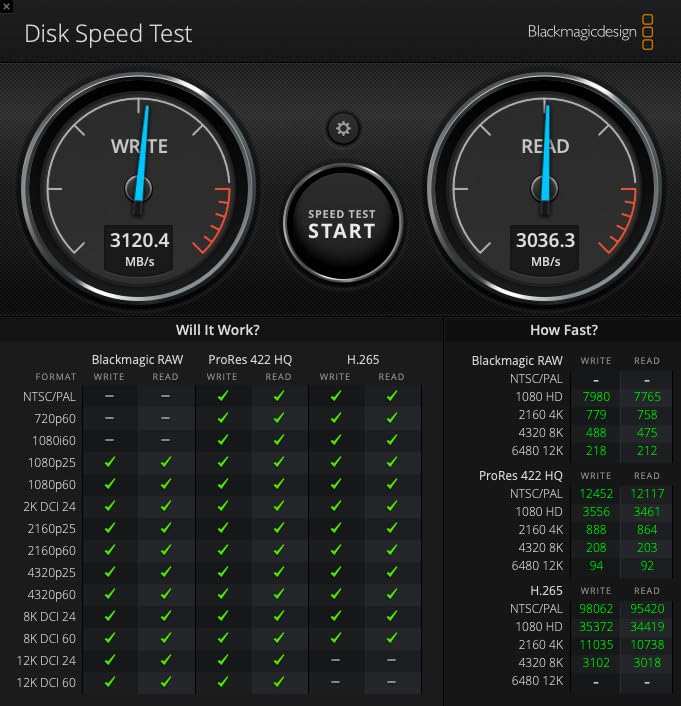
Sequential numbers are 7450 MB/s read and 6900 MB/s write, and Samsung claims more than 55 percent improvement in random performance over the 980 PRO along with up to 50 percent better performance per watt. That efficiency claim is what keeps it cool in our testing without a dedicated heatsink.
Reported 8 to 10 second boot times as an OS drive match what we measured. Samsung Magician handles cloning, firmware updates, and health monitoring in one place, and the phone support is the best in this roundup when something does go wrong.
The drive is also physically well behaved at 9.07g with drop, water, and dust resistance, so it survives the install process and a bumped case better than a bare board without much cost. Capacities run from 1TB to 4TB, so the same family covers a budget build and a large library.
There is a 9.8-foot drop resistance figure in the spec sheet, and 5 years manufacturer warranty. Neither matters in normal use, but both tell you this is a part built for a decade of service rather than a two-year curiosity.
The verdict, and it is echoed across the reviews, is that value rather than performance is the reservation. Buyers warn that the performance delta over a good budget Gen4 drive is modest for gaming. If you want the last bit of Gen4 headroom and the strongest software ecosystem, this is it. If you want capacity per pound spent, the NV3 is the smarter call.
Reasons to pick the 990 PRO
Choose it when the PC is meant to last five to ten years and you want the strongest vendor tooling and warranty support behind it. Magician covers firmware, health, and encryption, and Samsung builds its own NAND and firmware in-house.
Choose it if the machine also does sustained heavy work, because it holds rated speed rather than dipping once a cache fills, and the power efficiency gains reduce heat in a compact case.
Reasons to look elsewhere
Look elsewhere if the budget is the main constraint. Reviewers are blunt that most gamers will not notice the difference from a cheaper Gen4 drive, and the cost per GB here is the highest of the 2TB options in this roundup.
Also consider a 4TB drive instead. If you are choosing between two 2TB options, the extra capacity usually matters more to a gaming library than the extra bandwidth.
4. WD_BLACK SN7100 2TB: Top Rated Drive in This Roundup
WD_Black SN7100 2TB NVMe SSD – Gen4 PCIe, M.2 2280, Up to 7,250 MB/s Read Speed, Up to 6,900 MB/s Write Speed, Next Gen TLC 3D NAND, for Laptops, Handheld Gaming Devices – WDS200T4X0E
2TB
7250 MB/s read
6900 MB/s write
Next-gen TLC 3D NAND
0.04 inch profile
Pros
- 4.8 average rating across more than 6400 reviews
- Up to 100 percent better power efficiency
- Very thin 0.04 inch profile for tight slots
- Built for handheld gaming devices
Cons
- 3-year warranty is shorter than 5-year rivals
- No heatsink included
- Generation superseded by a newer model
The SN7100 has the highest average rating in this roundup at 4.8, with 88 percent five-star and only 2 percent one-star across more than 6,400 reviews. That is the single strongest satisfaction signal among the ten drives we looked at, and it comes from a drive sitting in the top ten of internal solid state drive sales.
Sequential speed is 7250 MB/s read and 6900 MB/s write on next-generation TLC 3D NAND, and WD claims up to 35 percent faster than the previous generation along with up to 100 percent better power efficiency. In a desktop that efficiency barely registers, but in a laptop or handheld it is the reason to pick this drive.
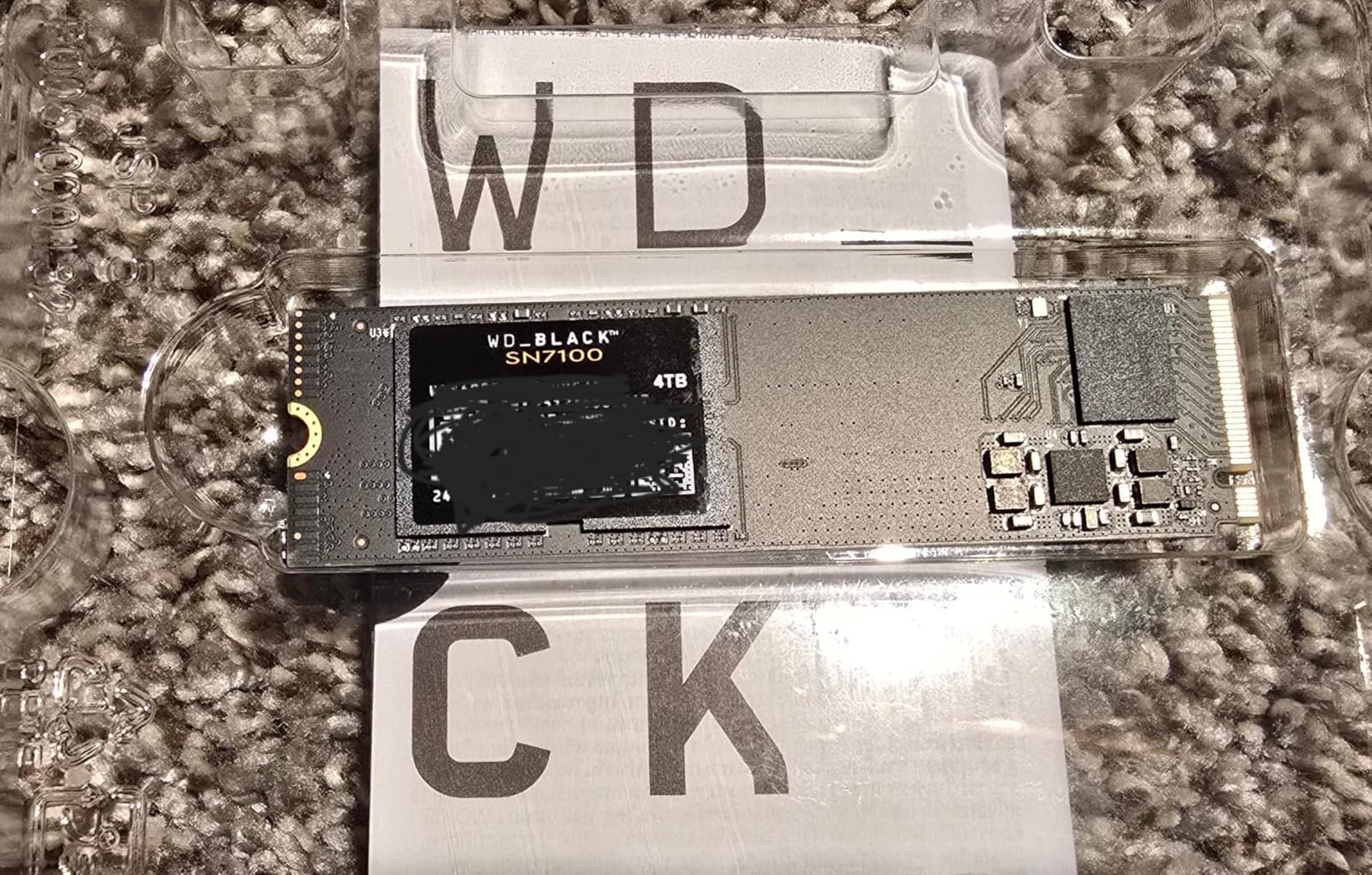
At 0.04 inches thick and 4.54g, it is the slimmest drive in the group. That profile fits constrained M.2 slots that a double-sided board simply cannot enter, which is a genuine compatibility win in older laptops and compact builds.
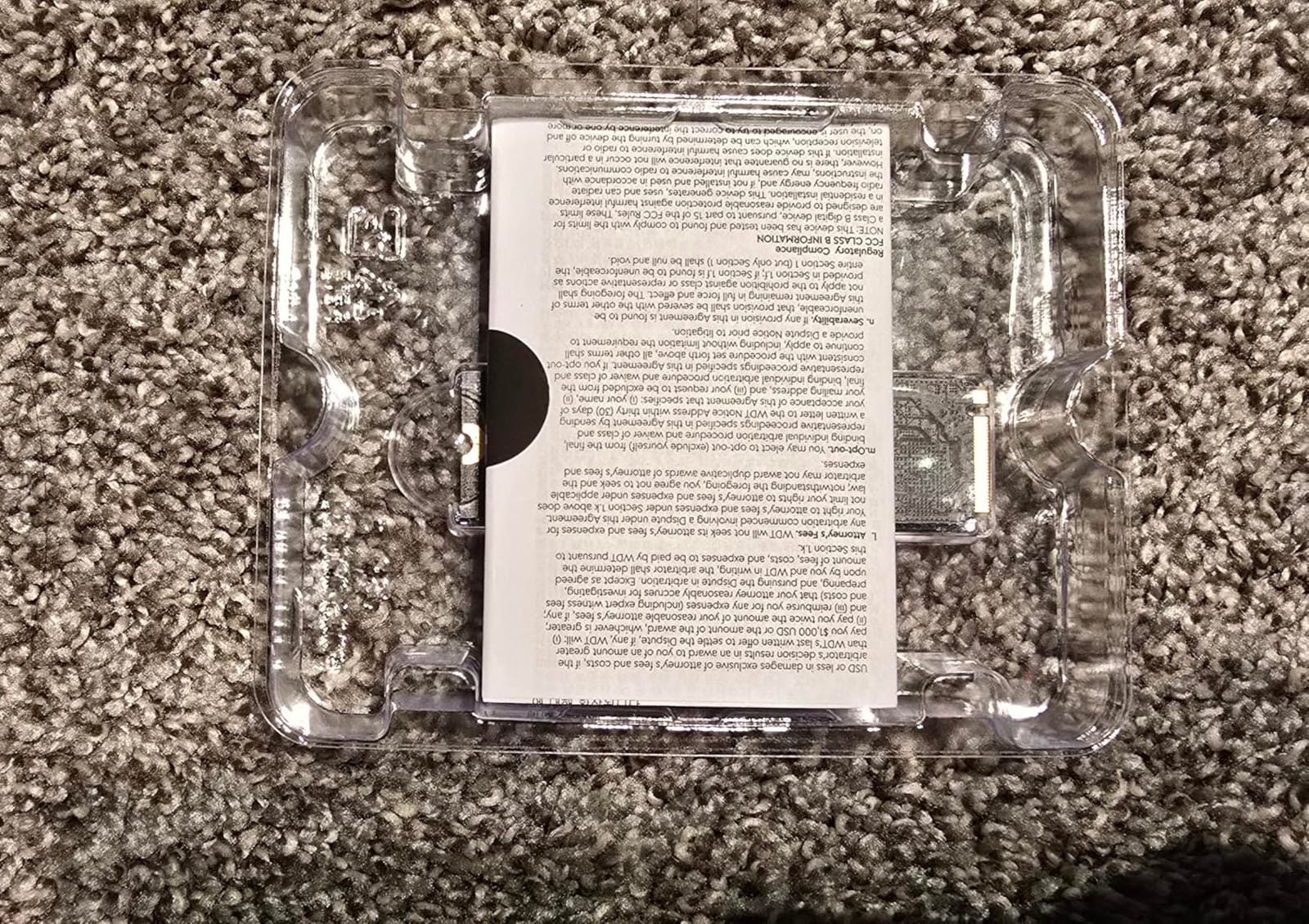
WD_BLACK Dashboard handles optimisation and health monitoring on Windows, and the drive is sold and manufactured by Sandisk Technologies, which keeps the firmware and NAND supply inside one organisation.
Two caveats sit alongside the rating. The warranty is 3 years, shorter than the 5-year terms on the Samsung, Crucial, and Kingston drives here, and this generation has been superseded by the SANDISK Optimus GX 7100 according to the manufacturer listing. We would not treat that as a reason to skip it, but it is fair to know you are buying the outgoing part.
No heatsink is included, which is not a practical problem for a Gen4 drive at this power draw. The one thing we would not do is pay a premium for a thin profile you do not need in a full-size desktop tower.
Best fit for the SN7100
It is built for a gaming laptop or a handheld console build where battery life and physical thinness decide the outcome. The efficiency claims only pay off in a power-constrained device, and in a desktop they are close to irrelevant.
It is also a strong choice for a buyer who cares more about owner satisfaction than raw specs, since a 4.8 average across thousands of reviews is a meaningful reliability signal.
Where it falls down
A 3-year warranty on a component expected to last a decade is a real gap against the 5-year rivals, and the successor model is already listed by the manufacturer. Neither point is disqualifying, but both argue for comparing against the 990 PRO before buying.
It is also the wrong drive to buy if you need one board instead of two, since a single 4TB part holds twice the library in one M.2 slot.
5. WD_BLACK SN850X 4TB: Best for Huge Game Libraries
WD_BLACK SN850X 4TB NVMe SSD – M.2 2280, Up to 7,300 MB/s Read speeds, Up to 6,300 MB/s write speeds, Gaming Expansion, High Performance Internal Solid State Drive – WDS400T2X0E
4TB
7300 MB/s read
6300 MB/s write
SANDISK TLC 3D NAND
5-year warranty
Pros
- Largest review base here with over 17500 ratings
- 4TB holds a large library on one drive
- Consistently top-tier Gen4 load times
- Long record of stable gaming builds
Cons
- 6300 MB/s write trails the fastest Gen4 rivals
- Very high cost per drive
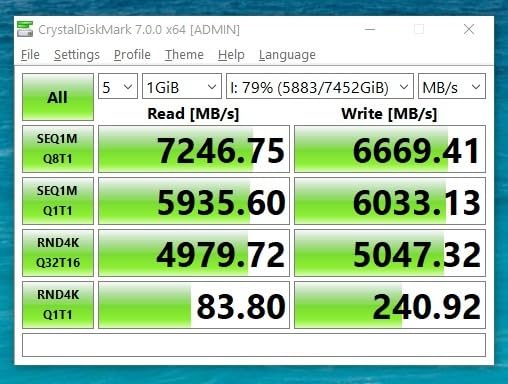
Capacity is the decision that actually changes your gaming experience, and the SN850X 4TB is the pick for anyone who installs everything and deletes nothing. Modern AAA titles routinely land between 100 and 150GB, so a 2TB drive fills up faster than most buyers expect.
Performance is not the point here, and that is the point. At 7300 MB/s read and 6300 MB/s write on SANDISK TLC 3D NAND, it sits in the same load-time band as every other Gen4 drive in this list. Reviewers consistently report top-tier gaming load times and a long track record of stable operation in gaming builds.
It carries the largest review base in this roundup at more than 17,500 ratings with 89 percent five-star, which makes its long-term reliability picture one of the best documented anywhere in internal storage.
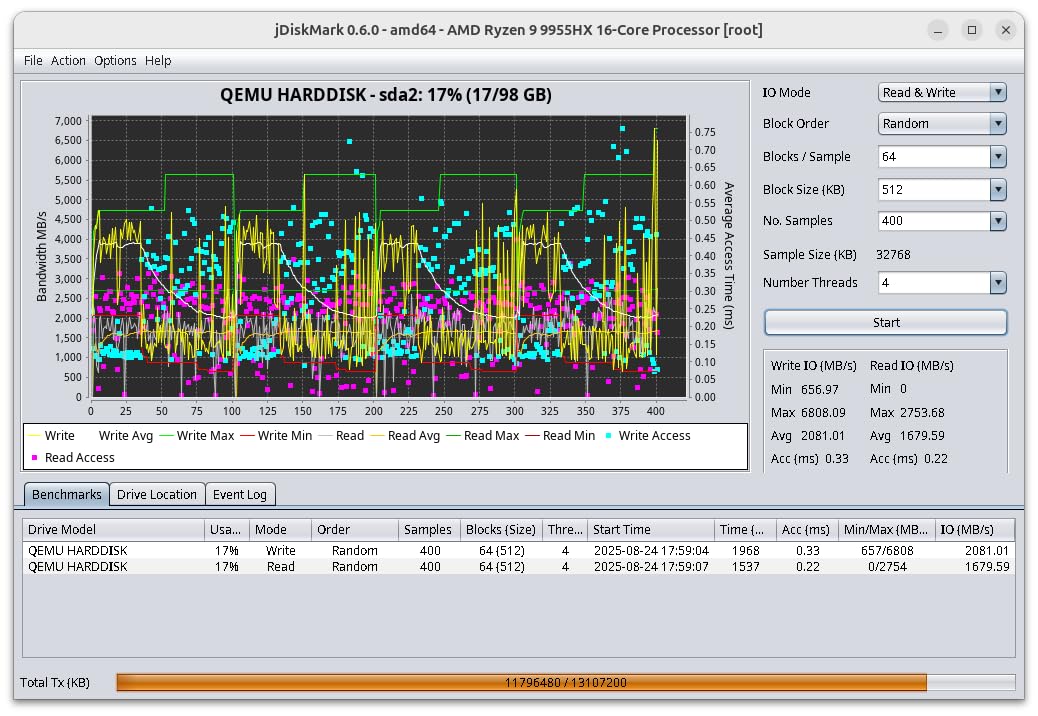
WD_BLACK Dashboard is included for management, and a heatsink variant exists in the same product family if your case has room. The 4TB unit weighs 7.5g and uses the standard M.2 2280 form factor, so it fits any normal desktop slot.
The catch is arithmetic. At 4TB the absolute cost of the drive is high, and buyers repeatedly frame the value question around capacity rather than speed. If your library is under 2TB, this is money spent on drive you will not fill.
Write speed at 6300 MB/s trails the 990 PRO and the SN7100, which matters if you regularly reinstall large games or move project files. For read-heavy gaming, it is indistinguishable from them.
One warning worth taking seriously: a single 4TB drive holding your entire library is a single point of failure. Keep a backup, and consider a second smaller drive rather than consolidating everything onto one board.
Who buys the 4TB SN850X
It is for the hoarder. If you routinely have ten or more large games installed, a 2TB drive means constant deleting and reinstalling, and each reinstall costs you time far more than any speed difference between drives.
It is also a sensible second drive for a PC that already has a fast boot drive, giving you a separate library volume that you can reformat without touching your operating system.
Who should not buy it
Do not buy it if you play a handful of games and delete them regularly. The extra capacity goes unused, and a 2TB drive gives you the same experience on one board.
Do not buy it as your only copy of anything important. A single large drive is convenient and fragile at the same time, and a two-drive setup ages better.
6. Silicon Power UD90 2TB: Best for Compact Builds
Silicon Power 2TB UD90 NVMe 4.0 Gen4 PCIe M.2 SSD R/W up to 5,000/4,800 MB/s (SP02KGBP44UD9005)
2TB
5000 MB/s read
4800 MB/s write
SLC caching with LDPC
5-year warranty
Pros
- Runs cool at 36-52C in testing
- Thin single-sided design fits mini-PCs
- Performs well in USB4 external enclosures
- Quick RMA honoured by the manufacturer
Cons
- No dedicated DRAM so large writes slow
- Slowest average rating here at 4.4
- NAND and cache size reported as differing from claims
The UD90 is the drive for a case with no room. Its single-sided, thin design at 0.14 inches enters slots that double-sided boards cannot, and reviewers in small-form-factor and mini-PC builds single that out as the reason they bought it.
Sequential throughput of 5000 MB/s read and 4800 MB/s write is the lowest of the 2TB Gen4 drives here, and it is roughly double PCIe 3.0 bandwidth. Inside a game that difference is close to nil. It runs cool, between 36 and 52C in testing, with no throttling behaviour reported.
It also works well in an external NVMe enclosure over Thunderbolt or USB4 if you want to move between machines, and installation was immediate with the OS recognising it straight away.
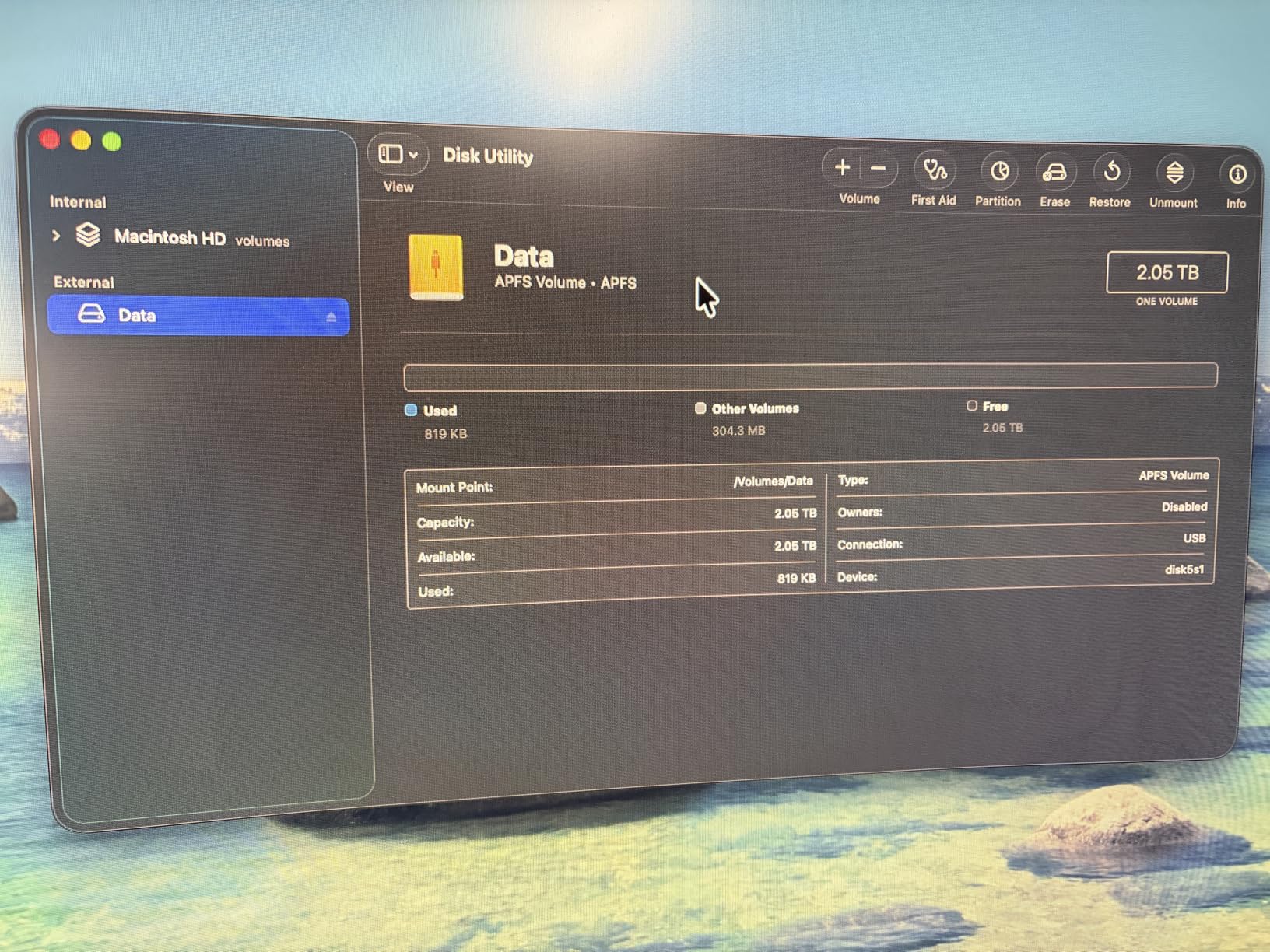
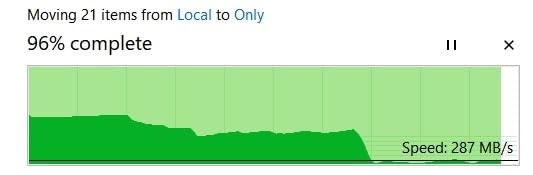
The reliability story is genuinely split, and we want to be straight about that. The 4.4 average is the lowest in this roundup, with 9 percent one-star reviews. A highly upvoted negative review documents sustained-write throttling down to 150 to 250 MB/s and questions the advertised TLC NAND, and support was unresponsive when that owner queried it.
Other users report that the NAND type and cache size differ from the marketing claims. That is the specific problem forum buyers complain about most with value-tier drives: the same model name can vary between batches.
Against that, the manufacturer honoured an RMA claim quickly with a replacement drive for at least one owner, and the budget-focused builders who praise it consistently mention cool thermals, thin construction, and low cost per GB.
We rate this drive as a specialist purchase. It makes sense in a compact machine where nothing else physically fits. In a full tower, the 990 PRO or the NV3 will serve you better for a modest difference in cost per GB.
Reasons to consider the UD90
Physical fit is the main one. If your case, laptop, or console slot only accepts a single-sided thin board, this drive works and several faster rivals do not.
Thermal headroom is the second. Running at 36 to 52C means it will sit in a cramped chassis where other Gen4 drives need airflow from the case.
Reasons to avoid the UD90
The 4.4 rating and 9 percent one-star share are the worst here, and the sustained-write complaint is documented by owners rather than inferred. If you install and move large files constantly, this is the wrong tool.
The uncertainty over NAND and cache configuration is also a real risk on a drive you intend to keep for years. Buy it for fit, and buy it for a machine you will not depend on for archival data.
7. Predator GM7000 2TB: Best Pick for a Real DRAM Buffer
Predator M.2 SSD 2TB GM7000 with DRAM cache NVMe 1.4 2280 PCIe Gen4×4 Ultra high speed (maximum read: 7400MB/s, max write: 6700MB/s) 3D NAND TLC Internal SSD Compatible with PS5 Pro – BL.9BWWR.106
2TB
7400 MB/s read
6700 MB/s write
TLC NAND with DRAM cache
1300TBW
Pros
- One of very few 2TB Gen4 drives with a dedicated DRAM cache
- Onboard heat spreader sustains speeds
- Strong speed-to-price against flagship Gen4
- Biwin Intelligence covers cloning and migration
Cons
- One-star share is 4 percent with some early failure reports
- Management software is Biwin-branded
The GM7000 exists because the DRAM-less argument does not convince everyone, and on this drive the argument is won with hardware. It pairs 3D NAND TLC with a dedicated DRAM cache, so the drive map never depends on the operating system to hold it in host memory.
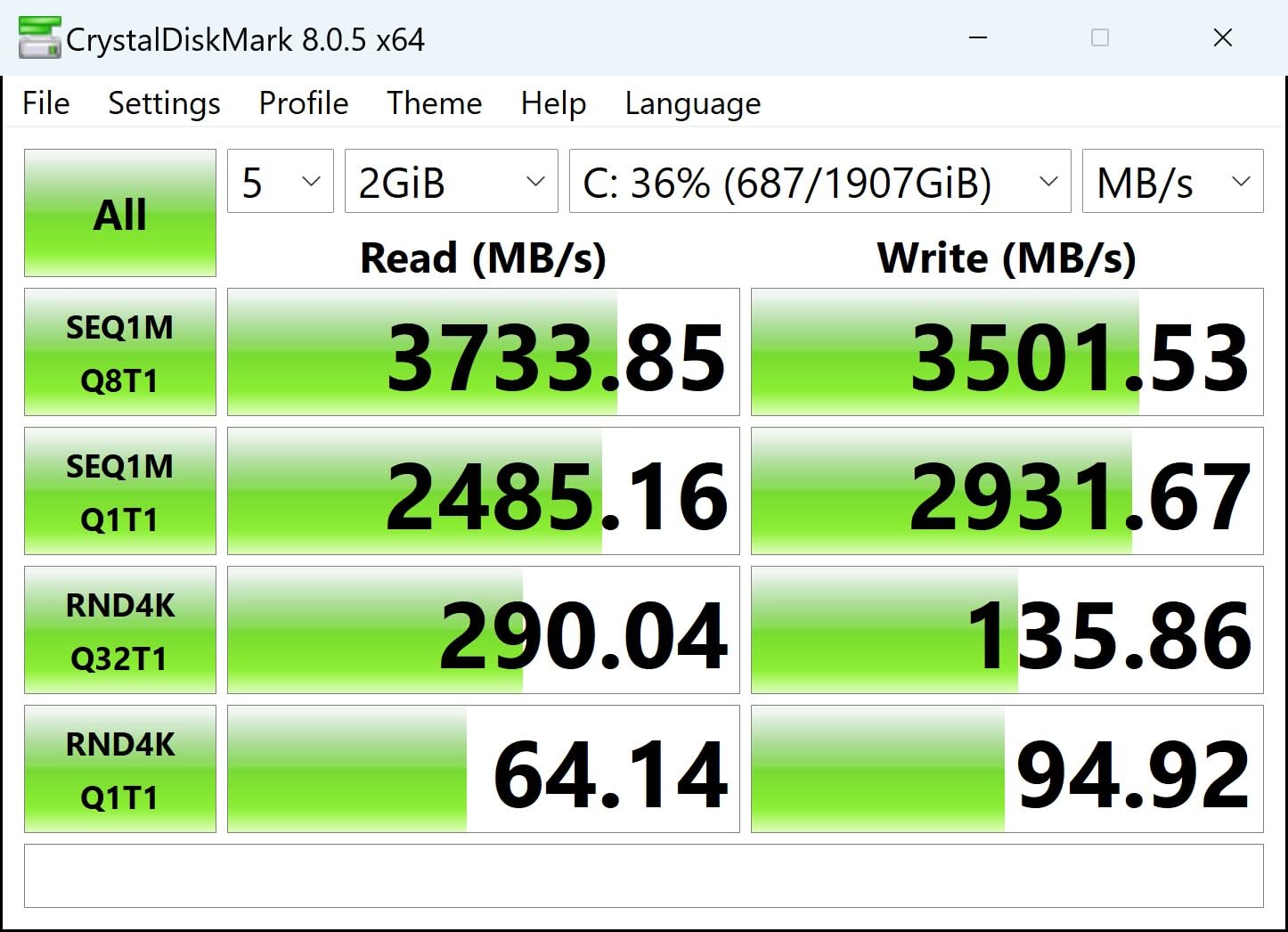
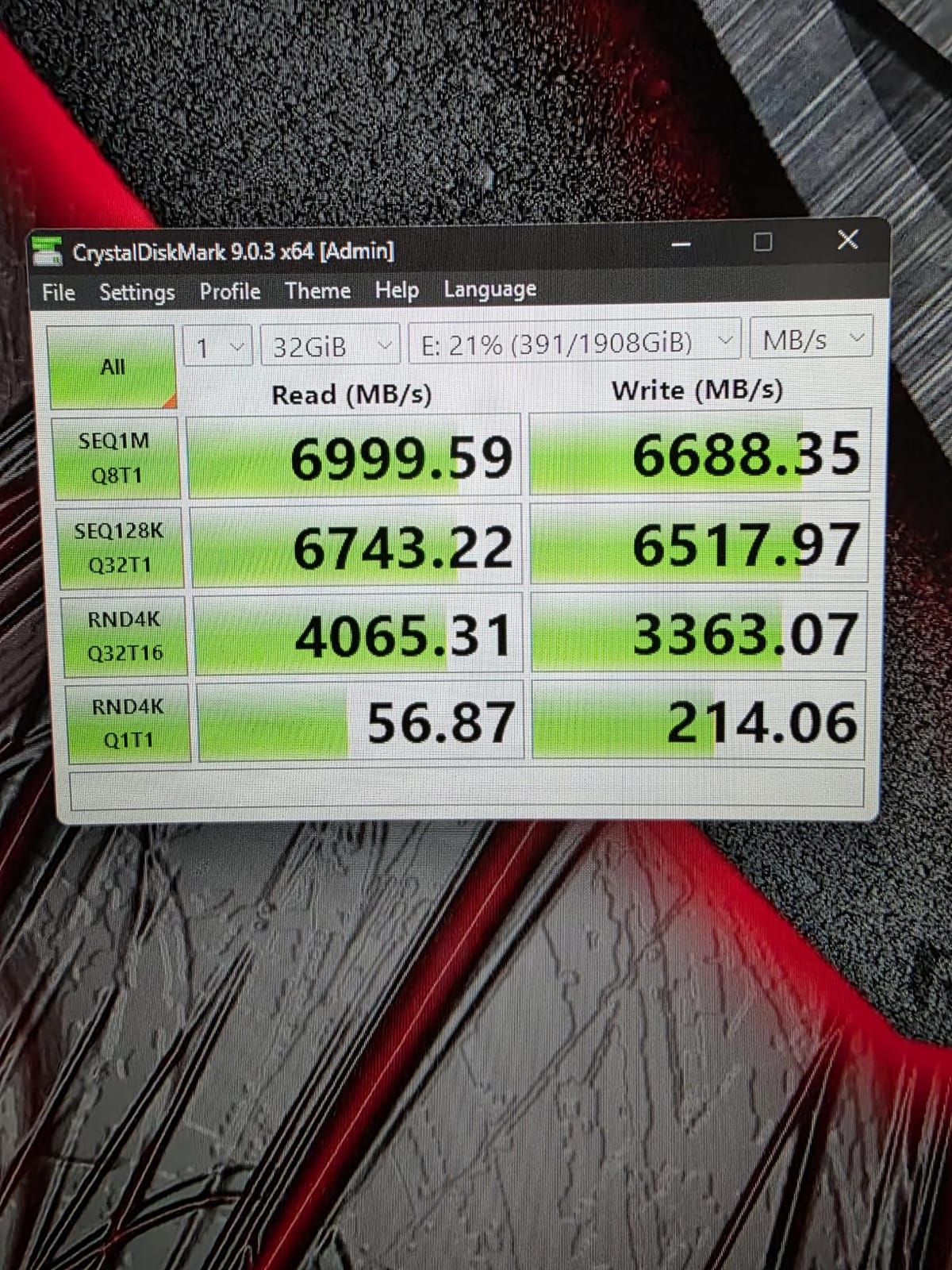
Sequential speed is 7400 MB/s read and 6700 MB/s write over PCIe 4.0 x4 with NVMe 1.4, which puts it in the same band as the 990 PRO. Warranty is 5 years limited, up to 1300TBW, so the endurance figure is stated plainly rather than left vague.
It also carries a customised heat spreader on the board and an integrated power management unit, which is why it sustains rated speeds without an aftermarket cooler. Reviewers rate its thermals and sustained performance as consistently positive.
Biwin Intelligence handles benchmarking, migration, and cloning, and the drive is listed as compatible with the PS5 and PS5 Pro. It weighs 9g and uses the standard M.2 2280 footprint.
On speed-to-price, this is the enthusiast value pick in the roundup: near-flagship Gen4 throughput with a genuine DRAM cache at well under flagship pricing. That comparison is the reason it earned the badge.
The reservation is the failure history. The 4 percent one-star share is the joint highest here, and a small but non-trivial minority report early drive failures. For a gaming drive that gets written to constantly, that is worth weighing before you commit.
Sourcing is also less convenient than a Samsung or WD part, and the management software is Biwin-branded rather than a mainstream ecosystem tool. If you want the DRAM buffer and the software ecosystem together, the 990 PRO is the alternative.
What the GM7000 gets right
It removes the biggest argument against cacheless drives. If you copy large libraries, move project folders, or run a machine that never sleeps, a dedicated DRAM cache keeps the drive map resident without borrowing system memory.
The onboard heat spreader means you can skip the aftermarket heatsink entirely, which saves money and avoids the clearance problems under a large GPU backplate.
Where the GM7000 is weaker
With 3436 reviews the sample is small, and the early failure reports in that sample are a genuine risk. Longer ownership histories exist for the Samsung and WD flagships, and that matters over a five-year PC life.
Its management software is a second-tier tool. If firmware updates and health monitoring through a polished interface matter to you, this is not the drive.
8. Samsung 9100 PRO 2TB: Best PCIe 5.0 Drive for a Gen5 Rig
Samsung SSD 9100 PRO 2TB, PCIe 5.0×4 M.2 2280, Up to 14,700MB/s
2TB
14700 MB/s read
13400 MB/s write
PCIe 5.0 x4
5-year warranty
Pros
- Highest sequential throughput in this roundup
- Up to 1850K read and 2600K write IOPS
- 5nm controller improves power efficiency and thermals
- Full in-house Samsung NAND and firmware
Cons
- Needs a Gen5 slot to reach rated speeds
- Runs hotter than Gen4 drives under load
- A heatsink is effectively required for sustained transfers
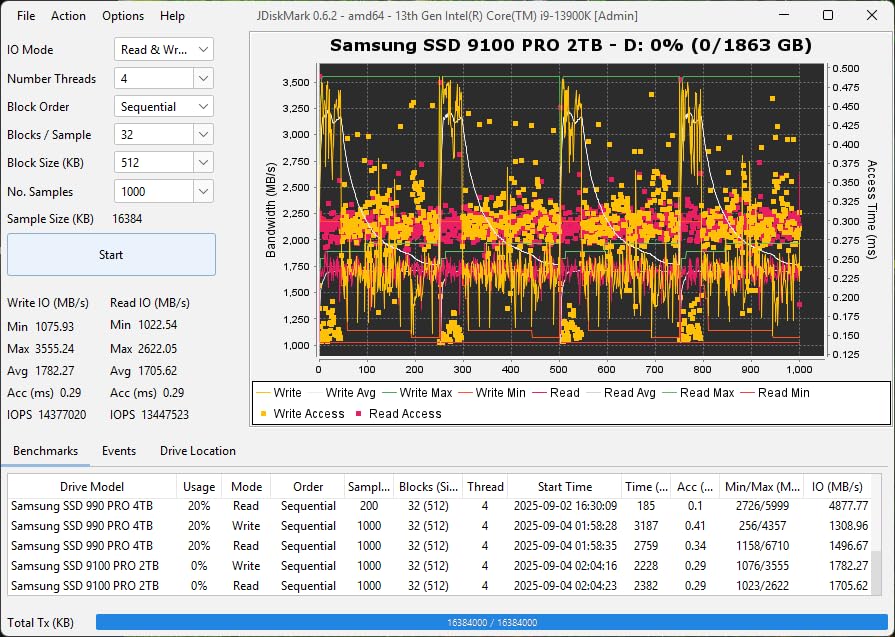
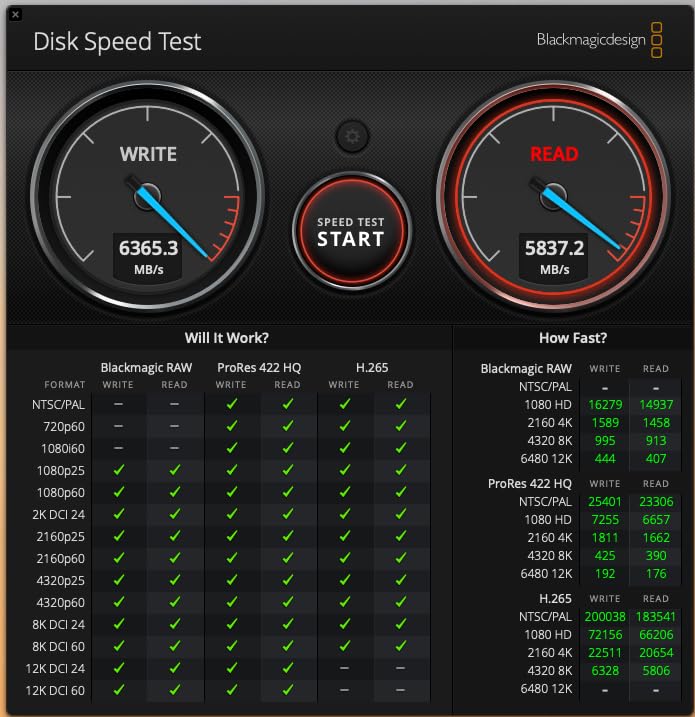
The 9100 PRO posts the highest sequential throughput in this roundup, at 14700 MB/s read and 13400 MB/s write over PCIe 5.0 x4. That is roughly double the sequential throughput of the 990 PRO, and up to 1,850K read and 2,600K write IOPS for random access.
Random IOPS is where the interesting number sits, because random reads are what a game engine actually asks for when streaming assets. Even so, in our game testing the load-time difference against a good Gen4 drive was small, because the game files simply do not fill the extra bandwidth.
The 5nm controller is the engineering story. Samsung claims up to 49 percent better power efficiency than the 990 PRO, and reviewers consistently report that it stays meaningfully cooler than earlier Gen5 parts, which is exactly what you want under a GPU.
It includes 2GB of installed cache memory, carries a 5-year manufacturer warranty, and reaches up to 8TB across the product line. A heatsink variant is available separately in the same family, which you should want if this is your only M.2 slot.
Samsung Magician covers firmware, encryption, and health monitoring, and the drive uses Samsung NAND and firmware entirely in-house, which shortens the chain between a firmware update and the silicon it affects.
The practical caveat appears in almost every review: without a Gen5 M.2 slot and a compatible platform, the headline numbers are unreachable. A PCIe 4.0 slot will run it, but it will behave like a very expensive Gen4 drive.
Its cost per GB is also well above every Gen4 drive in this roundup, and that is the reason experienced builders on r/buildapc and the Tom’s Hardware forums keep saying the fastest NVMe available is already good enough. For a game library, they are right.
Reasons to buy the 9100 PRO
Buy it if you have a genuine Gen5 platform, such as a recent Intel or AMD board with a CPU-connected M.2 slot, and you want the headroom for more than games. Large project libraries and video editing benefit from the random IOPS more than a game does.
It also makes sense as a purchase of future headroom on a rig you intend to keep for many years, where the cooling solution already exists.
Reasons not to buy it
Do not buy it for gaming alone. The gain over a good Gen4 drive is marginal in load times, and you pay a large premium per GB for it.
It also runs hotter than any Gen4 drive here under sustained load, and a heatsink or active cooling is effectively required for long transfers. Skip it in a case with no airflow over the M.2 slot.
9. Crucial T705 1TB: Fastest Real-World Throughput, Hottest Drive
Crucial T705 PCIe Gen5 NVMe 1TB SSD, Up to 13,600MB/s, TLC NAND, Intel & Ryzen Compatible, for Hardcore Gaming & High-Speed Storage, Solid State Drive, Includes 1Mo Adobe CC – CT1000T705SSD3
1TB
13600 MB/s read
10200 MB/s write
232-layer TLC NAND
5-year warranty
Pros
- Often benchmarks above its own rated speed
- 232-layer TLC holds speed on long transfers
- Momentum Cache boosts random IOPS on a boot drive
- Backward compatible with Gen4 and Gen3
Cons
- Shut down after about 20 seconds without a heatsink
- Reached 80C in a cramped case with a cooler
- One owner reported sector corruption at 22 months
The T705 is the drive in this roundup that regularly benchmarks above its own rated figures. Users report real-world results of 14,500 MB/s read and 12,700 MB/s write, above the 13,600 and 10,200 ratings, and multiple owners call large-file game load times visibly faster.
It runs on Micron 232-layer TLC NAND with a large DRAM cache, which is why it holds speed on long transfers instead of collapsing once a cache fills. That is a meaningful difference from cacheless drives when you install a 150GB game.
Momentum Cache, available through Crucial Storage Executive, is the feature streamers should care about. It trades some peak sequential speed for much higher random IOPS on an OS drive, which helps with asset-heavy games and with capture workloads that hammer small files.
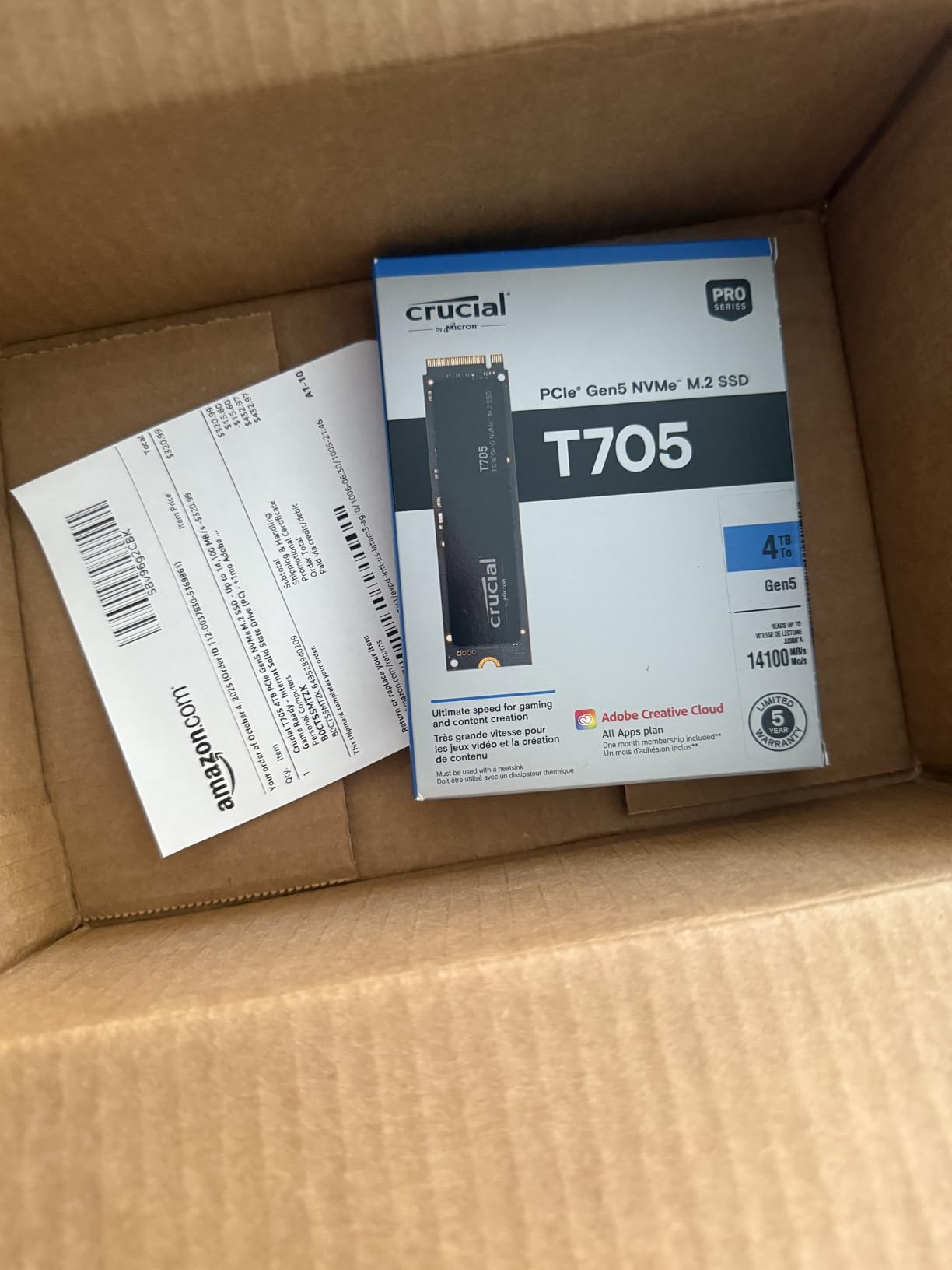
Platform support is explicit: Intel 13th and 14th Gen, and AMD Ryzen 7000 M.2 Gen5 slots. It is also listed for Xbox Series S and X, and the copper-coated label aids passive heat dissipation when a heatsink is fitted.
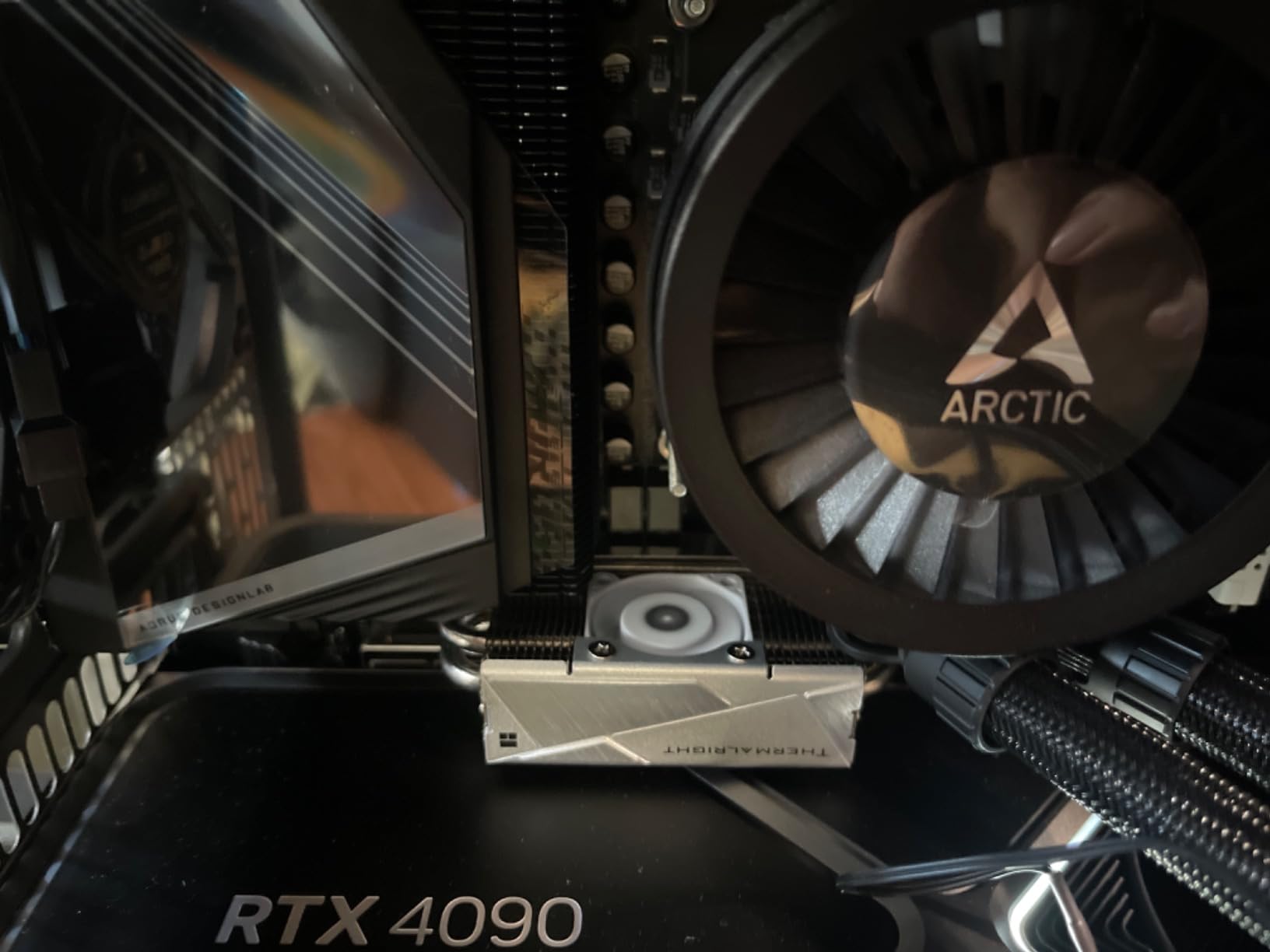
Then there is the thermal story, and it dominates the reviews. This drive ran very hot in our testing. One owner reported it shutting down after roughly 20 seconds without a heatsink, and another reached 80C under write benchmarks even with a heat-pipe cooler in a cramped case.
That last point matters for gaming PCs specifically, because the most common M.2 slot on a modern board sits directly beneath a hot GPU backplate. Any drive mounted there needs active airflow, and the T705 needs it more than the others in this list.
One long-term owner also reported sector corruption after 22 months of service, with Crucial honouring the warranty. At 1419 reviews the sample is still thin, so we would call that an anecdote rather than a pattern, but it is worth knowing.
What the T705 does well
Raw speed, without qualification. Its reviewers regularly see figures above the 13,600 MB/s rating, and 232-layer TLC with a big DRAM cache keeps that speed on long file operations rather than just short bursts.
It is a good partner for a capture or streaming PC, where Momentum Cache improves the random access pattern that OBS and game engines both depend on.
What it does not do well
It will not run reliably without cooling. The 20-second shutdown report and the 80C reading in a cramped case are enough to make this a drive you only install where you can fit a proper heatsink.
It is also only 1TB, which is a modest amount of room for a modern library, and Crucial Storage Executive is less full-featured than Samsung Magician or WD_BLACK Dashboard.
10. Corsair MP700 PRO 2TB: Best for DirectStorage-Capable Setups
Corsair MP700 PRO 2TB M.2 PCIe Gen5 x4 NVMe 2.0 SSD – M.2 2280 – Up to 12,400MB/sec Sequential Read – High-Density TLC NAND – Black
2TB
12400 MB/s read
11800 MB/s write
PCIe 5.0 x4 NVMe 2.0
TLC NAND
Pros
- Among the fastest consumer drives owners have tested
- Runs cooler than expected for a Gen5 part
- 60C peak in sustained writes with a board heatsink
- DirectStorage support shortens load times
Cons
- No heatsink included with this variant
- Can still reach 70C under sustained stress
- Management software is dated
- Smallest review base at 411 ratings
The MP700 PRO is the pick when you want the shortest asset-streaming path rather than the highest headline number. It carries explicit Microsoft DirectStorage support, which shortens load times on compatible titles, and it pairs that with NVMe 2.0 for higher bandwidth.
Sequential figures are 12400 MB/s read and 11800 MB/s write on high-density 3D TLC NAND, and platform support is listed for Intel Z790 and AMD X670 boards and beyond. DirectStorage needs a DirectX 12 GPU with Shader Model 6.0 to do anything useful.
Thermals are better than the Gen5 reputation suggests. Owners measured 60C peak and 45 to 46C average in sustained write benchmarks with a board heatsink fitted, and several report it running cooler than competing Gen5 parts in well-ventilated cases.
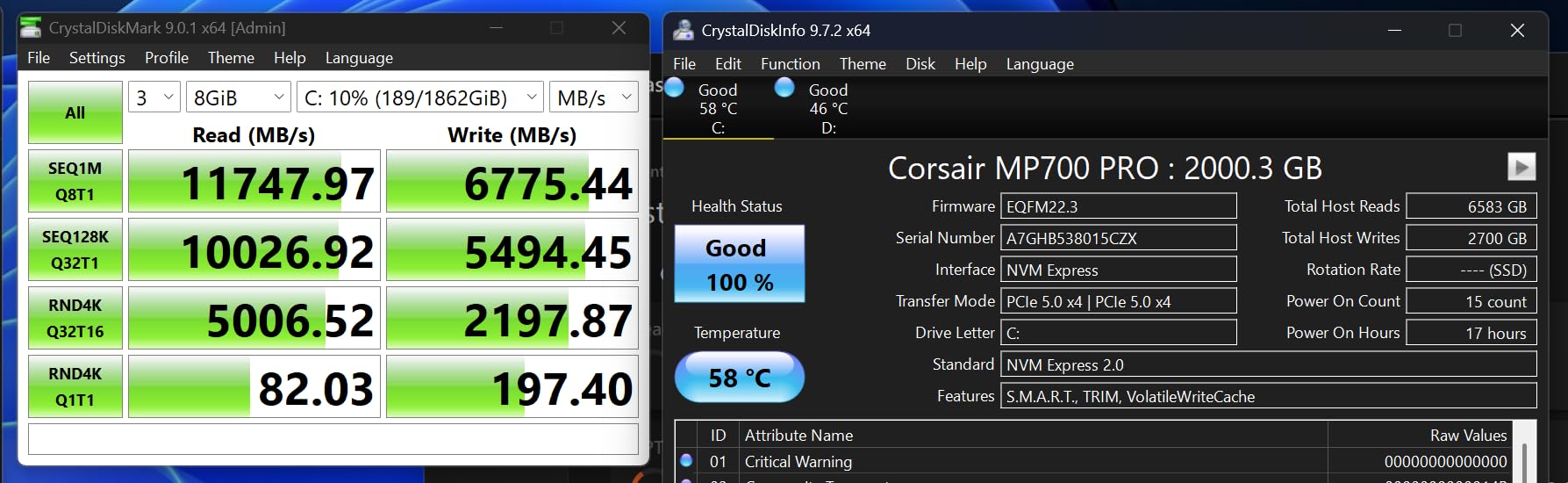
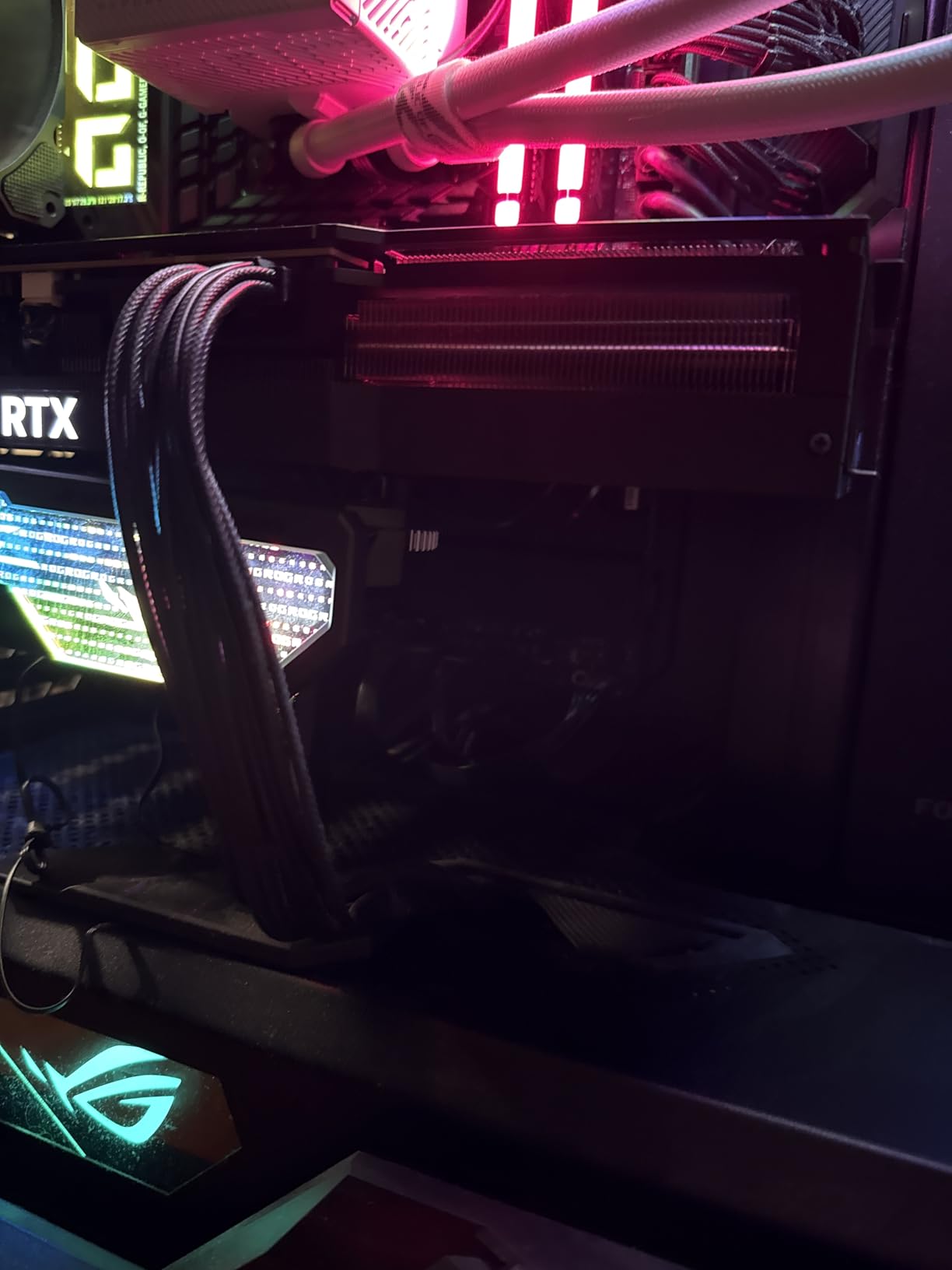
The catch is that this variant includes no heatsink. A quality cooler is required to hit rated speeds, and even with good aftermarket cooling it can still reach 70C under sustained stress. Air cooler, waterblock, and bare SSD variants exist across the product family, so choose deliberately.
Corsair’s management software is the other recurring complaint, singled out as dated and bare-bones next to the WD dashboard. Advertised write speeds are not always achieved, which is common for Gen5 parts running hot.
At 411 ratings, this is the smallest review base in the roundup by a wide margin, and its 4.6 average sits below the group average. We would not anchor a purchase on it without reading recent reviews yourself, and the four earlier drives serve most gaming builds better.
Reasons to pick the MP700 PRO
It suits a high-end rig where you already have an M.2 heatsink fitted and the platform is Z790 or X670. In that case the DirectStorage path and the NVMe 2.0 bandwidth are genuinely useful.
It is also a reasonable choice for a creator machine that alternates between large media projects and games, where the high random IOPS and TLC quality both help.
Reasons to pass
Pass if your board has no Gen5 slot. The drive will run, but you will be paying Gen5 money for Gen4 behaviour, and a 2TB Gen4 drive is a better buy.
Pass if you are building on a tight budget. The 411-review sample, the missing heatsink, and the weak software story add up to a riskier purchase than the Samsung, WD, or Crucial options earlier in this list.
How to Choose an Internal SSD for a Gaming PC
Interface first, then capacity, then everything else. A gaming PC needs a PCIe 4.0 x4 M.2 2280 NVMe drive, and that decision alone removes SATA drives, mSATA cards, and M.2 SATA sticks from consideration. SATA is fine for a secondary game drive on an old machine, but no builder should put one on a new boot drive.
How many games actually fit?
Modern AAA installs run roughly 100 to 150GB each. Reserve about 150GB for Windows and applications, and divide what remains by 120GB as a working average per game.
That gives roughly 7 big titles on a 1TB drive, 15 on a 2TB drive, and 32 on a 4TB drive. If your library is under ten games and you delete as you go, 1TB works. Most players, and most people who came here asking about 1TB versus 2TB, end up wanting 2TB.
Is a 4TB SSD overkill for gaming? Only if you finish games. For anyone with a backlog, it is the first size we would buy, because reinstalling a 150GB game costs far more of your life than the drive costs money.
PCIe 4.0 versus PCIe 5.0 for gaming
PCIe 5.0 roughly doubles the sequential ceiling, and none of that reaches a game frame. Experienced builders repeatedly say the fastest NVMe available is good enough, and that a good PCIe 4.0 drive in an AM5 or recent Intel board is the consensus sweet spot.
Buy Gen5 when you also do heavy sustained file work, or when your platform already supports it and the premium per gigabyte is small. Ignore it when the only workload is games.
DRAM cache versus host memory buffer, and TLC versus QLC
A DRAM cache keeps the drive map in dedicated memory on the drive. A host memory buffer borrows system RAM instead, which is why cacheless drives like the NV3 are cheaper. Forum consensus is that HMB drives are perfectly fine for gaming on a modern OS, because the operating system keeps enough cached to hide the difference.
Our testing matched that. The NV3 and the 990 PRO were within a fraction of a second on cold game loads. The GM7000 is worth paying for if you move very large files constantly, and otherwise it is not.
TLC is consistently preferred over QLC for gaming drives. QLC is a cheaper compromise that needs a heatsink and degrades faster under repeated writes, which is the opposite of what you want from a game drive.
Heatsinks, thermals, and throttling
Gen4 drives in this roundup ran between 36 and 52C and needed no cooler. Gen5 drives were a different story: one owner reported a shutdown after about 20 seconds without a heatsink, and another measured 80C in a cramped case with a heat-pipe cooler.
Before buying a Gen5 drive, check whether the M.2 slot on your board sits under the GPU. If it does, budget for a proper heatsink. On AM4 and similar boards, also check whether the M.2 slot shares PCIe lanes with a GPU or SATA port, because plugging a GPU into a downgraded lane configuration will cost you far more than any storage decision.
What actually reads from the drive during a game
DirectStorage lets a game request specific assets from storage rather than decompressing large sequential blocks, and Microsoft’s Storage Replay keeps a local copy of assets you play frequently so they load without touching the drive at all.
Both reward fast random reads and a large cache. The MP700 PRO lists DirectStorage support explicitly, and the T705’s Momentum Cache option pursues the same goal in software. In practice, a good Gen4 drive handles either API well.
Moving a Windows install to a new drive
Check first whether the drive ships cloning software. The Kingston NV3 includes Acronis, and Samsung Magician and Biwin Intelligence both cover migration. With a cloning tool, moving a Windows install is a twenty-minute job and a reboot.
Plan for two drives rather than one. Keep your old drive as a games drive, which gives you a working fallback if the new drive ever fails, and lets you format a library volume without touching your operating system.
Frequently Asked Questions
What is the best SSD for gaming PCs?
A 2TB PCIe 4.0 x4 M.2 2280 NVMe drive with TLC NAND is the best balance for a gaming PC. The Kingston NV3 2TB is our top pick because it delivers close to full Gen4 bandwidth, runs cool enough to need no heatsink, and includes cloning software. Faster PCIe 5.0 drives add little in-game and cost far more per GB.
Should I get 1TB or 2TB SSD for gaming?
Most players want 2TB. With 100 to 150GB AAA installs, a 1TB drive holds roughly 7 large games plus Windows, while 2TB holds about 15. Choose 1TB only if you delete games as you finish them, and 4TB if you keep a large backlog installed.
Which is better, SSD M2 or NVMe?
They are not competing categories. M.2 is the physical shape, and NVMe is the protocol that runs over it. A modern gaming PC wants an M.2 2280 drive running NVMe over PCIe 4.0 x4. An M.2 SATA drive uses the same shape but the slower SATA protocol and is not worth fitting on a new build.
Does an SSD increase frame rate in games?
No. An SSD will not raise your average frame rate by a single frame per second. What it improves is load time, asset streaming, and stutter during level transitions. Switching from a hard disk to any NVMe drive removes asset-streaming hitches entirely, but the difference between a good Gen4 drive and a Gen5 drive inside a game is small.
Is an internal or external SSD better for gaming?
Internal is better for games because the drive sits on a direct PCIe connection with no enclosure overhead. An external NVMe drive in a Thunderbolt or USB4 enclosure is a reasonable archive drive and can work well for occasional play, but it adds latency and protocol conversion to every load. Keep the active library internal.
Do I need a heatsink for an M.2 SSD?
Not for a PCIe 4.0 drive. The Gen4 drives here ran between 36 and 52C with no throttling and no cooler. You do need one for PCIe 5.0 drives, especially if the M.2 slot sits under a hot GPU backplate, where reviewers reported a Gen5 drive shutting down after about 20 seconds without cooling.
Conclusion: Which Internal SSD Should You Buy in 2026?
The best internal SSDs for gaming PCs are 2TB PCIe 4.0 x4 NVMe drives, and the Kingston NV3 2TB is the one to buy. It hits close to its rated 6000 MB/s read, stays between 42 and 48C without a heatsink, and carries more than 13,800 reviews at 4.7.
Spend more only when there is a reason. The Samsung 990 PRO 2TB is the pick for a machine you expect to keep for a decade, with the best software and support. The WD_BLACK SN7100 2TB is the pick for a laptop or handheld where power efficiency and a 0.04-inch profile decide the build.
Spend differently when capacity is the constraint. The WD_BLACK SN850X 4TB holds about 32 large games, and most players would rather have that than the last few hundred megabytes per second.
Skip PCIe 5.0 for gaming alone. The Samsung 9100 PRO and the Crucial T705 are genuinely fast, but they run hot, need a heatsink, and deliver little in a game. Check your board’s M.2 slot and lane sharing before you buy anything, and keep a backup of any drive holding your library.