
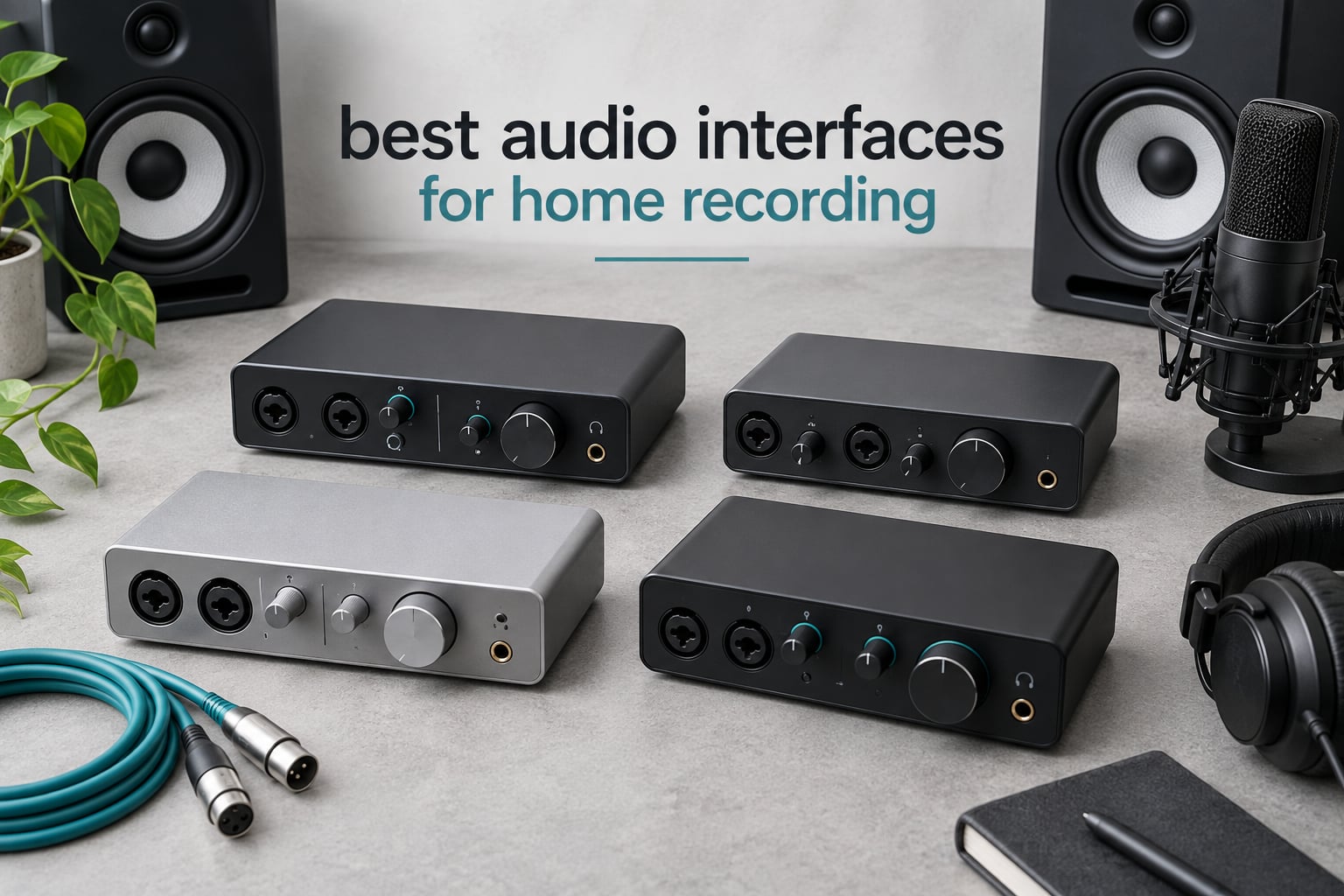
An audio interface is the box that turns your microphone, guitar or synth into a signal your computer can actually record. Everything else in a home studio depends on what happens inside it, which is why the best audio interfaces for home recording still come back up in every buying thread we read. The interface supplies the mic preamp, applies 48V phantom power, converts analog to digital, and routes your monitors and headphones back out.
Most people start out with the sound card built into their laptop and hit a wall fast. Those built-in preamps are noisy, there is no real XLR input, and no amount of plug-in polish rescues a recording made through a laptop jack. A two-channel interface solves the actual problem: clean gain, proper connectors and monitoring that does not fight you.
We spent weeks going through the range below, reading owner reviews and comparing input counts, conversion specs, monitoring options and bundled software. Ten interfaces made the cut, from a bus-powered box you can carry in a backpack to a console-derived preamp for people who care about the character of the capture. All of them record vocals well. Only some of them will still fit your setup in three years.
Table of Contents
Top 3 Picks for Home Recording in 2026
Three units stand out from this group, and they stand out for different reasons rather than because one is simply better than the rest.


The UMC22 takes our Editor’s Choice on the strength of evidence rather than glamour: it carries the largest review base of anything we looked at, and the owners who own it mostly say the same simple thing, that it just works. The UMC202HD does the same job with a higher-resolution converter and a metal case. The Scarlett Solo 4th Gen is the one to buy when the microphone in front of it is a condenser and every detail of the vocal matters.
All 10 Audio Interfaces for Home Recording (October 2026)
Here is the full lineup with the specification that actually decides each purchase, so you can rule units in or out quickly.
| Product | Specs | Action |
|---|---|---|
| Behringer UMC22 |
|
Check Latest Price |
 M-Audio M-Track Solo M-Audio M-Track Solo |
|
Check Latest Price |
 M-Audio M-Track Duo M-Audio M-Track Duo |
|
Check Latest Price |
 PreSonus AudioBox USB 96 PreSonus AudioBox USB 96 |
|
Check Latest Price |
| Focusrite Scarlett Solo 4th Gen |
|
Check Latest Price |
 MOTU M2 MOTU M2 |
|
Check Latest Price |
 Audient iD4 MKII Audient iD4 MKII |
|
Check Latest Price |
 Behringer UMC202HD Behringer UMC202HD |
|
Check Latest Price |
 Arturia MiniFuse 1 Arturia MiniFuse 1 |
|
Check Latest Price |
 Universal Audio Volt 2 Universal Audio Volt 2 |
|
Check Latest Price |
1. Behringer UMC22 – Best Overall With Two Inputs and the Biggest Review Base
Behringer UMC22 Audiophile 2×2, 48 kHz USB Audio Interface with Midas Mic Preamplifier | For Recording Microphones and Instruments
Midas-designed mic preamp
Two combo inputs accepting XLR and TRS
Direct monitor select and clip LEDs
USB bus-powered
Pros
- Midas-designed mic preamp for clean capture
- Two combo inputs for mic plus instrument at the same time
- Direct monitoring with status and signal clip LEDs
- Bus-powered via USB for portable use
- Works with Pro Tools
- Ableton Live and Cubase
Cons
- Maximum sample rate of 96 kHz is modest by current standards
- Basic feature set with no MIDI or extra instrument reamping
I kept coming back to the UMC22 because the numbers behind it are hard to argue with. It carries 12798 reviews averaging 4.5 stars, with 73 percent of those buyers handing out five stars. That is the largest review base of any interface in this guide, and a review base that size tends to expose problems long before a newer unit accumulates them.
The layout is exactly what a first home studio needs. Two combo jacks take balanced XLR microphones, balanced TRS and unbalanced TS, so a condenser mic and a guitar can be recorded at the same time without a second box. The preamp is Midas-designed, phantom power is switched globally, and a direct monitor select plus signal clip LEDs tell you what the hardware is seeing even when your DAW is not.
It draws power over USB, weighs 16 ounces and works with Pro Tools, Ableton Live and Cubase out of the box. For someone recording a singer-songwriter demo, a voice-over, or a podcast with a guest, the feature-to-friction ratio is about as good as it gets at this end of the market.
Who the UMC22 suits
Buy this if you are recording one microphone and one instrument at a time and you want both in the same session. The two combo inputs give you a microphone and a guitar or a microphone and a second mic for a two-person podcast, and the direct monitor switch means you can hear yourself without waiting on the software buffer.
It is also a good travel box. Bus-powered and light, it moves between the desk and a laptop without a power brick, which matters if you record in different rooms rather than a fixed studio.
When to choose something else
Step up if your plan involves tracking two microphones and an instrument simultaneously, since there is no third input here. The 96 kHz ceiling is also below what several rivals offer, so if you want headroom for future high-resolution work, look at the UMC202HD or the Scarlett Solo 4th Gen.
MIDI users should look elsewhere too. There is no MIDI input or output on this model, so a keyboard or pad controller means a separate MIDI interface or a hub.
2. M-Audio M-Track Solo – Best Single-Input Starter Box
M-AUDIO M-Track Solo USB Audio Interface
One XLR combo mic input with phantom power
One TRS line and instrument input
48 kHz 16-bit conversion
USB/Direct monitoring switch
Pros
- Plug-and-play class-compliant operation with no extra drivers
- Very low latency achievable by lowering the block size
- Clean loud signal for the money
- Fully USB powered so no power adapter needed
- MPC Beats software included
Cons
- Only one XLR combo input so no simultaneous two-track recording
- USB Type B rather than USB-C
- Gain pots have a poorly tapered range
- Textured plastic chassis rather than metal
The M-Track Solo is the smallest serious answer here and it sits at number two in its Amazon category with 7751 reviews. Owners treat it as a dependable first purchase: plug it in, install your DAW, record. That simplicity is the whole product.
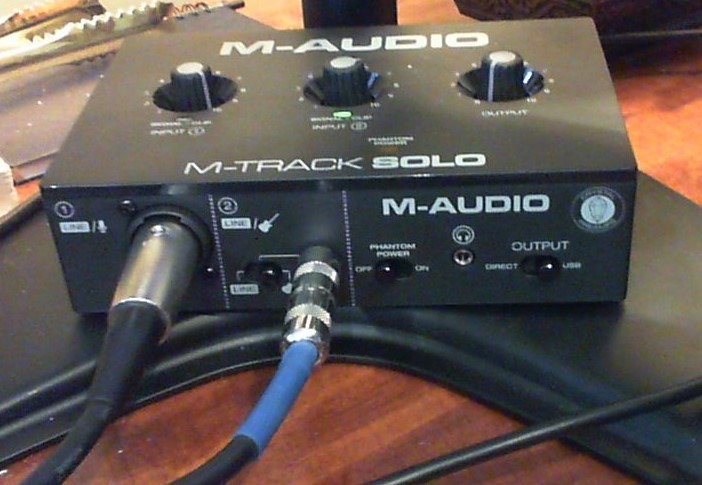
Behind that one combo XLR input there is a Transparent Crystal Preamp, phantom power on the mic side, and a separate line and instrument input on TRS for a guitar amplifier or a keyboard line signal. The USB/Direct switch moves between software monitoring and direct hardware monitoring, and owners regularly report very low latency once the buffer size is pulled down.
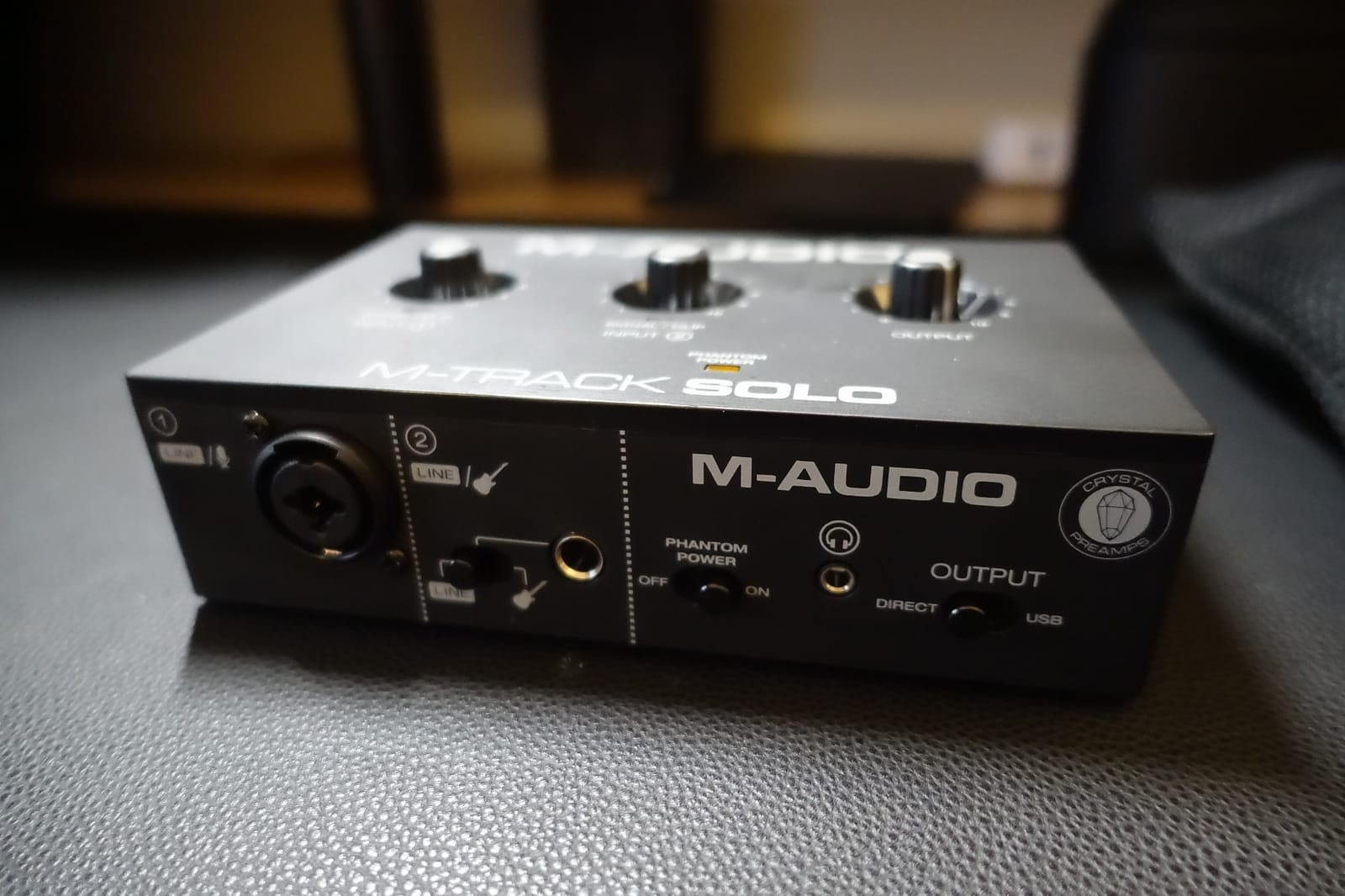
It runs on macOS, Windows and iOS, converts at 48 kHz and 16-bit, and comes with MPC Beats from Akai Professional so you can make something before you ever install a paid DAW. At 10.6 ounces and fully bus-powered, it goes in a laptop bag.
Who the M-Track Solo suits
This is the right pick for a solo singer or voice artist who records one microphone at a time and does not need a MIDI controller. Class-compliant operation means no driver hunting, and the bundled MPC Beats gets a beginner from unboxing to a finished track.
It also works as a second interface for a specific job, like capturing a single acoustic guitar performance or a narrator mic in a different room, since it is small enough to sit next to your main unit.
When to choose something else
The single combo input is the limit that matters. Once you want a two-person podcast with a microphone each, or a stereo pair, you have run out of inputs and this box no longer fits. Step up to the M-Track Duo or the UMC22.
Reviewers also flag the gain taper. The pot jumps from quiet to very hot, so you may need to stay further from the microphone or accept more gain staging practice than you would on a unit with finer control. The 48 kHz and 16-bit ceiling is modest by today’s standards.
3. M-Audio M-Track Duo – Best Two-Input Box Under the Mid Tier
M-AUDIO M-Track Duo USB Audio Interface
Two combo XLR inputs with phantom power
USB/Direct zero-latency monitoring switch
48 kHz 16-bit conversion
Stereo 1/4 inch TRS outputs
Pros
- Two XLR inputs at a budget price point
- No buzz or hiss even with gain fully up
- Clean low-latency direct monitoring
- Instant plug-and-play setup on Mac Windows and Linux
- Good headphone output level
Cons
- All-plastic chassis that slides when cables are moved
- Gain pots have an abrupt taper
- Line inputs are mono so stereo capture needs a splitter
- Phantom power circuit feels under-driven with condenser mics
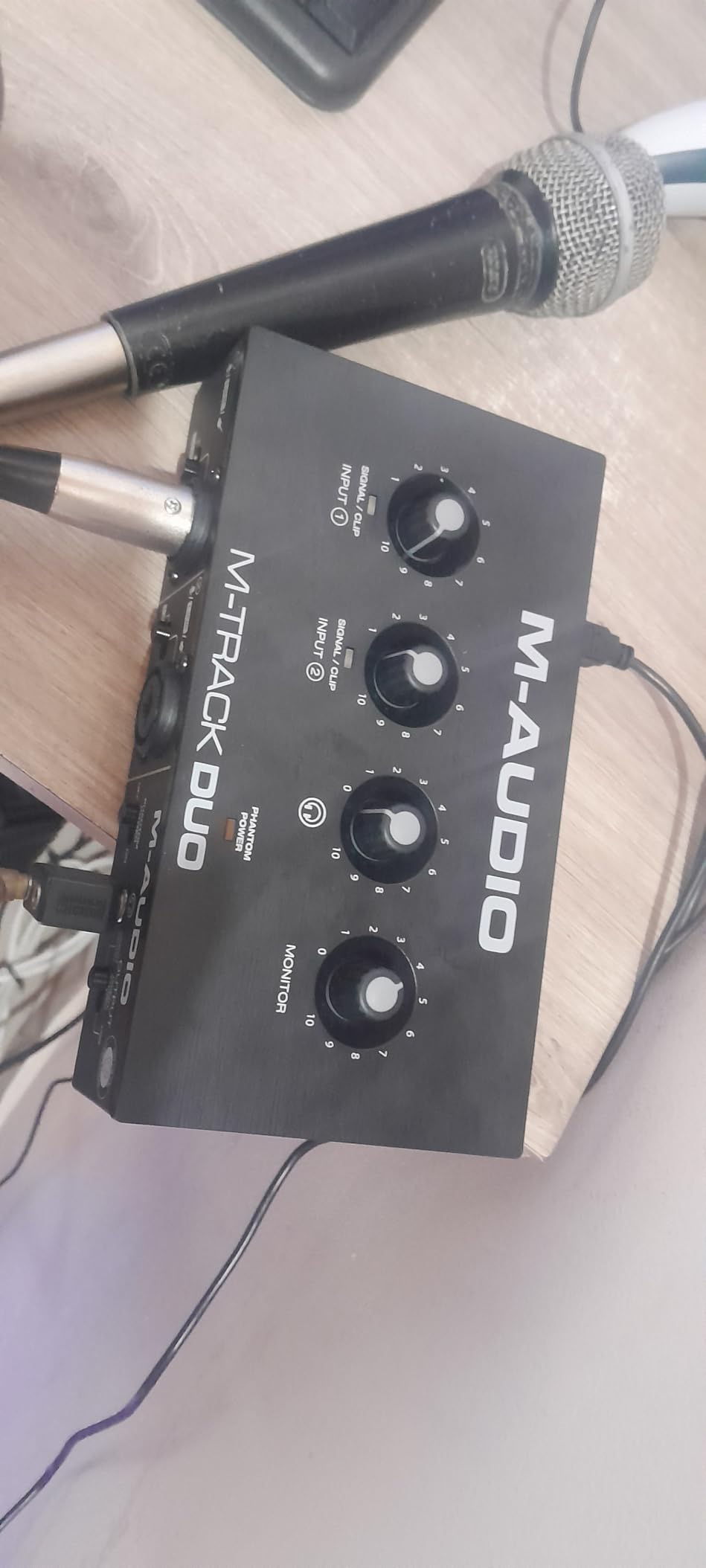
The Duo is the version of the Solo that fixes the most common complaint about it, which is having only one input. Two combo XLR sockets, phantom power, and the same USB/Direct switch make it the natural choice for a two-person podcast or a singer with a guitar.
Across 6539 reviews it holds a 4.4 average, and the recurring theme in the reviews is that owners hear no buzz or hiss even with the gain turned all the way up. At 0.3 kg with stereo 1/4 inch TRS outputs and a 48 kHz 16-bit conversion path, it is a box you can move between rooms without thinking about it.
Forum regulars repeatedly single this model out as the strongest ultra-budget two-input option, which matches what we heard. Sound quality is consistently praised; the criticism lands almost entirely on the plastic case, the gain taper and phantom headroom.
Who the M-Track Duo suits
Two people, two microphones, one interface. That is the Duo at its best, and the headphone output level is strong enough that each person can monitor in the same room.
It is also a fine fit for a songwriter tracking vocals and guitar at the same time, since both inputs are combo sockets and you can leave a microphone plugged in while you swap instruments.
When to choose something else
The line inputs are mono, so any stereo capture needs a splitter and an extra channel. That rules it out for recording a stereo keyboard or an acoustic pair directly.
Owners also report the phantom power circuit feeling under-driven with condenser microphones, and the foam feet gripping poorly on a hard desk. If your main microphone is a large-diaphragm condenser or you move cables often, the UMC22 or the PreSonus AudioBox USB 96 is a sturdier answer.
4. PreSonus AudioBox USB 96 – Best for MIDI and a Growing Studio
PreSonus AudioBox 96 25th Anniversary USB Audio Interface
Two Class-A mic preamps
Two high-headroom instrument inputs plus MIDI I/O
Studio One Artist and Studio Magic bundled
24-bit/96 kHz converters
Pros
- Class-A mic preamps with plenty of gain for condenser microphones
- MIDI I/O included at this price
- Studio One Artist Ableton Live Lite and Studio Magic plug-ins bundled
- USB bus-powered and portable
Cons
- USB 2.0 interface rather than USB-C
- 48 kHz monitoring path limits mixing workflow
- Basic on-board controls with no talkback or multi-track recording
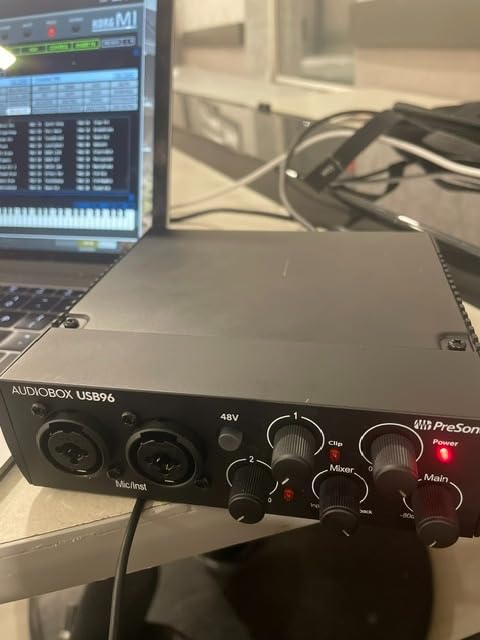
The AudioBox USB 96 is the pick here when MIDI is part of the plan. It has five-pin MIDI in and out alongside two combo inputs, and at 3168 reviews it holds a 4.3 average with 71 percent five-star ratings.
The preamps are described as Class-A with high headroom, which means condenser microphones get comfortable level without pushing the gain pot into the noisy part of its travel. A mixer control lets you blend the inputs against DAW playback for zero-latency monitoring, and global 48V phantom power covers both channels at once.
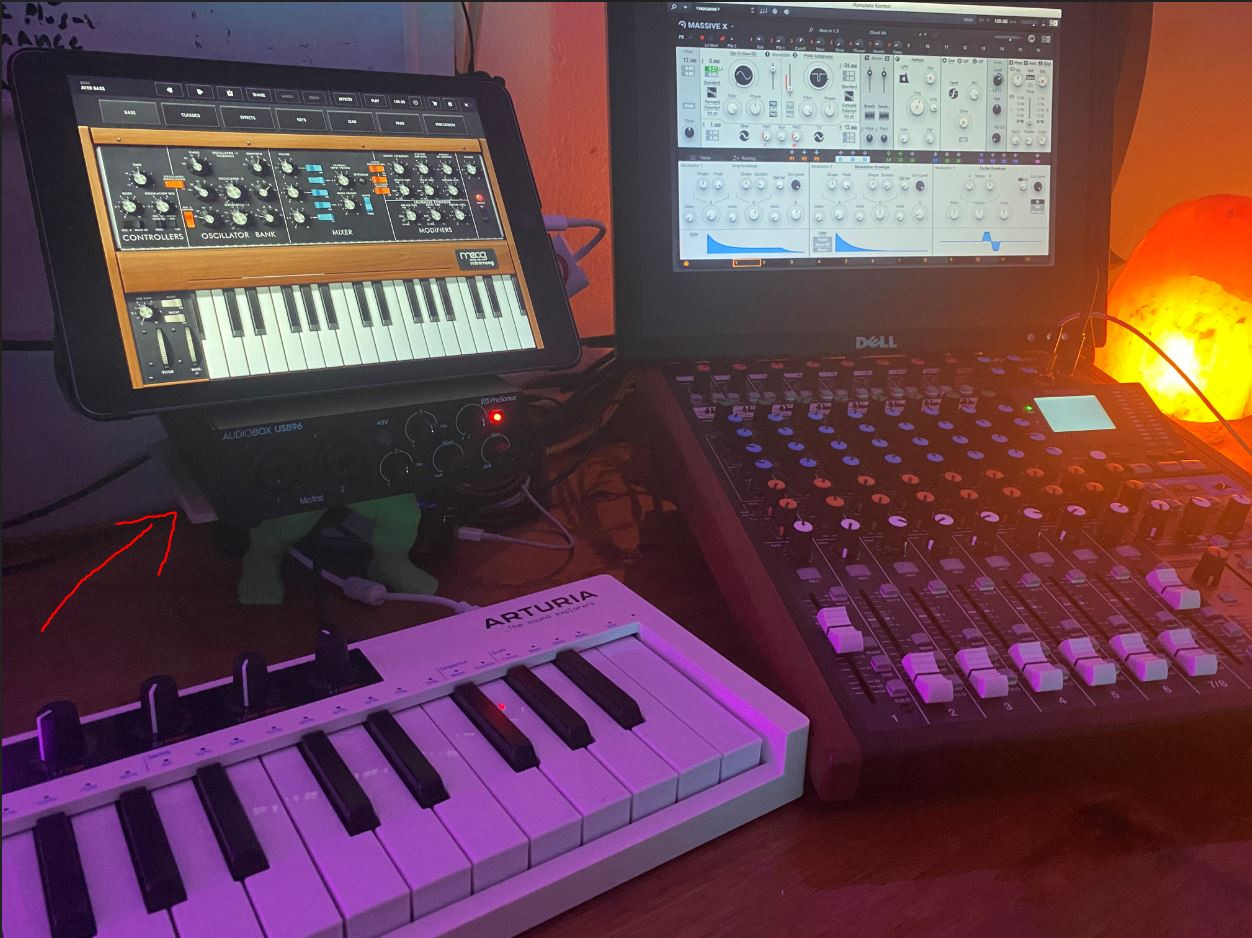
Conversion runs to 24-bit/96 kHz through studio-grade converters. The software bundle is the real headline for a beginner: Studio One Artist, Ableton Live Lite and the Studio Magic plug-in suite all ship in the box, and the interface is USB bus-powered at 2 pounds.
Who the AudioBox USB 96 suits
Anyone whose setup includes a MIDI controller, pad controller or hardware synth needs the MIDI ports, and almost nothing else at this level includes them. It is also a comfortable choice for a vocalist with a condenser microphone who wants a real DAW in the box instead of a subscription.
Two high-headroom instrument inputs means guitar and bass can be tracked alongside vocals without a second interface, which suits a writer who does both.
When to choose something else
If your plan involves high-resolution work, the 96 kHz maximum is a ceiling you will eventually notice, and the 48 kHz monitoring path is a constraint that several newer units simply do not have. Windows owners have reported latency, CPU load and driver stability complaints that required a power cycle to clear.
There is also no talkback and no multi-headphone output, so a two-person podcast setup that both guests can hear cleanly calls for something like the Audient iD4 MKII with its two headphone outputs.
5. Focusrite Scarlett Solo 4th Gen – Best for Recording Vocals
Focusrite Scarlett Solo 4th Gen USB-C Audio Interface
120 dB dynamic range on Focusrite flagship converters
One XLR preamp and one Hi-Z instrument input
Auto Gain and Clip Safe assistants
Improved Air mode
Pros
- Exceptionally clear warm and clean sound with excellent preamps
- Virtually nonexistent latency with built-in monitoring
- Strong clean headphone amplifier with gain LED indicators
- Compact premium-feeling build that suits a desk setup
- Large bundle with Pro Tools Intro+ Ableton Live Lite and Hitmaker Expansion
Cons
- Only one mic preamp so no band recording
- Supplied cable is USB-A to USB-C rather than USB-C to USB-C
- A very quiet dynamic mic such as an SM58 may need a booster
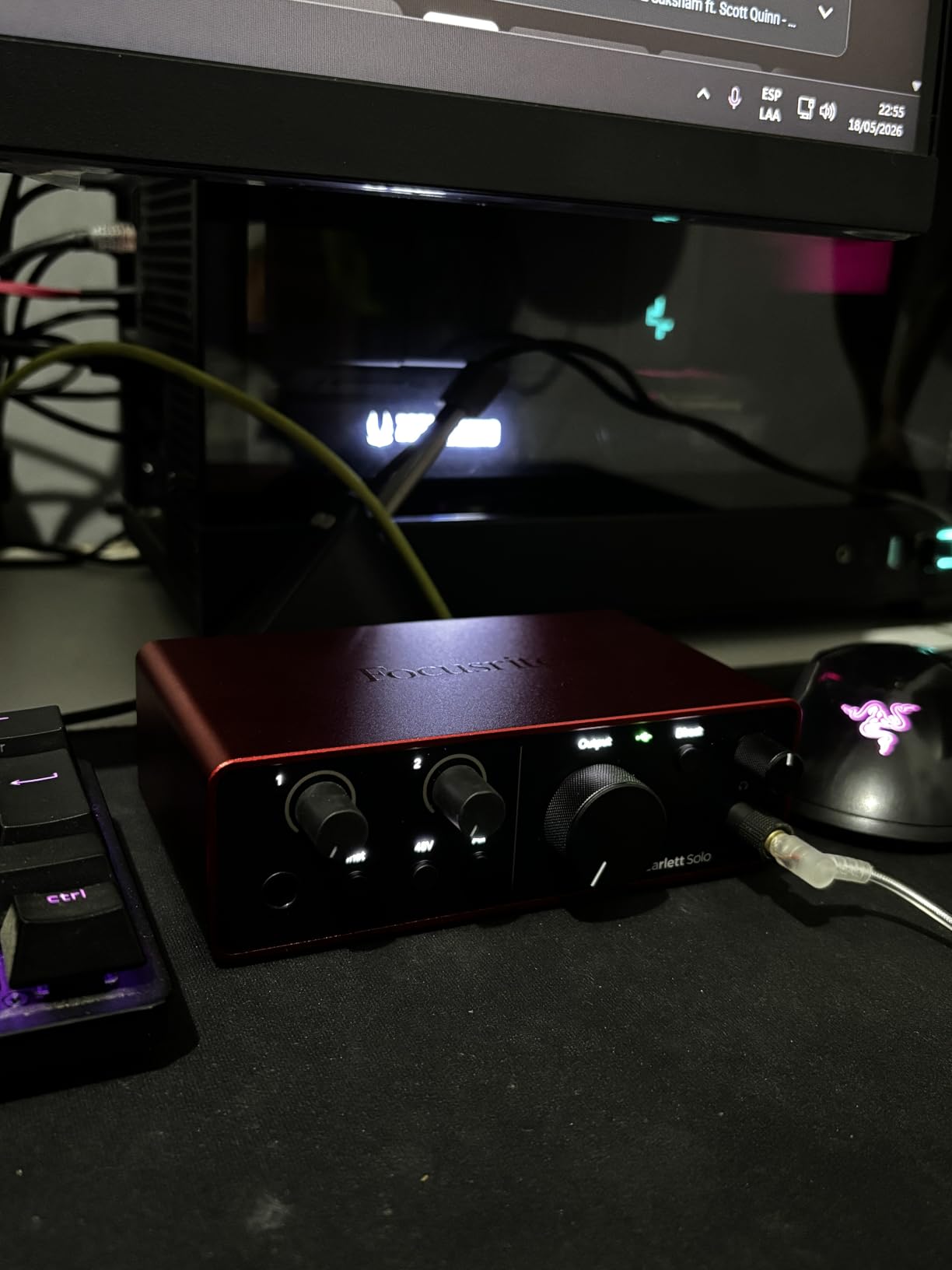
The Scarlett Solo 4th Gen is number one in its Amazon category and carries 2765 reviews at a 4.6 average, with 80 percent five-star ratings. Reviewers consistently single out sound clarity, the Air mode and the headphone output as the standouts.
The headline spec is 120 dB of dynamic range using the same converters found in Focusrite flagship interfaces, running to 24-bit/192 kHz. Air mode lifts vocals and guitars forward in the mix, and Auto Gain plus Clip Safe handle the gain-staging part that trips up first-time buyers.
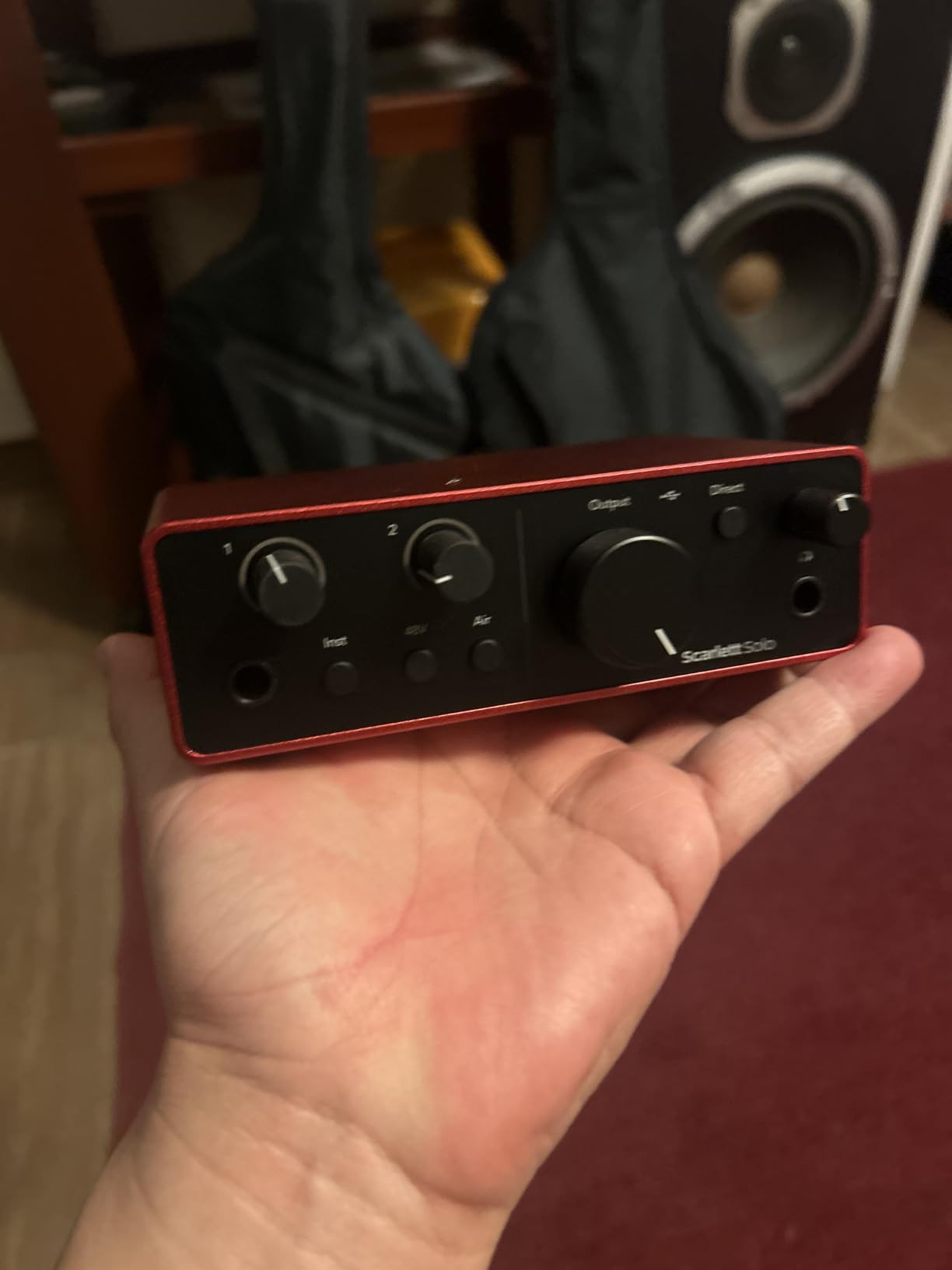
You get one XLR mic preamp and one Hi-Z instrument input, a strong clean headphone amplifier with gain LED indicators, and a three-year manufacturer warranty. The bundle includes Pro Tools Intro+, Ableton Live Lite, Cubase LE and the Hitmaker Expansion. At 14.4 ounces it is built for a desk rather than a rack.
Who the Scarlett Solo suits
This is the interface to buy when recording vocals is the main event. The converter headroom, the Air mode and the fast Auto Gain tools are all aimed at that one job, and the headphone amplifier is strong enough for demanding closed-back headphones.
It also suits a singer-songwriter who wants to capture a vocal and a guitar on the same take, since the Hi-Z input takes an instrument directly. The three-year warranty is the longest alongside the Audient iD4 MKII.
When to choose something else
One preamp is one preamp. If you plan to record a duo, a guest appearance or any two-microphone session, this is the wrong shape and the Audient iD4 MKII or the MOTU M2 will serve you better.
Owners also report that a quiet dynamic microphone such as an SM58 may need an external booster to reach usable level. And while there is a better interface than Focusrite for a lot of people, the honest answer is that this one is very hard to argue with for single-voice work.
6. MOTU M2 – Best for Low-Latency Monitoring and Tracking
MOTU M2 USB-C Audio Interface
Two-in two-out USB-C interface with two preamps
24-bit/192 kHz conversion
Hardware monitoring for zero-latency playback
6+GB of bundled software content
Pros
- Clean low-noise preamps and converters
- Hardware monitoring for reliable zero-latency tracking
- Generous 6+GB of bundled music software content
- Bus-powered over USB-C with a two-year warranty
Cons
- Few hardware controls compared with larger two-channel units
- No MIDI I/O on this model
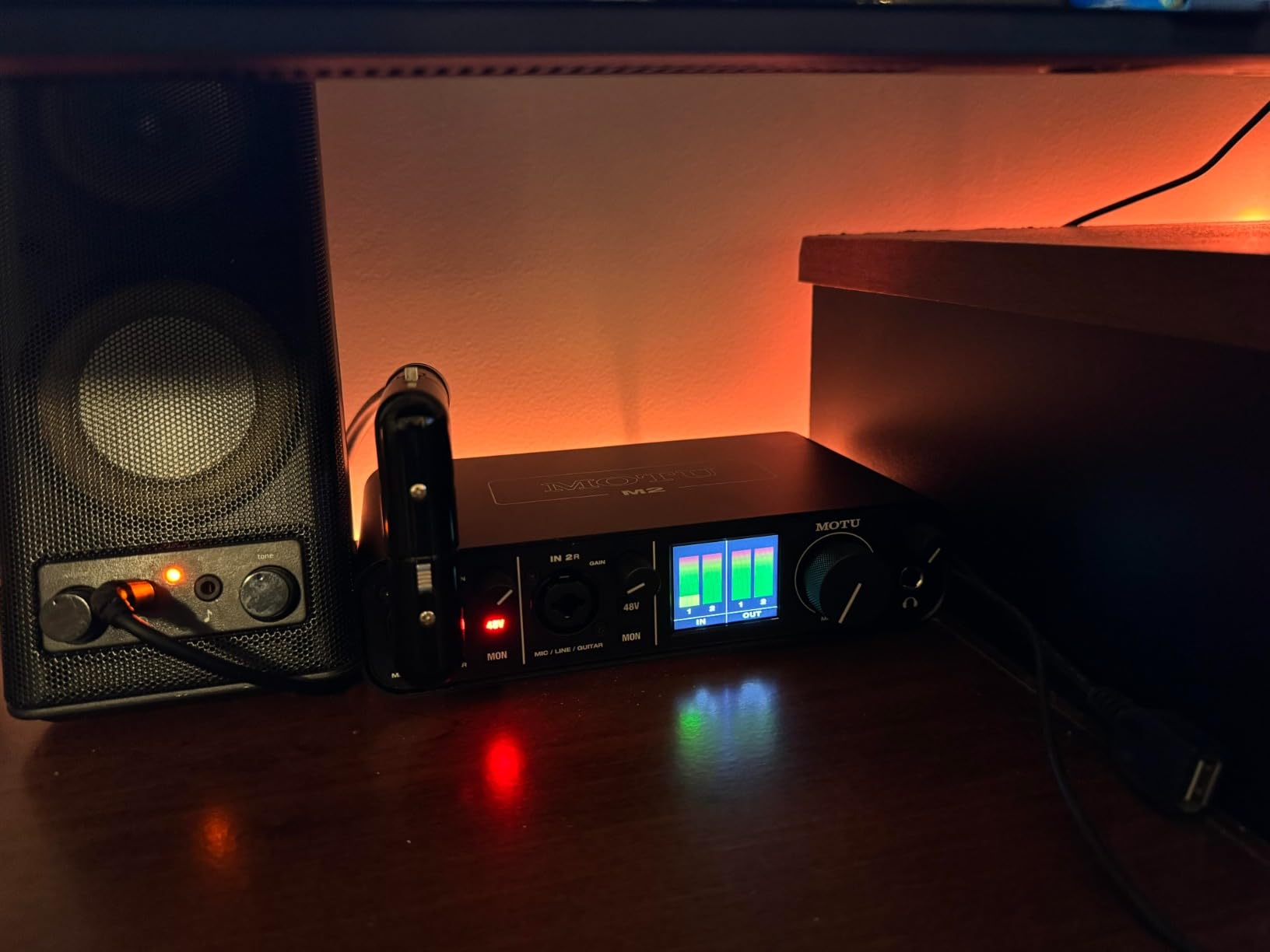
The MOTU M2 is built around one idea: monitoring you can trust while you perform. Hardware monitoring gives you zero-latency playback without a software round trip, which is what makes real-time guitar amp modelling and overdubs feel immediate rather than laggy.
It carries 1568 reviews at a 4.6 average with 83 percent five-star ratings, and owners describe the preamps and converters as clean and low noise. Conversion runs to 24-bit/192 kHz through two preamps, and the box is bus-powered over USB-C at 612 g.
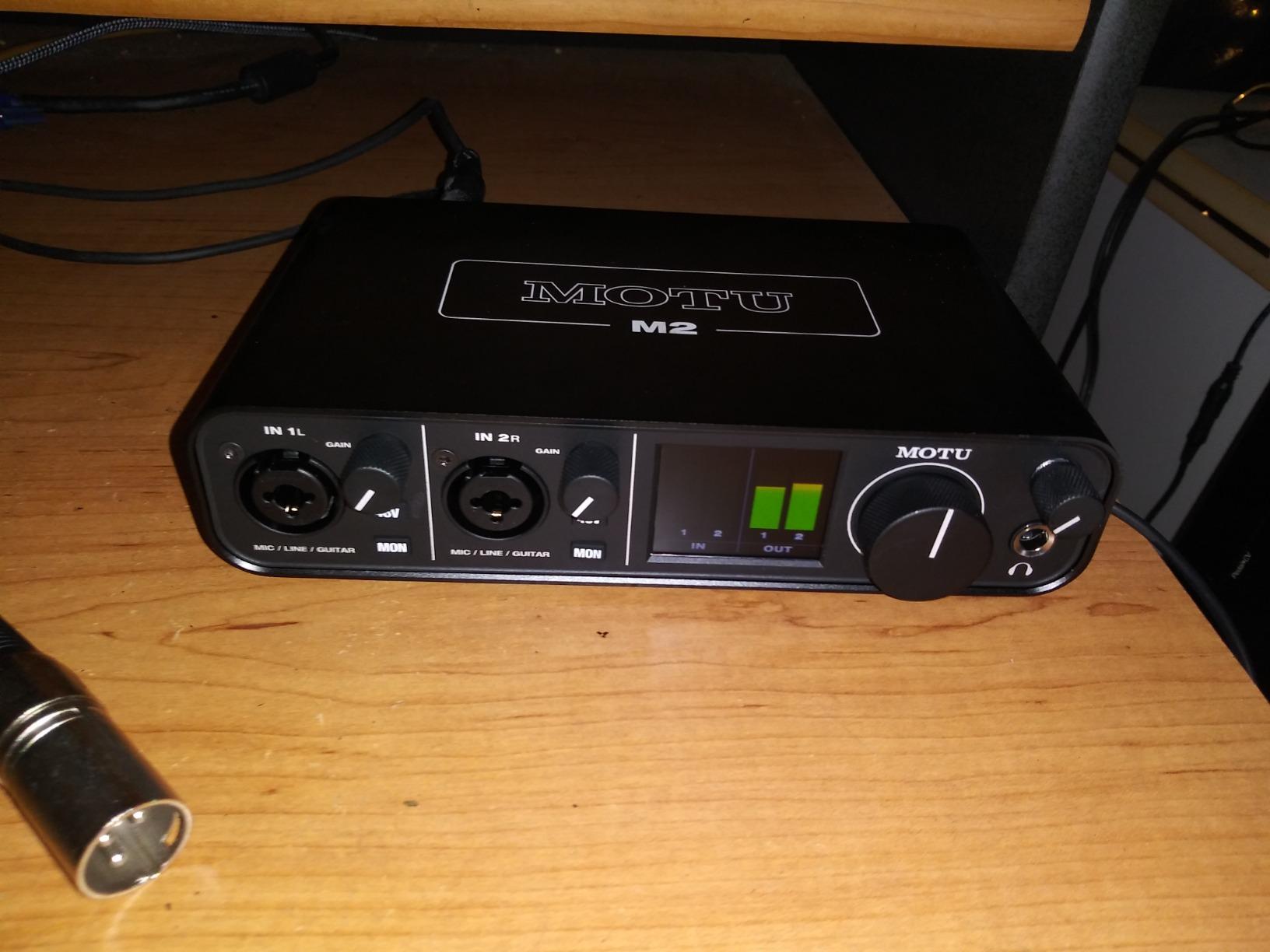
The bundled content is substantial at 6+GB for macOS, Windows and iOS, covering instruments, samples and effects. HomeRecording BBS regulars name MOTU among the acknowledged high-end choices, while also advising newcomers to spend the money elsewhere. Both halves of that are fair.
Who the MOTU M2 suits
Players who monitor while they record will like the hardware monitoring path, because it does not depend on buffer size or plugin load to stay responsive. It suits guitarists running amp models, singers doubling parts, and anyone who plays along to a take.
Two real preamps also mean a microphone and an instrument can be captured together, and 24-bit/192 kHz conversion keeps the door open for high-resolution work later.
When to choose something else
The control surface is sparse compared with larger two-channel units, so if you like to set gain and monitor levels from the box itself, this is not the one. There is also no MIDI I/O, so a controller needs another path.
If your microphone is a quiet dynamic such as the Shure SM7B and you want to run it without an inline booster, check the gain first. And if bundled software volume is part of your decision, a five-year warranty here is shorter than the Arturia MiniFuse offers.
7. Audient iD4 MKII – Best for Console-Grade Capture
Audient Audio Interface iD4 MKII, Class A Console Microphone Preamp (High Speed USB-C, Monitor Mix and Monitor Panning Function, 2 Headphone Outputs, Mac/PC/iOS Compatible), Black
Class-A preamp from the Audient ASP8024 HE console
JFET instrument input
Monitor mix and monitor panning
Two headphone outputs in an all-metal housing
Pros
- Audient ASP8024 Class-A console preamp gives a distinctly musical capture
- Two headphone outputs let two people monitor at once
- Metal chassis feels sturdy and durable
- Monitor mix and panning give flexible zero-latency blending
- USB-C connection simplifies cabling
Cons
- Only a single mic preamp and DI input
- 96 kHz maximum sample rate is below several rivals
- Bundled software is partner-brand licences rather than a full DAW suite
The iD4 MKII exists for people who care where the signal is coming from. Its microphone preamplifier is the Class-A circuit from Audient ASP8024 HE console, and that provenance is the reason reviewers rate it at 4.6 across 1469 reviews with 83 percent five stars.
The instrument input is JFET, which gives a different, warmer response on guitar than the mic path, and the monitor mix plus monitor panning functions let you build a custom blend between live input and DAW playback for zero-latency monitoring. Two headphone outputs are a genuine rarity at this size.
The housing is all metal at 740 g, it connects over high-speed USB-C with an improved power supply, and it carries a three-year manufacturer warranty. The bundled software leans on Steinberg Cubase LE, Retrologue 2, Twonotes and a Loopmasters sample pack rather than shipping a full DAW of its own.
Who the iD4 MKII suits
It suits a duo who both need to hear themselves at the same time, since the second headphone output solves a problem almost nothing else here does. It also suits someone who plays guitar through the DI and wants a different voice from the microphone path.
The metal chassis and three-year warranty make it a good desk piece for a setup that gets moved around, and the monitor panning function is useful for checking a stereo image quickly.
When to choose something else
There is only one mic preamp, so a single-mic and single-instrument setup is all this covers. The 96 kHz maximum is also below the 192 kHz of the Scarlett Solo, the MOTU M2 and the Universal Audio Volt 2.
If you want a complete production environment in the box, the PreSonus AudioBox USB 96 bundles a DAW while the iD4 MKII bundles licences. And if low-impedance in-ear monitors are your daily driver, look elsewhere.
8. Behringer UMC202HD – Best Value With Full Resolution Conversion
Behringer UMC202HD Audiophile 2×2, 24-Bit/192 kHz USB Audio Interface with Midas Mic Preamplifiers | For Recording Microphones and Instruments
24-bit/192 kHz conversion
Midas-designed mic preamps
Impact-resistant metal chassis
Level-controlled phones output with direct monitor select
Pros
- Midas preamps and 24-bit/192 kHz conversion at an entry price
- Rugged impact-resistant metal chassis
- Direct monitor select with a level-controlled headphone output
- Works with Pro Tools Ableton Live and Cubase
Cons
- Bare-bones feature set with no bundled DAW
- USB Type B rather than USB-C
The UMC202HD is the UMC22 with the specification upgraded and the case changed. It converts at 24-bit/192 kHz instead of topping out lower, and it comes in a metal chassis rather than a plastic or fibre case, which is the single biggest upgrade for a box that lives on a desk.
It holds a 4.6 average across 3371 reviews with 79 percent five stars, and Midas-designed mic preamps are the headline. A direct monitor select and a powerful phones output with its own level control sit on the front, and phantom power is there for condensers.
Balanced 1/4 inch TRS line outputs feed monitors cleanly, and it works with Avid Pro Tools, Ableton Live and Steinberg Cubase. At 1.2 pounds with a footprint under 11 inches wide, it is a small box with a serious case.
Who the UMC202HD suits
It suits a beginner who wants full-resolution conversion and a metal build without paying for a boutique preamp. Two inputs cover mic plus instrument, which is most bedroom and home studio projects in a single session.
Because there is no bundled DAW, it also suits people who already own Pro Tools, Live or Cubase and do not want another software licence sitting on the drive.
When to choose something else
The feature set is bare bones. There is no MIDI, no talkback, no multi-headphone output and no hardware monitor blend, so anything beyond basic tracking means handling it in software.
It also uses USB Type B rather than USB-C, which on a modern laptop means a hub or an adapter cable. If you want a voice of colour on the way in rather than a neutral preamp, the Universal Audio Volt 2 or the Audient iD4 MKII is a different conversation.
9. Arturia MiniFuse 1 – Best for Bundled Plug-ins and MIDI
Arturia MiniFuse USB Audio & MIDI Interface, MiniFuse 1
One combo XLR input plus two TRS inst and line inputs
Five-pin MIDI in and out and a 250 mA USB hub
Loopback capture for in-app audio
5-year warranty with spare parts
Pros
- Exceptionally low noise floor and low latency with correct drivers installed
- Metal case with rubber feet that stays put on the desk
- Amphenol connectors on the inputs
- USB hub lets a MIDI controller share the single port
- Large bundled software package
- Independent headphone volume control
Cons
- Headphone output is not ideal for low-impedance earbud-style IEMs
- Requires product registration before drivers and updates install
- Only a single XLR mic input
- A computer reboot is needed after installation
The MiniFuse 1 is unusual because it has one microphone input and three more inputs besides. The combo XLR takes a mic, instrument or line source with 48V phantom power, and two TRS inputs handle extra instruments or line sources when you need them.
What makes it stand out is everything around the audio path. Five-pin MIDI in and out covers controllers and drum machines, a rear USB Type A hub rated to 250 mA lets a controller share the single port, and loopback capture records in-app and in-game audio for streaming.
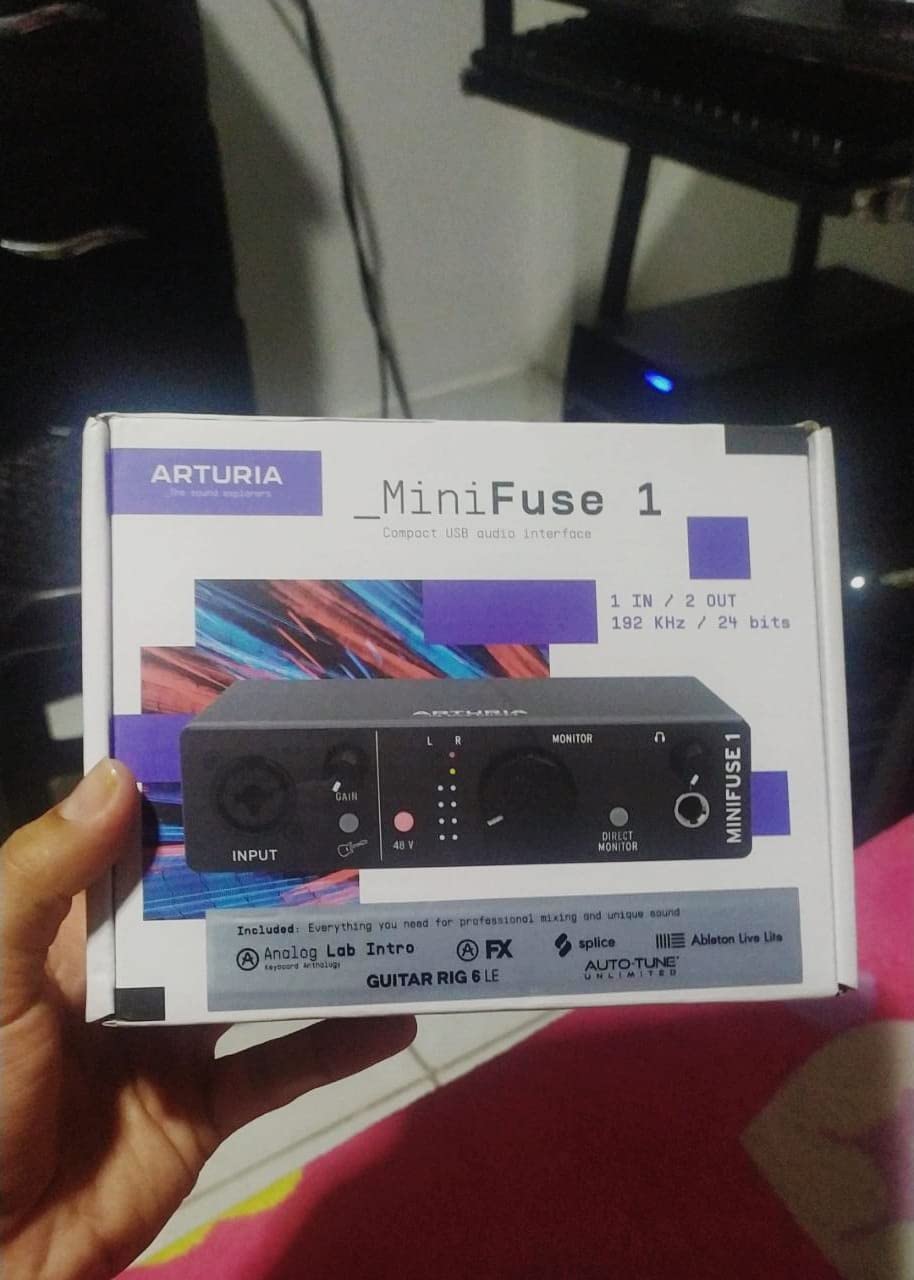
Users on r/homestudios repeatedly point to the bundled software as the reason to buy it, and the list is long: Ableton Live Lite, Analog Lab Intro, Arturia FX, NI GUITAR RIG 6 LE, Auto-Tune Unlimited and a Splice Creator plan. It holds 4.6 across 1029 reviews with 81 percent five stars, sits in a metal case with rubber feet, and carries a five-year warranty backed by five years of spare parts.
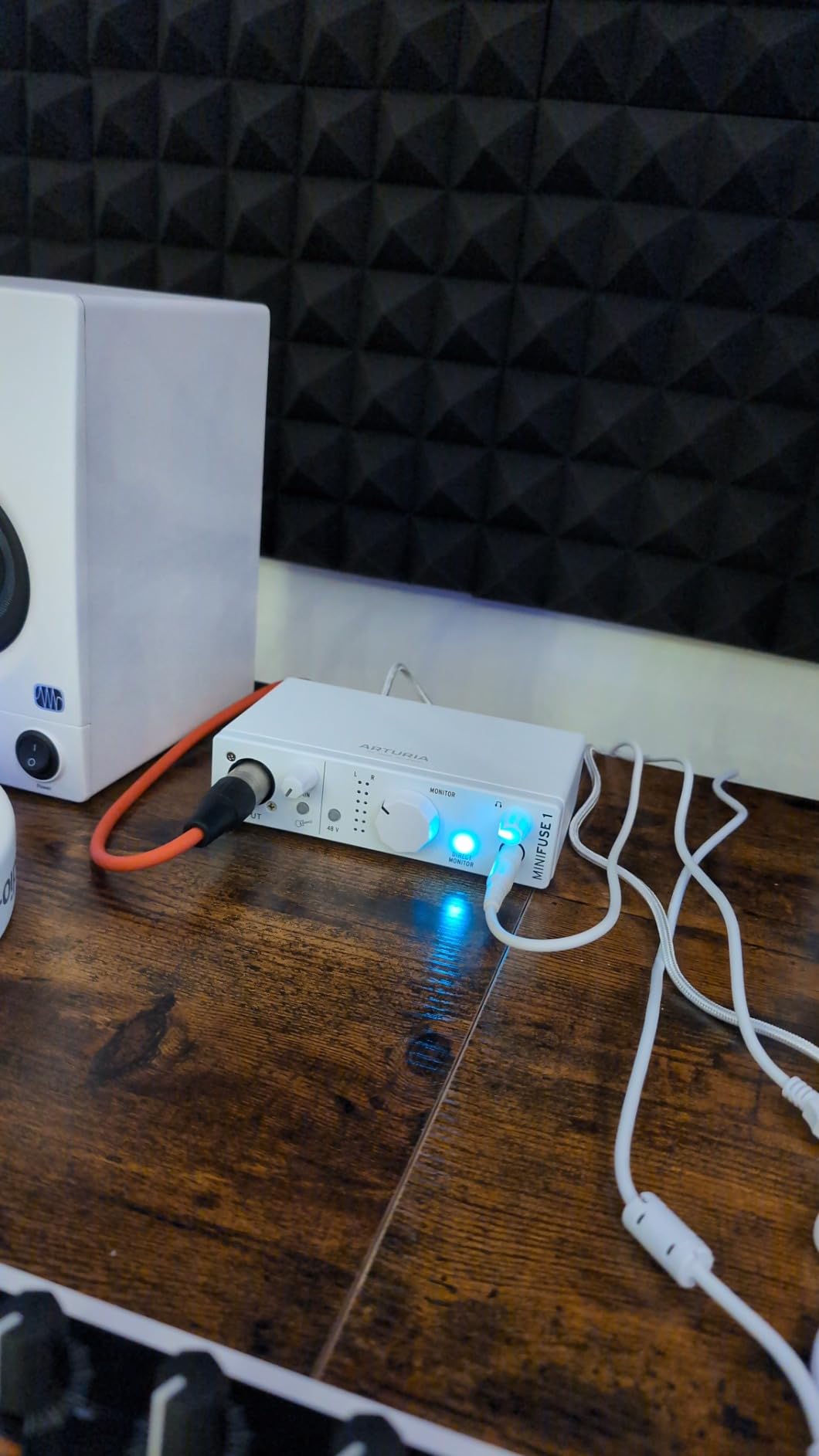
Who the MiniFuse 1 suits
It suits a producer who runs MIDI gear alongside a microphone and does not want to buy a separate MIDI interface. The USB hub solves the one-port problem that would otherwise require a hub anyway.
Streamers and content creators get loopback capture, which routes system audio alongside the microphone into one file without a second program.
When to choose something else
There is only one XLR mic input, so two-microphone sessions are out. Registration is required before drivers and updates install, and some owners report needing a computer reboot for the interface to appear in their software, so budget a few minutes at setup.
Owners also note that the headphone output is not ideal for low-impedance earbud-style in-ear monitors. If a large-diaphragm condenser or two-person monitoring matters more than MIDI, the AudioBox USB 96 or the iD4 MKII serves those cases better.
10. Universal Audio Volt 2 – Best for a Preamp With a Character
Universal Audio Volt 2 USB Audio Interface
Classic 610 preamp emulation with Vintage mode
24-bit/192 kHz crystal clear converters
MIDI I/O and on and off power button
LUNA DAW with UAD plug-ins included
Pros
- Excellent DAC and clean conversion free of electrical interference under load
- Vintage mode gives an analogue-flavoured 610 preamp character
- Very simple setup through automatic device identification over USB-C
- Bus-powered compact and portable
- Includes the LUNA DAW and a useful set of UAD plug-ins
Cons
- Preamp gain is somewhat soft for dynamic microphones
- Only two LEDs for level indication making gain staging fiddly
- No hardware balance of direct monitor against DAW playback
- UA bundled app can fail to launch after registration
- Mobile use requires an external power supply and adapter
The Volt 2 is the only unit here with a voice built into the hardware path. Its Classic 610 preamp emulation and Vintage mode add an analogue-flavoured character to the signal, and reviewers comparing it against the Focusrite Solo often come down on the side of the Volt for sound.
Underneath, it is a 24-bit/192 kHz interface with crystal clear converters that owners describe as free of electrical interference even under load. MIDI I/O is included, and there is an on and off power button on the USB-C connection.
Universal Audio bundles the LUNA Digital Audio Workstation along with UAD plug-ins and instruments, which is a substantial software package for a compact 650 g bus-powered box. The review base is the smallest in this group at 748 ratings with an 83 percent five-star split, so treat the consensus with a little caution.
Who the Volt 2 suits
It suits someone who wants their vocals and guitar to arrive with a little colour rather than a completely neutral capture. The 610 emulation is the reason to buy it when tone matters as much as measurement.
Owners also praise how simple setup is, since the device identifies itself automatically over USB-C, and the included DAW means you can start making music before subscribing to anything.
When to choose something else
The gain is soft for dynamic microphones, which is the most common complaint in the reviews. A quiet dynamic such as an SM7B or SM58 will need help reaching level, and there is no hardware control for balancing direct monitor against DAW playback.
Only two LEDs indicate level, so gain staging takes more attention than it should. And if the bundled app fails to launch after registration, that is a support detour before your first take.
How to Choose an Audio Interface for Home Recording in 2026?
Choosing an audio interface comes down to one question asked honestly: how many things do you need to record at the same time? Get that right and the rest is preference. Get it wrong and you will be replacing the box within a year.
Start with input count
One input means one microphone or one instrument, never both. That is fine for a solo singer or a narrator, and it is the single most common reason people outgrow a cheap interface. Two combo inputs cover a microphone plus a guitar, or two microphones for a podcast duo, and that is where most home studios should stop.
Three inputs and above earns its keep when you track a stereo keyboard pair, or when you want to put two microphones on one source. Beyond that, look at ADAT expansion rather than a bigger box, because it keeps your preamp count but adds channels later.
Preamp gain and gain staging
Gain staging simply means setting levels so nothing clips. Every one of these interfaces has a gain pot, and the difference between them is how finely that pot resolves and how quiet the preamp is at the top of its range.
Quiet dynamic microphones are the test. A Shure SM58 and especially an SM7B produce a low signal, and if the preamp cannot deliver usable level cleanly you will either bring noise up with the gain or add an inline booster. The Scarlett Solo 4th Gen and the Universal Audio Volt 2 are both reported to run short on gain with very quiet dynamics, while the PreSonus AudioBox USB 96 Class-A preamps are described as having plenty of headroom for condensers.
48V phantom power in plain terms
Phantom power is 48 volts sent up the XLR cable to power a condenser microphone. Ribbon microphones and some dynamic mics are damaged by it, so switch it off for those. Dynamic microphones like an SM58 or SM57 ignore it entirely, so it makes no difference to them either way.
Check how it is switched. Global phantom power on the AudioBox USB 96 and the UMC22 sends 48V to every channel at once, which is fine for matched condenser pairs and annoying for a mixed setup. Channel-by-channel switching gives you more flexibility when a band session throws different microphones at you.
Bit depth and sample rate
Record at 24-bit. It leaves far more headroom before clipping than 16-bit, and it is free on every unit here. Sample rate matters less for most home work, so 48 kHz is a perfectly sensible default.
Higher rates only pay off if your converters are good, and several interfaces in this group top out at 96 kHz while others reach 192 kHz. The two M-Audio units convert at 48 kHz and 16-bit, which is the one real specification compromise in this list.
Direct monitoring, loopback and headphone output
Direct monitoring routes your input to the headphones in hardware, bypassing the round trip through the computer. It is the reason amp modelling and live playing feel responsive, and it is why the MOTU M2 hardware monitoring and the AudioBox USB 96 mixer blend are worth having.
Loopback does something different: it captures your computer audio alongside your microphone, which is exactly what a streamer needs. The Arturia MiniFuse 1 has it built in. Headphone output strength is the other quiet differentiator, and the Arturia unit has an independent volume control that several rivals omit.
MIDI and expandability
MIDI I/O appears on the AudioBox USB 96, the MiniFuse 1 and the Volt 2, and nowhere else in this group. If a controller, pad drum or hardware synth is part of your setup, that decides three of these picks before anything else does.
None of these ten units offer ADAT expansion, which means none of them can grow past their stated input count. If you already know you will be tracking a full drum kit, buy a box with ADAT now rather than planning a second purchase later.
Drivers on Mac versus Windows
Class-compliant units like the M-Track Solo and Duo need no driver at all, which removes an entire category of problem. Everything else relies on a manufacturer driver, and this is where the platform difference shows up most clearly.
Owners on r/recordingmusic and r/homestudios describe macOS as the smoother path, with Core Audio generally dependable, while Windows users report ASIO glitches, CPU load spikes and the need to power-cycle a unit to get it recognised again. PreSonus AudioBox USB 96 and Universal Audio Volt 2 owners have both described software launching problems after registration. If you are on Windows, verify current driver support before you buy.
Bundled software, honestly
Bundled software is a real differentiator and a common disappointment. The MOTU M2 ships 6+GB of content, the MiniFuse 1 brings Ableton Live Lite, Analog Lab Intro, Arturia FX, NI GUITAR RIG 6 LE and Auto-Tune Unlimited, and the Volt 2 includes the LUNA DAW with UAD plug-ins.
Check registration requirements before you commit. The MiniFuse needs product registration and possibly a reboot before drivers and updates install, the Volt 2 app has been reported failing to launch after registration, and the Arturia bundle is worth registering for early since some of it is time-limited rather than perpetual.
Frequently Asked Questions
Which audio interface is best for recording vocals?
For most home studios recording a single voice, the Focusrite Scarlett Solo 4th Gen is the strongest all-round choice. It offers 120 dB of dynamic range through Focusrite flagship converters, runs to 24-bit/192 kHz, and includes Auto Gain, Clip Safe and an improved Air mode that lifts vocals forward in the mix. Its headphone amplifier is strong enough for demanding closed-back headphones, which matters more than most buyers expect.
Is there a better audio interface than Focusrite?
Yes, for several specific jobs. The MOTU M2 gives you hardware zero-latency monitoring that most rivals cannot match. The Audient iD4 MKII uses a Class-A preamp from the ASP8024 HE console and adds two headphone outputs. The Universal Audio Volt 2 adds 610 preamp emulation for a warmer character. For two microphones and MIDI together, the PreSonus AudioBox USB 96 covers both at once.
Is Focusrite good for recording?
Focusrite is good for recording, and the Scarlett Solo 4th Gen has the largest verified review base of the interfaces we looked at, holding a 4.6 average with 80 percent five-star ratings. Reviewers single out sound clarity, the Air mode and the headphone output as standouts. The only structural limit is input count, since it has one XLR preamp and one Hi-Z instrument input, so it suits solo vocal and guitar work rather than band sessions.
Do audio interfaces improve sound quality?
Yes. A computer sound card uses fixed, noisy preamps with no real microphone inputs, so a dedicated interface gives you clean gain, proper XLR and instrument connections, low-latency monitoring and conversion headroom. That is the difference between a recording you cannot use and one you can build on. The gains are most audible on quiet dynamic microphones, where a weak built-in preamp brings up noise before any processing is applied.
How many inputs do I need for home recording?
Count how many things you record at the same time. One input covers a single microphone or a single instrument. Two combo inputs cover a microphone plus a guitar, or two microphones for a two-person podcast, and that is where most home studios should stop. Beyond two inputs, buy a larger box or plan for ADAT expansion, because most entry interfaces cannot grow past the input count they ship with.
Best Audio Interfaces for Home Recording: Our Verdict for 2026
The Behringer UMC22 takes our Editor’s Choice. It has two combo inputs, a Midas-designed preamp, direct monitoring and the largest review base in this group at 12798 ratings, which is the best evidence we found that it holds up.
For the best conversion specification and a metal case, take the UMC202HD. For a single condenser vocal, take the Scarlett Solo 4th Gen. For MIDI and two microphones together, take the PreSonus AudioBox USB 96. For a preamp with a console voice, take the Audient iD4 MKII or the Universal Audio Volt 2.
Count your inputs before you check anything else, then buy the simplest box that covers them. Whatever you choose, these best audio interfaces for home recording will do one job properly, and that is what matters more than the specification list.