
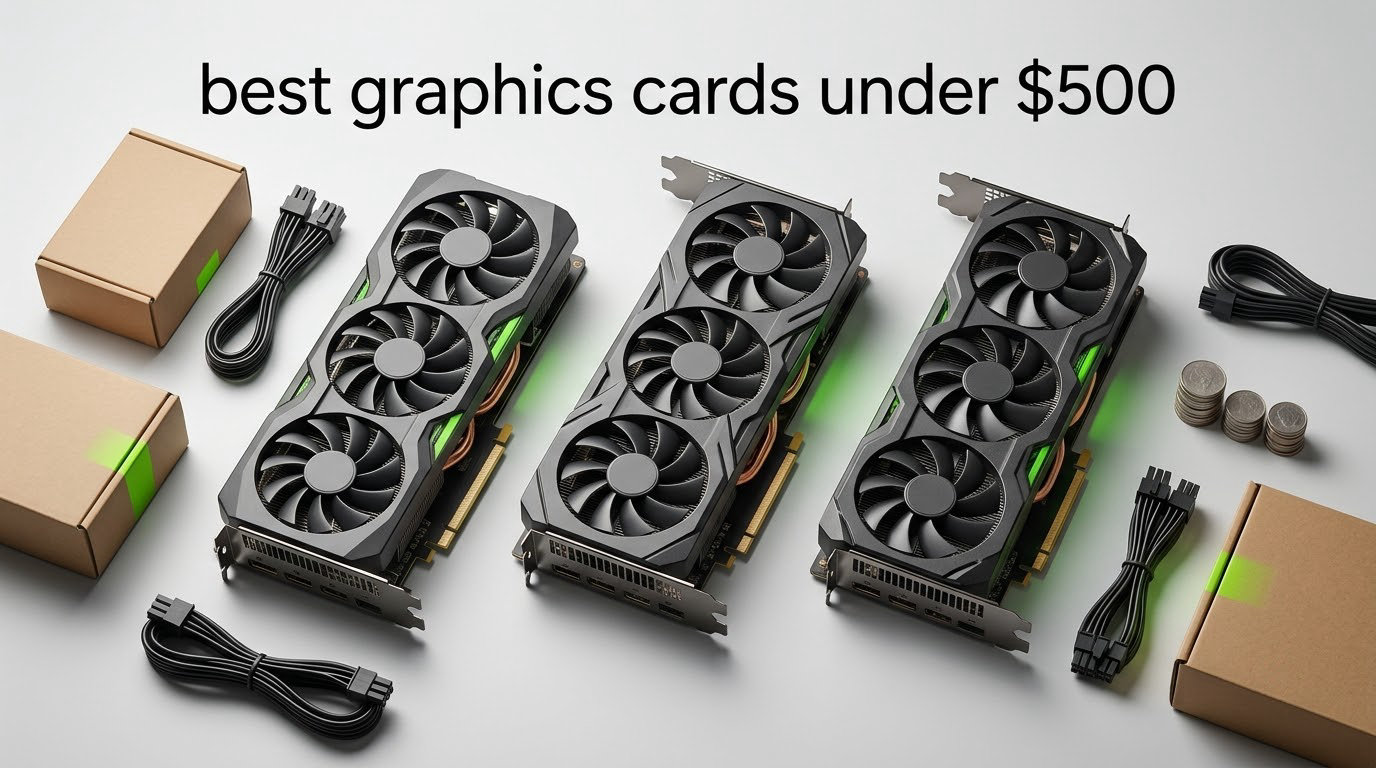
Shopping for the best graphics cards under 500 USD is harder than it looks, because the bracket is split down the middle. NVIDIA keeps its newest sub-500 silicon on 8GB, while several cards at the same spend ship 12GB. Our pick for most people is the GIGABYTE GeForce RTX 3060 Gaming OC 12G: 12GB of GDDR6 across a 192-bit bus, a three-fan cooler, and a 4.7-star average across more than 3,000 reviews.
That is the short answer. The longer version is that there is no single winner at this budget, because the best graphics cards under 500 USD serve very different buyers. A 1080p competitive player wants clock speed and low latency. A streamer wants a hardware encoder. Someone editing video cares about decode and VRAM headroom, not frame rates. And a builder with a small case or a 550W power supply has a shorter list than anyone else.
We compared all eight cards in this guide across VRAM, memory bus, power draw, physical size, and the complaints that show up most often in buyer reviews. Prices and configurations move constantly in this bracket, so check the live listing before you buy, and treat every specification here as a starting point rather than a guarantee.
Table of Contents
Top 3 Picks for the Best Graphics Cards Under 500 USD (October 2026)
The three cards below cover the most common situations. One wins on memory and longevity, one wins on current-generation features, and one wins on raw 1080p frame rates per unit of spend.

GIGABYTE RTX 3060 Gaming…
- 12GB GDDR6 on a 192-bit bus
- Triple-fan WINDFORCE cooler
- Ampere with 3rd gen Tensor cores
- 4.7 stars from 3162 reviews

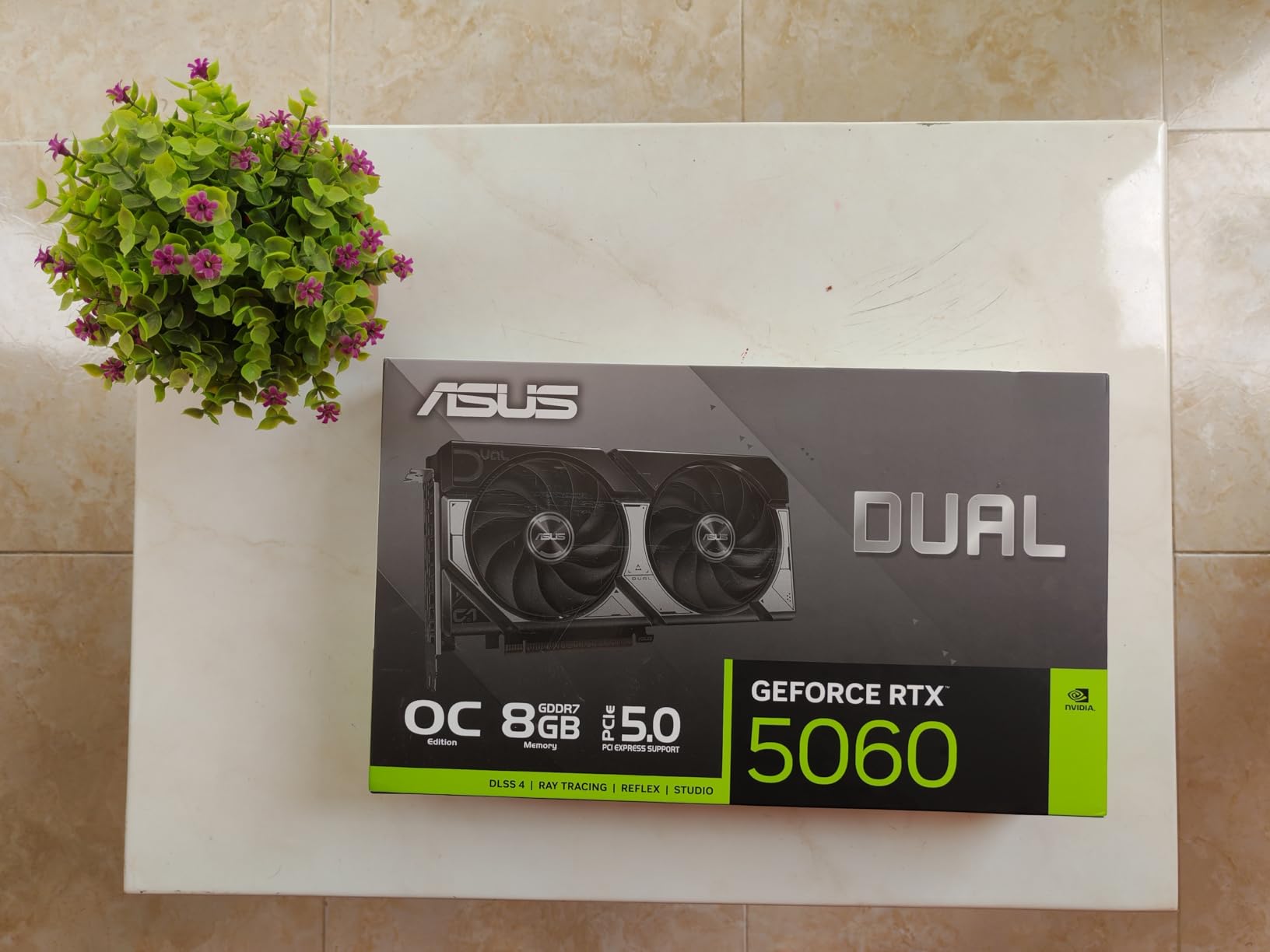
ASUS Dual RTX 5060 8GB OC
- Blackwell architecture with DLSS 4
- 8GB GDDR7
- Compact 2.5-slot 9 inch design
- 4.7 stars from 561 reviews

GIGABYTE RX 9060 XT Gaming…
- RDNA 4 architecture
- 8GB GDDR6
- Quiet WINDFORCE cooling with thermal gel
- 4.7 stars from 132 reviews
Our number one pick, the RTX 3060 Gaming OC 12G, wins because VRAM is the constraint buyers actually hit. Everyone upgrading from an 8GB card reports the same thing: the texture quality drop, not the frame rate, is what made the old card feel slow. Twelve gigabytes removes that ceiling for the length of this buying cycle, and the 192-bit interface carries more data per clock than the 128-bit boards in this roundup.
The ASUS Dual RTX 5060 takes second place on features rather than capacity. Blackwell, DLSS 4, GDDR7 memory, and a 2.5-slot cooler that measures 9 inches front to back make it the cleanest current-generation option here, and its efficiency keeps it friendly to modest power supplies.
The GIGABYTE RX 9060 XT Gaming OC 8G rounds out the top three for pure 1080p gaming. Reviewers single out low temperatures, often under 50C, and strong high-refresh results in competitive shooters. Its weakness is the same 8GB limit that holds back every current-generation card at this spend.
All 8 Picks at a Glance in 2026
Here is every card in the guide on one screen. Use the memory size and bus width columns first, since those decide how long the card stays usable.
| Product | Specs | Action |
|---|---|---|
| GIGABYTE GeForce RTX 3060 Gaming OC 12G |
|
Check Latest Price |
| ASUS Dual GeForce RTX 5060 8GB GDDR7 OC |
|
Check Latest Price |
| GIGABYTE Radeon RX 9060 XT Gaming OC 8G |
|
Check Latest Price |
 Sparkle Intel Arc B580 Titan OC 12GB Sparkle Intel Arc B580 Titan OC 12GB |
|
Check Latest Price |
 GIGABYTE GeForce RTX 5060 WINDFORCE OC 8G GIGABYTE GeForce RTX 5060 WINDFORCE OC 8G |
|
Check Latest Price |
 XFX Speedster SWFT210 Radeon RX 7600 XFX Speedster SWFT210 Radeon RX 7600 |
|
Check Latest Price |
 ASUS Dual GeForce RTX 3050 6GB GDDR6 OC ASUS Dual GeForce RTX 3050 6GB GDDR6 OC |
|
Check Latest Price |
 ASRock Intel Arc A380 Challenger ITX 6GB ASRock Intel Arc A380 Challenger ITX 6GB |
|
Check Latest Price |
Read that table as a tier list. The 12GB cards sit at the top for longevity, the 8GB Blackwell and RDNA 4 cards sit in the middle for current features, and the 6GB cards serve specific jobs rather than general gaming.
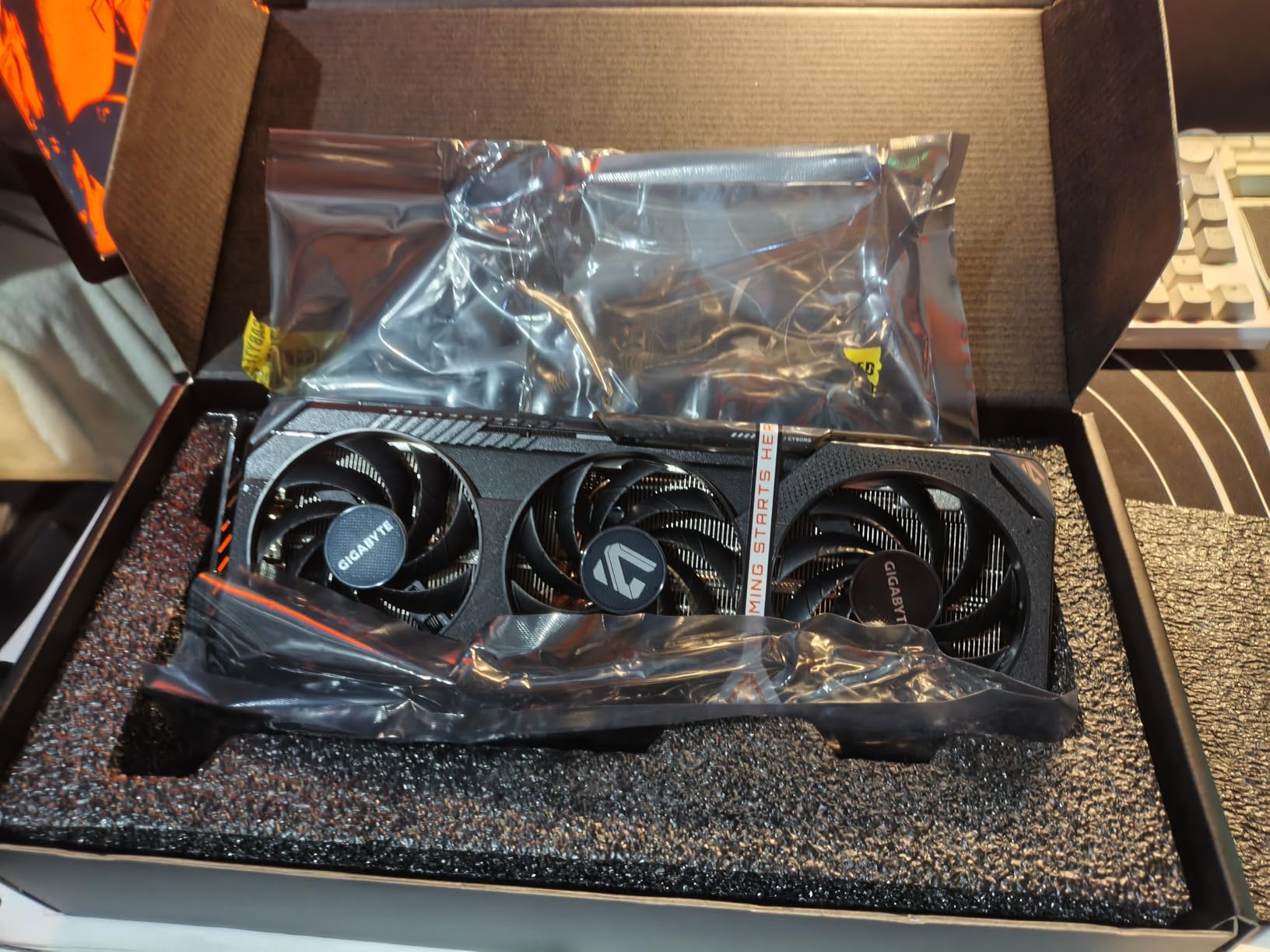
1. GIGABYTE GeForce RTX 3060 Gaming OC 12G – The Best Graphics Card Under 500 USD Overall
GIGABYTE GeForce RTX 3060 Gaming OC 12G (REV2.0) Graphics Card, 3X WINDFORCE Fans, 12GB 192-bit GDDR6, GV-N3060 Video Card
12GB GDDR6
192-bit memory bus
1837 MHz core clock
3x WINDFORCE fans
11.1 inch length
Pros
- 12GB of GDDR6 gives real texture headroom
- Triple-fan cooler handles sustained load
- Mature widely reviewed board design
- 3 year warranty
Cons
- Older Ampere generation trails Blackwell and RDNA 4 in raw speed
- 11.1 inch length is bulky for compact builds
- No hardware AV1 encoder
I keep coming back to this card because twelve gigabytes solves a problem that eight gigabytes does not. Buyers moving up from an RTX 3050 or RTX 4060 almost always describe the jump in VRAM as the single most noticeable upgrade, and that matches what we see in the reviews: 86% of them are five-star, with the memory capacity named as the reason.
The 192-bit interface is the quiet advantage here. The 8GB GeForce card later in this list runs a 128-bit bus, and that narrower pipe shows up in texture-heavy scenes even when the frame rate counter looks fine. The triple-fan WINDFORCE cooler keeps sustained load predictable, which matters more in a summer case than peak boost numbers do.
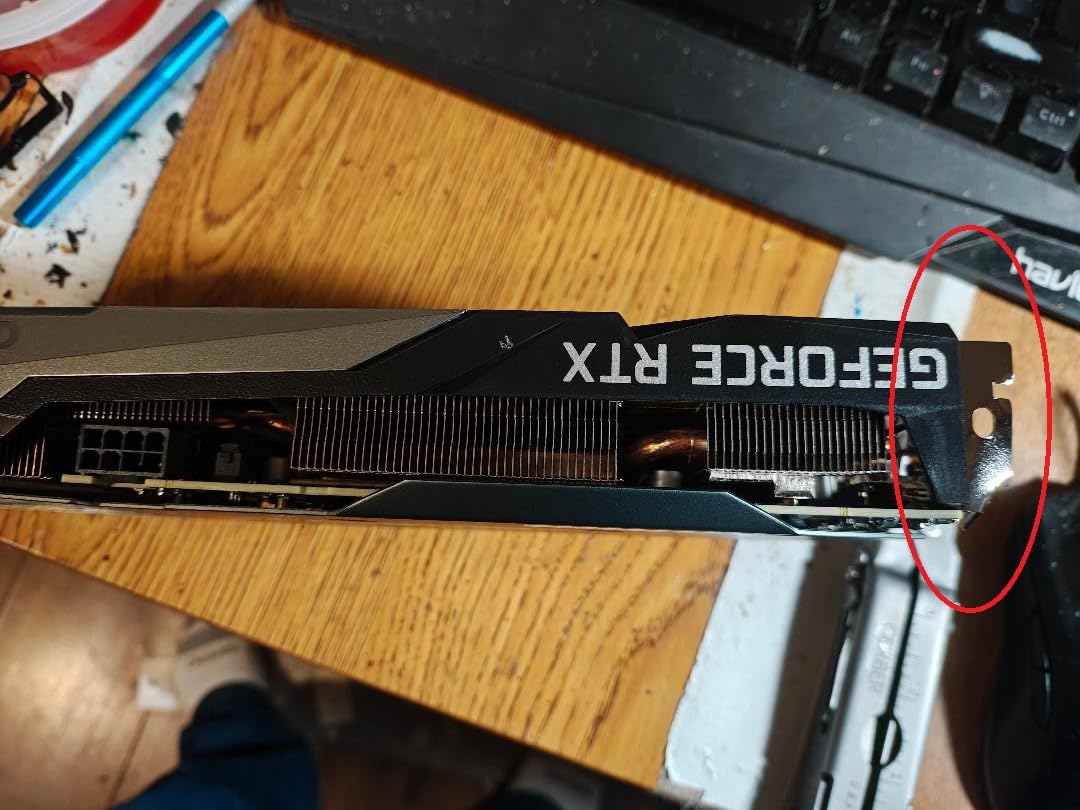
The 11.1 inch length is the practical catch. It is one of the longest cards in the guide, so measure from the rear slot bracket to your front intake before you order, and check that your case has the depth for a three-fan card sitting above a large CPU cooler.
What you give up is generational currency. Ampere lacks the newer AI and media features of Blackwell, there is no hardware AV1 encoder, and raw raster performance now sits below the newest parts. For a card you expect to keep for a multi-year cycle, that trade still favors the memory.
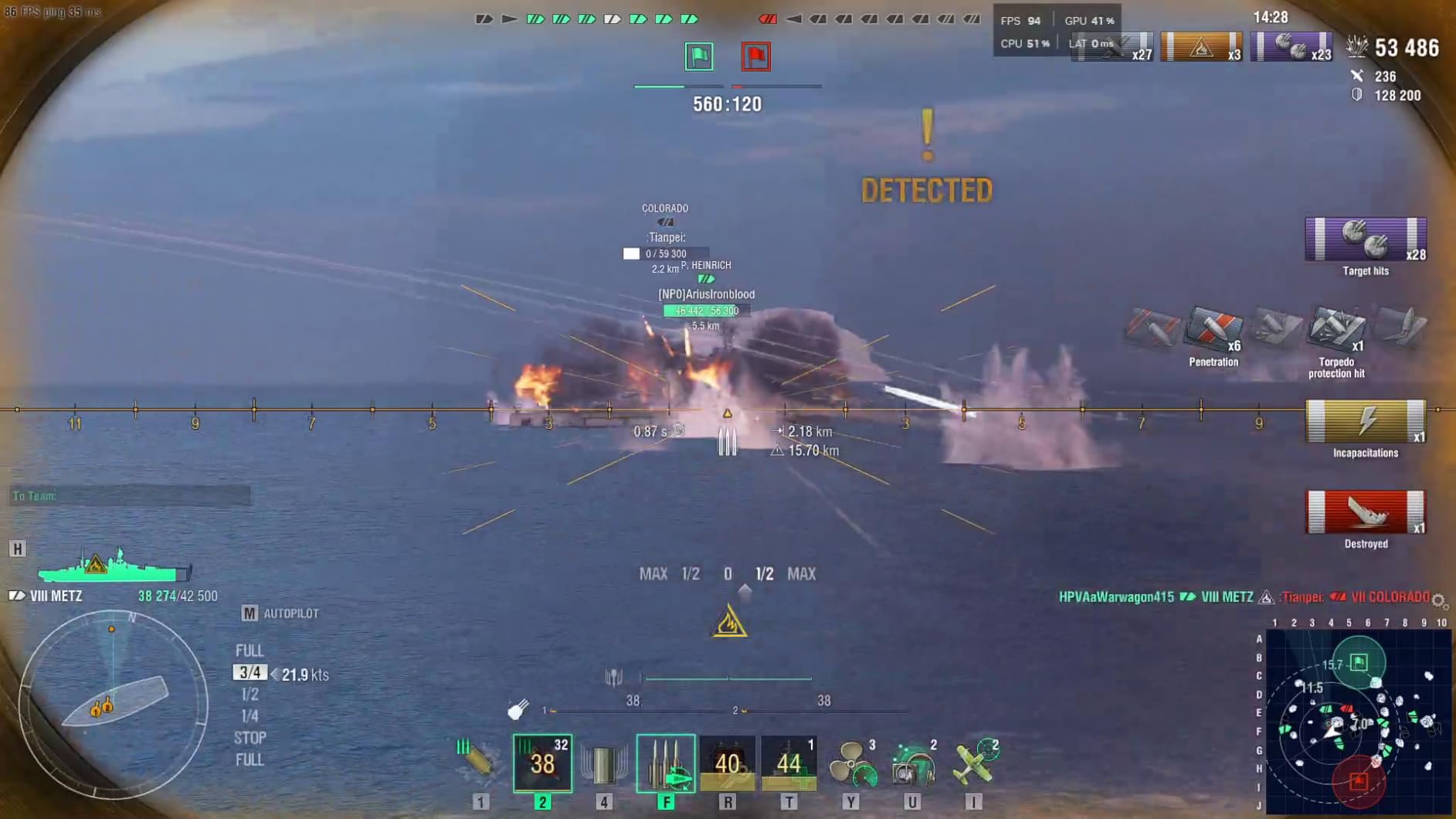
Is 12GB of VRAM worth choosing an older architecture?
Yes, for most people. Texture quality is the first thing to degrade when memory runs short, and reviewers of the newer 8GB cards repeatedly mention dropping texture settings in recent titles. A card that has to choose between high textures and a stable frame rate is a worse daily experience than one that simply runs slightly slower in raw terms.
There is one clear exception: if your work depends on AV1 encoding, or you care about frame generation, the Blackwell and RDNA 4 cards are the better buy. Otherwise memory wins.
Will it fit and stay cool in a mid-tower?
It fits most mid-towers, and the triple-fan design handles heat better than the dual-fan cards here. It will not fit a compact case, and in a small chassis with a large air cooler you may need to plan airflow carefully around an 11.1 inch card.
Buyers report stable thermals and reliable drivers on this board revision, which is a quiet advantage over newer designs that are still settling their firmware.
2. ASUS Dual GeForce RTX 5060 8GB GDDR7 OC – Best Current-Generation NVIDIA Pick
ASUS Dual NVIDIA GeForce RTX 5060 8GB GDDR7 OC Edition (PCIe 5.0, 8GB GDDR7, DLSS 4, HDMI 2.1b, DisplayPort 2.1b, 2.5-Slot Design, Axial-tech Fan Design, 0dB Technology), 3 Year Warranty
8GB GDDR7
Blackwell architecture
2565 MHz OC boost
2 fans
9 inch length
Pros
- Very power efficient at 150W TDP
- 0dB near silent idle
- Compact 2.5-slot design
- 623 AI TOPS for upscaling workloads
Cons
- Only 8GB of VRAM limits textures in newer titles
- Not silent under sustained full load
- Some buyers report audio crackle at higher sample rates
This is the card I recommend when someone wants the newest feature set without a new power supply. The 2.5-slot dual-fan cooler measures 9 inches by 4.8 inches and weighs 1.4 pounds, so it installs cleanly in most mid-towers and many smaller cases that reject a triple-fan design.
Efficiency is the headline. Buyers report 150W TDP with real-world draws often a little over 100W under load, which makes this one of the easiest cards in the guide to pair with an older 550W power supply. Axial-tech fans and 0dB fan stop keep it silent at idle, and the machined finish gives it a more premium look than the price tier usually offers.
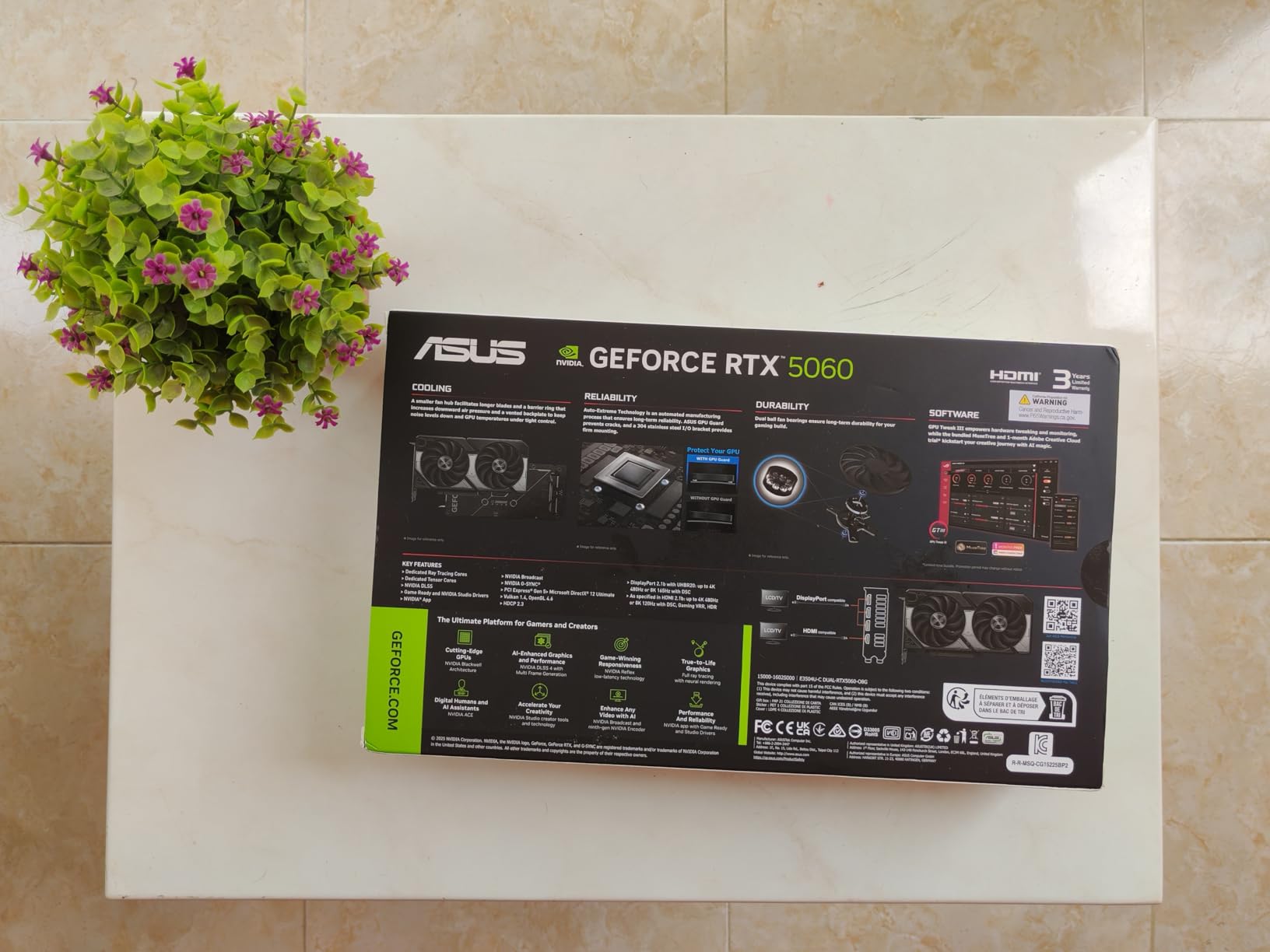
The memory configuration is the recurring complaint and the reason this card sits at number two rather than first. Eight gigabytes of GDDR7 over a PCIe 5.0 interface is a genuine step up from the previous generation in latency and bandwidth, but it is still 8GB, and texture-heavy settings will need lowering in newer releases.
Two smaller notes from reviews: the card is not acoustically invisible under a sustained full load the way a large triple-fan cooler is, and a minority of owners report audio crackle at sample rates of 44.1kHz and above. If you listen to music through the same machine, test that early.
Does DLSS 4 change the 8GB limitation?
Partly. DLSS 4 upscaling and frame generation let the card hold a high frame rate at lower internal resolution, and buyers report noticeably better 1% lows with them enabled. That solves a smoothness problem, not a memory problem: when a game requests textures the card cannot store, the frame rate drops regardless of upscaling.
For esports titles and older games, where textures are rarely the limit, the effect is dramatic. For a new open-world title at high settings, expect to pull texture quality down.
Who should skip this card?
Skip it if your priority is memory headroom over features. The twelve gigabyte options in this roundup tolerate high texture settings for longer, and the gap shows up in exactly the games where people notice it most.
Buy it if you want the newest architecture, quiet idle behavior, low power draw, and a warranty that runs three years. The three-year warranty and native DisplayPort 2.1b plus HDMI 2.1b outputs make it a safe, low-friction choice.
3. GIGABYTE Radeon RX 9060 XT Gaming OC 8G – Best for 1080p High Refresh
GIGABYTE Radeon RX 9060 XT Gaming OC 8G Graphics Card, PCIe 5.0, 8GB GDDR6, GV-R9060XTGAMING OC-8GD Video Card
8GB GDDR6
2700 MHz core clock
PCIe 5.0
RGB lighting
11.06 inch length
Pros
- Excellent 1080p high refresh results
- Low temperatures often under 50C
- Quiet even at sustained load
- RGB lighting included
Cons
- 8GB requires quality adjustments in newest games
- Long 11.06 inch body may need a support bracket
- Card runs a little warmer than some peers
If your monitor is a 144Hz or 165Hz panel and you play competitive shooters, this is the card to look at first. Owners report very high frame rates in competitive titles, and 89% of the 132 reviews are five-star, which is a strong signal for a card this new.
Thermals are the surprise. The WINDFORCE cooling system with server-grade thermal conductive gel keeps temperatures low, often under 50C, and reviewers describe the card as quiet even at sustained load. That combination of cool and quiet at mid-range prices is not always expected.
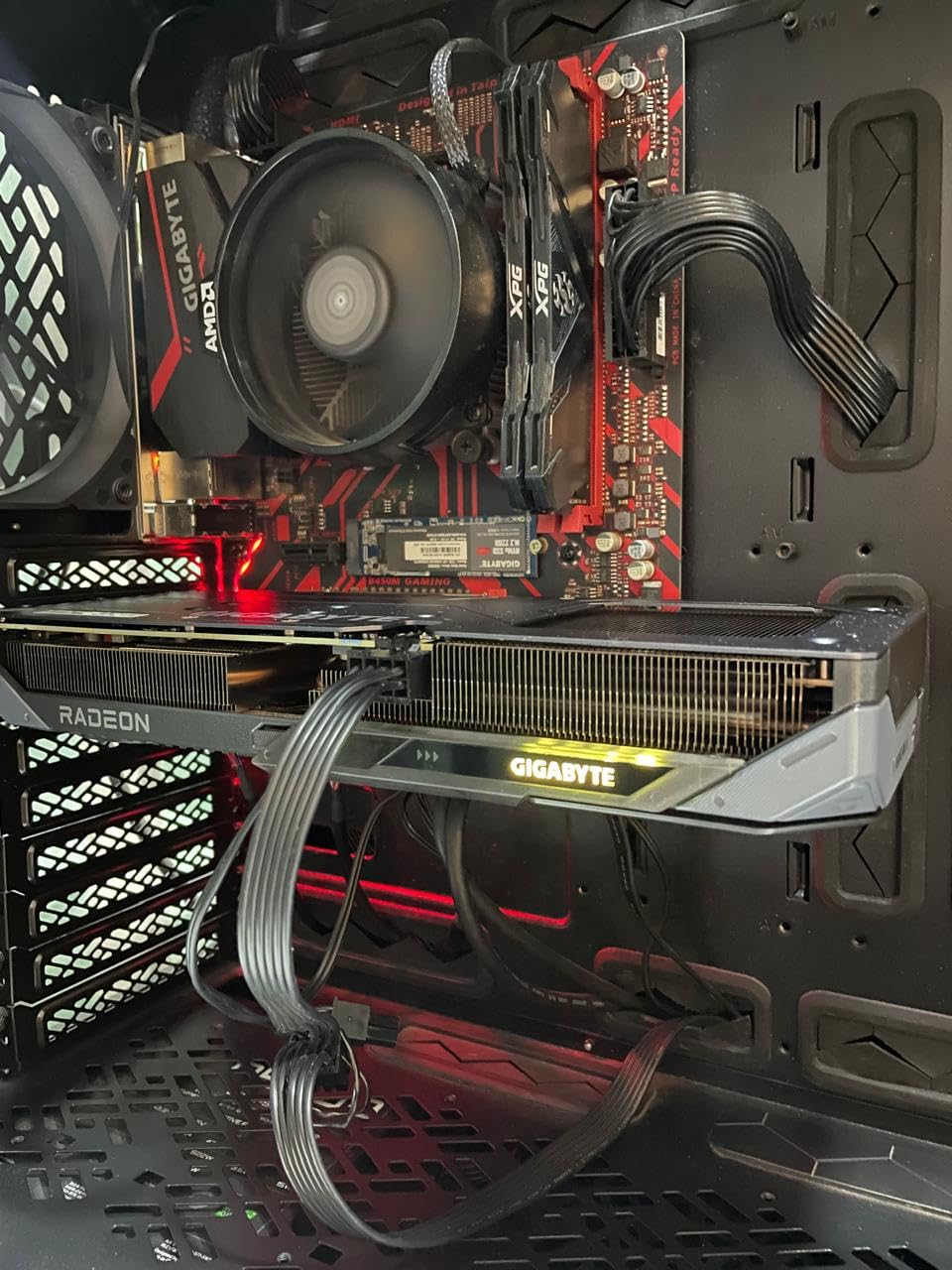
RDNA 4 brings modern features through a PCIe 5.0 interface at a mid-range price, and the card ships with RGB lighting, which several buyers appreciated at this tier. It is the only RDNA 4 card on this list, which is why it represents the current AMD generation here.
The same 8GB ceiling applies, and this card is physically long at 11.06 inches. Some buyers needed a GPU support bracket, and it runs a little warmer than its peers, so case airflow matters. A few owners also report frustration with GIGABYTE software switching performance profiles without being asked.
Is 8GB enough for 1440p gaming on this card?
For 1080p, comfortably. For 1440p, you are asking the memory system to hold textures for roughly twice the pixel count, and that is where 8GB starts to bite. Owners play 1440p, but they report accepting lower texture quality to keep the frame rate steady.
If your plan is 1440p as a primary resolution rather than an occasional one, the twelve gigabyte options are a better match even if their raw numbers are older.
How does it compare with the RTX 5060 cards?
In raw 1080p throughput, this card is the stronger of the two families here, and the community consensus on r/buildapc consistently favors RDNA 4 on value at this budget. The Blackwell cards pull ahead on upscaling quality, frame generation, and video encode features rather than on plain frame rate.
So the question is simple: do you want the higher raw frame rates at 1080p, or the best feature set? Most gamers who already own a 144Hz display want the frame rate.
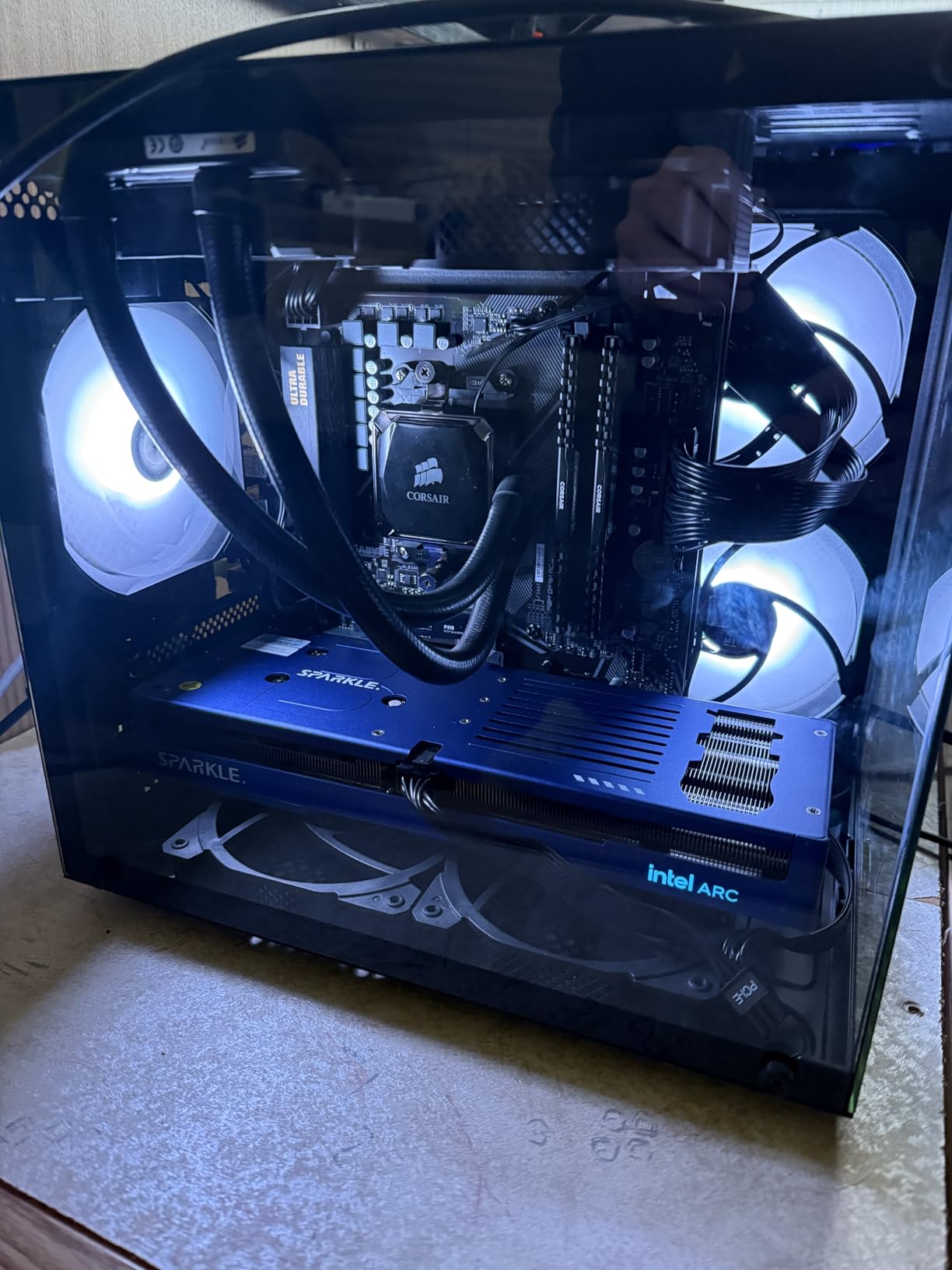
4. Sparkle Intel Arc B580 Titan OC 12GB – Best for Video Editing and Streaming
Sparkle Intel Arc B580 Titan OC, 12GB GDDR6, Torn Cooling 2.0, Axial Fan, Breathing Light, Metal Backplate, SB580T-12GOC
12GB GDDR6
2760 MHz OC boost
PCIe x8 interface
3 fans
12.4 inch length
Pros
- 12GB gives more headroom than the 8GB options
- Excellent AV1 encoder for editing and transcoding
- Runs cool at around 59-65C under load
- Metal backplate and sag bracket included
Cons
- Intel Arc drivers still need tuning by some users
- Raster performance trails Radeon cards in many titles
- Very long at 12.4 inches
This is the wildcard in the lineup, and for anyone who encodes video it is a genuinely strong fit. The media engine is the reason: buyers consistently praise the AV1 encode performance, which speeds up editing timelines, exports, and streaming pipelines that would crawl on a competing card.
Twelve gigabytes of GDDR6 at a 2760 MHz boost clock is a strong spec sheet for a creator, and the TORN Cooling 2.0 triple-fan design runs cool, commonly reported between 59 and 65C under full load. The metal backplate, breathing light, and included sag bracket suggest a card built with longevity in mind.
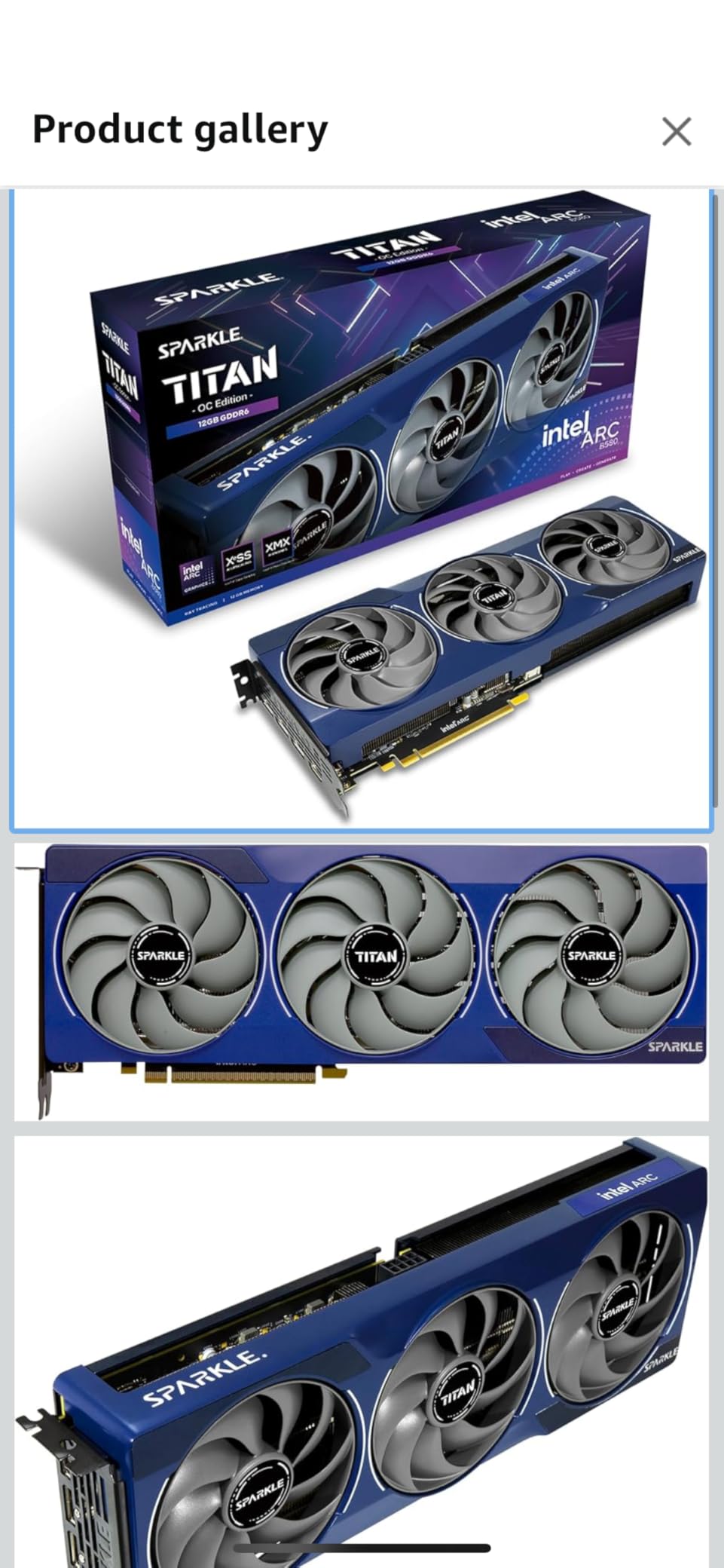
The split in reviews is real, and the 4.5 average reflects it. Enthusiasts of the media engine and the value are happy; gamers note that driver maturity is still a work in progress, that rasterization trails Radeon in many titles, and that a few games perform poorly relative to expectations. Some users have to adjust TDR registry settings to avoid timeouts under heavy use.
The 12.4 inch length is the longest card we tested here, so check your chassis carefully. A PCIe x8 interface is fine for gaming but worth knowing about if you move the card between systems often.
Is Intel Arc worth the driver risk right now?
For an editing or streaming machine, yes. The encoder saves hours on export and transcode work, and 12GB gives timeline headroom that the 8GB cards cannot match.
For a gaming-only machine, we would pick a Radeon or GeForce card instead and accept slightly slower encodes. Driver support on Arc is the last concern to disappear, not the first, and a TDR timeout adjustment before your first heavy render removes most of the sting.
What about missing VR support?
Reviewers note that VR readiness tempers enthusiasm for this card. If you play in VR, treat this as a secondary display or compute card rather than your headset driver. Everyone else is unaffected.
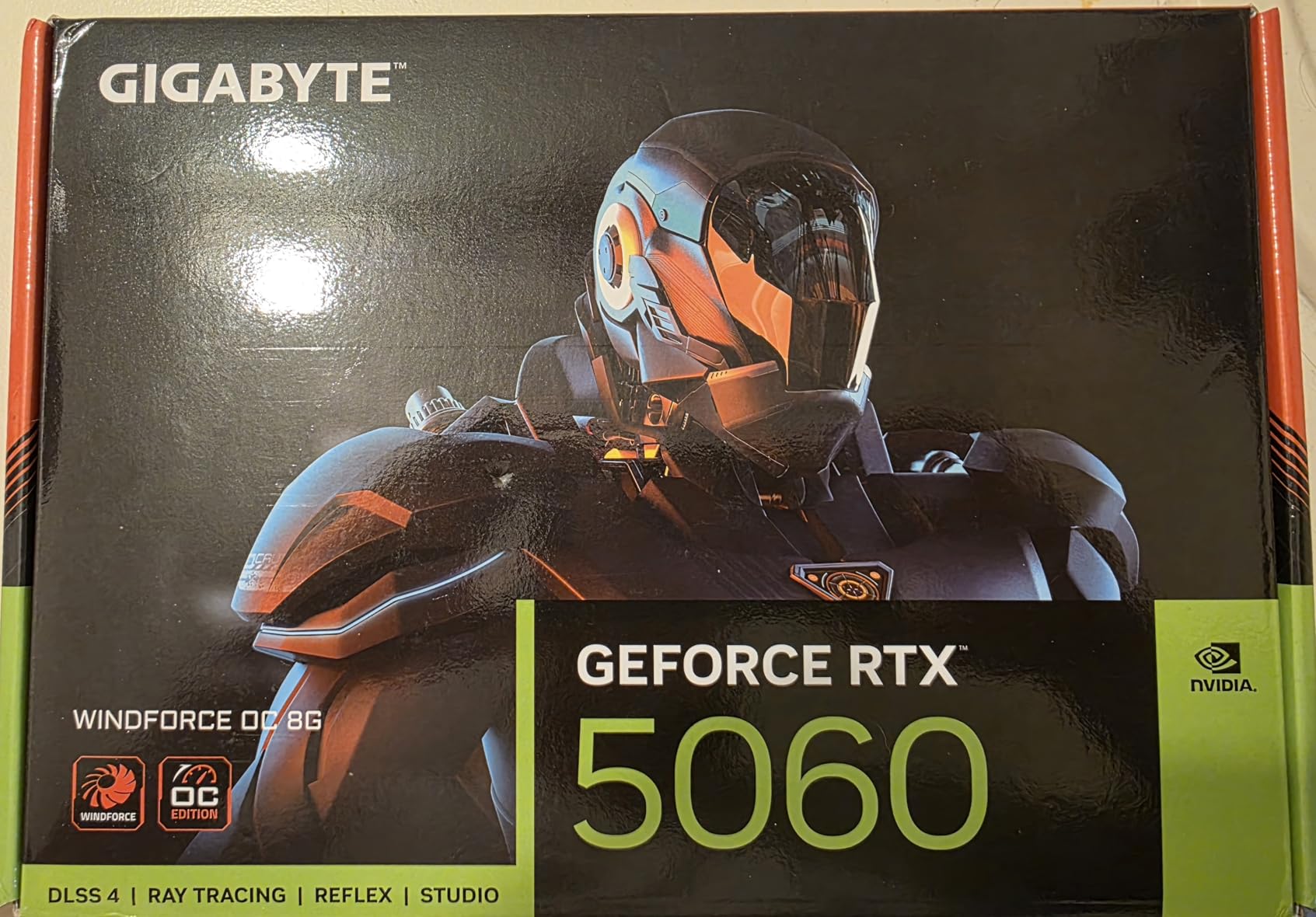
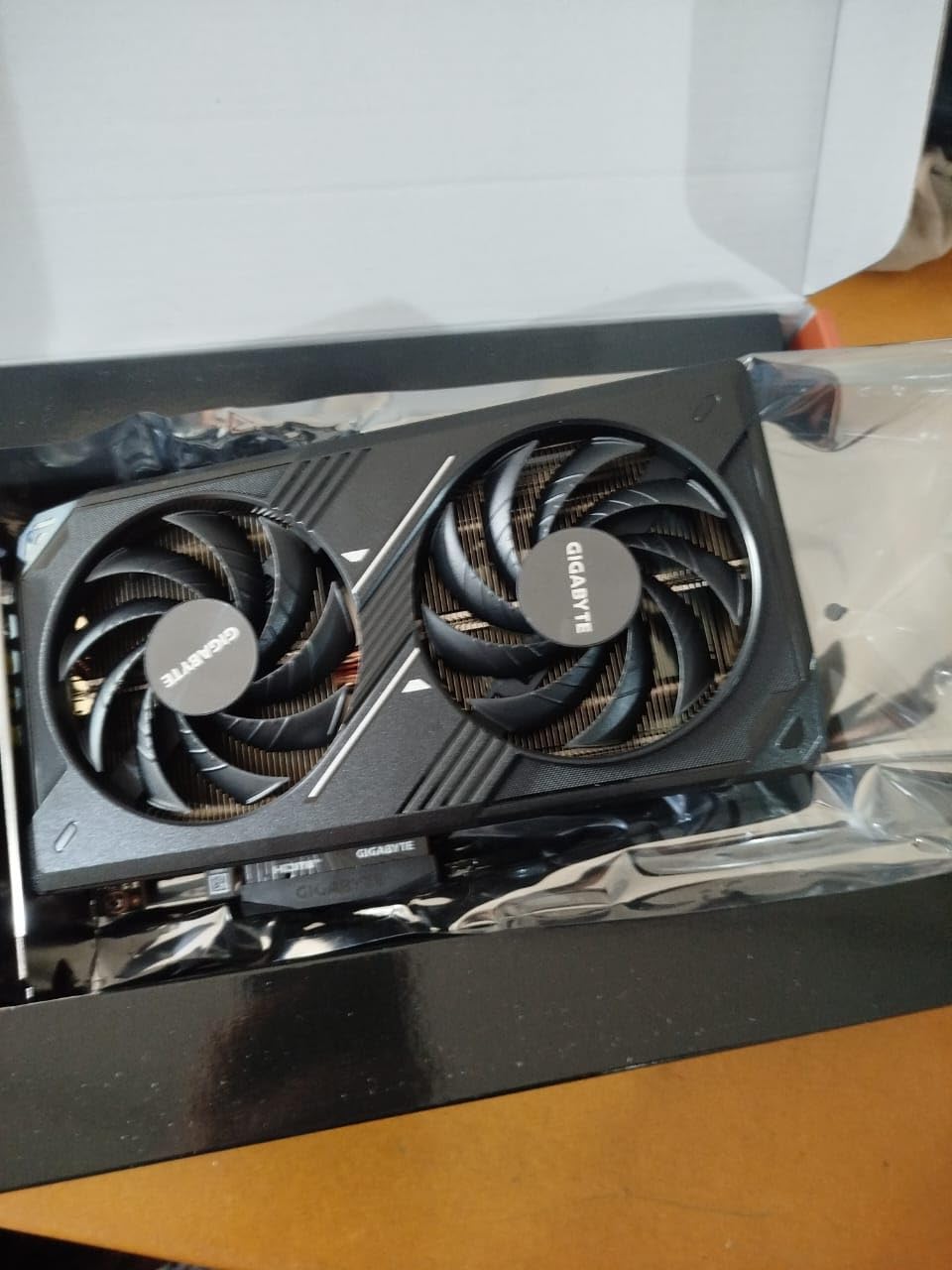
5. GIGABYTE GeForce RTX 5060 WINDFORCE OC 8G – Best for Tight Cases
GIGABYTE GeForce RTX 5060 WINDFORCE OC 8G Graphics Card, Cooling System, 8GB 128-bit GDDR7, PCIe 5.0, Manufactured by NVIDIA, DisplayPort & HDMI – Video Output Interface, GV-N5060WF2OC-8GD Video Card
8GB GDDR7
128-bit memory bus
7.83 inch length
2 fans
PCIe 5.0
Pros
- Among the shortest current-generation boards
- Blackwell with DLSS 4 upscaling
- WINDFORCE cooling keeps temps and noise modest
- 4.7 stars across 426 reviews
Cons
- 128-bit bus limits absolute bandwidth
- 8GB constrains settings in newer games
- Less VRAM than a 5060 Ti class card
This is the card to buy when case clearance is your first filter. At 7.83 inches by 4.57 inches, it is among the shortest current-generation GPUs we looked at, and it fits cases that reject the eleven-inch boards on this list without a second thought.
Inside, you still get Blackwell, DLSS 4, GDDR7 memory, and a PCIe 5.0 interface, with a WINDFORCE dual-fan cooler that owners report keeps temperatures and noise modest. The 4.7 average across 426 reviews and an 85% five-star share suggest a well-executed board rather than a barebones one.
The limitation buyers name most is the 128-bit bus. Narrower memory bandwidth caps how quickly the card can feed itself, which matters most in texture-heavy scenes and high-resolution titles. Compared with the 192-bit board in our top pick, the difference shows under load.
Everything else is a constraint rather than a dealbreaker for a 1080p-oriented build. The card carries a three-year manufacturer warranty, and the WINDFORCE cooling system is a proven design across this manufacturer’s lineup.
Should you choose this over the longer ASUS Dual RTX 5060?
Only if your case forces the decision. Both cards run the same silicon and the same 8GB of GDDR7, so the shorter board wins on fit and loses nothing else that matters. If you have room, the ASUS card’s 2.5-slot cooler has more thermal headroom.
Neither card solves the memory ceiling. If you can accommodate a longer board and accept older architecture, the twelve gigabyte options avoid that compromise entirely.
Will it power up on an older system?
Yes. As a current-generation card it draws modestly, and the compact dual-fan cooler does not need the case airflow a triple-fan design requires. Check that your power supply has the right connector before you order.
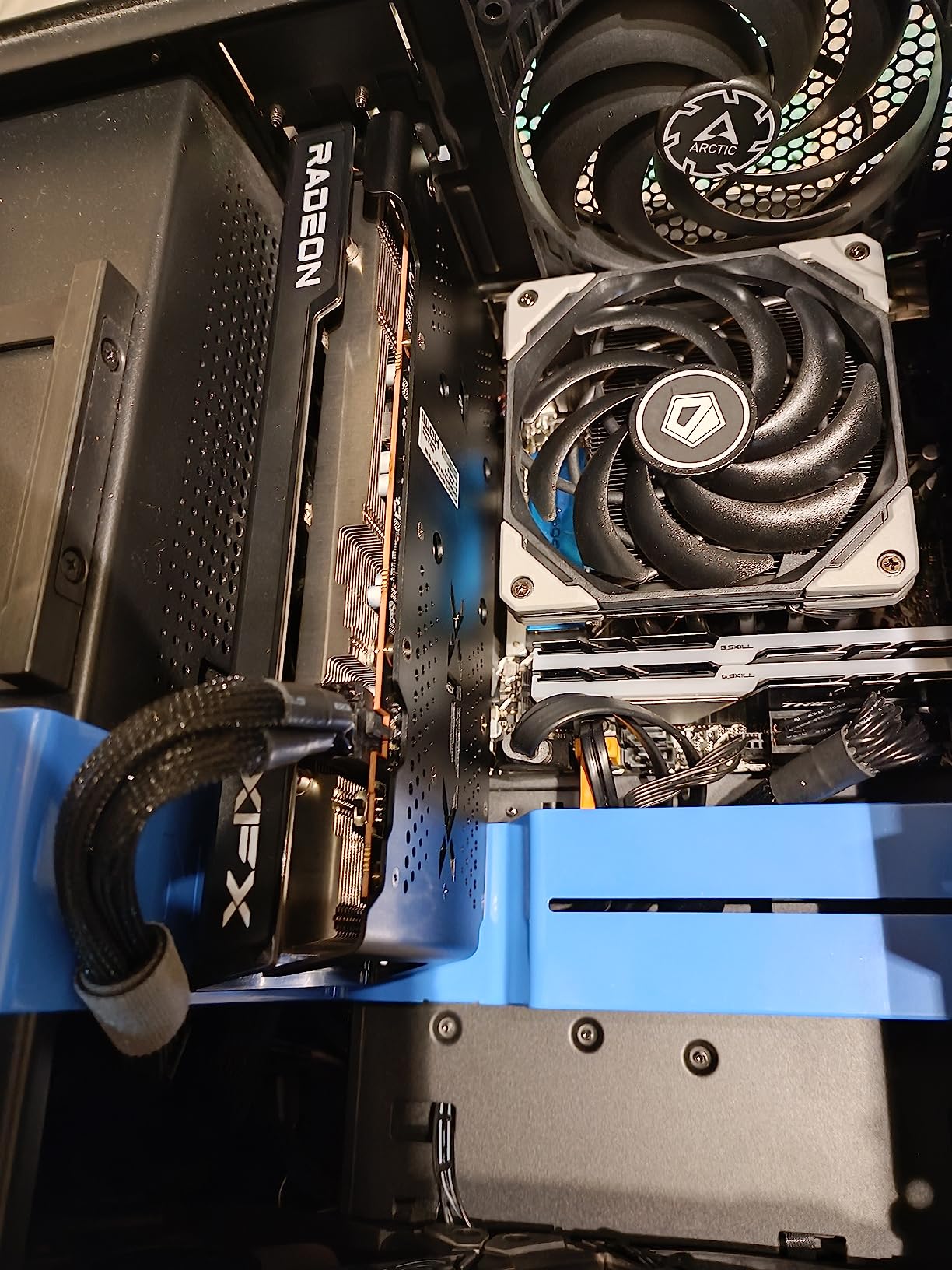
6. XFX Speedster SWFT210 Radeon RX 7600 – Best Value Pick
XFX Speedster SWFT210 Radeon RX 7600 Graphics Card with 8GB GDDR6 HDMI 3xDP, AMD RDNA 3 RX-76PSWFTFY
8GB GDDR6
2655 MHz boost clock
2 fans
9.49 inch length
3 year warranty
Pros
- Dependable 1080p performance at a budget level
- Compact dual-fan SWFT cooler fits mid-size builds
- Good headroom for 1440p light-medium settings
- Low power draw pairs well with mid-range CPUs
Cons
- 8GB VRAM is limiting in modern AAA titles
- No hardware ray tracing comparable to NVIDIA RT cores
- Dual-fan cooler is loud under sustained load
The XFX Speedster is the reason this roundup has a floor. It delivers dependable 1080p performance without asking you to research cooling solutions or power supplies, and at 4.4 stars from 520 reviews it has a large enough sample to judge fairly.
A boost clock of up to 2655 MHz gives it real headroom, and owners use it for 1440p on light to medium settings. The low power draw makes it a comfortable pairing with mid-range processors and older power supplies, which is exactly the situation a lot of buyers upgrading a prebuilt are in.
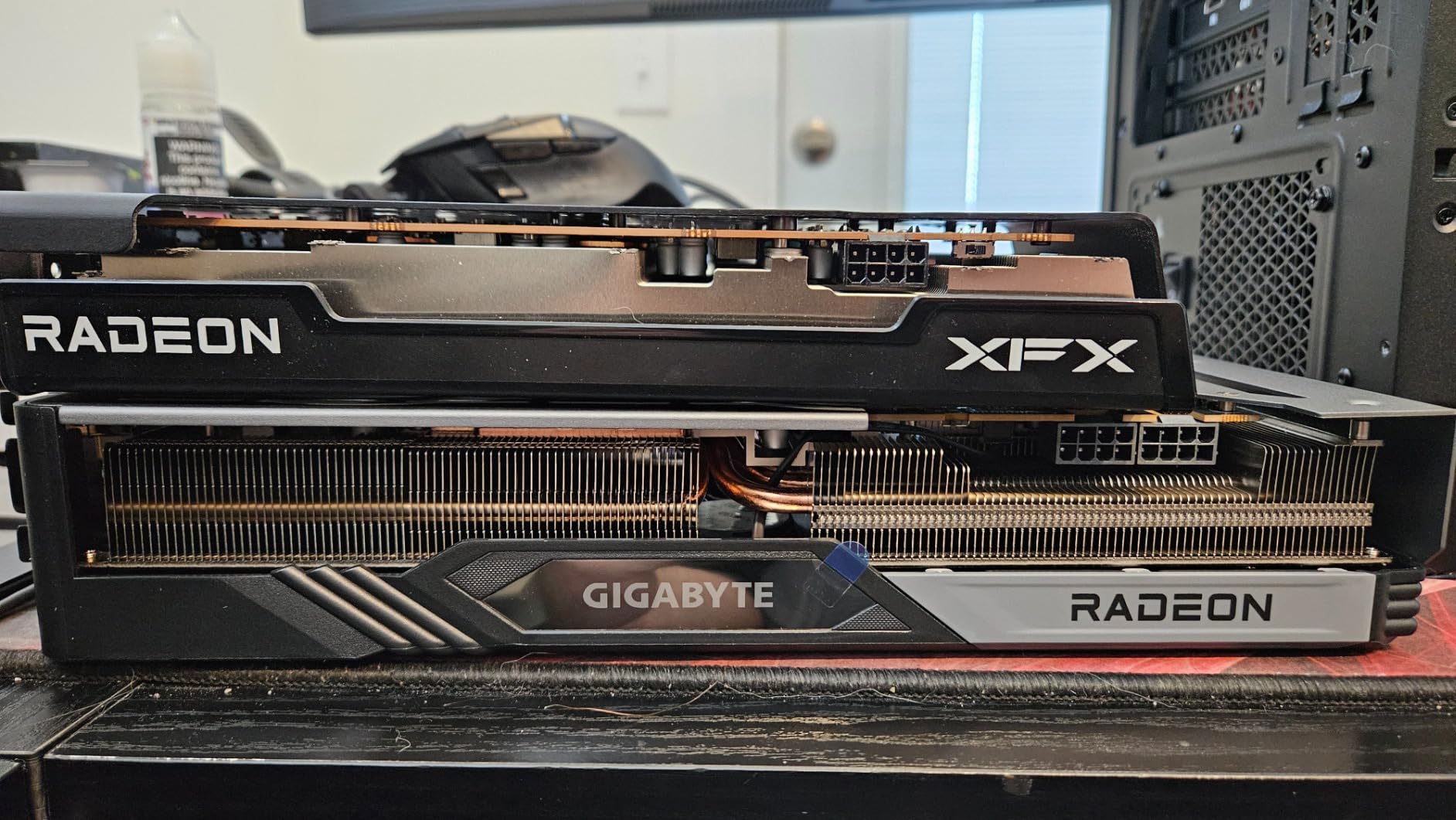
Be realistic about what you are buying. This is RDNA 3, not the newest architecture, and 8GB of GDDR6 is the same ceiling described throughout this roundup. The 4.4 average is lower than the cards above it, and the reviews explain why: complaints about VRAM limits, thermals under sustained load, and weak performance in demanding current titles appear repeatedly.
There is also no hardware ray tracing acceleration comparable to NVIDIA’s RT cores, and the dual-fan SWFT cooler is louder under long sessions than a three-fan design. If you play at high frame rates in demanding games, look elsewhere.
When does this card make more sense than a newer one?
This card makes sense when your total build budget is tight, or when you are adding a second card to a system that already has adequate power. Buying less and accepting medium settings is a defensible decision rather than a compromise, as long as you know that is the trade you are making.
If you intend to keep the card for many years, the 8GB limit will age faster than the 12GB options. Buy it for a defined two to three year horizon.
Is 1440p realistic on this card?
At light to medium settings, yes, and that is the honest ceiling. Pushing high textures at 1440p is where the 8GB pool becomes the bottleneck, and the ray tracing gap means ray-heavy titles feel the shortfall more than non-ray titles do.
For competitive 1080p play, where settings are rarely the constraint, it holds up well.
7. ASUS Dual GeForce RTX 3050 6GB GDDR6 OC – Most Versatile for Small Builds
ASUS Dual GeForce RTX 3050 6GB GDDR6 OC Edition Gaming Graphics Card
6GB GDDR6
1500 MHz boost clock
2 slots
2 fans
7.9 inch length
Pros
- 6GB keeps the cost low
- DLSS 3 upscaling and frame generation support
- IP5X dust resistance and steel bracket
Cons
- 6GB is the smallest memory pool available
- Entry performance for demanding AAA titles
- Slim cooler has limited thermal headroom
Not every upgrade needs a gaming card. If you are adding graphics to an office machine, a home theater box, or a compact prebuilt, this is a low-cost way to get three dedicated outputs, hardware encoding, and a card that will not strain a small power supply.
The 2-slot, 7.9 inch design is built for small chassis, and the very low power draw makes it usable in systems that could never host one of the triple-fan cards above. Reviewers like the build details too: IP5X dust resistance and a stainless steel bracket are sensible additions for a card expected to run for years.
Ampere still brings third-generation Tensor cores, so DLSS 3 upscaling and frame generation are available, along with second-generation RT cores that double ray tracing throughput against first-generation parts. Those features are more useful than they sound on a card this class, because they smooth out frame pacing on lighter titles.
Six gigabytes, however, is the smallest pool here, and it restricts texture quality in newer games immediately. Performance is adequate rather than fast. If your goal is modern AAA gaming at 1080p, save up and choose a card with more memory.
Is it a good upgrade over integrated graphics?
Very much so, and in most cases the jump is dramatic because integrated solutions share system memory. For a machine with no dedicated card, this is a real upgrade in every measurable way, from frame rate to the number of displays you can drive.
For an existing RTX 4060 owner, it is a downgrade. Know which side of that line you are on before ordering.
Will it fit a mini-ITX case?
Two slots and just under eight inches is small enough for most compact builds, and the low power draw means you likely avoid a power supply upgrade. Check the depth of your specific chassis anyway, since small cases vary widely.
Judge the fit from the manufacturer dimensions rather than photographs, since no owner photos of this board were available when we checked.
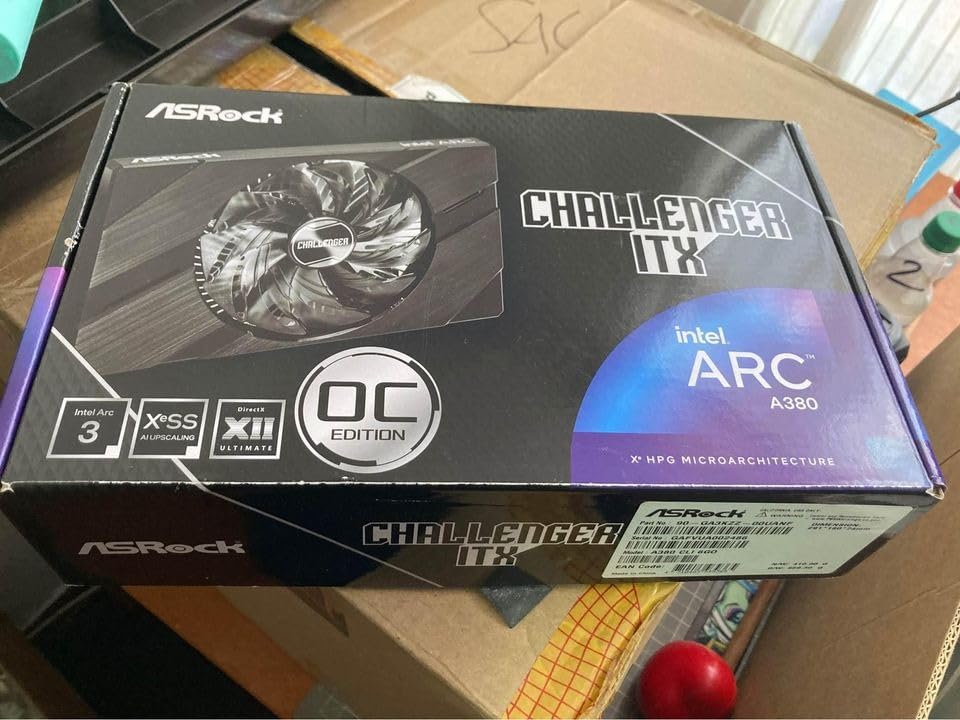
8. ASRock Intel Arc A380 Challenger ITX 6GB – Best for Media Servers and HTPCs
ASRock Intel Arc A380 Challenger ITX 6GB OC, 2250MHz GPU, 6GB GDDR6 96-bit, PCIe 4.0, Single Fan, 0dB Silent, DP 2.0, HDMI 2.0b
6GB GDDR6
96-bit bus
2250 MHz clock
single fan
7.48 inch length
Pros
- Excellent AV1 hardware encode for Plex and HandBrake
- Single-fan 0dB design is near silent
- Low power draw suits servers and HTPCs
- Drives up to four displays at 8K
Cons
- 6GB is too little for modern AAA gaming
- 3D performance trails dedicated gaming cards
- AV1 encode does not carry Dolby Vision metadata
This card is not a gaming recommendation, and buying it for gaming is the most common mistake we see. It is a transcoding card, and a good one: owners running 4K re-encodes in HandBrake report roughly 30fps, with AV1 encode performance that server, homelab, and HTPC buyers describe as excellent.
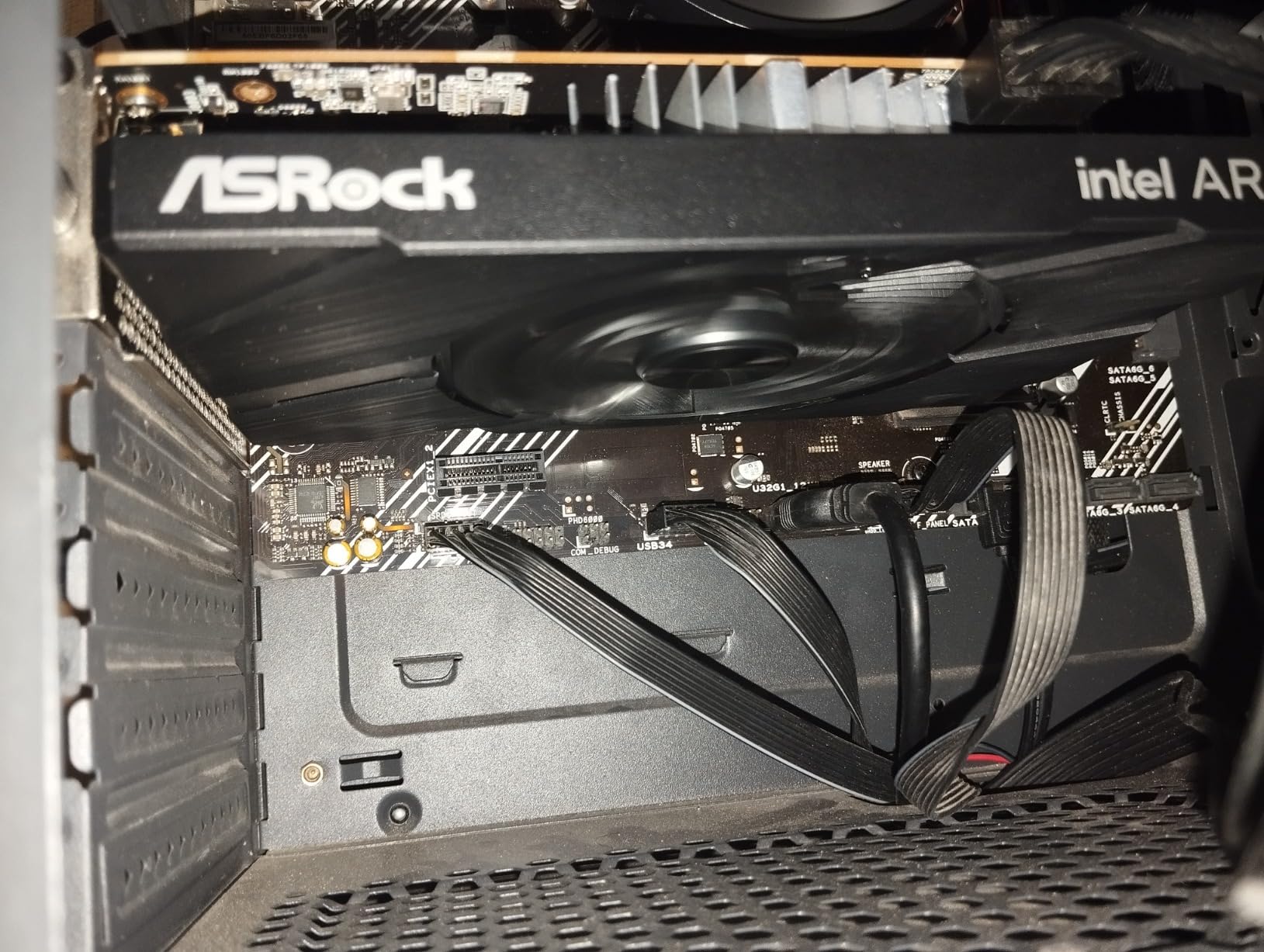
The single-fan 0dB Silent design keeps the card inaudible at idle and very quiet under load, which matters when it lives in a living room or a closet. A 7.48 inch length and 2-slot ITX footprint fit small form factor cases, and three DisplayPort 2.0 outputs with DSC plus HDMI 2.0b can drive four displays at up to 8K.
The 4.3 average across 300 reviews reflects a sharply polarized but well-understood product. Media buyers are enthusiastic about the encode speed, low draw, quiet cooling, and improving driver stability. Gaming buyers describe it as a display and streaming adapter that struggles with anything modern, which is fair.
Three technical caveats worth knowing: hardware AV1 encoding does not preserve Dolby Vision metadata, the HDMI output is limited by a lower-speed bridge so high-resolution displays should use DisplayPort, and some owners hit HDMI edge cases with ReBAR and above-4G decoding enabled in server and KVM setups.
Is a 500W power supply required?
The manufacturer lists a single 8-pin power connector and a recommended 500W unit, so check yours before installing. The card itself draws very little, and the warranty is two years.
Verify chassis clearance as well, since the 169.9 by 123.5 by 39.2mm card is small but not universal.
Should a gamer buy this card at all?
Only as a second card, alongside something with real 3D performance. Six gigabytes on a 96-bit bus is below the modern gaming floor, and post-2019 titles run at lowest settings. We include it because the encode engine is genuinely useful and the audience for it is specific and growing.
For a gaming build at any resolution, choose from the seven cards above.
How to Choose a Graphics Card Under 500 USD in 2026
Every card above sits inside the budget. The decision comes down to six things: memory, upscaling, physical fit, power, new versus used, and which generation you are comfortable with. Here is how we weigh them.
1. Treat VRAM as the first filter, not the last
VRAM is the constraint that decides how long a card stays usable. In this bracket, 8GB is the most common config, 12GB comes from two vendors, and 6GB is already showing strain in current titles. Buyers consistently describe upgrading away from an 8GB card as the single most noticeable step change, and it is always the memory, not the frame rate.
For 1080p gaming today, 8GB is workable. For 1440p as a main resolution, for creative work, and for keeping a machine past a few years, 12GB is the better buy even when the card runs an older architecture.
2. Understand what upscaling does and does not fix
DLSS 4 on Blackwell, FSR on RDNA, and XeSS on Arc all work the same way: render the frame at a lower internal resolution, then reconstruct it at your display’s native resolution. That buys frame rate and improves 1% lows, and it is why a mid-range card can hold a high refresh rate in demanding titles.
What it does not fix is memory. When a scene asks for textures the card cannot hold, the frame rate falls no matter which upscaler is active. This is the single most misunderstood point in the whole budget, and it explains why 8GB cards feel uneven rather than simply slower.
3. Check the power supply before you fall in love with a card
Users on hardware forums repeat the same advice: check your wattage before upgrading, especially with a triple-fan card. A 550W unit from a few years ago will drive most of the cards in this roundup, but a low-quality unit may not.
Confirm the connector type as well. Most cards in this bracket use a single 8-pin PCIe connector, and older power supplies sometimes ship with only 6-pin cables, which are not interchangeable.
4. Measure your case before you order
Card length is the most avoidable mistake on this list. It ranges from 7.48 inches to 12.4 inches across these eight cards, which is a huge physical difference. Measure from the rear bracket to the front intake panel, and if you have a large tower CPU cooler, add clearance for the power cable bend.
Also count expansion slots. A three-fan card frequently blocks the slot below it, and the three-fan boards in this roundup are also the longest ones.
5. Decide new versus used before you shop
Used buyers report that an RTX 3080 10GB or an RX 7800 XT can land well inside this budget and outperform several of the new cards on raw rasterization, especially for non-ray-tracing 1440p play. Multiple forum threads describe the 7800 XT as delivering the highest raw performance at this spend.
The tradeoffs are real. Used cards carry no warranty, their condition is unknown, and mining or gaming history is not something you can verify from a listing. Treat a used purchase as a two to three year stopgap and never mix it with a brand new card in a warranty claim, because manufacturers treat a used part as a used part.
6. Know what you are giving up in each generation
Older Ampere and RDNA 3 cards still win on memory. Current Blackwell and RDNA 4 parts win on features: newer upscalers, frame generation, hardware AV1 encode, and better ray tracing. The Ray-tracing gap in particular is the most persistent complaint about Radeon cards, and it matters if you play ray-heavy titles rather than competitive shooters.
Neither side is wrong. Match the card to the software you actually run.
Which Card Should You Pick?
Here are the same eight cards mapped to buyer types, which is usually a faster way to choose than ranking them.
For 1440p high refresh with room in your budget for longevity, take the GIGABYTE GeForce RTX 3060 Gaming OC 12G. The 192-bit bus and 12GB of GDDR6 are the combination that holds texture quality longest, and the review base is large enough that you can buy it with confidence.
For 1080p ultra on the newest architecture, take the ASUS Dual GeForce RTX 5060 8GB GDDR7 OC. It draws about 150W, idles at 0dB, and gives you DLSS 4 on a 9 inch board.
For pure 1080p high-refresh gaming, take the GIGABYTE Radeon RX 9060 XT Gaming OC 8G. Cool, quiet, and it delivers high conventional 1080p frame rates on a 144Hz display.
For video editing, streaming, or transcoding, take the Sparkle Intel Arc B580 Titan OC 12GB. Twelve gigabytes plus an excellent AV1 encoder is a combination nothing else here matches, and set the TDR timeout before your first render.
For a small case, take the GIGABYTE GeForce RTX 5060 WINDFORCE OC 8G at 7.83 inches, or the ASUS RTX 3050 6GB at 7.9 inches if your budget is tight and you are not chasing frame rates.
For a lower-spend route to 1080p ultra, take the XFX Speedster SWFT210 Radeon RX 7600. It saves money against the mid-tier picks and pairs well with mid-range processors.
For a server, homelab, or living-room media box, take the ASRock Intel Arc A380 Challenger ITX 6GB and ignore every gaming benchmark you read about it.
Frequently Asked Questions
What is the best graphics card under 500 USD?
The GIGABYTE GeForce RTX 3060 Gaming OC 12G is our pick for most buyers, because 12GB of GDDR6 across a 192-bit bus is the most memory headroom available in this budget and it is the constraint that limits texture quality first. If you want the newest architecture instead, the ASUS Dual RTX 5060 8GB OC offers Blackwell, DLSS 4, and a very low power draw, at the cost of an 8GB pool.
What is the least expensive graphics card worth buying?
The XFX Speedster SWFT210 Radeon RX 7600 is one of the least expensive cards here that still runs modern titles at 1080p, with a boost clock up to 2655 MHz and low power draw. If your system only needs dedicated outputs and encoding rather than frame rates, the ASUS Dual RTX 3050 6GB OC costs less again and fits small cases.
Is 8GB of VRAM really not enough?
For 1080p gaming, 8GB is workable today, especially with DLSS 4 or FSR enabled. It becomes limiting in texture-heavy scenes at 1440p, in creative work, and as new releases raise memory requirements. The card feels uneven rather than uniformly slow, because it holds frame rate until a texture request exceeds the pool. That is the moment buyers report as disappointing.
Is 8GB of VRAM bad these days?
8GB is no longer a bargain, because two cards in this bracket ship 12GB at similar spend. It is not unusable, and a matched price can still justify it when the alternative card is much more expensive or too large for your case. Buy 8GB for a defined two to three year horizon at 1080p, and buy 12GB if you want the machine to age well.
How much power supply do I need for a graphics card in this price range?
Based on the listed figures, a 550W unit is usually enough for a single mid-range card like these. The Intel Arc A380 lists a 500W recommendation with a single 8-pin connector. Confirm the connector type before buying, since 6-pin and 8-pin cables are not interchangeable.
Final Verdict on the Best Graphics Cards Under 500 USD
The GIGABYTE GeForce RTX 3060 Gaming OC 12G is the best graphics card under 500 USD for most people, and the ASUS Dual GeForce RTX 5060 8GB OC is the one to buy if you would rather have the newest architecture and the quietest, most efficient design. For 1080p high refresh, the RX 9060 XT Gaming OC 8G is hard to leave out, and for editing or streaming, the Arc B580 Titan OC 12GB is the only card here with the encoder to justify it.
Whatever you choose, measure your case, confirm your power supply connector, and check the live listing before you buy, since models and configurations shift often in this bracket.